Desertcart purchases this item on your behalf and handles shipping, customs, and support to Tunisia.
🚗 Upgrade your drive with wireless freedom & booming sound — because your car deserves a tech glow-up!
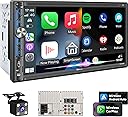
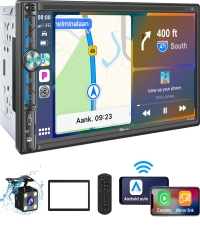
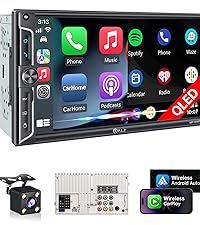
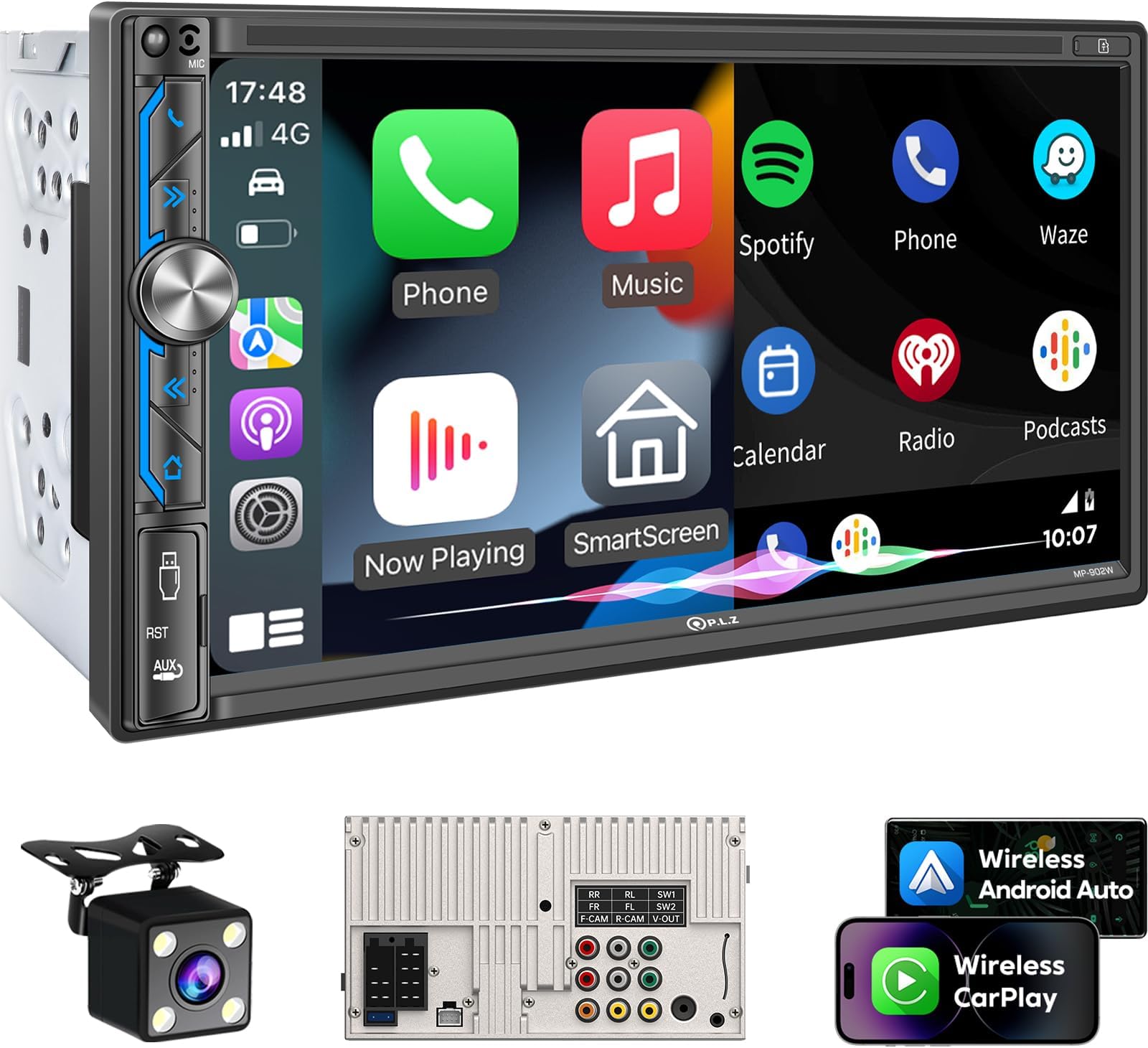
The PLZ 7" Wireless Double Din Car Stereo combines cutting-edge wireless Apple CarPlay and Android Auto with Bluetooth 5.3 for seamless phone integration. Its powerful 240W 4.2 channel DSP audio system with dual subwoofer outputs delivers premium sound quality. The vibrant 7-inch IPS touchscreen (1024x600) ensures crisp visuals, while steering wheel control compatibility enhances safety and convenience. Designed to fit most vehicles, it supports backup camera input and offers a modern upgrade to your car’s entertainment system.


| ASIN | B0CFL3MFXF |
| Audio Output Mode | Stereo |
| Audio Output Type | Speakers |
| Best Sellers Rank | #2,985 in Electronics ( See Top 100 in Electronics ) #6 in Car Audio Receivers |
| Brand | PLZ |
| Built-In Media | Backup Camera, Harness, Remote, Stereo Unit |
| Compatible Devices | Amplifier, Smartphone, Speaker |
| Connectivity Technology | Auxiliary , Bluetooth, USB |
| Connector Type | RCA , USB |
| Control Method | Remote, Touch |
| Controller Type | Android Auto, Apple Carplay |
| Customer Reviews | 4.0 out of 5 stars 2,162 Reviews |
| Format | MPEG, WAV, WMA |
| Item Weight | 1.23 kg |
| Manufacturer | PLZ |
| Mfr Part Number | MP-902W |
| Model Number | MP-902W |
| Number of Channels | 4 |
| Other Special Features of the Product | Android Auto, Apple CarPlay, Built-In Bluetooth, DSP, Screen Mirroring |
| Output Power | 240 watts |
| Output Wattage | 240 watts |
| Special Feature | Android Auto, Apple CarPlay, Built-In Bluetooth, DSP, Screen Mirroring |
| Supported Internet Services | YouTube |
| Surround Sound Channel Configuration | 4.2 |
| Unit Count | 1 Count |
| Video Encoding | MPEG-4, RMVB, DivX, AVI, 1080P, MP3, WMA, JPEG |
| Warranty Description | 1 Year |
| Wattage | 240 watts |
| Wireless Technology | Bluetooth |
Y**E
Excellent Android Head Unit and Great Tech Support
The item arrived within the time period it was expected. It comes with brackets and a bezel, but the brackets didn't fit my car. The package also included a trim removal tool. I installed the unit after I obtained a wiring harness and brackets for my 2005 Ford Focus from Amazon. The documentation made wiring the head unit to the wire harness easy. After installation, all the sections of the unit work well including the AM/FM, USB, Bluetooth, Microphone and Android Auto sections. My phones run Android 9 and 10, so Wireless Android Auto didn't work because it requires Android 11 and higher. Wired works. Wireless Android Auto worked with a phone running Android 14. Hands free calling worked and the PLZ head unit makes the 20 year old speakers in the Focus sound better than they ever have. Tech support has been great. I requested the Ford boot up logo from them. They asked for some information about the unit I received and were able to determine I needed two updates. The updates and the instructions were sent via email, and after they were done one at a time, I got the Ford logo on boot up. The only problem I had after installation was the unit flashing at times. Tech support was contacted and we were able to determine that it was caused by the aftermarket wire harness sending insufficient voltage to the unit when the headlights were turned on. It turns out the wire harness was sending voltage from the dash brightness knob, not the headlight switch. I usually have the dash at a very dim level at night. Turning up the dash brightness to full triggered the unit to change to night mode. I was able to get the dash illumination knob to a position where the dash was a little brighter than I usually have it, but it still triggered the unit into night mode. Sometime in the future, I'll wire the head unit to the headlight switch at the dash instead of the illumination knob. I wanted an extension cable for the installation of the backup camera, and tech support was able to give me a link to one sold on Amazon. I had told an acquaintance that I was going to install an Android Auto head unit in the car some time ago. I showed him a picture of the PLZ head unit installed in the Focus. He came outside his office to look at it and was impressed at how well it looked in the dash. He said he was going to do the same with his 2002 Ford pickup truck. All in all, I'm very happy with the purchase of the PLZ head unit and excellent support provided by the PLZ Tech Support Team.
R**Y
Hard to beat for the price!
This unit is awesome. Brightness and screen quality is surprisingly great. User interface is fairly simple to navigate and Apple carplay connects quick and honestly the sound quality is surprisingly good for what might be considered a "cheap" head unit. I had contacted customer support per the card that was in the box to upgrade the start up screen and make sure the software is up to date. Had a small issue with the first update file so i contacted them again, they sent me another file fairly quick (considering time difference) and the problem was resolved. I would and have already recommended this unit to friends that want to upgrade heir radio!
S**R
It was a very nice upgrade
It works well for me, but it is not perfect. I think that it is definitely worth the price point. Sometimes it has little operational glitches, like not connecting to your phone or audio while using the GPS. It doesn’t bother me enough to write a scathing review about it. The device has physical buttons, which was a must for me because I have had the digital sensor buttons break on me in the past. It comes with a microphone and a backup camera that need to be installed with the radio, but it does allow you to use Siri and install a backup camera on a base model vehicle like mine. I bought the device to tryout Apple CarPlay as all of my friends tell me it’s the best thing ever and I am satisfied with what I got. The device supports androids equivalent to CarPlay, but I have never used it because I do not have an android. My iPhone normally automatically connects to the radio as soon as my car is turned on, which really makes access very easy. I can just ask Siri to play music or get directions from there. I’ve had it installed for about five months now and it’s holding up well.
J**L
Not bad for price, but Audio Quality needs improvement for sure.
-So far everything works great! Install was easy and fit like a glove in my 99 Buick without having to trim anything. Bought a Kit for bracket was simple as always. I really like the Video playback settings, So I can control even when driving for my passengers. I Installed the Unit yesterday and Talked with PLZ Support through Facebook to get the latest updates.. Let me tell you seems like its extra steps or a pain, but they made this easy with very detailed instructions in English throughout the entire Install & Update, was quite surprised honestly. I Got a New boot Logo for my Vehicle Show it shows a Buick Logo on startup, along with the most recent updates. Android Auto works decent wireless so far. USB can also watch Video playback as well easily, and looks great! Had to Convert all my Movies to 720p around 800bit through VLC and for free. Now i have any movie I want to watch on the go. The Mirror App works, though I haven't played around to much to figure out settings for Netflix or Prime wont show anything but black screen on the Head Unit while mirroring. So far for the Price of this Unit and the Customer Service being so quick to respond and help. I give it *4 Stars and will keep updated if any changes. -UPDATE: I'm picky so to me these things matter. When Connected to Android Auto, Youtube Music works and sounds fine. But when making calls through Android Auto or Bluetooth, on Phone, FB, Navigation, or any other App than Youtube Music, I'm getting high pitched distortion which is a bit of a bummer.. Audio Quality goes from good from Music to Bad in Calls or Navigation quick which i use a lot.. I had to to re-do my Subwoofer RCA connection, as i went straight to the Green Subwoofer hookup on the unit, instead of the normal L & R Red & White RCA Audio. Sub sounded great, but It randomly makes my Sub pop when i start the car so I switched and lost sub controls which is a bummer. But rather not have my Sub blow from popping.. The Quality of Audio on Calls and Nav being poor is a bit a bummer so far while Wireless. Will mess around and see if i can tune it better, also need to replace my Tweeters/Speakers before i give up on it and buy something else, and will keep updated, and I will change my stars if i can fix these issues.. Sound Quality in my last Head Unit was a Pioneer, and didn't sound bad using AUX at all. So, I will buy new Speakers/Tweeters since I need them anyways and mess with settings a little more, and will try out AUX as well, But that defeats my purpose of needing Wireless.. Id prefer not to have to buy any adapters. Also hoping the Unit lasts without issues as i saw a few reviews mention not connecting after a few months, and will definitely keep yall updated. UPDATE: Bought bad ass Speakers and Tweeters sound great and not the issue at all.. The unit just has POOR Audio Quality even while using Auxiliary. Customer Service told me to mess with EQ settings which believe me I have.. Its a cheap unit so if I want Quality guess I have to pay for it. Which goes up quite a bit. So if you want a quick cheap setup that works alright, its decent but for a permanent solution I think I'll have to return because I use my radio all day long delivering and the Quality being poor gives me a headache.
H**N
Great Head unit for Bruce at "TheGreatWhiteVan" on YouTube for navigation
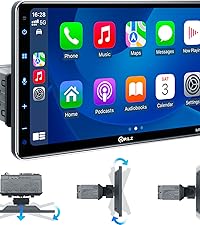
Great head unit for the price. I installed this in a 2013 Nissan NV3500 I'm converting into a camper. I wanted a large display for navigation and this 10.1 unit fits the bill nicely. Carplay works great and connects quickly. Waze and Google maps work great on this large display. I changed the boot logo and wallpaper to the logo for my YouTube channel "TheGreatWhiteVan" so it displays that when it turns on and that's really cool. It had spots for 2 USB A and 1 1/8 mini stereo jack so I hooked up a little USB dash panel insert via cables I got on Amazon to give me some USB ports on the dash since this older van does not have any from the factory. Paired to the Pioneer A-Series Standard TS-A1671F 6.5" 3-Way Coaxial Speakers I installed, the sound quality is a huge improvement over the factory stereo and speakers. I recommend this nice head unit to anyone looking to upgrade their factory stereo.
B**Y
Amazing Single DIN, Digital Screen! Easy to install!
Overall, I thought this digital car display was an excellent product! I thought it was appropriately priced and does everything it says does. I was a little hesitant that it would fit my car which is an old 1999 Toyota Corolla, however, it fit very well, although I had to take the harness that it came with off. I was also surprised that the brackets for the original cassette player that I was replacing this digital display with fit perfectly on this device. The dashboard cover mostly fits back onto the dashboard, except a little on the b bottom, but it's not really noticeable as the screen covers that; the vents also still work well. I also had to go and buy a cable that converts the connectors in my Toyota Corolla to the standard ISO connectors that connect to the back of this digital display (labeled A and B on the back of the device). For anyone interested, I got it for $12 here: https://a.co/d/0x2yaST This connector works for most Toyota models (the supported models are listed on the item page, but I'd still recommend checking to make sure they will work for your car model). The display is a little big for my car, as shown in the pictures since it covers the vents and some of the air controls below. I don't really mind this, however. I like that it's a really big display and easy to see. The display has a micro SD card reader and can also read from USB drives. From this, you can play videos, view photos, and listen to music stored on the device. The radio works fairly well and the original radio antenna fits into the back of this digital display. The sound from the radio is a little muffled, however, but I don't really use the radio much, so it wasn't a problem. A phone connected with Bluetooth has two ways of interfacing with with digital display. The built-in software of the device can do some basic functions like play music, receive calls, and make calls, which seem to work fairly well. I don't really use this feature as Android Auto has all of these features, plus a lot more. The device supports both wired and wireless Android Auto and Apple Carplay. However, I had a lot of trouble getting the wireless Android Auto to work well with my LG G8 phone. But, the wired Android Auto basically works instantly when I connect my phone and the digital display with a USB-C cable. As a plus, the digital display has a fast-charging, 3A USB port in addition to the regular port used to connect wired Android Auto. The Android Auto seems to work really well. The audio from the music is very clear, sounds really good and its loudness is ample. Google Maps is very handy and works very well, very similar to how it works on your phone. The Google Assistant is nice when it works, which usually does work for me. I have had an occasional bug where the Google Assistant responses can't be heard. Disconnecting Android Auto and reconnecting, however, seems to fix this. In addition, the Google Assistant voice is a little muffled, but this doesn't bother me that much. I can't really make much use of calling and texting through Android Auto since I have a Google Voice number that I use for texting and calling. There is a Google Voice application on Android Auto, which is nice, however, I can't compose new messages or call people from the Android Auto Google Voice app. I can only reply to messages and answer calls. This is less so a problem with the digital display and more a problem with Android Auto support. I can also customize some of the positions of the widgets and the menu bar from the Android Auto settings page on my phone. My phone is a little older with Android 11 and is no longer receiving updates, so I think that the reason I'm having wireless connection issues is because of my phone and not the digital display. I had a few problems with the wireless Android Auto. First, when I first connected my phone to Bluetooth, even though Android Auto was already installed, I had to manually start Android Auto by going into the phone settings, clicking on "Connected devices", and then clicking on "Android Auto" which brought me to the Android Auto settings page. Then, I found that the wireless Android Auto would work best when first setting up, by going through the Android Auto settings, pressing "CONNECT A CAR", pressing "Connect using wireless Android Auto", and then following the steps to connect with Bluetooth from there. Another error I had was when Android Auto would start to connect, but would then show an error on the phone saying "Communication error 17 - Something went wrong". This would only happen sometimes, however, and I found that the best way to fix this was to go under Developer options and enable the Bluetooth Gabeldorsche feature stack which is basically the newer version of the Android Bluetooth system used on the latest devices. Another thing that I think helped the connectivity was disabling "Media audio" usage for the Bluetooth device. I think when this is enabled, my phone treats the digital display as a wireless speaker, and that inhibits Android Auto from properly recognizing the digital display as an Android Auto device. Again, I think these wireless connection issues were largely due to my older phone and not the digital display. The included backup camera was also easy to install. You do need a tool to strip the ends of the wires to connect to the backup light and one wire going to the digital display. I got the camera working with very little hassle and it is very clear during the daytime. During the night, the camera looks a little hazy, but it still shows you clearly what's behind you. Overall, the digital display works very well and I would highly recommend it to anybody looking to upgrade their car!
A**O
Me gustoGreat Upgrade for My Car!
I’m very happy with this car stereo. The touchscreen is responsive, the display is bright and clear, and the wireless Apple CarPlay and Android Auto connect quickly every time. The sound quality is much better than my old radio, and the Bluetooth connection is stable for calls and music streaming. The backup camera was a nice bonus and works well, making parking much easier. Installation was straightforward, and all the features function as advertised. Overall, this is an excellent value for the price and has made driving much more enjoyable. Highly recommended!
J**Z
Surprising Quality, Good Customer Service
After owning this product for a few weeks, I am sharing my experience with this radio. As a FYI, I am VERY careful with purchases and research way too much before buying a product. After carefully looking through all of the low-cost units, I decided on this one. I am satisfied with the customer support. PLZ has been available to assist and has gone above and beyond every time I have reached out. I have communicated with them through email, and they have sent updates via email that have fixed any problems I’ve encountered. They also have included custom startup logos for my car. They do this in a timely fashion and are reliable and consistent in their communication. In terms of the radio itself, it has been an excellent purchase for the price. I needed an affordable unit for my daily driver, and this fit the budget. The Bluetooth for music is very reliable and clear - always connecting to my phone automatically. The EQ is good, with a sufficient amount of faders to adjust frequencies. It takes a steady hand to get the faders adjusted exactly how you want them, as they adjust very easily. The LEDs on the unit can be changed to a variety of colors, or can cycle through them all by default. The brightness is excellent, with the ability to adjust it very high or low, and it automatically adjusts to nighttime with my headlights. I also love that it has a blackout mode if you hit the top right corner to cycle it through the different brightness settings (daytime, nighttime, blackout). This is perfect for night driving where I don’t need to see the screen. The radio is easy to program presets, just find the station you want to save, and then tap and hold the preset you want to overwrite. The radio defaults to the radio upon startup, so make sure you have a decent station programmed so you don’t just have static when you first turn your car on. I would recommend purchasing an external microphone, as people expressed it was hard to hear me. This is expected for any unit, and for only $5-10 for a mic, it was no issue. When updating the unit via a USB drive, be sure to follow the instructions VERY carefully. You will likely brick your unit if you are not careful. When you start the install, the radio fades to black and stays black for a few seconds. I can imagine people thinking it didn’t work or glitched at this point and turning the car off or unplugging the USB drive at this point, but DON’T. Updates take about 5 minutes in my experience, but here’s the thing - other companies and units I’ve used do not provide updates at all! It is great to see a company that is providing customer support and cares about the customer experience beyond the initial release of the product. I did purchase this unit to install in my Ford F150 with Sync. I purchased the wiring harness in order to install this unit in my truck. I did not research enough because I cannot use Sync with this stereo. It does not have the AUX inputs. All in all, it does what it is supposed to.
Trustpilot
2 months ago
1 day ago