


Desertcart purchases this item on your behalf and handles shipping, customs, and support to Tunisia.
โก Power Up Your Network, Stay Ahead of the Pack!
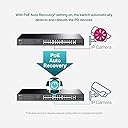
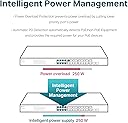
The TP-Link TL-SG1428PE is a robust 28-port Easy Smart switch featuring 24 Gigabit PoE+ ports with a 250W total power budget and 2 SFP fiber uplink slots. Designed for small to medium businesses, it supports high-density IP surveillance, VoIP, and Wi-Fi 6 deployments with advanced traffic prioritization and self-healing PoE auto recovery, all housed in a rack-mountable metal case with lifetime warranty and 24/7 support.




| ASIN | B08J9ZC6J5 |
| Best Sellers Rank | #53,190 in Computers & Accessories ( See Top 100 in Computers & Accessories ) #133 in Network Hubs |
| Box Contents | 1x Installation Guide, 1x Power Cord, 1x Rackmount Kit, 1x Rubber Feet, 1x TL-SG1428PE |
| Brand | TP-Link |
| Brand Name | TP-Link |
| Case Material Type | Metal |
| Color | Black Or Gray |
| Colour | Black Or Gray |
| Compatible Devices | Desktop |
| Customer Reviews | 4.5 out of 5 stars 363 Reviews |
| Data Transfer Rate | 1 Gigabits Per Second |
| Interface | RJ45 |
| Item Dimensions L x W x H | 43.9L x 22.1W x 4.4H Centimeters |
| Item Highlight | 24 PoE+ Ports 250W, 2ร SFP Slots, Rackmount, Works w/Omada EAPs, Limited Lifetime Protection |
| Item Type Name | Switches |
| Item Weight Unit of Measure | 3.1 Kilograms |
| Manufacturer | TP-LINK |
| Manufacturer Part Number | TL-SG1428PE |
| Maximum Power | 250 Watts |
| Model Number | TL-SG1428PE |
| Number of Items | 1 |
| Number of Ports | 24 |
| Platform | Not Machine Specific |
| Product Dimensions | 43.9L x 22.1W x 4.4H Centimeters |
| Switch Type | PoE+ Network Switch |
| UPC | 840460604161 845973040482 |
| Unit Count | 1 Count |
| Upper Temperature Rating | 80.5 Degrees Celsius |
| Voltage | 240 Volts |
A**R
Best product
Nice Clarity for my CC TV PoE
S**G
Good Product For The Money.
Product is good if you want POE+. I have poe cameras using for frigate and works a treat. One star removed because the seller didn't clearly mention that this not an Omada product.
R**O
Solid
I'm happy with this purchase it works as advertised and I've had absolutely no issues with it.
M**R
Stuck
From yesterday sometime Hanging My all camera stop.
C**A
Plenty of Power for POE+. Easy Configuration. Dual Fans Noise Level What I Expect.
This is a nice switch that will allow me to integrate my network into 1 switch - replacing 2. The hardware version I received is 3.0. So to configure what is absolutely required? 1) Change the admin userid and password 2) Go to the TP-Link download center and obtain/apply the current firmware revision ----- Make sure the firmware downloaded is for the hardware version of your switch, it is version specific 3) That's it - the absolute minimum that's required What will some people do in addition to the above? 0) Set manual IP/subnet of switch - unit will default to DHCP 1) Port by port enabling/speed setting/flow control - most will simply disable unused ports and leave speed to auto 2) VLAN configuration MTU, 802.1Q and by port 3) QoS settings either by port/802.1P/DSCP-802.1P 4) Bandwidth control by port 5) Storm control by port 6) Disable PoE/set power priority/set power limits by port 7) Other miscellaneous related functions Fan noise? This unit has dual fans and is audible. Not what I'd consider loud by any stretch of the imagination. Dual fans provides an amount of redundancy if one should fail. Most PoE switches will incorporate at least 1 fan since they are supplying power to external devices and generating power generates heat. I like the fans and the fact the case is roomy which limits heat buildup within the unit. The top of the case is cool to the touch so everything is working as I'd expect. It can be rack mounted or simply placed on a shelf. Rubber feet are provided if it's not rack mounted. Overall performance seems to be more than adequate and I like the fact it comes with 2 SFP ports to be used as uplinks/downlinks to my gateway or other infrastructure devices. I like the TP-Link SFP cables that come with integrated 'pulls' to quickly disconnect these cables if needed (some others require tools). Some may note this unit has 2 Ethernet ports that are not PoE. These can be used as uplink/downlink ports in lieu of the SFP ports (so you don't waste any of the 24 PoE ports). They could of course be used to connect non-POE devices like any conventional switch. I have had some issues attempting to access the web interface via Firefox. Of course I've also had issues with Firefox on some other applications so that's not something isolated to this unit. When I have problems I use another browser like Edge. I've had no problems administering the switch using Edge. Some have commented they can not see power usage for PoE. I sure can by going to the PoE/PoE Config page and it clearly lists the power limit and power usage for the entire switch and also by port. The page will also provide power status by port (on/off). Another nice feature is the switch will determine if a connected device is PoE and will not supply power if it's not needed (so you really don't have to set PoE on by port, the switch can figure this out by itself). I've used TP-Link for my network infrastructure for years and believe this switch will keep me going for a while until I have a need to upgrade (I dunno maybe for 10Gb ports or go total fiber optic?). That will require me to run new cable so likely it will be a while if ever. In the mean time I'm happy. Final note is PoE power is 802.3af/at compliant which limits output/port to 30W (250W for all ports combined). Some higher end equipment may require 802.3bt (PoE++) which can supply up to 90W per port. I do not believe as of this review (10/2026) TP-Link has any PoE switches that are 802.3bt compliant.
A**N
ุฌูุฏ
ุฌูุฏ
A**N
Excelente costo beneficio
Excelente producto . Nosotros los utilizamos para un campus educativo y nos funcionan muy bien
Trustpilot
2 months ago
2 months ago