


🚀 MiniBook X: Power, Portability & Precision in Your Hands
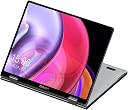
The CHUWI MiniBook X is a premium 2-in-1 convertible laptop featuring a 12th Gen Intel N150 processor, 16GB LPDDR5 RAM, and a 512GB SSD with expansion options. Its 10.51-inch 2K touchscreen with 100% sRGB and anti-glare coating ensures stunning visuals, while the lightweight metallic chassis and 360° hinge offer versatile usage modes. Equipped with WiFi 6, Bluetooth 5.2, a backlit keyboard, and pre-installed Windows 11 Pro with Microsoft Office 2024, it’s designed for professionals seeking a powerful, portable, and stylish productivity companion.


| ASIN | B0CH9Q6VNX |
| Audio Output Type | Headphones |
| Battery Life | 6 hours |
| Best Sellers Rank | #39,539 in Computers & Accessories ( See Top 100 in Computers & Accessories ) #601 in 2 in 1 Laptop Computers |
| Bluetooth Version | 5.2 |
| Brand | CHUWI |
| CPU L1 Cache | 128 KB |
| Cache Memory Installed Size | 12 |
| Color | Silver |
| Customer Reviews | 3.8 out of 5 stars 208 Reviews |
| Display Maximum Resolution | 1920x1200 pixels |
| Display Refresh Rate in Hertz | 60 |
| Human-Interface Input | Touch Pad, Touchscreen |
| Keyboard Description | Gaming |
| Keyboard Layout | QWERTY |
| Lithium-Battery Energy Content | 28 watt-hours |
| Manufacturer | CHUWI |
| Memory Speed | 6400 MHz |
| Memory Storage Capacity | 1 TB |
| Microphone Form Factor | Headphones |
| Model Number | MiniBook X(N100) |
| Model Series | MiniBook X |
| Model Year | 2024 |
| Number of Packs | 1 |
| Operating System Family | Windows |
| Power Device | AC adapter |
| Processor Count | 1 |
| RAM Size | 12 GB |
| RAM Type | DDR5 RAM |
| Resolution | 1920x1200 |
| Screen Finish | Matte with Anti-Glare Coating |
| Screen Size | 10.51 |
| Total PCIe Ports | 2 |
| Unit Count | 1 Count |
| Voltage | 120 volts |
| Warranty Type | Limited |
| Wireless Compability | 802.11ax |
| Wireless Technology | Bluetooth, Wi-Fi |
P**S
Perfectly Portable: A 2-in-1 Laptop That Surprised Me in All the Right Ways
This compact CHUWI MiniBook X has been such a pleasant surprise. I was specifically looking for something small, lightweight, and versatile, and this little laptop checks all the boxes. At just under a kilogram, it’s incredibly portable—ideal for tossing in a bag without weighing me down. Its 2-in-1 design is a dream; flipping it into tablet mode for reading or streaming feels natural, and the 360° hinge is smooth but sturdy. The screen is a standout. The 10.5-inch display is crisp, bright, and vibrant, with its 1920x1200 resolution making everything from text to movies look sharp. The 16:10 aspect ratio provides a little extra vertical space, which is great for productivity apps. It’s a pleasure to work on, and I love that it doesn’t skimp on quality despite the compact size. Build quality is another highlight. The all-metal body feels premium, not far off from what you’d expect from pricier devices like MacBooks or Surface laptops. Typing on the backlit keyboard is comfortable and efficient—I’ve been able to maintain my usual 70–80 WPM without issue. The keyboard is spacious enough, even in this smaller form factor, and the backlight is a thoughtful addition for late-night sessions. Performance-wise, it’s more than adequate for everyday tasks. Web browsing, streaming, and even juggling multiple apps feels smooth thanks to the Intel N100 processor and 12GB of RAM. I didn’t push it with heavy-duty gaming or video editing (not what it’s designed for), but for typical productivity and entertainment, it runs beautifully. Battery life is solid but could be better. It’s fine for a few hours of work or streaming, but don’t expect all-day use without a charger. That said, it charges quickly through the USB-C port, which is a plus. Speaking of ports, having dual USB-C and a headphone jack is a nice touch for such a small device. The speakers are loud enough for casual use, though they lack depth. That’s not surprising given the size, and they’re perfectly fine for watching videos or listening to podcasts. I wouldn’t expect booming bass from something this portable anyway. One area that really impressed me is the price. For what you’re getting—premium build, great display, solid performance—it’s a steal compared to similar devices. In this size range, there aren’t many options, and I’m thrilled I landed on this one. If you’re looking for a small, versatile laptop for productivity, media, or travel, the CHUWI MiniBook X is a fantastic option. Just keep a charger handy if you’re planning a long day away from outlets.
R**M
My CHUWI MiniBook Works Great...
I love this little CHUWI MiniBook laptop. I purchased this mini laptop in early October to take on our trip to Jamaica at the end of October this year. I loved that it was small and lightweight yet fairly powerful. The first one worked for about 2 days, but then wouldn't boot up. I contacted Amazon and they sent a replacement, which arrived before I had a chance to send the defective one back. I put the replacement through it's paces to feel sure that this one was a good unit. I didn't want any unpleasant surprises from the laptop during the trip. I also bought an adapter to connect to the 2nd full function USB Type C port built into the laptop. (The 1st USB Type C port of this laptop is used mostly for charging it.) The adapter was needed to allow the laptop to have extra USB ports (A & Type C), an HDMI port, Ethernet port, SD & Micro SD ports etc. All of the functions of the adapter were checked to be sure they worked with this CHUWI Minibook, and they did. On our trip this little laptop performed flawlessly. It boots up quickly from it's solid state drive. I feel the battery life is fairly good. The resort we were at, near Montego Bay, was in the direct path of Hurricane Melissa's eye. The resort was just built in 2024, so it was designed to handle a category 4 hurricane, but we were subjected to a category 5. We, and the new CHUWI, survived and are fine. We lost all connection to the outside world, so I didn't use the new laptop much at that resort. We were transferred to another resort which is in Ocho Rios. That resort still had WiFi service. This CHUWI MiniBook was very helpful in completing flight bookings out of Jamaica, which was some days after our original scheduled departure. Using the Delta app, on our cellphones, wasn't completely functional or accurate with the Delta booking system. This was most likely due to the hurricane damage to Delta's systems in Jamaica. The information, on the Delta site using the Chrome browser with the CHUWI laptop, was more accurate and trusted. Working with our travel agent, back in the states, along with assistance from using this mini laptop, we were able to get on our booked flight and back home. I wouldn't claim that this MiniBook was a lifesaver, but it almost was. I'm very happy with it. We're home safe and sound and the CHUWI's still working great!
E**J
Yo-Yoing Customer Service/Off-gassing Laptop
This laptop is off-gassing constantly. It has caused my several allergic reactions. I cannot use it indoors without coughing. Plugged-in, or unplugged. I reached out to their customer service via their website, which is where you are directed by Amazon. They said to reach out to them via the platform instead. So I did. By the by, getting cusomter service by their website sends an email that requests you sign up for their service system. Which was odd to me, as I'd never had to do that prior, but it is a smaller Chinese company. Which are never known for the same level of support of the larger American based companies I bought before. Well, I reached out here, as previously stated. They told me wipe it down with alcohol, which I did. Then they told me use it for 48 hours in a well ventelated room. I stuck it on its stand, which is how I prop it up towards eye level, as it's a very small laptop, plopped on a game and left it there next to an open window. No difference still sadly. I tried to do some research on this, and found that some laptops off-gas nickle and cadmium. I am for sure allergic to nickle, so that could be it. Whether on the charger (which is rather cheap looking if you've seen it before. Does hiss when it's plugged in to the laptop), or on battery this laptop gives off that smell. Doing nothing, or doing heavier tasks - it gives off the smell. The smell is something sort of acrid, for sure machine based in nature, but even a bit "plastic like" in a way. The laptop is okay, it chokes up at odd points though. Even without too much going on. Say four tabs in Librewolf. No video playing. Gets it choked up at random. Still lifted mind you, so I don't think it's a heat issue. I don't watch videos on this, so I don't think it's that. Not sure what's going on with it. I was hoping to develop some cool things on this, while on the go. But I am not sure I will be doing that with its random slow downs. The company reached out to me and originally offered a free return within' 30 days. I put up my review of the off-gassing and they offered me a full-refund. I was amazed at how kind the offer was, so I redacted my statements. Can't complain about a laptop given in kindness. That offer got rescended the seecond the review came down. So here's my review. It's going back up and I am not talking a thing about it's form or screen or anything. I am talking about what I have noticed is wrong period. With this laptop. The touch screen misses a beat constantly. You go to click on one thing, say a link or a button. You click, and click, and click - and by the third time after minimizing the window screen or hitting the wrong link and having to go back to the previous screen do you hit the link. Unlike a phone, in which you can thumb the side of your browser in order to go back to the previous page, here you must hit the back arrow button in the browser. You will be doing this a lot, due to the misclicks. I believe because the touch screen is not as accurate as more modern ones, but I am not sure. I think it's really just an old tablet screen that has been utilized to make a laptop screen. Hence the rounded corners at the edge of each part of the screen. The arrow keys are mac copies, which you might like if you do not utilize them often. By that I mean, the right and left arrow are full-sized, but the up and down pretty much take the place of a singular key. For someone who often utilizes up and down arrows to traverse applications, this was a bit of a nightmare for me. As this is an already compact keyboard. Speaking of which, I am not sure how a grown man could utilize this laptop without harming themselves. I don't believe there is enough travel for this to be more than a novelty. I have small hands, and it is already cramped. The touchpad is micro, which would not be an issue pending it were a good one. It constantly misclicks. I go to grab a "right click" and end up performing "left click." The edges of the pad on either side perform only a left-click. There is a small 1/3rd of an inch area you can tap to initiate a right click, and anywhere else acts as an explicit left click. The scroll per line speed acts the same for the touch screen and pad. So too fast and you're at warp-speed. Too slow and you feel like a turtle. It's frustrating that they are in conjunction, but that seems a software issue over a hardware. Another issue, which I cannot tell you if it is a hardware or software one, is that the laptop has trouble in tablet mode. Which is supposed to be one of its key features. But a) it slides everywhere if you're not holding it b) it feels like an awful iPad when holding it as it has a fat seam c) some apps will register it's in tablet mode and others won't at all. The UI breaks at times. The keyboard breaks at others. The UI sometimes will get 200% larger, and sometimes stay the same as prior. I want it to stay the same, not enlarge to the point where it is unreadable. Sometimes the keyboard will pop up for a microsecond, and then minimize again. Over and over again, forcing you to restart the laptop to resume functionality. I am still using their probably bootleg version of Windows 11, as it's quite novel (I am a Linux user, and I haven't seen Windows in quite some time). Using its Search option in their Settings brings up nothing. Type in "Power" and no power options come up. But searching out power, you can clearly see there is an entire section labeled "Power." This is an issue you will run into over and over again. I wasn't flustered, as ultimately I was either going to a) reinstall Windows 11, or b) Install something Debian based. Now I'm not going to install jack, as I will be returning this laptop. If you're trying to choose between this or the Freebook - don't. Don't get either. But if you are trying to choose, don't go with the Freebook - as the screen will shake all day with them using the same hinges on that laptop as this one. They have different weights to the screens, and every single review I saw had the laptop screen shaking every time the typed. If that doesn't bug you, more power to you. If you are accustomed to Apple's shiny reflective screens, then there will be nothing new here. This has a reflective screen. Doesn't get too bright or too dim. So it's a bit frustrating to use at night. Speaking of which, anyone who says these horrid blue-white leds they stuck on this keyboard is a plus...is probably a mac user yet again. They are awful, they are invasive. I avoid them at all cost, and sure I mistype from time to time, but I know how to type generally. So I am not dying without them. I actually thought about opening up the laptop, taking the components apart, and using a red paint pen on them so they were less-invasive than they are. If you like them, more power to you! They are hideous to me. So yeah, here's the tea. If you're interested. This isn't a good laptop. It's not the worst I've had. But it is the only one I have physically been allergic to. Which was news to me. In my lifetime, I have been around high-end and low-end laptops. Perhapas by the thousand. Yet this is the only one which within five minutes of being on can cause a pain in my throat that turns into coughing soon after if I don't have clean air filtering into the room I am using it in. Which is naners. Oh, actually one last thing. This battery is as crap as others say. You're getting perhaps 2.5 hours on it. Which isn't much different than any other laptop. Has to be battery size, as I believe this laptop's processor isn't a thirsty one. Another aside is fan control would be nice, as I never hear mine. That would be a plus, if it wasn't off-gasing like crazy. I want to blast whatever is inside of it out so that I can be done with it. I think this is a manufacturing issue, and as others have stated the quality control isn't there. Don't be fooled by the flash. I was. Don't be fooled by the Youtubers, I was. This isn't a "China bad" review. This is a note that Chuwi's quality control, and yo-yoing customer service is a nightmare to navigate and you'd probbaly be better off grabbing a different brand review. Oh, one last thing to note is that I believe it might have been open prior as the cardboard for the device was creased. Which could signal a returned item, being sent out as a new one. But could also be something having to do with custody. Not sure, but I figured I should note that as well.
P**L
I wanted to love it since it has so much potential to a good laptop but It has so many issues.
It may just be my luck however this computer started off great but went downhill quickly. This has potential to be a perfect 2 in 1 laptop but I fear the issues start to outweigh the amazing features. Pros: This has plenty of storage and ram for almost any task and great multitasking use for every day apps. The laptop is small but it's not so small it's bad, it's compact. The microphone quality isn't bad either. The audio is great and quite loud so you don't need to turn your volume up high. The keys are decent and quiet. It is also very user friendly if you're not good with technology, however, it has windows 11 so the personal customization isn't great. The laptop is decently durable, it can probably handle light injuries but I don't think it would survive anything extreme. It loads and downloads things decently fast. I use it also for gaming and it can handle games such as hoyoverse games and the sims, and lighter games such as Roblox and the studio. The touchscreen is alright and display is decent. It charges pretty fast. Has lights on the side to signify if it's charging, full, and on, turns on quickly, has 2 modes for a backlit keyboard. Cons: One of my biggest issues is that on the bottom and on the touchpad it gets very hot very quick. The fan is quite loud. Another huge issue I had is when I would flip it into tablet mode apps wouldn't recognize I was in it and I've contacted help but never got back, with this issue it defeats the whole purpose of being able to do it. Another huge issue is the battery life, it's incredibly undependable as sometimes it goes down quick and sometimes it doesn't even with the battery saving modes, also when it says 'you might want to plug in your computer' it will typically die a minute or two later even though it's around 10%, then I've had issues with it just not charging, I've had to unplug it and replug in the charger to get it to charge and only the charger it comes with works on it. The laptop only has 2 type c ports and one aux port, so if you need to plug in a mouse you have to buy the companies port adapter thing. The touchpad is also very bad as the left click sometimes doesn't work and if you need to click and drag it will let go if your finger goes in the middle since you can't use the middle of it at all, as well as the right click is only in the bottom right corner and very hard to get it to right click and not left click, making a mouse almost a must, the clicking is also very loud. The camera quality is also very bad since the place where there is a indent to open the screen is where the camera is, making it dirty quickly and make the quality even worse, it also has no volume buttons on the side, only on the keyboard, and the speakers are on the bottom so if you have it sitting normally it is muffled by the surface under it. In conclusion the laptop has great storage and ram, good for multitasking lightweight activities, is lightweight, compact, and portable, decent microphone, great audio volume and decent audio quality, quiet keys, can handle larger and more demanding apps, user friendly, quick loading and downloading, decent touchscreen and display. However the biggest issues being that the tablet mode isn't recognized by apps, charging issues and battery inconsistency and accuracy from lasting a long time to very little time, gets extremely hot very quickly. The laptop also has a horrible and loud touchpad with only being able to click in the corners and doesn't always work, loud fan, bad camera quality, only 2 type c ports and an aux port, speakers are on the bottom which will make the sound muffled if laying flat, but it has a button for a backlit keyboard.
S**.
What I wanted, but it took a while to get it to there....
Update after one month The basic laptop is exactly what I wanted (despite having to work around the way you get into the BIOS now). Two things, one bad, one good. Bad: I knew better than this, but... I forgot. I plugged in the power cord that came with the Chuwi to a PD dongle and fried it. I knew better! The power cord has USB-C connector, but it is NOT USB-C compliant. It's a 12-volt 3-amp power supply with a USB-C connector! Arg!!! Any 36-watt or more REAL USB-C power supply works. I buried the fired dongle, and tossed the power cord so I don't do that again. Its perfectly happy on my Anker multi-port power brick, and the Anker does not fry dongles. The good: I replaced the NVMe SSD M2 with a Samsung Evo Plus. Now the SSD is faster than the rest of the laptops i/o buss, but it sped up the boot and response times subjectively by a factor of 2. it was not slow to start, but now it rips. If I want to add a few virtual machines to carry around other test versions of Linux (like Kali) I have all the space in the world. The new blank SSD meant it did not even pause before it booted the USB-C flash drive to reinstall KDE Neon. Downloading all the updates and the 6.16.9 kernel was a look away and you'll miss it event. I wish Apple was not moving away from Intel a little now (a little, anyway), because this little laptop would make a great hackintosh. ------ Normally, with a Chuwi laptop, to get to the BIOS, you press escape during the boot. Does not work on this one. I never wanted to run Windows on this thing, and plenty of other reviews and websites talked about Linux working fine. But to install KDE Neon, I had to change the boot order so it would boot the USB-c flash drive. After research, I found the incantation on Windows to reboot into the BIOS. There are laborious ways to do this on the GUi. The easiest is to pop open command:: shutdown /fw /r Once KDE Neon was on, I realized I still could not use 'escape' to get to the BIOS. WTF? Secure boot was off. The config erased. I can't find any settings to enable the escape key. It's simple on Linux to get to the firmware. One console command. sudo systemctl reboot --firmware-setup With KDE Neon, the system is working great, and exactly what I wanted it to be: An easy-to-carry-around to carry around Linux laptop I can toss in my bag with my Macbook Air, in case I need a Linux system. The screen is a nice repurposed tablet display. Looks good, even though it likes to boot to portrait mode. The keyboard is good. The keyboard Backlight is a little dim but OK. Trackpad works pretty well, but I had to dial its sensitivity way down on scrolling. The N150 is plenty quick for my use case (not gaming). I really would have preferred an N100 to make the battery last longer. the 24-Watt/hr battery will probably be able to be coddled into nearly four hours of unplugged time, but I think a high-output external battery pack will make that more tolerable. A Snapdragon version of this would be even cooler. The power brick is dangerous: It looks like a USB-C, but it's only the connector. It's really a 12v / 3 amp (36-watt) power brick. Plug anything else in, and you will likely fry it with this. With 2 USB-C ports, all my Mac accessories work here for extra ports / HDMI, etc. It would be 5 stars if Chuwi had left the escape key as it is supposed to be! I guess MS wanted that to make it harder to put an OS on the computer.
S**O
It's awesome so far.
I got the CHUWI Minibook X for use as a small laptop while traveling. It's been great so far. Office applications run smoothly, the Minibook can easily attach to outside accessories such as a second monitor, mouse, etc. It even works with my old Dell dock. Some reviews said the battery runs down while the computer is off. I didn't have that problem. It's very portable. It's great to be able to tuck it into the travel bag and not feel like I'm weighed down by tech. Battery life is not super long, about four hours for me. That's a tradeoff I'm happy to make for a lighter weight. The power adapter is a small wall wart, not a big brick, which also saves on weight. The keyboard is small but feels fine to use and I love that it's lighted. The touch screen is very handy, it makes this small computer feel much more like a handheld tablet. This computer came with little to no "bloatware" and was easy to set up in my preferred Windows configuration. It uses the new(ish) faster DDR5 RAM, which was one of my must- have features. Only one drawback, Zoom won't do a virtual background on this computer. Which seems to be a Zoom problem, not a CHUWI problem. It's a great value. If it proves to be durable, I'll buy a few more to give as gifts.
C**G
This is a very nice little travel laptop!
I bought this laptop so that I can access all of my files in the cloud with Windows apps while traveling. And this little thing just does the trick. You get a Win11 laptop/tablet with 16 GB of RAM and a 512 SSD drive for less than $400. What's not to like here? The display is crisp and bright. The trackpad is OK. The sound is so so (the speakers are at the bottom), but for me that's not a problem. Battery life is around 3 hours. You can flip over the display to turn it into a tablet, but honestly Windows in tablet mode lags lightyears behind an iPad. It's heavier than it looks, I think it weights about twice as much as an iPad. Overall I am very happy with this purchase! I am not gaming on this thing, so no feedback here. The Pros: * full fledged Win11 machine with enough RAM and storage * good performance * great form factor The Cons: (and these are actually not big cons, more like nitpicks): * The laptop gets pretty warm (not hot, just warm) * No volume buttons (you need to adjust the volume through Windows) * Laptop doesn't wake up when opening the lid * only 2 USB ports
A**D
Amazing ultra-book, subcompact laptop for the price and functionality!
I wanted a smaller travel laptop and have gone through ultra thin and compact laptops from ThinkPad, Samsung, Dell, HP, Asus brands of Microsoft. I have paid $$$ for some of these models in the past, so I am used to high end laptops. So when I purchased this notebook, I was skeptical. However, after a month of using this, the performance for things like internet surfing, MS Office applications, and streaming movies work fantastic. The battery is less than 5 hours, but it does recharge back up quickly and I also realized it charges with my Anker portable charging bank if needed when I am on the go. It's 2-in-1 form factor allows me to use it on the sofa, plane, or treadmill. I find the slightly smaller keys sufficient for light typing. It is minimal on ports, with two USB-C on one side. I wish it had USB-C on both side for charging purposes and an SD memory card expansion slot, but I am managing without both. It works very well with my Bluetooth Air Pods , so I do not use the audio jack. Bottom - with the new N100 processor, this makes a great choice and the flexibility surpasses the Microsoft Laptop Go in functionality.
A**M
تحت التجربة
تحت التجربة
C**E
Produto lindo, mas péssimo em qualidade
No referente a entrega uma maravilha Chegou antes do prazo; Criei uma expectativa sobre o produto, e me frustrei, esquenta demais, não tem muita entreda USB, descarrega rápido, duração menos de 30minutos .. gostei do tamanho, o mais totalmente arrependida. Se alguém souber como fazer para aumentar o tempo de uso da bateria. Favor avisar..
M**A
Excelente portátil
Esta computadora es excelente para llevar a todas partes. Los materiales son de alta calidad, el equipo se siente bien construido y el diseño es minimalista. La experiencia es similar a la que se tenía con mini portátiles de la década de los 2000, solo que actualizado con componentes modernos. Tiene solo 2 detalles a tener en cuenta. El primero es que se calienta bastante, aun cuando en las pruebas internas la temperatura se encuentra dentro de lo normal en el procesador, la carcasa sí experimenta mucho calor, tal vez porque es de metal. Otro punto importante es la batería, puede agotarse algo rápido, aunque en este sentido, se puede cargar con otras fuentes de energía, como una batería externa que ofrezca al menos 40wh de potencia. En general me parece que es un excelente equipo, ya que sus cualidades superan las pocas desventajas que puede tener. Lo recomiendo. He comprado un segundo equipo para mi madre, ojalá que también le sea útil.
M**O
Pequeña pero poderosa!!!! Recomendada
Me encantó, es super pequeña, un poco más grande que un iPad mini. Pero puedo decir que va muy bien, pensé que sería más lenta pero la verdad me sorprendió el N150. Tengo una Asus que pagué casi lo mismo con Celeron, 64gb de almacenamiento y 4GB de ram, puedo decir que nada que ver. Muy fluida, funciona bien, era lo que buscaba para no cargar la otra de Core I5 que está más lenta. 3 horas de batería, depende de lo que hagas, me parece bien a mí para ser un equipo Intel con Windows
M**D
Poor quality
Received the product with defective Fan
Trustpilot
2 weeks ago
2 weeks ago