


Desertcart purchases this item on your behalf and handles shipping, customs, and support to Tunisia.
🚀 Upgrade your speed, storage, and creative edge—don’t get left behind!
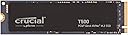
The Crucial T500 1TB PCIe Gen4 NVMe SSD delivers ultra-fast read speeds up to 7,300MB/s and write speeds up to 6,800MB/s, optimized for gamers and content creators. Its 1TB capacity fits large 4K/8K projects and games, while Microsoft DirectStorage support accelerates load times by 16%. Compatible with laptops and desktops featuring PCIe Gen4 M.2 slots, it includes a 5-year warranty and a 1-month Adobe Creative Cloud subscription, making it a premium choice for professionals seeking speed, reliability, and creative software access.


| ASIN | B0CK39YR9V |
| Additional Features | Compact |
| Best Sellers Rank | #139 in Internal Solid State Drives #1,168 in Computer Internal Components |
| Brand | Crucial |
| Built-In Media | Internal SSD, Quick start guide |
| Cache Memory Installed Size | 1 |
| Color | Black |
| Compatible Devices | Desktop, Gaming Console, Laptop |
| Compatible Video Game Console Models | Microsoft Xbox SERIES S, Microsoft Xbox SERIES X, Sony PlayStation 5 |
| Connectivity Technology | NVMe |
| Customer Package Type | Standard Packaging |
| Customer Reviews | 4.8 out of 5 stars 5,600 Reviews |
| Data Transfer Rate | 7300 megabytes_per_second |
| Digital Storage Capacity | 1 TB |
| Enclosure Material | Nand |
| Form Factor | M2 |
| Global Trade Identification Number | 00649528939241 |
| Hard Disk Description | Solid State Drive |
| Hard Disk Form Factor | 2.5 inches |
| Hard Disk Interface | PCIE x 4 |
| Hard-Drive Size | 1 TB |
| Hardware Connectivity | Solid State Drive |
| Installation Type | Internal Hard Drive |
| Item Dimensions L x W x Thickness | 3.15"L x 0.87"W x 0.09"Th |
| Item Weight | 10 g |
| Manufacturer | Crucial |
| Media Speed | 6800 megabits_per_second |
| Mfr Part Number | CT1000T500SSD8 |
| Model Name | T500 Internal SSD |
| Model Number | CT1000T500SSD8 |
| Number of Items | 1 |
| Read Speed | 7300 megabytes_per_second |
| Special Feature | Compact |
| Specific Uses For Product | Business, Gaming, Personal |
| UPC | 649528939241 |
| Unit Count | 1 Count |
| Warranty Description | 5-year limited warranty |
A**Y
Reliable and speedy!
i installed the crucial t500 2tb gen4 nvme ssd in my pc and it’s been a solid upgrade for speed and storage. the drive comes in a sleek single-sided m.2 2280 form factor, which made installation straightforward—no clearance issues in my laptop or desktop m.2 slot. it’s rated for blazing fast sequential read speeds up to 7400 mb/s and writes up to 7000 mb/s, which definitely translates to snappy boot times, fast game loads, and quick file transfers in everyday use. after using it for several weeks, my system feels noticeably more responsive compared to my old ssd, especially when moving large files or launching multiple programs. the drive stays cool under typical loads and comes with a 5-year warranty plus a 1200 tbw endurance rating, so i feel confident it’ll last a good long while without slowing down. the included software from crucial helped me keep an eye on the health and performance of the drive, and i liked the easy firmware update process they provide. it’s also compatible with ps5 if you’re looking to expand your gaming console storage, fitting nicely with no issues. while it’s not the absolute fastest gen4 ssd out there (some competitors do edge it out by a bit), it’s a great balance of speed, reliability, and price. overall, the crucial t500 2tb has been a dependable workhorse in my setup offering fast, consistent gen4 nvme performance and enough capacity for all my games, media, and work files. if you want solid speed without breaking the bank on a gen5 model, this is definitely worth considering.
C**.
Fast M.2 SSD Upgrade On HP ProBook 450 15.6 inch G10 Laptop
I swapped out the stock 512GB M.2 SSD on my HP ProBook 450 15.6 inch G10 Laptop (Model#: 822P5UT#ABA) with this Crucial T500 M.2 SSD and it runs considerably faster now. Booting seems quicker too. The ample storage space is quite nice👌 Install was stupid easy and only took a few minutes. You'll need a precision screwdriver set if you're upgrading your laptop. I used a SABRENT USB-C M.2 SSD Enclosure to externally connect this SSD to my laptop in order to clone my old SSD to it (before installing/swapping SSDs). The Acronis drive cloning software (available for free on Crucial's website) is quick and easy to use. You don't need to format the new drive beforehand, the cloning software handles everything. I highly recommend upgrading to one of these Crucial T500 SSDs, it's absolutely worth the money. Side note: If you're upgrading your HP ProBook, there's also a secondary SSD slot next to the battery. The HP specs/datasheet are vague about what size M.2 is compatible for this secondary slot, but some online reviews suggest a shorter form-factor M.2 2230 (the ProBook's primary SSD is a M.2 2280, which is physically longer). This M.2 2230 suggestion appears to be wrong, as I installed one and it isn't long enough to reach the screw hole post (which secures the SSD in place). It still works though and the SSD sits firmly in place, even despite not being screwed down. I haven't had issues with it and I handle my laptop somewhat roughly. Also, if you do decide to install a second SSD, you'll need a screw for the screw post (it doesn't come with one).
K**O
Tremendous speed boost for old HP Laptop.
Had a 6+ y/o HP 15-DA0047NR laptop that was OEM with 8 GB Ram, Core i5-1350U CPU, 1 TB 5400 rpm SATA HD, and Win10 Home. MS allowed upgrade to WIn11, but became a sloth with both boot times, ie over 30 seconds just to go from black HP boot screen to Windows Log In, then another 4 minutes to complete the boot process to where the hard drive light went out! Installed the 8 GB Ram Chip in extra slot, and this SSD fit right into the extra PCIe slot next to the battery, allowing the SATA to remain, and replaced the swollen battery that the HP Bios had been warning about! The Crucial website had a diagnostic app that checked out my system, but also provided them with the model # of the laptop for compatibility, wasn't sure if mine could use one prior to doing this step. First booted back to SATA HD, then downloaded/installed and ran the FREE Acronis True Image cloning software selecting default settings for cloning existing HD/OS for booting to new SSD, took a bit over an hour. Had previously backed up the Docs/photos files to a USB Flashh drive. Then rebooted computer again, accessing the BIOS to select/change the UEFI boot devices, it found the new SSD, and reordered it putting it first in boot order, and then completed the boot. Took only maybe 10 seconds to go from HP screen to Log In, and then only 20 seconds to complete the Windows OS boot and all other programs, ie Defender, AVAST, BlueTooth, sound card apps. Now only takes a few seconds to load a program like a browser, or my Outlook email program, etc.! So, I am very happy with the performance, speed of this SSD, it has make a quantum difference in how my old laptop performs. I don't do any gaming on it, so I can't provide a review of it's performance in that category, but I'm sure it will perform well there, too. My old HD was only using about 150 GB for the OS and files, so I'm not using much space(less than 20% of the 1 TB) with this SSD, but read about it's best to have a lot of head room/space to help it not wear out as fast, as well as the number of writes done to it. So you'll want to keep that in mind if you'll be buying one for a gaming machine. Hope this helps you make a decision about getting an SSD for your system, and using Crucial's units.
G**O
Great!
It came just as described, installed and working perfectly, package was also sealed and brand new, it is working at 43c without heatsink when it's not plugged in and working at 53c when plugged in so the temperature is alright! Bought the 4tb one and the storage is just what I need, it installed everything extremely fast including large games.
C**R
Recommended.
Used it for 2+ years now with my ASUS TUF F15 laptop. I have installed Linux OSes on this, games, and software, with no issues at all.
S**S
Faster than what Games can Utilize
Well, what can I say. This is a very speedy SSD to have in your system even in today's games. Games will not really noticeably benefit from read and right speeds over 3 GB per second based on what they are doing. But I am coming from a PCI3 laptop with an SSD that maxed out around 3200 MB/s. This SSD also allows you to download Crucial's proprietary SSD software and enable a feature called 'momentum cache' which appears to significantly boost effective read and write speeds. The caveat is that it is streaming that additional data from RAM so if you are doing a file transferring activity with this feature on and your computer suddenly loses power, it will lose the data. *IN 2026 & 2027* This was a great SSD to have when I bought it for about $124.99 last year. Pretty much peak Gen 4 speeds and 2 TBs of storage. However, I would still wince at purchasing this drive at this price and would likely settle for slower speeds. I really think this is a good drive but I would personally pay attention to lightning deals that will occasionally happen on other Gen 4 drives. The buildapc subreddit is a great resource to monitor.
T**T
Best pcie4 M.2 Drive at any price!
This is a very fast pcie4 drive at any price. Included testing is from the second boot of the drive and using the newest firmware (P8CR003 with SLC cache and PS5 tweaks) installed into the #1 M.2 slot (direct to CPU) on a z790 board paired with an i9-14900k and DDR5-8200 ram. The Crucial T500 uses the newer Phison E25 controller. It is a very cool running chip as can be seen being cooled by a factory motherboard heatsink. Idle is 32-33c and load is 44-47c. It's also very fast and is currently only 4 channel and single sided with two NAND flash chips (on the 500/1tb/2tb models currently available) where competing pcie4 drives are typically much hotter running 8 channel chips. The NAND flash used is the current best chip in use, the same as the current M.2 speed champ, the pcie T705. Been using Crucial memory since the late 1990's. I've never had an issue with them and their support is great if needed. The Acronis TrueImage software quickly made a good copy of my existing windows boot drive, and the Crucial Executive software works alright. (Tho I would uninstall them both after the initial use of them). Definitely recommend this drive to anyone needing an m.2 / nvme / pcie drive that is not wanting to pay (currently) almost 3x the price for a pcie5 drive that is generally the same speed practice because it uses the exact same NAND flash with the same generation of controller. The difference being double the sustained read/write.
S**K
T500 - Great for most people
Got this at 2tb for $101, and, judging by how the prices have shifted around since then, that might be the cheapest anybody will be able to find a comparable NVME drive for quite a while. For my personal home server and gaming applications this has been a flawless secondary drive. Now on paper this is a top performing drive and in the majority of benchmarks (and my usage) it does perform exactly as promised, but there are slight issues with random and sustained writes that have been reported on by enthusiast sites like storagereview. Do your research on how relevant that may be to your use case before using this as a boot drive for a workstation or putting it in an expensive ZFS array. But as a drive where I keep media files like books and some program/game installations, I haven't had a single problem or noticeably bad spike in latency in a month of use. Pros: -Good price and warranty -Very fast secondary drive for games and virtual machine storage (with DRAM which is rare in 7k+ MB/s read drives) -Power efficient -Issues mentioned may be fixed by driver updates (and are next to irrelevant to what I use it for) Cons: -... Issues may not be fixed by driver updates and there just might be a reason Crucial discounted this first wave of these so quickly that isn't it being the holiday season
A**R
Excelente porém salgado.
Excelente produto! Não tem o que falar mal, mas deveria ser mais barato não fosse os impostos e a sede por dinheiro desse governo.
S**D
Reaching theoretical maximum for the PCIe-4, 7.0 GB/s for read/writes!!
Works as expected reaching theoretical maximum for the PCIe-4, 7.0 GB/s for read/writes due to controller and protocol overhead. What else can you ask. P.S. Sadly, Crucial has closed its consumer NAND storage division. So these are the last remaining stock that consumers can still buy. I have a 4TB SSD.
M**N
Great purchase
Great product really fast speeds and came in great condition
M**R
Casi 7300/6800 MB/s medidos en Gen4 x4 y sin caídas en escritura larga: el T500 aguanta
Voy a lo concreto, que es lo que se espera de un SSD. Monté el Crucial T500 de 1TB en una ranura PCIe Gen4 x4 y estos son los datos que pude confirmar frente a lo que dice la ficha. SPECS VERIFICADAS (anunciado vs. observado): • Lectura: hasta 7300 MB/s anunciados → velocidades reales cercanas a esa cifra en Gen4 x4. • Escritura: hasta 6800 MB/s anunciados → cerca de lo prometido, y sin desplomarse a ~120 MB/s tras unos minutos en escrituras sostenidas. • Capacidad: 1TB → ~930 GB utilizables reales, coherente. • NAND: TLC de 232 capas de Micron → confirmado. • Formato/interfaz: M.2 2280, PCIe Gen4 x4 → confirmado. • Temperatura: se mantuvo por debajo de ~70 °C bajo carga intensa, sin throttling perceptible. • Garantía: 5 años limitada del fabricante. INSTALACIÓN: Sencilla. Se coloca en la ranura M.2 y la placa lo reconoció a la primera. Clonar el sistema al nuevo disco funcionó sin problemas usando Acronis (el software recomendado). Ten en cuenta un detalle: la caja trae solo el SSD y una guía; NO incluye disipador ni tornillo de montaje, así que si tu placa no lo aporta, tendrás que conseguirlo aparte. RENDIMIENTO: Lo probé en carga de juegos y apertura de programas y el resultado en uso diario es claramente rápido. Lo que más me interesaba eran las escrituras largas y sostenidas: aquí la unidad mantiene la velocidad alta sin la típica caída brusca cuando se agota la caché. Funcionó estable durante todo el periodo de prueba, sin fallos ni sustos. COMPATIBILIDAD: Sirve tanto para portátil como para sobremesa, y también lo puse en una PS5, donde ronda los 7000 MB/s. Con soporte para Microsoft DirectStorage. El firmware se actualiza sin errores desde Crucial Storage Executive. CONSTRUCCIÓN: Llegó con el embalaje intacto y el precinto superior en su sitio. En uso normal se mantiene fresco al tacto y es silencioso (lógico, no tiene partes móviles). VALORACIÓN POR CATEGORÍAS: Instalación: 5/5 Rendimiento: 5/5 Compatibilidad: 5/5 Calidad de construcción: 4/5 (sin disipador en la caja) Valoración global: 5/5
L**N
Good, easy install
Great price, good product. Does the job!
Trustpilot
2 weeks ago
5 days ago