Desertcart purchases this item on your behalf and handles shipping, customs, and support to Tunisia.
📸 Capture, Create, Stick — Instant Memories, Zero Ink Drama!
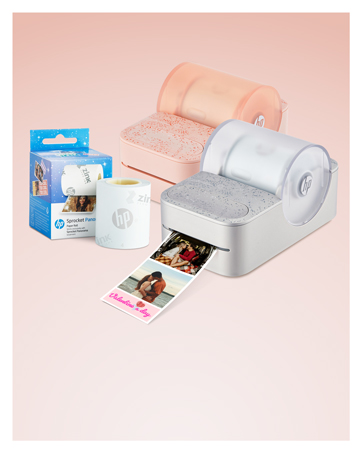
The HP Sprocket Panorama is a portable, Bluetooth-enabled photo and label printer that produces vibrant, smudge-proof 2-inch wide prints up to 9 inches long using innovative ZINK zero-ink technology. Lightweight and compact, it pairs with a free app for creative customization, making it perfect for on-the-go photo strips, labels, and personalized projects.


| ASIN | B0CLYWBPHG |
| Additional Printer Functions | Print Only |
| B&W Pages per Minute | 1 ppm |
| Best Sellers Rank | 61,319 in Stationery & Office Supplies ( See Top 100 in Stationery & Office Supplies ) 310 in Photo Paper |
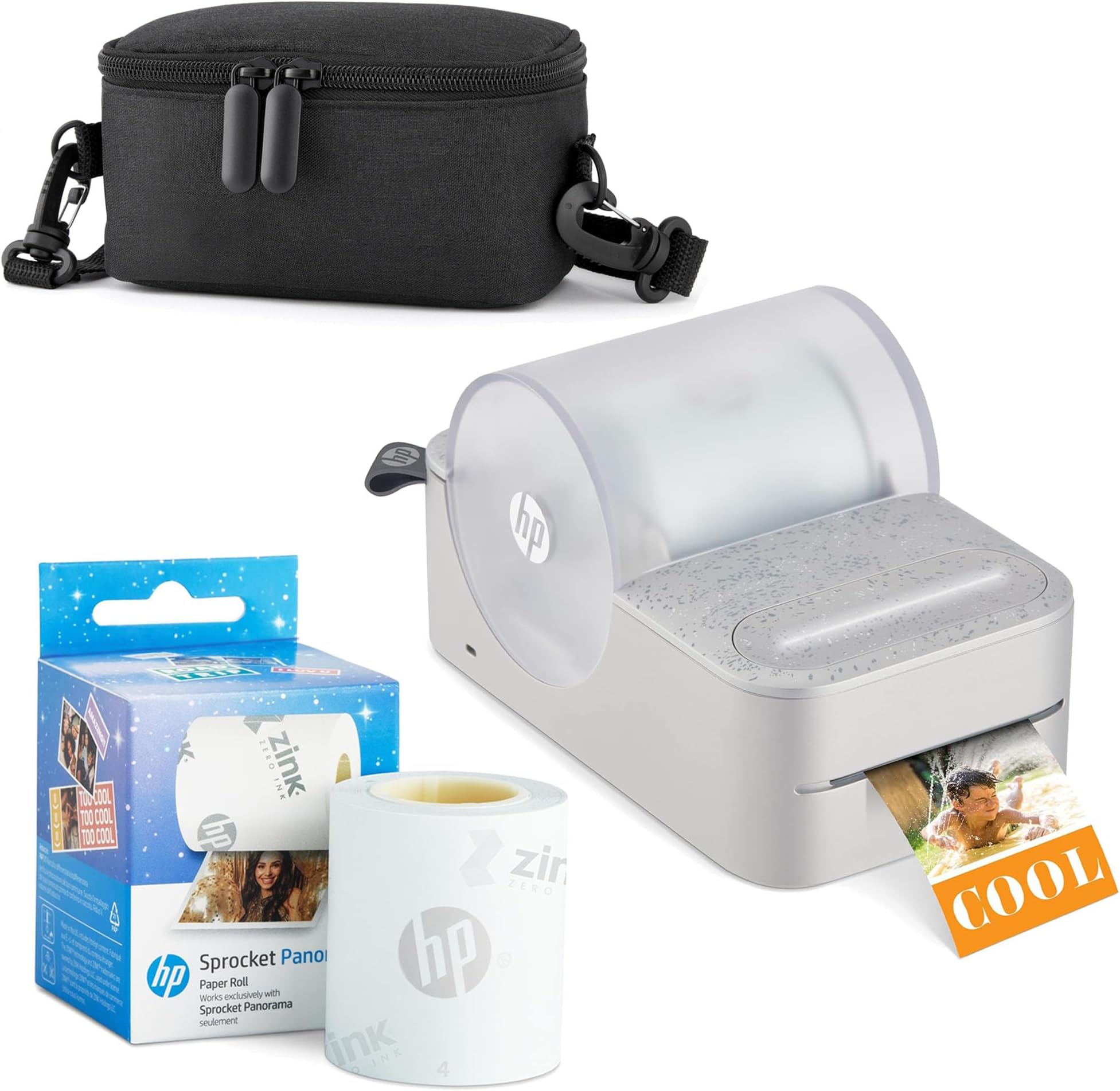
| Box Contents | Printer, case and HP Zink roll |
| Brand | HP |
| Brand Name | HP |
| Color Pages per Minute | 1 ppm |
| Colour | Grey |
| Compatible Devices | Smartphones |
| Connectivity technology | Bluetooth |
| Control Method | App |
| Controller Type | Android |
| Country of Origin | Vietnam |
| Customer Reviews | 3.3 out of 5 stars 46 Reviews |
| Display Type | Digital |
| Dual-sided printing | No |
| Duplex | Simplex |
| Hardware Interface | USB Type C |
| Ink Colour | Cyan, magenta, yellow, black |
| Is Electric | No |
| Item Dimensions D x W x H | 8.3D x 14W x 8H centimetres |
| Item Type Name | HP Sprocket Panorama Instant Portable Color Label & Photo Printer |
| Item Weight | 454 g |
| Manufacturer | HP |
| Maximum Copies Per Run | 60 |
| Maximum Copy Resolution Black and White | 4800 x 1200 dpi |
| Maximum Copy Resolution Color | 4800 x 1200 dpi |
| Maximum Copy Speed Black and White | 1 ppm |
| Maximum Print Resolution Black and White | 300 dots_per_inch |
| Maximum Sheet Capacity | 10 |
| Maximum Supported Paper Size | 2 inches |
| Maximum print Resolution Color | 4800 x 1200 dpi |
| Model Name | HP Sprocket Panorama Instant Portable Color Label & Photo Printer |
| Model Number | AMZHPPANK1W |
| Model Series | Sprocket Panorama |
| Model name | HP Sprocket Panorama Instant Portable Color Label & Photo Printer |
| Network Connectivity Technology | Bluetooth |
| Other Special Features of the Product | Lightweight, Portable |
| Output sheet capacity | 10 |
| Paper Size | 22.86 centimeters |
| Print media | Glossy photo paper |
| Printer Output Type | Colour |
| Printer Type | Zink Technology |
| Printing technology | Zink Technology |
| Processor Count | 1 |
| Product Warranty | 1 year limited |
| Resolution | 300 x 300 |
| Scanner Type | Portable |
| Series Number | 1 |
| Special feature | Lightweight, Portable |
| Specific Uses For Product | Photo printing, creative projects, fun and personal use |
| UPC | 843812189088 |
| Unit Count | 1.0 count |
| Warranty Type | Limited |
B**E
Good printer, bad case included
The printer itself is amazing, once you know how to, the rolls are easy to replace, the card for the quality is easy to place and everything works brilliantly. The quality of the photos I’ve printed are amazing, I also have another sprocket (the 2 in 1) and this beats that quality massively. However there’s one downside- which is the case that is included for this sprocket. It isn’t HP branded, in my opinion it is an awful case for this printer. The printer hardly fits in the case as shown above in the bundle, and you would think it would be a good protective case, where it is just flimsy and only just zips up with the sprocket inside of it which is a shame. I’m now going to have to buy another case, which is another cost added on top of the bundle itself. If that minor error was fixed with a harder case to actually protect the printer itself, it would be a whole lot better. My advice is if you want this bundle, buy the printer and paper roll separately and then buy a different protective case for it. Other than that, the printer works amazingly and everything else is fine, it is just the case that is a massive let down.
L**E
Can’t buy the zink paper
Can’t get the zink paper nowhere so can’t use this printer so don’t buy if your in the Uk
M**R
Love it!
The nice thing is there are instructions, however, not very detailed. I had to play with it a little to finally get it to work. The hardest part of the set up is getting it to link to the phone, after that, loading the paper and printing was very simply. There is no ink cartridges for this printer because the printer paper is activated through the printer technology. The print is decent and looks better when you take the picture in a well lit room. The printer paper is a little expensive, but that's because it has the ink technology in it and paper is a sticker too. Overall I'm happy with the purchase.
S**A
Not worth it
Purchased for my daughter‘s birthday party. I read a few reviews. I was hesitant at first because of the cost. Once I purchased it I downloaded the app and I started to take pictures to test it out. I tried every way possible and even looked up YouTube videos on how to get it to print in every time it would just print blank finally, the date of her birthday came and I could not get it to work so I ended up just returning it waste of time
D**B
Cool and Well-Executed Print Technology - Just Use Your Phone and This Instant Printer (No Ink!)
Here's what I like: -First off, it's pretty easy to use and the instructions are good. They also were written by someone who knows the English language well. The Quick Start details how to load the paper and prepare it for printing. Download and open the app, start Bluetooth, make choice, and hit print. My video demonstrates using the app, the actual printing take place, and the result held close to the camera for your inspection. -As you might imagine, the resolution and color of the prints are not superb, but they are good enough to justify the cost of this machine. I do a lot of photography and printing and the results are by no means bad. They're better than I expected. -I like that I can peel off the back of the print and stick the photo where I like. And it's easy to lift off and stick it somewhere else. I don't know how often it will continue to stick but I've moved one 5 times with no problems. -The printer has an internal battery that's charged by usb, so you need not always plug it in for it to work. The things I didn't like have nothing to do with the printer or the prints. However: -A couple of unexpected ads for apps that open when I thought I was looking at the "HP Panorama" app misled me until I realized the problem. -I wish the storage case for the printer and accessories was bigger. I don't feel comfortable stuffing an extra roll of paper into it. In conclusion, this printer and the technology it uses is better than a toy. The prints and the flexibility of adding text, etc., look quite good and most people will be satisfied. I think kids can have the most fun with it. But I'm not a kid and I enjoy printing pictures I can stick on things quite a bit myself. Recommended for all ages.
J**Y
Good printer but not for my needs
The printer was easy to set up and connected easily with Bluetooth. Compact and easy to use. But the printer can only be used for a short time before it shuts down because it overheats. The pictures are great quality and the printer is quick. I love the paper that it prints on with the sticker option. The fact that I don't have to mess around with ink is great. Sublimation is the way to go. I wish the printer didn't overheat so often but then again I am using it for a photo booth.
A**R
nightmare setup, everything that could go wrong went wrong
Turning it on was just about the only success here. I loaded the sprocket cleaning sheet as it says to do. NOTHING happened. I loaded the app, it did not fix it. I tried the cleaning sheet again and again. I tried the button that says push down with 2 fingers...that was a bad idea. That cut the cleaning sheet. Now I have a stuck cleaning sheet. I manage to shake that out. I load the roll. It says it's calibrating, it only partially loads. It connects with the bluetooth to my phone but NO device is found about 4 times. Paper cutter isn't working. Finally connect. Design something...that was kind of fun. Error message--paper jam. Restart.... No guidlines on how to clear a paperjam I pull it out, that's all i can think to do. Seriously this is a pain in the butt. Finally I managed to print my design. It was pretty slow and sometimes tracked backwards which made me nervous that it wasn’t working. The finished project was good! Hopefully it will continue to work after a rocky setup but my expectations are currently pretty low.
Trustpilot
2 months ago
2 months ago