Desertcart purchases this item on your behalf and handles shipping, customs, and support to Tunisia.
❄️ Stay Cool, Stay Ahead: The Ultimate Power Move for Your Laptop
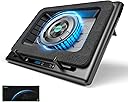
The llano V12 Gaming Laptop Cooling Pad features a massive 5.5-inch turbo booster fan that rapidly reduces CPU and GPU temperatures by up to 44℃ within 90 seconds. Equipped with a sleek LED display and touch controls, it offers precise fan speed and lighting adjustments. Its ergonomic design includes adjustable height and non-slip baffles for stability and comfort, while an advanced dust filter protects your laptop from harmful particles. Compatible with 15-19 inch gaming laptops, this cooling pad is a must-have for gamers and professionals seeking peak performance and durability.


| ASIN | B0CMTCB8Q6 |
| Best Sellers Rank | 9,762 in Computers & Accessories ( See Top 100 in Computers & Accessories ) 24 in Laptop Cooling Pads |
| Brand | llano |
| Brand Name | llano |
| Colour | Black |
| Cooling Method | Air |
| Cooling method | Air |
| Country of Origin | China |
| Customer Reviews | 4.4 out of 5 stars 1,145 Reviews |
| Enclosure Material | Plastic |
| Item Dimensions L x W x H | 30.5L x 6.9W x 40.6H centimetres |
| Item Weight | 2.15 Kilograms |
| Item weight | 2.15 Kilograms |
| Manufacturer | llano |
| Manufacturer Part Number | V12 |
| Material | Plastic |
| Model Number | V12 |
| Number of Fans | 1 |
| Number of Items | 1 |
| Product Warranty | 2 Year Limited Warranty |
| Product dimensions | 30.5L x 6.9W x 40.6H centimetres |
| UPC | 749757387285 |
D**N
A must buy if you struggle with temperature issues
Before using this cooler, under heavy sustained loads my temps usually sat at around 90°C+ in the CPU, and around 82-86°C in the GPU. Once I started to use this cooler at only half speed, these temps dropped by around 15-20°C on both, especially so in the GPU. I have never once seen my GPU get near 80°C since I started using it! On the CPU side, it works great in most situations, but certain laptops such as mine still pull in a lot of power, so depending on exactly what you're doing, results may vary. There is nothing any cooler on the planet can do for sudden power spikes under 100% capacity loads on 12700H laptops such as mine! In these cases, unless it is necessary, reduce the load on your laptop if you want to avoid this. As an example of how good this cooler is, Elden Ring on max settings in 4k is extremely CPU intensive, and would be stay at 99-100°C without the cooler, as my laptop would be pulling the absolute maximum power at all times. However with the cooler, it stays between 80-90°C. Games like COD won't go above 65°C in game with the cooler, but when it's pre-loading shaders, temps can still go up towards 95°C. Overall, I feel that half speed is the perfect mix between noise and cooling, as the only difference between max speed and half speed is only around 2-5°C in temp reduction, but the noise is much, much louder. The biggest issue for most will be the noise. At max speed, it is around 70db, almost like a hoover. At half speed, it still sounds like a PS4 that someone hasn't cleaned since they bought it. Still, at half speed, this shouldn't be an issue if you wear headphones like I do. Just be wary if you're using it when someone is trying to sleep! All in all, this is a fantastic cooler that is currently the best on the market. It may seem quite expensive for a cooler at first glance, and can be loud depending on the fan speed, but it's resounding results make it fully worth the cost in my opinion!
A**M
This cooler is like me; Big, noisy, but it works really well!
The cooler is a sizeable and can be a touch bulky on first impression, but the cooling perfomance is MORE than worth it. It feels a little cheap when you take it out of the box, but it actually sits very well and I have confidence that it wont spontaneously collapse under my laptop. I have an HP OMEN Gaming Laptop with a very power hungry (and by extension, VERY toasty) GPU and CPU, most games would typically cause the GPU to hit the thermal limit of the chip. Since getting this, I'm looking at about a 15%-18% drop in temps depending on the game. Worth noting that the noise can be significant beyond ~1200rpm but with headphones on you do not hear it unless it is set above 2000rpm. I've found that manually setting my laptop fans for a specific speed (typically they'd be maxed @5900rpm, now between 4000-5000rpm based on what I'm doing) and setting the cooler to run between 800-1200rpm; 500-800rpm works perfectly for general day-to-day use for most laptops. Honestly, I wish I'd been able to snag this for a little bit less money, but if you are looking to preserve your multiple-thousand pound laptop, dropping ~£100 on this, worth it. I would genuinely recommend it.
T**R
Extremely noisy at anything above 1000rpm.
I have a silent £30 quid colling pad which is ok for higher temperatures however it doesn't demonstrate systematic changes in GPU temperature more than 2-3 degrees. This Laptop Pad is of high quality, it clearly lowers at 5-7 degrees the GPU in games at 1500rpm and even 10-13 degrees at 2800rpm however at max speed is like a supersonic jet in your house. Unless you are able to play games with noise cancelling it is highly unpractical above 1200rpm. I will give it 4 stars because it is extremely noisy even at 1000rpm and it also needs a dedicated socket (Can't be connected to an usb charging alone). Also the on/off button is portly designed and you have to press it 3-5 times to switch it. I would expect for a £100 cooling pad to have done it better with the on/off switch. Finally, it comes with a foam seal outside which can easily be damaged in time and without real replacements for it. This is another poor design decision.
S**B
Great for gaming, but in steady state your laptop fan speed will be zero, reducing wear
Lots of other reviews stating the advantages of this cooler in gaming (and this cooler works well—temps for my Asus Predator RTX3080 laptop go from 80-something to 60-something for the GPU), but there's another big advantage of this cooler... When you are engaged in productivity or simply just have the laptop on, the fans will still be turning and wearing out over time. With this cooler set to low, a good laptop will simply turn its own fans off on temps, giving you zero wear. And because this cooler has better air filtering than your laptop (most laptops don't have any filter for one thing!), there will also be zero dust buildup. It works differently to most other coolers. Instead of attempting to blow air through the laptop (which always fails because most of the laptop bottom is a solid barrier), the Llano creates a pressure differential below the laptop, forcing air through any openings in the laptop base, irrespective of how small they are. You can see this simply by leaving the laptop off and turning the Llano on. You will feel significant air coming through the laptop exhaust vents even though the laptop's fans are not turning. This often means your laptop fans stop turning outside gaming, because the Llano is doing all the work! I've included a screenshot of my computer's fan control (Asus Sense) showing zero CPU and GPU speeds. This works really well for productivity and things like locally running AI image generation; your laptop fans are not constantly running and/or changing speed rapidly and often. Yes, this cooler is expensive, but so is your gaming laptop, and this cooler will save your laptop wear via constantly running fans, dust buildup and of course heat. Downsides? If you leave the Llano off underneath your laptop (because for example, you are just web browsing), and then start gaming without turning the Llano on, the Llano works against you and actually makes the laptop hotter because now the laptop has to push air through the cooler as well as itself. Not something you hear on ANY of the fawning Youtube review videos, and actually quite easily done! Remember to always turn the Llano on! Edit - Forgot to mention, I got a very nice mouse mat with this. It's one of the bigger ones that cover half of your desk, and I'd guess it's worth about 20 pounds. It's not advertised as an accessory, though, so you may or may not get lucky. Also, lots of comments about the build quality. Mine is solid and is made of good APS plastic and not the brittle cheap MSI stuff(!) that cracks on the slightest drop. I also ordered the non-LED one. Fewer holes in the body to accommodate the LED bling nonsense, so I'd guess that leads to more structural solidness.
G**E
Fantastic Buy
Perfect condition when it arrived. Works fantastic, so far I’ve not needed it faster than 600rpm. The highest speeds are definitely loud (sounds like it’s going to take off lol) but that’s not an issue for me and I can’t imagine needing to run it that fast either as it truly is very efficient. My old fan (that this has replaced) had 5 small fans and would have to run on the fastest setting and that cooled down about as much as this Llano on 400rpm. Would 100% recommend for gaming laptops.
M**D
The excellent cooling
I was dubious about this but the results are amazing with temperatures of my laptop falling from 70 degrees whilst gaming to 50-55. Remarkable. Highly recommend if you want your laptop to last a long time
D**R
Genuinely worth buying, but with a caveat
I bought this to go along with my new MSI Raider 17", which is a "k laptop. I wanted to both tilt the laptop, but also cool it down and increase its life. This does do both quite well, but with a couple of caveats. 1) The claim of a 44c temp drop is BS. The best i've ever seen is around 15C 2) It looks and feels cheap AF, and about as portable as a 10tonne truck So lets first talk about the good. It really does give a significant drop in temperature! Usually around 20c when sitting idle. However gaming or anything intensive the temp drop seems to be around 10-12c, o0ccassionally peaking to 15c. Which is pretty good imo. For my machine it means i can see a idle temp drop from low 50's to mid 30's. While working it can run from the late 50's to early 60's, and with this on it drops to late 40's Gaming however is not so great. Under light games, then sure you going to have similar reults to the above. However if you're playing a heavy load game such as CoD, SE5, LotR: SoW and others, your only going to see about a 10-15c drop. For example i was seeing 65-73 without this, but with it i was able to get it down to around 50c-60c. All the while this was on 500-800rpm, with fairly quite fan. In fact it was no louder than my laptops fans. However anything over 1000rpm's just leads to diminishing returns to the point i dont really see it being worth the severely increased noise. For maybe 1 or 2c drops. The other thing i dont really like is the foam, which is loose. In other pads of this type they're magnetic which keeps them in place. I also worry over how long the foam is going last, especially since it dosent seem like you can buy replacements. The lack of portability is another problem for me, but i think for most people they're going to have it in a single place so it wont be an issue. Overall though it's well worth the investment
L**L
Superb Performance!
I have an MSI Raider 18HX with the i9 14900HX and RTX4090. Although I don't do it often, when running handbrake I would very easily hit thermal throttling, and the CPU package temp frequently hit 99C whilst encoding. With MSI Center set to Extreme Performance and a custom fan curve to bring the laptop fans right now (as they're noisey with not a huge amount of benefit above 3.5krpm) and the Llano cooler, I've gotten the cpu down as low as 79C under sustained 100% load. This is also after allowing the temperatures to creep into the 90's before turning the Llano up to about 1600rpm. On normal usage, I can have the Llano on about 400rpm, the laptop fans will turn off and it's near enough silent with temperatures in the 40's. 600rpm and above is where it's really doing its job and it is loud then, but my god it does a better job than I expected. The most important thing is getting a good seal. On my particular laptop, the rear vents are quite far back, so the front of the laptop actually sits over the controls. However, I get about a ~10C improvement over if it was sat how you'd expect it to sit with the front hooks on. During gaming where the load is less sustained, I sit around 65-75c with the llano set to about 800rpm. Perfect!
M**X
A cooling pad thay does the job
Great laptop cooler reduces my laptop temps anout 2 to 6 Celsius degrees which helps my laptop maintain high FPS and tempa under 80c depending also on the room temp.Not an extreme change a nice boost and yes fan speed above 600 or 800 gets noisily if you game workout headphones . Currently using razer blade 15 mid 2021 model with RTX 3080 i9 and 32GB ram .
C**N
Cumple con creces mis expectativas
Llevo un mes usando este enfriador con un portátil de 15,6" (es compatible con portátiles de 15" a 19"). Estas son mis impresiones: Diseño y construcción El ventilador principal de 14 cm está bien integrado: no vibra, no se sale del marco y no molesta en absoluto en el uso. El acabado es en gomaespuma con dos ganchos en la parte inferior, lo que hace que el portátil quede bien encajado y que el aire se aproveche mejor. Sí deja alguna ligera marca en la base de la gomaespuma, pero nada preocupante. Trae un filtro antipolvo extraíble en la parte inferior, algo que agradezco para mantenerlo limpio. También incluye dos patas ajustables en dos posiciones; yo lo uso siempre en la máxima altura porque me resulta más cómodo y mejora la entrada de aire. También tiene un filtro extra por si al tiempo quieres cambiarlo. Puertos y conectividad Al principio pensé que los puertos USB no funcionaban, pero el problema se soluciona fácilmente conectando la base al portátil mediante el cable que viene incluido en la caja. Una vez hecho esto, los puertos funcionan correctamente, dándole un plus de utilidad a la base. Rendimiento y refrigeración Este punto es donde más brilla el enfriador. He notado reducciones de hasta 20 °C en juegos exigentes, lo cual me parece una barbaridad comparado con otras bases que apenas bajan unos grados. El ventilador tiene un rango de 300 a 2800 rpm: A 300 rpm es prácticamente inaudible (se escuchan más los ventiladores del propio portátil). Entre 800-1000 rpm es el rango que más uso para jugar: se oye, pero nada molesto incluso sin cascos. A 2800 rpm el ruido es altísimo, tanto que incluso con auriculares se escucha, pero la capacidad de enfriamiento es brutal. Lo uso solo de forma puntual para bajar rápido la temperatura y luego vuelvo a 800-1000 rpm para mantenerla. La base en sí no se calienta con el uso, y el diseño está pensado para que el aire atraviese directamente el portátil, acelerando mucho más la disipación que en bases planas tradicionales. Comodidad y uso diario Al principio me costó adaptarme a la altura extra comparado con otros elevadores, pero una vez me acostumbré, cuando no lo tenía lo notaba demasiado bajo. En mi experiencia, sí mejora la postura. El portátil no se desliza nada gracias al encaje y a la espuma. Precio y valoración final Lo compré por 95,59 €, y a ese precio me parece una compra excelente, mucho más ajustado que los más de 130 € que había visto en otros momentos. No he probado otras bases para comparar, pero este modelo me parece válido para cualquier persona que use portátil, desde gamers hasta usuarios de oficina, siempre que entre en el rango de tamaño soportado. Como detalle añadido viene con una alfombrilla grande para la mesa algo que es de agradecer para el uso del ratón.
Z**U
Works with MacBook too
Works great with my MacBook.
A**1
runs on its own power, filters dust, vaccuum seal, manual fan control, very powerful airflow
drops both cpu and gpu temps considerably (i9 14900hx cpu and rtx 4090 laptop gpu), CPU of course will try to draw more power as it cools so it will seem less effective on cpu when looking at the maximum temperature spikes, but the averages while idle and under load will drop heavily nonetheless. very impressive results on GPU, raytraced 1440p gaming & large resolution stable diffusion use never saw it above 70 in the ~10 hours i've so far used it, compared to mid-high 80's when simply raised at the back. have been running this at 600RPM, it goes up to 2800, so if you're okay with more noise you can get even better results. i live in a dusty environment, so the vaccuum seal & dust filtration are a huge plus, and the primary reason i chose this cooler, everything else has just been a pleasant surprise. if you have the rare laptop that vents heat out the bottom, then this is definitely not for you, otherwise absolutely yes, 160 AUD to help insure a 5000 AUD purchase is well worth it.
J**.
I would recommend this.
I've had this for 5 months now and I like it. Yes it can be loud but as soon as you wear your headphones you can't hear it at all unless you go full blast to the max but even then its not too loud with the headphones on and for general use i have it at 800 rpm which i think is the perfect speed to sound ratio for non headphone use and this device helps your laptop out a lot, being propped up and having at least some kind of extra airflow is way better compared to having it sit directly on whatever you use as a platform without having anything to improve the airflow at all. It's not bad at all. Also i really like the idea of having a filter which i can replace every so often so the dust stays out, that's a big reason i bought this because my house gets so dusty really fast. I wish the cooling was a bit better but at the end of the day this thing helps a lot regardless and i am happy with my purchase!
Trustpilot
4 days ago
5 days ago