


Buy anything from 5,000+ international stores. One checkout price. No surprise fees. Join 2M+ shoppers on Desertcart.
Desertcart purchases this item on your behalf and handles shipping, customs, and support to Tunisia.
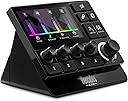
Hercules Stream 200 XLR is an audio controller featuring a built-in sound card, allowing streamers to separate the audio mix that they’re listening to from the mix being played for their audience. Thanks to this audio controller with a built-in LCD screen, you can manage all your audio sources in real time: games, chat software, music, XLR microphone, game console, second computer, and more. Hercules Stream 200 XLR lets you enjoy a customized experience by individually viewing and controlling the sound level of each audio track — for you, and for your audience! Instantly enable, turn down the volume, turn up the volume, mute or unmute the sound! Review: Großartiges Interface ! - Ich habe kürzlich vom Avermedia Nexus auf das Hercules Stream 200 XLR gewechselt und bin begeistert! Obwohl der Funktionsumfang der beiden Geräte ähnlich ist, hat Avermedia in letzter Zeit kaum Updates bereitgestellt, was mich frustriert hat. Das Hercules Stream 200 XLR hingegen erfüllt all meine Anforderungen an professionelle Audiotrennung und bietet zusätzlich die Möglichkeit, es als Streamdeck zu nutzen. Die Verarbeitung ist wirklich hochwertig, und die Konfiguration war in weniger als fünf Minuten erledigt – einfach klasse! Stand September 2024 kann ich dieses Produkt aufgrund seiner hervorragenden Qualität und vielseitigen Möglichkeiten als konkurrenzlos beurteilen. Ich kann das Hercules Stream 200 XLR jedem Streamer und allen, die es werden wollen, nur wärmstens empfehlen! Ein absolutes Must-Have für jeden, der Wert auf professionelle Audioqualität legt. Review: Parfait - Mon conjoint en est très satisfait, ça lui facilite grandement son expérience de stream.
| ASIN | B0C8PGVBJ2 |
| Additional Features | Streaming management, customizable controls, advanced audio functions |
| Brand | Hercules |
| Brand Name | Hercules |
| Color | Black |
| Compatible Devices | Desktop, Laptop, Tablet |
| Connectivity Technology | USB |
| Connectivity technology | USB |
| Connector Type | xlr,usb |
| Control Method | Touch |
| Control Type | Audio controller |
| Customer Reviews | 4.2 out of 5 stars 132 Reviews |
| Hardware Interface | USB |
| Hardware Platform | pc |
| Human Interface Input | Buttons, Dial |
| Included Components | USB Cable, Hercules Stream Control Software |
| Instrument | Audio Mixer |
| Instrument Key | Any |
| Item Type Name | Stream Deck |
| Item Weight | 920 Grams |
| Keyboard Description | 7 keyboard with a grid design |
| Manufacturer | Hercules |
| Manufacturer Part Number | 4780934 |
| Mixer Channel Quantity | 4 |
| Model Name | Stream Deck 200 XLR |
| Model Number | 4780934 |
| Model Year | 2023 |
| Model name | Stream Deck 200 XLR |
| Noise Control | None |
| Number of Keys | 4 |
| Number of keys | 4 |
| Platform | Windows 11 |
| Product Style | Stream 200 XLR |
| Size | 155 x 110 x 115 mm / 4.6 x 4.3 x 3.7 inches |
| Special features | Streaming management, customizable controls, advanced audio functions |
| Supported Software | Hercules Stream Control |
| Total USB 2.0 Ports | 1 |
| Total USB Ports | 1 |
| Warranty Description | 2 year manufacturer |
N**K
Großartiges Interface !
Ich habe kürzlich vom Avermedia Nexus auf das Hercules Stream 200 XLR gewechselt und bin begeistert! Obwohl der Funktionsumfang der beiden Geräte ähnlich ist, hat Avermedia in letzter Zeit kaum Updates bereitgestellt, was mich frustriert hat. Das Hercules Stream 200 XLR hingegen erfüllt all meine Anforderungen an professionelle Audiotrennung und bietet zusätzlich die Möglichkeit, es als Streamdeck zu nutzen. Die Verarbeitung ist wirklich hochwertig, und die Konfiguration war in weniger als fünf Minuten erledigt – einfach klasse! Stand September 2024 kann ich dieses Produkt aufgrund seiner hervorragenden Qualität und vielseitigen Möglichkeiten als konkurrenzlos beurteilen. Ich kann das Hercules Stream 200 XLR jedem Streamer und allen, die es werden wollen, nur wärmstens empfehlen! Ein absolutes Must-Have für jeden, der Wert auf professionelle Audioqualität legt.
A**.
Parfait
Mon conjoint en est très satisfait, ça lui facilite grandement son expérience de stream.
S**0
Amazing Stream mixer or mixer for easy Volume control (paired with steel series sonar Software)
This is worth the money I've went from a Razer 4 channel mixer to a Roland bridge cast to this and this is by far the better option the soft is simple and easy to use and the device is also easy to use and I also use this with the steel series sonar software The only thing I didn't like is that I didn't know how to use the Included cloud lifter for a mic that comes with said device and it took me abit to Google and find out you need to turn the Phantom power on at the back of the device and turn to mic from dynamic to condenser mic for it to work else it won't do anything as the cloud lifter needs that extra power to send the signal through it (if you didn't know much about music equipment you might think it didn't work or was broken so wish there was instructions in the box to explain that) But I'd definitely recommend this for anyone who is looking for a way to have different volume levels for Games Voice chat music and your mic and have the ability to have extra buttons to launch certain things as well and if you can get this well it's ok offer it will be worth it
A**R
作りこみが足りないUSBミキサー兼オーディオインターフェース
マイク、BGM、システム音声など、複数の音源の音量を個別に管理するミキサーをメインに、マイクジャック(ファンタム電源有)とモニター用ヘッドホン端子も装備したオーディオインターフェースです。OBSとの連携を前提にしたような製品です。 <良いところ> ・音量をコントロールしやすいこと 謳い文句通りなのですが、やはりわかりやすいです。4.3インチのTFT液晶にでかでかと音量やゲインのバーが映ります。液晶はやや眩しすぎるくらいで、見ているとテンションが上がります。 また、各音源においても配信側とモニター側それぞれの音量をコントロールできるので、音量関係のトラブルを起こしにくいです。 ・音量のコントロールがダイヤル式なこと 音量はアナログなダイヤルでコントロールするのがスムーズだと思います。この仕様は妥当です。 ただ、後述のように難点もあります。 ・一応マイクプリアンプが付属すること 本体のみでは、ダイナミックマイク(CAROLのGS55)の場合にゲインを9割くらいにしないと使えませんでした。 それを補うためか、外付けのマイクプリアンプが付属します。奥行が長くなってしまうことには注意です。 ・専用ソフトによるカスタマイズが簡単なこと 専用ソフトでダイヤルやアクションボタン(ホットキー)のカスタマイズができます。 後述のように微妙な点もありますが、カスタマイズそのものはやりやすいです。 <今一つなところ> ・ボタンやダイヤルの操作感がいまいちなこと 直感的な操作が売りの製品にも関わらず、ボタンとダイヤルの操作感が悪いです。 ボタンは硬くてストロークが短く、しかも表面がゴム製でぐにぐにしているために押しにくいです。 あまりに硬いのでボタンを押す際に本体が動いてしまうことがあり、やむをえず本体を鷲掴みするようにしてボタンを押しています。 また、右側に並ぶ大きなボタンの端を押したとき、うまく押せないこともあります。 ダイヤルにはノッチ感がなく、微妙にこすれるような感触だけがあります。安物のアナログボリュームに近い感触で、値段相応のクオリティとは言えません。 この手のデジタルガジェットのダイヤルは、わずかでもノッチ感がある方が操作を意識しやすくて良いと思います。 ・割り当てられる機能が少ないこと ダイヤル直下のアクションボタン4つに機能を割り当てられます。 ダイヤルにはページ切り替え機能で8chを割り当てられるのに対して、アクションボタンにはページ切り替えが効かないので4つのみです。 アイコンのカスタマイズはいろいろできるんですがね……。 ・液晶画面に音量しか表示できないこと 立派な画面を持っているのに、音量のバーしか表示できません。専用ソフトでカスタマイズできるのは音量バーの背景のみ(!) もちろんタッチ液晶ではありません。 一応、各ダイヤルに紐づけられた音源やアクションボタンの意味をあらわすアイコンが出ますが、それだけです。 特にアクションボタンのアイコンについては、「液晶下段にアクションボタンのアイコン→その下にダイヤル→ダイヤルの下にアクションボタン」という配置で、アイコンとアクションボタンが離れているので慣れが必要だったりもします。 ・ヘッドホン出力の音量を液晶画面に表示できないこと ヘッドホン出力の音量は液晶に出せず、ダイヤルを囲むLEDインジケーターにしか表示されません。なぜだ。 このLEDインジケーターは8段階しかなく、LEDが光る最小音量よりも小さい音量、つまりインジケーターが光らない状態で使うこともあります(マイクゲインを大きくした場合など。) また、ダイヤルを押すとミュートになるのですが、ミュート時でもLEDインジケーターに変化がありません。そのため、外見上ヘッドホンがミュートされているのかどうかわからない仕様です。 <総評> 一見便利な左手デバイスに見えますが、ハードウェアの作りこみが甘くて生産性向上には役立ちません。本機はあくまでもミキサー兼オーディオインターフェースなのでしょう。その目的であれば、Stream Deck+にXLR Dockを付けるよりも少しだけ安上がりです。 ただ、できることが大幅に少ない割には少し安い程度というのが困るところで、コストパフォーマンスは今一つと言わざるを得ません。 なお、マイク側、ヘッドホンモニター側ともに音質上の問題はなく、オーディオインターフェースとしてなら十分機能します。
T**N
Produit conforme
Très intéressant et utile.
Trustpilot
2 weeks ago
1 month ago