🎮 Capture Every Frame, Own Every Moment
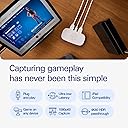
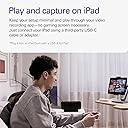
The Elgato Game Capture Neo is a sleek, portable capture card delivering 4K60 HDR passthrough and 1080p60 recording. Compatible with all major consoles and platforms including PC, Mac, and iPad, it offers plug-and-play USB 3.0 connectivity with ultra-low latency. Designed sustainably with zero plastic packaging, it’s perfect for professionals and creators who demand flawless, high-definition content capture on the go.


| ASIN | B0CVYKQNFH |
| AV Output | HDMI |
| Antenna Location | Video Recording |
| Best Sellers Rank | #2,450 in Computer Components |
| Brand | Elgato |
| Built-In Media | Game Capture Neo, USB-C to USB-A 3.0 braided cable (100 cm | 39.4 in) |
| Compatible Devices | ['Game Consoles', 'Cellular Phones'] |
| Customer Reviews | 4.5 out of 5 stars 663 Reviews |
| Hardware Interface | USB |
| Item Dimensions | 2.56 x 4.84 x 0.83 inches |
| Item Weight | 0.09 kg |
| Manufacturer | Corsair |
| Mfr Part Number | 10GBI9901 |
| Minimum System Requirements | Windows 10 (64-bit), macOS 12, iPadOS 17 (Requires USB-A to C adapter or Dock), 6th generation Intel Core i5 CPU (i5-6xxx) / AMD Ryzen 7 (or better), Apple M1 or Intel i5-4xxx quad-core or better, NVIDIA GeForce GTX 10xx (or better), USB 3.0 port. |
| Model Name | Game Capture Neo |
| Model Number | 20GBI9901 |
| Number of Items | 1 |
| Operating System | Windows 10 (64-bit), macOS, iPadOS |
| Other Special Features of the Product | Travel |
| Platform | PlayStation 5 |
| Recommended Uses For Product | Video Recording |
| Special Feature | Travel |
| UPC | 840006673439 |
| Video Capture Resolution | 1080p |
| Warranty Description | 2 year manufacturer. |
G**D
Capture up to 4K HDMI without skipping a beat. Cross platform compatibility is excellent.
Works exactly as described. I've used this for recording business meetings / zoom calls, software demos, and a lot of other things that aren't game streaming and it works like champ. I've used Elgato's software in a pinch and it works well enough to provide basic recording. I've primarily use OBS on Windows, Mac, and Linux (Ubuntu Studio) and it works flawless on all of the platforms. The only quirk I had was making sure if I used a longer USB C cable that it absolutely was going to provide USB 3 connectivity. Don't cheap out on this cable - also USB C to USB A adapters will fail every time, even ones claiming to be USB 3. Quality is excellent, it's a digital perfect copy and I've had no issues with content protection yet - although I haven't used it for digital ripping. YMMV. All in all, I didn't need a $500 capture card to do what I needed. This worked perfectly.
T**S
gaming stream beginner
I have only done 2 streams so far, but can't complain. I even have a switcher at the tv end so that I can change between consoles without having to undo and redo wires constantly. It is an absolute perfect first card for new streamers. Good picture quality, and it's a tough little box. Setup was simple, in-fact it doesn't get any easier. As I said, it works with all my consoles that I am currently using-Switch 2, Switch OLED, and PS5. I look forward to seeing what it does as time goes on.
E**R
Looks great sitting on my Mac Mini : )
My main reason for buying the El Gato Neo was for recording retro video game footage via the Framemeister XRGB Mini and the Retro AVS. As much as I'd like to say this was a plug in and everything works experience, it was actually quite the opposite. 4 days of trial and error and back and forth troubleshooting with customer service led me as far as initiating the return process only for me to figure out what the problem was at the last minute. I should note that I knew the El Gato was working, it just wasn't working for my specific setup. The problem boiled down to 2 things. 1. Audio receiver It turned out that my audio receiver that I have all my devices running through had an option in the settings called HDMI Control. In the manual it says this setting allows the receiver to control other devices that are compatible. So I guess the idea is you turn on the receiver and your other device would automatically turn on...or something. I've never used it but the setting was on and once I turned it off I was able to start capturing footage. 2. Framemeister XRGB Mini During all the trouble shooting I came to the conclusion that the El Gato Neo wasn't going to work with my audio receiver (I initially thought it was HDCP related) but I'd still find good use for it with the Framemeister, which was also hooked up through my receiver. However, even running straight through the capture card without the audio receiver I could not get the XRGB Mini to capture properly. The main issue was it wasn't picking up any audio but also would occasionally not pick up video either. It turned out that all I had to do was update the Framemeister to its final firmware to resolve the issue. This is a great little device but, depending on how complicated your setup is, you might be in for a bit of troubleshooting.
M**B
AMAZING!!! HOWEVER IT'S ALSO EXPENSIVE!
The video on this thing is amazing! Like the lag is non-existent streaming is out of this world it's like instant what I see they see instantly. It's compatible with my HP laptop that's got in a Ryzen5 7000 series 😅🤣 It's easy to use! Like those of you saying it doesn't pick up audio? It does just get a wireless headset again I have a super old headset but it's wireless so I just plug that into the laptop and put it all through OBS Studio. The value for money could be a little better. Honestly the View that say get this one for extra plugins are right but I just figured out there's ways I don't even need to use the HDMI import on the capture card because my laptop has one. Or I can plug whatever else into my laptop via HDMI. It could be a little bit cheaper though I'm not going to lie it was quite expensive. That is the only reason why I'm giving it four stars.
D**X
As intended
Works as intended and outputs good quality video
A**Y
Easiest console recording device
Works awesome and super easy to set up
M**A
Good
Good
P**N
Nice simple capture card
Works perfectly with connecting my switch to obs. The lag is definitely there, but to be expected.
E**Y
Elgato Does it Again.
After knowing about Elgato and their products for the longest time, having purchased their Wave 3 Microphone and using some of their software for years, this was a no brainer purchase for me. It is their cheapest capture card yet and it does everything you need to record the same level of gameplay quality you watch on the internet all the time. A capture card like this essentially turns your HDMI video signal from a console or pc into an input that a computer recognizes like it is a USB webcam while passing the signal through to your TV or monitor. very simple. Here is a TLDR of some points I think are useful about the capture card to save you some research if you haven't done any already: - It captures in 1080p, 60 FPS; industry standard for capturing gaming content. If you are looking to capture anything higher than that, this is not the card for you. - It can pass through up to 120 FPS at 1080p, while it is limited to 60 FPS passthrough for 1440p, 4k and HDR at any of those resolutions. It can do 720p up to 120fps too, but if you're the kind of person in the market for a capture card you should be avoiding 720p anything ever. - It is plug and play compatible with PlayStation, Xbox, PC, Mac, and IOS devices (You will need a capture software such as OBS on your capture computer) - It does not come with HDMI cables. You need (2) high quality HDMI cables capable of doing the resolution and framerate you plan to pass through/capture at. Do your research and be sure to buy cables that support 120 FPS if you plan on passing through that framerate or you will be disappointed. - It comes with a USB type C to type A cable that is USB 3.0 for to send the capture video to your capture computer. You can use an equivalent or better cable and it will work the same. It will not work with a cheap phone charging cable. - Elgato does not recommend using a dongle for input to your capture computer, it is not guaranteed to work. (for the record, I use a high quality USB 3.0 dongle as I capture my gaming PC to a Macbook Air M2 and it works fine. It was the second dongle I tried though and most just aren't going to work.) - Setup *can* be tricky depending on your setup if you aren't the most tech savvy, but there are tons of people on the internet to help troubleshoot, and Elgato has great online and phone support. Console to PC setups should be the easiest to setup. - Download Elgato Capture Device Utility on your capture computer and update the firmware or play with the Input EDID modes if your having image issues. "Display" was the mode that worked for me and my configuration. - Ensure the device your capturing is not forcing more than 120 fps into the card or you will have issues. You can change this in your console or PC's system settings. - Audio comes through HDMI. If you have a different audio setup such as Wavelink or other Mixamps/XLR setups, you will have to research how to setup your audio. I use wavelink and it was very straightforward with a Youtube tutorial. The card itself is is about the size of a rectangle donut, it fits in your hand and was smaller than I expected. It is made of matte plastic and has rubber feet. It literally has not moved or shifted from where I first placed it on my desk which is nice. Elgato comes from the same company as Corsair, so you can expect good build quality from them. I use this capture card for 1080/60 capture with 1080/120 Passthrough and it functioned perfectly once I fixed my display settings in Windows. (I have a 165hz monitor and had to change it to 120 for it to work) All in all, this is the new industry standard entry level capture card for streamers, content creators and other people who want to capture footage from one computer to another, and it gets along well with streaming software such as OBS and I recommend it to anyone whos here looking for their first capture card. You wont be disappointed. there is no reason to spend more money on an HD60 X and if you absolutely need higher resolution and framerate capture (you probably don't), you should make the jump to the 4K X. And for goodness sake, do not cheap out on HDMI cables. Trust me. Buy good HDMI cables. 10/10 Recommend.
A**S
Capturadora sencilla y eficiente.
La simplicidad es su mayor virtud. Es prácticamente "conectar y listo", ideal para streamers que no quieren pelearse con configuraciones complejas en OBS. Permite jugar en 4K60 HDR sin lag mientras grabas o transmites a 1080p60, lo cual es perfecto para mantener la calidad visual en tu monitor mientras haces directo. Además, su diseño compacto y blanco es muy estético.
E**D
Ottimo prodotto
Fantastico dispositivo per chi vuole registrare gameplay in modo semplice e veloce. Si collega facilmente, la qualità video è ottima (fino a 1080p/60fps) e non serve un PC super potente per usarlo. È davvero compatto, perfetto anche da portare in viaggio. Il software Elgato funziona bene ed è intuitivo. Ottimo anche per chi fa streaming o crea contenuti. Un acquisto azzeccato per migliorare la qualità dei miei video. Super consigliato a gamer, streamer o content creator!
P**N
Ok
Ok
S**.
Du får en mycket bra produkt för pengarna
Jag spelar in klipp med denna, bra kvalité jämn bild. Funkar till 100% när jag streamar. Du får en bra produkt för pengarna du betalar
Trustpilot
5 days ago
2 days ago