Desertcart purchases this item on your behalf and handles shipping, customs, and support to Tunisia.
🌍 Stay connected, secure, and ahead—your Wi-Fi just leveled up!
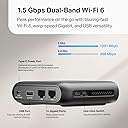
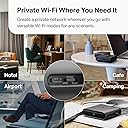
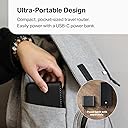
The TP-Link Roam 6 AX1500 is a compact, travel-ready Wi-Fi 6 router delivering fast dual-band speeds up to 1500 Mbps. It secures public Wi-Fi connections with WPA3 encryption and supports multiple modes including Router, Hotspot, and Access Point. Powered via USB-C, it’s designed for seamless connectivity on the go, ideal for professionals needing reliable, secure internet in hotels, airports, or remote work setups.


| ASIN | B0D41G5N95 |
| Antenna Location | Home |
| Antenna Type | Internal |
| Best Sellers Rank | #100 in Computers & Accessories ( See Top 100 in Computers & Accessories ) #10 in Computer Routers |
| Brand | TP-Link |
| Built-In Media | Router and QIG |
| Color | Black |
| Compatible Devices | Smartphone |
| Connectivity Protocol | Wi-Fi |
| Connectivity Technology | Wi-Fi |
| Control Method | App, Remote |
| Controller Type | App Control |
| Coverage | Personal use/ Small spaces |
| Customer Reviews | 3.8 out of 5 stars 1,340 Reviews |
| Data Transfer Rate | 1500 megabits_per_second |
| Frequency | 5 GHz |
| Frequency Band Class | Dual-Band |
| Item Dimensions L x W x H | 4.09"L x 3.54"W x 1.1"H |
| Item Weight | 5.44 ounces |
| LAN Port Bandwidth | 10/100/1000 Mbps |
| Manufacturer | TP-Link |
| Maximum Upstream Data Transfer Rate | 1500 megabits_per_second |
| Mfr Part Number | TL-WR1502X |
| Model Name | travel router |
| Model Number | TL-WR1502X |
| Number of Antennas | 2 |
| Number of Ports | 2 |
| Operating System | Proprietary networking operating system (e.g. Cisco IOS, Junos OS, RouterOS, ZyNOS) |
| Other Special Features of the Product | Access Point Mode |
| RAM Memory Installed | 512 GB |
| Router Network Type | hybrid |
| Security Protocol | WPA-PSK, WPA2-Enterprise, WPA3 |
| Special Feature | Access Point Mode |
| UPC | 840030710001 |
| Unit Count | 1 Count |
| Voltage | 12 volts |
| Warranty Description | 2 Year Manufacturer |
| Wi-Fi Generation | Wi-Fi 6 |
| Wireless Communication Standard | 802.11ax |
| Wireless Compability | 802.11ax |
P**.
Excellent as a low-cost home internet backup
I bought this as a backup internet solution for my AT&T fiber (using a Samsung phone with USB tethering) and after initial setup/testing it worked well; the day after setting up and testing it my fiber actually went down and I was able to connect easily in just minutes. I have an AT&T supplied router/modem and a TP-Link Deco mesh system with ~35 various devices connected - TV's, cell phones, various smart devices, and all were online with no issues. A couple things that may help others: * This router would NOT run from the USB-C port on my CyberPower UPS (it would blink blue/red then shut off; apparently that particular USB C charging port doesn't supply sufficient power to power the router). Once plugged into a normal USB-C power adapter 'brick' and wall outlet, it worked fine. It took me several tries and much frustration to realize that this was the reason my phone couldn't 'recognize' the router - it wasn't actually powered up. Downloading TP-Link's "Tether" app was helpful (but only after plugging the router in to an actual outlet). * Setup was somewhat finicky at first because my phone kept trying to reconnect to my main home Wi-Fi instead of the TP-Link setup network. I used the help of AI to figure that issue out; once connected and configured, though, it is simple to connect to it in an actual outage. * USB tethering with my Samsung phone is easy and works properly after setup. During an outage I simply: 1. Plug the TP Link into an outlet for power; Connect my phone to the TP router via USB-A/C 2. Turn on USB tethering on my phone 3. Disconnect my AT&T router from my Deco mesh; connect the TP-Link router's LAN port to my Deco mesh WAN port (where AT&T router was connected). Internet comes back online for the whole house in about a minute - no passwords etc needed. Because I have the mesh system, I don't have to make all the devices in the house 'recognize' another new network like you would just using a hotspot; the TP-Link router sends the internet to the Deco which 'supplies' the internet to all other devices as usual. Speeds obviously depend on cellular signal strength and tower congestion, so don’t expect fiber speeds from a phone hotspot backup, but for streaming, web browsing, smart devices, etc., it works very well. I haven't used it for traveling, but it has a very small footprint, comes with a USB and Ethernet cable, and would easily fit in any purse or travel bag. I imagine I've made this sound much more complicated than it is to set up - it's actually quite easy as long as you power the router properly and don't have a glitch with your phone trying to reconnect to your home WiFi. Other than that, it was easy. Connections are straightforward - one cable to power, one to Ethernet, one to phone - for my particular setup. Ethernet, USB-A/C cables are provided, but they're short. I purchased longer ones for convenience. For the price, this is an excellent low-cost backup internet solution without monthly fees.
J**R
Easy to use a travel essential
I'm currently on a vacation trip and have been using this device nightly when I'm in my hotel rooms. I've been to five hotels in six days and I've had this router set up each night. While I was still at home I practiced both using the router in both tethering and router modes, but tethering is the preferred method I use in my hotels. This is also what I'd suggest users utilize if they are in public spaces such as a cafe/coffee shop, in school, or a public library. Tethering runs the local Wi-Fi signal through the router, but the user connects devices like computers and tablets to the router's SSID, not the available public Wi-Fi signal. An app on my iPhone (there is also an android app) guided me through the setup steps. Each new local Wi-Fi network is scanned by the router, the local password is entered, and the router then allows me to connect to that signal through the router SSID. The router uses both the 2.4 and 5 GHz bands and given the proximity of all of my devices to the routers, I've been able to use either band with similar results. The router rarely drops the signal and thus far I've not had any issues. I'm logged into the 5 GHz band as I type this review. TP Link has a winner with this product. It is simple to setup, easy to use, reliable, and affordable. I believe I paid $39.99 USD for my device, though it may go on sale during various Amazon sales events throughout the year. I purchased my router just a couple of weeks prior to my trip, so I didn't have the luxury of watching price fluctuations. The router is lightweight. I don't have the exact weight, but it's just a few ounces. It easily fits into my computer bag, and takes of very little room. It has a USB A slot on the back which can be used to access USB flash drives, but I mostly use that port as a passthrough charging station for my tablet. I had used a competitor's travel router for a few years prior to purchasing this device, and I found that other router more difficult to use and less user-friendly. Maybe I'm biased towards TP Link as I've used other networking devices made by them and am partial to the TP Link brand. In days when hackers can be anywhere, having a travel router is a simple step to keeping private data private; TP Link offers a safe, reliable, and affordable option for basic computer users to protect themselves while using public or unsecured networks.
A**E
Effective and versatile, but boots up slowly (and now a brick)
EDIT - Stopped working on my third ever field shoot. Less than 8 hours of total lifetime use. Takes 2-3 plug/unplug cycles on average to boot up ,then will sometimes boot up, run for five minutes, and crash. Multiple bricks and cables did not help. It's possibly just a fluke, but if this is indicative of its reliability, I can't recommend it. ------- This works great for my use case - I got this to add to my photography kit for setting up mobile photobooths - I can pre-pair my cameras, laptop, printers etc. to a known private network ahead of time, and not need to deal with the often unreliable wifi provided by the venue. Unlike some devices I've tried, it will happily allow you to set up a network that's not connected to the Internet in any way, even during initial setup (Netgear devices, in particular, have a really hard time with this). The web UI is basic but functional, and gets the job done without any distracting "easy setup" wizards that invariably always make things harder. The default SSID and unique-per-device password are written on the bottom, and also encoded on a scannable QR code there. The default admin password is the same randomized string as the WPA password, and it clearly says so, so it's easy to connect to without needing to google anything. My biggest annoyance is that there's no "remember me" for the admin website login, so you'll have to log in to the web UI every time you access the page...even if you're simply refreshing it. I had some trouble getting through the FTUE with the iPhone app, and found it easier to set up the first time with the web UI, but after that hiccup the app seemed to work fine. There are some nags for some typical "cloud account" nonsense, but it mercifully provides a "don't show again" button which it seems to actually honor. Powered by USB-C! This is incredibly useful for a travel device, but do be aware it requires a power brick (such as the included one) that can provide at least 9V via the USB-PD standard. Simple "dumb" 5V USB-C ports, including most laptop ports or USB-A adapters, won't work. The three-position physical mode switch on the side is a neat touch, and might be useful if you want to use this as a home router that you carry with you when you travel. Broadly speaking, "Router mode" is for creating a wireless network and optionally connecting it to a wired WAN (including a USB modem or USB phone tether), "Hotspot mode" is for creating a wireless network and routing it to an existing wireless network (like hotel wifi or a wireless phone tether), and "AP mode" is for connecting to a wireless network and routing it to a wired one (the LAN port). Changing the switch position reboots the device. Boot time, by the way, is glacially slow - almost two entire minutes (1:51 in my tests). This is particularly unfortunate for what's supposed to be a travel device, but once it's running, the performance seems fine. Pros: * Can be completely administrated using only a web browser, only an app, or both. * No mandatory cloud administration stuff (though it does have that it you want it). * WPS can be completely turned off. * 2.4Ghz and 5Ghz networks can use the same SSID (separate by default) * USB-C Power Cons: * Slow startup time * Requires full-blown USB-PD to power
R**S
Handy little gadget
I bought this to use while at a program with multiple "modes" of wifi available to me that I could test with. This little router is nice for the price, and as I have TP-Link's higher end routers at home with mesh wifi at my house, I figured this would be good since it would have a similar interface and features. It turns out that it has some interesting features but also some quirks. OOTB, the firmware needed an update which was painless. I don't like using the phone app for configuration, but it is handy. The web interface is functional and responsive, although I don't like how the pages load templates and then fill in the "settings" after the page loads. The "Internet" page in the web interface has a password field for networks with passwords, but it is plain text so passwords aren't hidden, even if you refresh the page for instance. Wifi tethering was the reason I bought this router. When you look at available networks, it doesn't just show available SSIDs, but lists explicitly the available SSIDs, network frequency, and MAC address. There is a lock feature, so networks with multiple APs can be explicitly connected to. In early wifi systems where the mesh standard wasn't implemented yet, this alleviates issues where some devices don't connect to APs properly. You can also specify a specific band to connect to. In the building I'm in, the wifi system has a problem on the 5GHz band, so I can lock the connection to a specific 2.4GHz AP with the right mac address and although the connection is a bit slow, it functions. There was no possible way for me to get wifi on a 3 year old laptop by changing the wifi hardware settings in the driver, which seems odd. A bit of a fluke for Windows? Anyway, there are other reasons to carry a travel router. The VPN function was a breeze to setup. I linked the router to my VPS and had Wireguard running easily. Turns out that unlike my home system, this router allows you to toggle specific devices to use the VPN. There is also a server option which could be handy if you have multiple routers and want to link networks without running a separate machine. I tested the guest network with some friends and it works great. Able to specify bands and have both guest and primary network on both 2.4GHz and 5GHz simultaneously unlike my Orbic hotspot. The guest network does not allow access to the web interface for configuration. Number of devices appears to be significant... You can specify subnet mask and DHCP server settings. By default you get 254 devices, which should be enough. DNS can be overridden for wifi tethering, including using DoT and DoH encrypted DNS without requiring a separate forwarding agent for systems that don't support encrypted DNS. The only disadvantage to messing with DNS is that on some networks, you may run into issues connecting to networks if they use web based login pages that can't be accessed when DNS is overridden, so be careful with that. I was able to setup my router to connect to NextDNS with DoH but not DoT. DoT wouldn't work for some reason; the server was detected but NextDNS reported that it wasn't using a profile. This wasn't the case with DoH. One feature request I have would be the ability to have advanced DNS configuration settings by device or at least by network, so the guest network could use a different DNS configuration or perhaps the default DNS from the wifi. The last feature I like about the router is QoS. My Verizon Orbic has a very high speed connection before I use up my data when I have a decent signal, however sometimes QoS is a good feature to have to ensure you don't abuse your own data caps if you're going to be out a while and need to conserve data. It's also useful if you're sharing a hotspot through a travel router without QoS like the Orbic, and want to make sure nobody uses all the data. NAT can be disabled, which might be interesting to try with the VPN feature. The MAC address of the wifi tether connection is completely changeable, and with the web interface can autodetect the devices' MAC address you login from and clone it. This is useful for instance, if you pay for wifi access from another device but later want to tether that wifi through the router without paying again or signing in again. I haven't tested router mode, usb mode or any of the others. Router mode would actually be useful from the Verizon Orbic or a hotspot with an ethernet port on it with the IP passthrough mode enabled and a short ethernet cable to cut down on wifi interference. The biggest most major quirk the AX1502 has is the 12volt USB-C power. I bought a USB battery, but with the router connected while my laptop is, it slows down the laptop charge rate. Same with my wall adapter. Both of these are Anker chargers. The next model up of this travel router supports USB-C 5V, but it's 3A which is also not really great for standard adapters. Don't lose the stock power adapter, which ironically enough is a 12volt USB A plug! I hope it's safe. The router itself literally draws about 3 watts of power max, so it's probably fine to get another small battery for it if I need, but I'd rather not have to carry yet another thing in my bag of tricks. Wifi range is decent, but obviously don't expect miracles. There are no external antenna connectors or even antennas. Literally just plugin and go. Works best for short range applications, but the signal will go through a wall or two. Performance is decent, but not my main consideration with this router. Most hotspots are not fast or even reliable to begin with so when tethering it's not really a consideration. VPN performance was identical to running Wireguard software on my laptop, which is a plus. One quirk is, IPv6 is not supported for Wireguard clients on the router. Why this is the case makes sense, but I don't have faith that this travel router is really IPv6 compatible to begin with. Size is fine, just feels a bit plasticy and cheap. Hopefully the chassis won't break.
M**I
Works pretty well while travelling. Requires 12 V power.
I was already using a TP-Link router at home, so I am familiar with the administration interface. When I decided to build myself a travel network, it made sense to stick with the familiar. I have used this router on my home network, on fixed public WiFi networks, on Amtrak, in airports, and on American Airlines. In each case, it was relatively easy to use, but the fact that most "free" WiFi networks require a captive portal login can be cumbersome, because there really aren't any accepted industry standards in widepsread use for this purpose. Sometimes, you have to authenticate directly to the portal, then switch networks to the travel router, and clone the MAC address of the device you used to authenticate. In any case, I have not yet encountered a network that I could not access with this router, even if it requires some technical calisthenics to go working at times. I would caution potential buyers that this router requires the use of a USB-C charger or powerbank that provides 12 VDC power using the Power Delivery protocol. It will not work if you plug it into a USB-A port that only provides 5 VDC, using an adapter cable. The router takes a realtively long time to boot up or reboot if power is interrupted, but it's not terribly long. It could be improved by adding a second status light to make it easier to distinguish when the router is actually fully booted up, and possibly a slightly upgraded power supply that would withstand momentary power loss. I'm powering mine with a powerbank for portable use, and it so happens that when I plug my powerbank into AC power or unplug from AC power, it interrupts power to the USB-C ports long enough to cause this router to reboot. It also happens that when I plug a device into the second USB-C port on my powerbank, it also momentarily interrupts power to the first USB-C port, causing the router to reboot again, if it was running. The workaround for that is to simply plug in the router and my other device (a Raspberry Pi 4B) at the same time, but the AC power problem is more important. Although this is really a problem with the powerbank, and not the router, TP-Link could mitigate this problem by buffering the power supply a little with a capacitor. The router itself doesn't draw a lot of power, so I get a long runtime even with my 9600 mAh powerbank, and a larger powerbank will of course give even more runtime. Update: I've recently switched to a 20000 mAh powerbank for my travel network gear, so that will mitigate the power issue and double my runtime on battery.
K**H
Travel router- works great and simple and easy setup.
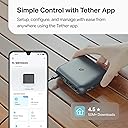
I recently purchased the TP-Link WiFi 6 Travel Router because I live in an apartment building that uses a shared WiFi network. I got this to basically be used as a repeater. I connect it to the public WiFi network and then I use it to broadcast my own local network that is password protected. The setup was simple. You basically plug it in, go to your phone and connect to its default WiFi SSID. Then, download and install the Tether app and follow the steps to create a network and connect it as an extender. It uses your phone to bypass the landing page for the WiFi network. So far I’ve only had it disconnected 2-3 times in almost a month. And that was when I had it installed in the back of my apartment. I moved it closer to the front where the public WiFi signal is the strongest and haven’t had any issues. No lagging, buffering, nothing. Works perfectly as it should. I had an Opal travel router before this and that thing was terrible. WiFi network dropped constantly and it disconnected every 15 min from the public WiFi to the point where I couldn’t even watch a 30 min show without it disconnecting. I saw this router and thought I’d give it a go and I’m happy that I did. It really does work great. And it’s only $19 more. Worth every extra dollar and more. Update: Taking off two stars because this router can not file share as stated in the item description. It has a USB port, but there is no option in the router settings to enable or disable file sharing.
R**H
Great Product and Great Support
I purchased this router for another person in 2024. I was waiting to set it up for him. He was a little sick and I waited and waited. He passed this last month. So, I got the router back and I was trying to figure out if it was okay to use as far as up to date. I used the chatbot on the website, but it was iffy for me to get the right anser, it finally told me what I thought, that it was still valid and not end of life. But, I wanted to makle sure , so I ended up with Ivan on the chat. He was great to chat with and he answered all my questions. I felt like all my questions got answered in a timely and courteous way. Ivan is a awesome helpful person for your organization. Thanks Ivan!!! The product is pretty good and I am able to get a pretty good distance on it. Right amount of ports for being a travel router or for a person in a very simple home. It works great for connecting to wi-fi and for streaming. No issues at all. I am impressed with the unit. Rock solid wi-fi!!! I have always liked TP-Link products! You get a great product for a very reasonable price. I wish other manufacturers were like them. A good product for a good price! Thanks again for a rock solid product TP-Link!!
A**R
Essential Travel Tool
I travel a ton and this travel router makes it so much more convenient than tethering to my phone. It's super compact, easy to set up, and best of all it secures both, open, and password protected hotel WiFi, although I do still use my VPN. Great Buy!
M**D
Small but Powerful
I love this travel router. It's compact, lightweight, and easy to carry anywhere. The setup was simple, the Wi-Fi connection is fast and reliable, and the USB-C power option is very convenient. It works great for travel and gives me a secure connection wherever I go. Overall, it's an excellent product and I highly recommend it. 5 stars!
J**E
Roteador versátil e pratico.
Excelente opção para viagem. vários tipos de conexão podendo escolher de acordo com o que tem disponivel.
F**.
Efficient and reliable
Very efficient device
I**B
Working as expected
I have a requirement that i need to connect multiple devices to a network, where there is only one device can connect with a otp login. I purchased this . Now i cannect this device to the network with the otp login and made Hotspot from this device and i can connect multiple devices to the network. Really wort this item
A**R
Great Value and Top Quality
Definitely great value! I have tried the Ethernet connection...super fast, as well as 2.4 and 5 frequencies... also super fast. I did purchase a cat 8 cable for the Ethernet connection because I wanted a longer cable than the older, slower, shorter cable provided. Max speed possible and this little unit does the job. It's a small and portable unit and definitely doesn't get hot..warm but not hot. I ran it as a hot spot...great results. Make sure that you change the factory default SSID and password for better security. Be careful of the sticker on the bottom with the factory reset password. It rubs off very easily and should be under plastic..it's not and I lost the factory codes but easily recoverable via a Ethernet cable reset. Overall this is the value unit that you need for a portable router. Update: Still positive about this router, I used it on a trip with the hotel Wi-Fi... perfect results and without and problems. Consider it for your next trip. I use it daily at home as a hotspot.. just plug it in and it's already configured.
Trustpilot
5 days ago
1 month ago