
DOWNLOAD THE APP


Customer Services
Copyright © 2025 Desertcart Holdings Limited
DOWNLOAD THE APP
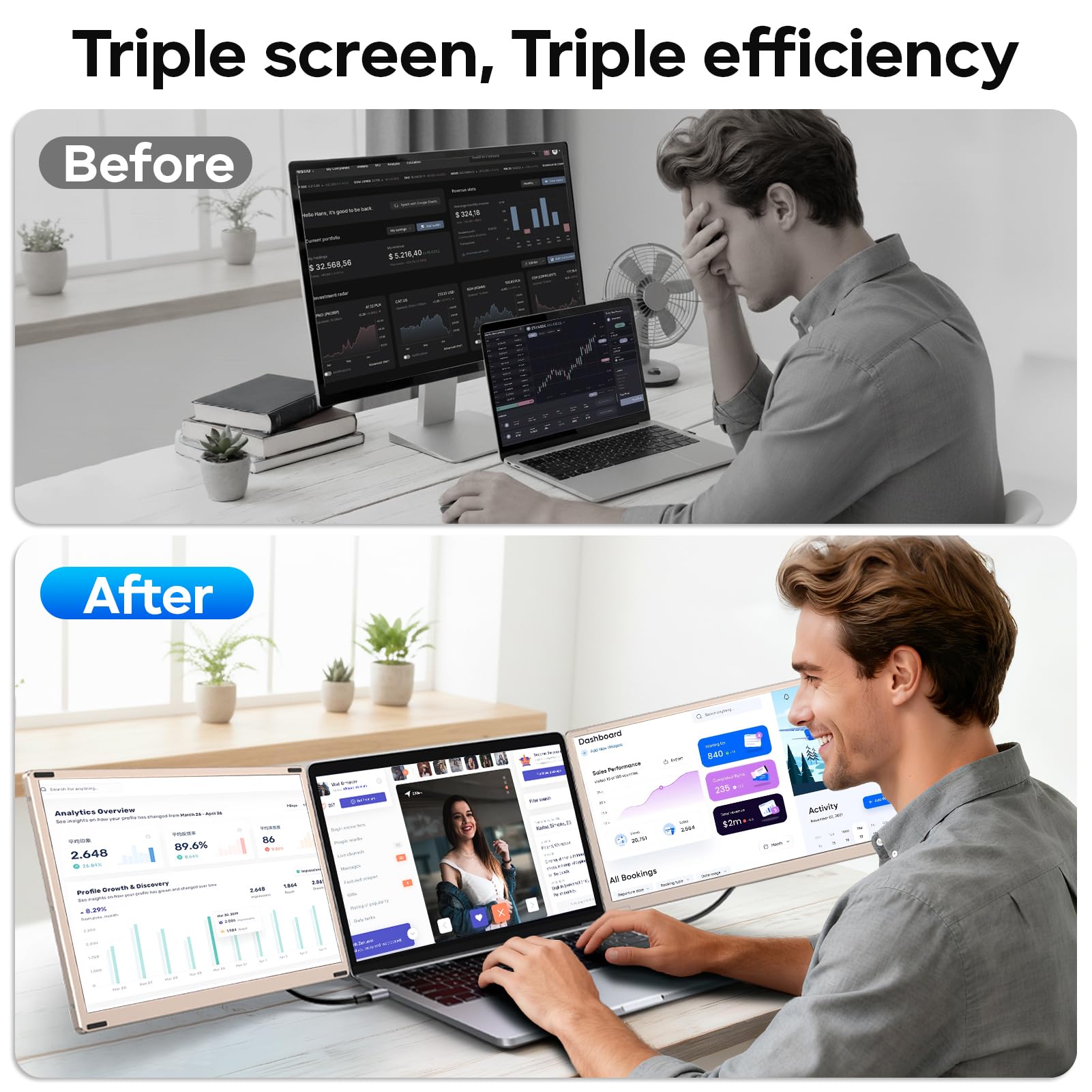


🚀 Triple your screen, triple your impact!
The Redalf S6 Laptop Screen Extender is a sleek, portable 15.6-inch FHD IPS monitor designed to expand your laptop workspace with two detachable screens. Featuring 235° rotation and plug-and-play connectivity via USB-C, USB-A, or HDMI, it boosts productivity by up to 300% while protecting your eyes with low blue light and anti-glare technology. Compatible across major OS platforms, this ultra-light dual monitor setup is perfect for professionals seeking versatile, high-quality multi-screen efficiency anywhere.


| ASIN | B0D2NLR35N |
| Adaptive Sync | FreeSync |
| Additional Features | Built-In Speakers, Eye Care, Height Adjustment, Portable, Ultra-Slim |
| Aspect Ratio | 16:9 |
| Best Sellers Rank | #6,026 in Electronics ( See Top 100 in Electronics ) #217 in Computer Monitors |
| Brand | Redalf |
| Brightness | 300 nits |
| Built-In Media | 1* HDMI to USB-C Cable, 15.6'' Triple Monitor Extender, 2* USB-A to USB-C Cable, 2* USB-C to USB-C Cable, User's Manual and Carrying Case |
| Color | Black-Gold |
| Color Gamut | 120 |
| Compatible Devices | Windows, Mac, Chrome, Android, Linux, Dex |
| Connectivity Technology | HDMI, USB Type C |
| Contrast Ratio | 1000:1 |
| Customer Reviews | 4.3 out of 5 stars 824 Reviews |
| Display Resolution Maximum | 1920 x 1080 Pixels |
| Display Technology | LCD |
| Display Type | LCD |
| Hardware Connectivity | HDMI |
| Has Color Screen | Yes |
| Image Contrast Ratio | 1000:1 |
| Item Dimensions D x W x H | 13.9"D x 8.15"W x 1.5"H |
| Item Weight | 9 Pounds |
| Manufacturer | Redalf |
| Model Name | S6 |
| Model Number | S6 |
| Mounting Type | Desk Mount |
| Native Resolution | 1920x1080 |
| Number of Component Outputs | 2 |
| Picture Quality Enhancement Technology | IPS, Low Blue Light Filter |
| Pixel Pitch | 0.18 |
| Refresh Rate | 60 Hz |
| Resolution | FHD 1080p |
| Response Time | 2 Milliseconds |
| Screen Finish | Glossy |
| Screen Size | 15.6 Inches |
| Screen Surface Description | Glossy |
| Shape | rectangular prism |
| Specific Uses For Product | Business |
| Total Number of HDMI Ports | 2 |
| Total USB 3.0 Ports | 2 |
| Total Usb Ports | 2 |
| Viewing Angle | 235 Degrees |
| Warranty Description | 1 Year Manufacturer |
| Warranty Type | 1 Year Manufacturer Warranty |
B**L
Great Quality and Easy to Setup (But also with Technical Setup support) - RECOMMEND GETTING
I was in the market for a screen extender for my husband and me to use while traveling in our travel trailer and for my teaching job the rest of the time, at home. After considering several options, I found this one, and it turned out to be a perfect fit for both a PC and MacBook. It arrived packaged very nicely (think more like the old-school Apple treatment with the protection on the screens and around them, insets for separating the cord configuation options, insets for the 2 basic monitor configuration stabilizers). I've had it a little over a month (using it for long work days) and here's my experience with it, so far: Pros: Easy Setup: The extender is super portable and came with everything I needed to get started. It works great with both my MacBook and my husband’s PC. The setup was a breeze—no IT help required! However, I did check out the customer service, and they seemed professional and ready to assist if needed. Versatile Screen Configurations: Let me just say first, I was pleased with the crispness and color and overall screen quality. The monitors are large enough to allow me to have multiple windows open at once, which is a huge help for virtual classes, grading, Outlook, Microsoft Teams, etc. I was slightly worried when looking at all the options online I wouldn't find a high-quality option and/or I would not find a solution I would find worked great, but I tried a few different configurations over the weeks, including having both monitors vertical, one vertical and one horizontal, and finally settled on having both screens on the right side of my laptop, stacked on top of each other. This is not one that is advertised, but it's what I love most and it does work great. To me, the horizontal setup enables more screen width usage, so everything can be stetched to the largest size and text can be read the easiest without magnifying the screen's contents. Customization: This kit includes various cables and setup options to give you flexibility. Once set up, it was easy to adjust each screen's resolution and color profile through my Mac’s 'display settings' found under 'system settings'. I was able to fine-tune the settings until I had the perfect balance of dark, mid, and bright shades that worked for me. It's bright and cheery and the ability to look at more screens (instead of needing to cycle through tabs all the time) makes my work days a lot easier to get through and makes work actions faster (reading or copying from one screen to the other). Cons: Only really with my laptop setup, as there are Limited Ports on MacBook Pro: My MacBook only has two USB-C ports on the left side, which was a bit of a challenge. However, I'm here to tell you that if you have a macbook pro, it can still work great. I mention this as it might come in handy for some others with the same brand or who also have limited input options for the daisychaining: after some trial and error, we figured out a solution: we plugged the MacBook’s power cord directly into the right-topmost peripheral monitor (the white cord in the image showing the back of the two monitors, one on top of the other), then daisy-chained the two external monitors through the available MacBook ports. This allowed the laptop's regular power supply cord, via the right-side monitor, to supply power to the whole setup, including the laptop. It was a bit of creative thinking, but it works perfectly for me. Final Thoughts: Overall, I’m really happy with this purchase. I'm a minimalist and appreciate the simplification this offers for my actual work and also how it looks. The Laptop Screen Extender has been great for work and will also be for travel (there is a carry case that it comes with that I can slip inside my laptop bag). It’s affordable, easy to set up, and provides a flexible, high-quality solution for expanding your laptop’s display. If you're looking for a portable screen extender with two additional monitors, this is an excellent choice, and I’d highly recommend it!
S**Y
Very useful for productivity on the go
This portable monitor is super thin and lightweight, making it easy to carry for work or travel. The screen quality is clear and sharp, and it was truly plug-and-play with my laptop—no complicated setup. It instantly gave me more screen space and made multitasking much easier. Great option for anyone who works remotely or needs extra display space without carrying a bulky monitor.
C**U
One of the best accessories for my laptop
First of all the quality is really good. Feels well made when holding the screen in hand. Very easy to connect and works right away. A big plus as it comes with all 3 types of usb or usc cables, saved me a lot of time for finding the correct cables. It clips very stable on my laptop screen. And that extra display helps a lot when I have to work with multi windows. Another neat detail is the bag of the screen can be used as a mouse pad. The entire setup really helps when I am working from home and the kids are around as I have to look after them and follow them from room to room. Recommend it for sure and in fact getting one more for my wife’s laptop too
F**K
Great tools for my ThinkPad laptop
Works great for my ThinkPad X1. It is light and easy to set up with a Type-C cable. The size of the screen is big enough and matches my laptop very well. The quality of the monitor is good as a second one. Very convenient to make a slides or write a paper. Recommended!
M**.
Great for travel and extra screens anywhere
Honestly, a surprising nice set up. Monitors are of decent quality with a nice, clear picture. Movies show well too (please don’t expect 4k). Standish nice and sturdy and it comes with a nice, solid carry case for portability. My only two issues with it are: 1. Monitor dip with vertical monitor. Tends to dip toward the to the back at the bottom, regardless of how I arrange the wiring. 2. Sound and sound quality. Overall quality is okay, not spectacular. Sound level though, even when all the way up, I can barely hear it. I use headphones when on the computer anyway, so not an end of would issue.
L**Z
A Flexible Triple-Screen Boost with Some Setup Hurdles
If you're constantly juggling multiple applications or browser tabs, this triple-screen laptop extender is a serious productivity booster. With two 15.6" FHD 1080p IPS displays and wide rotation angles, it offers flexible layouts like landscape, portrait, or stacked screens. It’s surprisingly lightweight for travel, has built-in speakers, and even includes eye-friendly features like anti-glare and low-blue light. It’s plug-and-play with USB-C, USB-A, or HDMI, and works well with a wide range of systems including Windows, Mac (excluding base M1/M2/M3 chips), Android, and Linux. However, there are some caveats. Despite the “FHD” spec, the resolution and brightness are noticeably underwhelming compared to a MacBook’s native display—colors don’t pop, and it struggles in well-lit environments. The stacked mode is more hype than help; setting it up is finicky and doesn’t feel as secure or intuitive as promised. MacBook users in particular may find it frustrating: you'll likely need multiple USB wires and possibly a hub to get everything powered and connected. Plus, while the stand supports rotation, it doesn’t actually adjust or clamp onto your laptop—it’s just a base, which limits its ergonomic integration. All in all, it’s a solid portable solution for users who need more screen real estate on the go or in hybrid work setups. The versatility, included accessories, and thoughtful design touches are definite strengths. But if you're looking for crisp resolution, seamless Mac compatibility, or a truly integrated stand experience, you might feel let down in those areas. Still, for the price and flexibility, it's a compelling choice—just be ready for a few trade-offs.
T**Y
Super productive! But, if needed, customer service is 2nd to none!😊
This product is amazing!✨ When I got it I was impressed how easy it was to use the screens in any direction. Then when I tried to plug screen #2 in, I hit a snag 😢 I reached out to customer service and got a call back from Jas. 🌟 Jas, went ABOVE and beyond to help me. She made and kept appointments to speak on future days and she ALWAYS followed up! I thought I was missing a cord to allow my second screen to work and they sent me a new cord within days. 📦Then, when that didn’t work Jas put her all in! She helped me, she video chatted me to make it easier to understand where my issue was and offered, AGAIN, to send another needed cord (which I thought was missing). 😱 It turned out the package came with all I needed to make the screens work the way they’re supposed to, I just didn’t READ THE DIRECTIONS! 😳😳 So, note to all of you, both screens work, just follow the directions. But if you do need help, with anything, feel confident their customer service support is second to NONE! 💯 If I could, I’d give this product 10 stars 🌟, I would, because it’s fun to use and is extremely helpful with my workflow. 👩💻Thank you guys! 🙇🏻♀️
R**Y
Regrets? Yes. Wish I got this one first!
**Laptop:** Lenovo ThinkPad T14 I have been using the FOPO 15" Tri-Screen setup because, a year ago, the largest portable tri-screen option was 14". FOPO was the first brand to offer 15" screens, and the quality at the time was impressive, although it was expensive at $400 last year. I might still be using it, but my new replacement laptop was slimmer in width, which reduced the screen frame by about 0.5 inches while maintaining the actual screen size. As a result, the FOPO mounting system no longer fit, since it requires attachment to your laptop. Even with Velcro and zip ties, it just wouldn’t work. So, I ended up discovering this new system. I don't know the brand of this new setup, but many vendors sell the same product. I chose the one with the most reviews, and I'm glad I did. I love this setup and wish it had been available a year ago. The new screens are actually larger at 15.6", much more functional, and easier to set up and use. One of the best features is that they are not attached to your laptop, making it easy to move your laptop around while the screens stay in place, in addition to the ability to rotate landscape to portrait on the fly or a few other layout options using the additional mounts. The quality of these screens and the mounting system is far superior; they are constructed from metal and sturdy plastic rather than flimsy plastic like the FOPOs. Admittedly, this does make them heavier, but if you carry your laptop in a roller business bag, it's not an issue. The first time I set it up, I found it challenging to figure out how to connect everything with the ports available on my laptop. However, if your laptop is relatively new with multiple USB-C ports (at least two), an HDMI port, and a USB-A port, you should be fine (or you can get a mini-hub). Reading the instructions and labels on the wires and monitors is essential, and they will work! *I use a PC, specifically the ThinkPad T14.* I highly recommend this Tri-screen setup if you need multiple monitors to work efficiently.
Trustpilot
1 month ago
3 days ago