


Desertcart purchases this item on your behalf and handles shipping, customs, and support to Tunisia.
⚡ Elevate your workspace with ultra-fast, sleek, cloud-managed Wi-Fi!
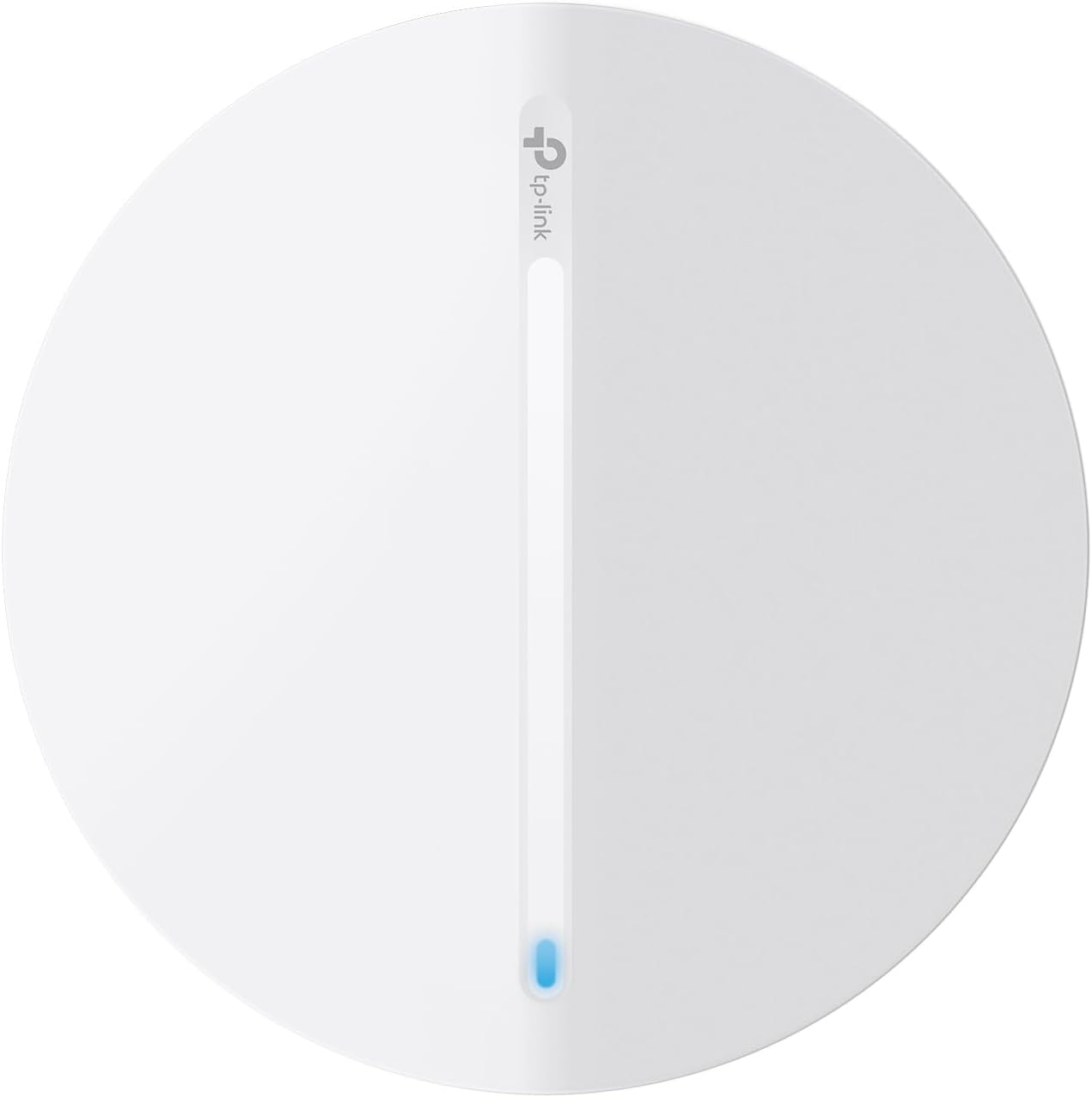
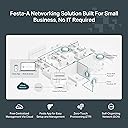
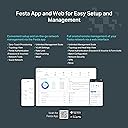
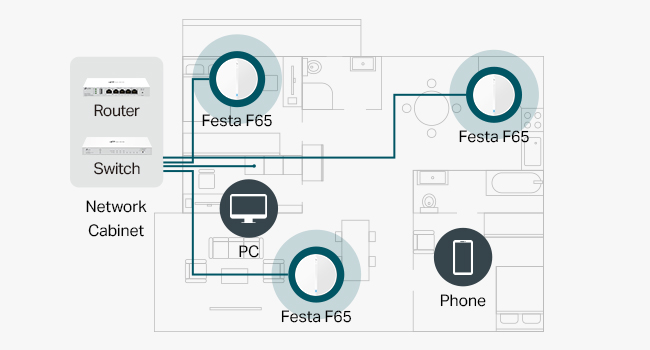
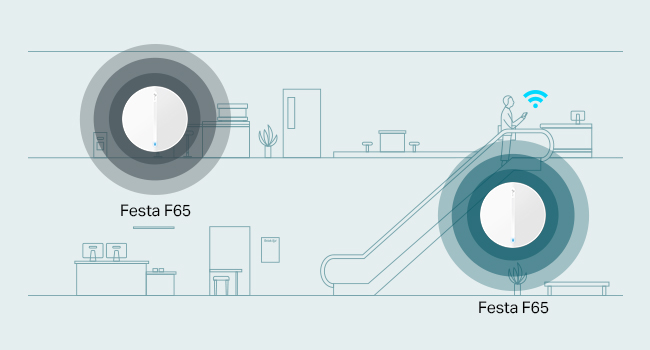
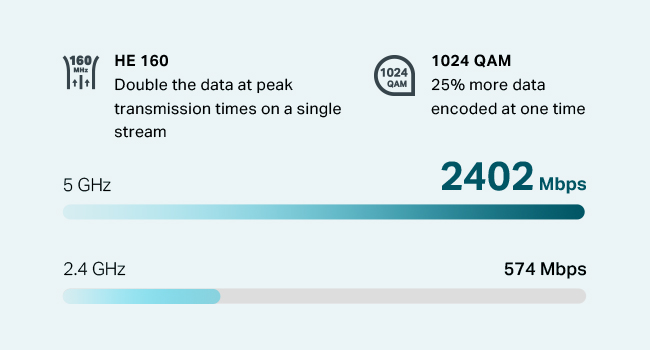
The TP-Link Festa F65 is a Wi-Fi 6 AX3000 access point delivering up to 3000 Mbps dual-band speeds with 4 spatial streams and MU-MIMO technology. Its ultra-slim design blends into modern environments, while free centralized cloud management via the Festa app enables effortless remote control. Advanced features include Mesh WiFi, seamless roaming, WPA3 security, and multiple powering options (PoE+, Passive PoE, DC adapter). Ideal for small businesses seeking high-performance, easy-to-manage wireless networking backed by a 3-year warranty.




| ASIN | B0D7KQSGBM |
| Antenna Location | Business, Home |
| Best Sellers Rank | #38 in Computer Networking Wireless Access Points |
| Brand | TP-Link |
| Built-In Media | Ceiling/Wall Mounting Kit, Festa F65, Installation Guide, Power Adapter |
| Compatible Devices | Personal Computer |
| Connectivity Protocol | Wi-Fi, Ethernet |
| Connectivity Range | 140 square_meters |
| Connectivity Technology | Ethernet |
| Control Method | App |
| Controller Type | App Control |
| Coverage | 140 square meters |
| Customer Reviews | 3.6 out of 5 stars 26 Reviews |
| Data Transfer Rate | 3000 megabits_per_second |
| Frequency | 5 GHz |
| Frequency Band Class | Dual-Band |
| Item Dimensions L x W x H | 6.3"L x 6.3"W x 1.51"H |
| Item Highlight | Mesh, Seamless Roaming, MU-MIMO, HE160, Self-Organizing Network, Free Cloud Management, PoE+ Powered, Not Work w/Omada |
| Item Weight | 14.08 ounces |
| LAN Port Bandwidth | 1000 Mbps |
| Manufacturer | TP-Link |
| Maximum Upstream Data Transfer Rate | 3000 megabits_per_second |
| Mfr Part Number | Festa F65 |
| Model Name | Access point |
| Model Number | Festa F65 |
| Number of Items | 1 |
| Number of Ports | 1 |
| Other Special Features of the Product | Access Point Mode |
| Security Protocol | WPA3-Personal, WPA3-Enterprise |
| Special Feature | Access Point Mode |
| UPC | 810142821919 |
| Warranty Description | 3 year manufacturer |
| Wi-Fi Generation | Wi-Fi 6 |
| Wireless Communication Standard | 802.11ac, 802.11ax, 802.11b, 802.11g, 802.11n |
| Wireless Compability | 802.11ac, 802.11ax, 802.11b, 802.11g, 802.11n |
C**B
Just what I needed
Used in my wife's office, 2 storeys, all wire lath plaster. One upstairs , 2 downstairs, perfect coverage across 2500sq ft of what is essentially a giant faraday cage. Setup with Festa app is super easy. Ran regular cat 5. Very happy with results.
B**A
Not Working as Expected and Support Unresponsive
Purchased this to replace a 5-year old Ubiquiti PRO AP for our home since did not feel Ubiquiti PRO was working as good as it used to. Also, wanted some of the upgraded features. Was getting frustrated though with Ubiquiti there management console is too complex. Used the Festa Web App for setup and it found the device easily. Seemed to step thru the process of setup easily. Then loaded the Android Festa app to verify settings. One thing important was roaming. Wanted to use the same SSID as my wireless router in the front of our home. This worked well with Ubiquiti. Even though the configuration shows the SSID I programmed in the AX3000 tis still broadcasting the same factory SSID. It did accept the password and range looks better than my Ubiquiti PRO. Also noticed from the Android App there is a setting to turn off the blue light but this does not work. Attempted to contact live chat. Said I was 2nd in queue but there has not been any response in nearly 2-hours. Likely going to return this due to lack of support. Maybe I could live with other deficiencies but my wife will not accept a blue light on the ceiling. Too bad, I like TP-Link and have quite a few of their dimmers and switches that are controlled via Kasa.
D**I
Festa Devices are Great!
I recently set up the TP Link FESTA Wi-Fi system in my home. It includes FESTA router, FESTA switches, and FESTA AP. Comparing to the Ubiquiti system I had for the last several years, this FESTA system is much easier to set up and understand, at least to me - have very basic knowledge about networking. Controlling and seeing the status of the whole network (equipment and users) from the APP on the cell phone is quite convenient and clear. I highly recommend the FESTA system. The WiFi 6 is very fast. But since it is relatively quite new to the market, there is few videos in YouTube about this FESTA system.
S**N
Access point only, not a wireless modem.
This access point is okay. Setting it up on my network was difficult. It took me quite done time to figure it out. Once I got it up and running it has yet to let me down. It would be nice if I could have individual control over which wifi devices in my home connects and which ones dont at any given time but I haven't found that feature. The range is good and there isnt any drop off any where in my tiny home. This device is not the best for DIY setup (even though thats what I did). But if you can be patient its worth purchasing.
J**E
Works but will lack support soon....
first, I do. know this is used. what I didn't expect was the AP in the box to be a different serial number. People selling used things, please don't send boxes that don't match the items your'e actually selling. Second, don't buy festa. They are sunsetting it and migrating everything to the Omada.
N**N
Buyer Beware. Security Implications
***WARNING *** You cannot configure this things without the internet! My old AP on a secure network gave in after many years. I got this thinking it will be a simple swap. I located the IP address off my router but you cannot just simply load the management interface. You have to log into a cloud TP link account to setup and this device will have already contacted the internet off your router.
S**N
Can't adopt on the controller and no way to manage it as standalone
I cannot believe that TP-Link released this product without ensuring it works properly. This is my first purchase of an access point (AP) that acts like a brick. The AP will show as "online" when trying to add it, but once added to the controller, it will keep showing as "disconnected," and I cannot access the AP from the local network directly. The worst part is that it has OPEN wifi enabled by default, so your network can be accessed without passwords while trying to get it to work. Getting help online is impossible. I would stay away from this product or any new TP-Link releases.
P**S
Website instructions didn’t work, tech support unresponsive
Website says it can be used as “standalone” WAP but instructions for setting up for this application were incomplete. Most recent version of mobile app did not match the incomplete instructions. 2 emails to tech support were unanswered in 5 days (over the weekend, so 3 business days)
B**E
Not impressed
Didn't perform as advertised, expensive and manual/support wasn't particularly helpful. Returned it.
M**S
Doesn’t support WPA2 Enterprise
The information indicates it supports WPA2 Enterprise but it doesn’t under under Festa Cloud Controller options.
Trustpilot
3 days ago
1 month ago