Description
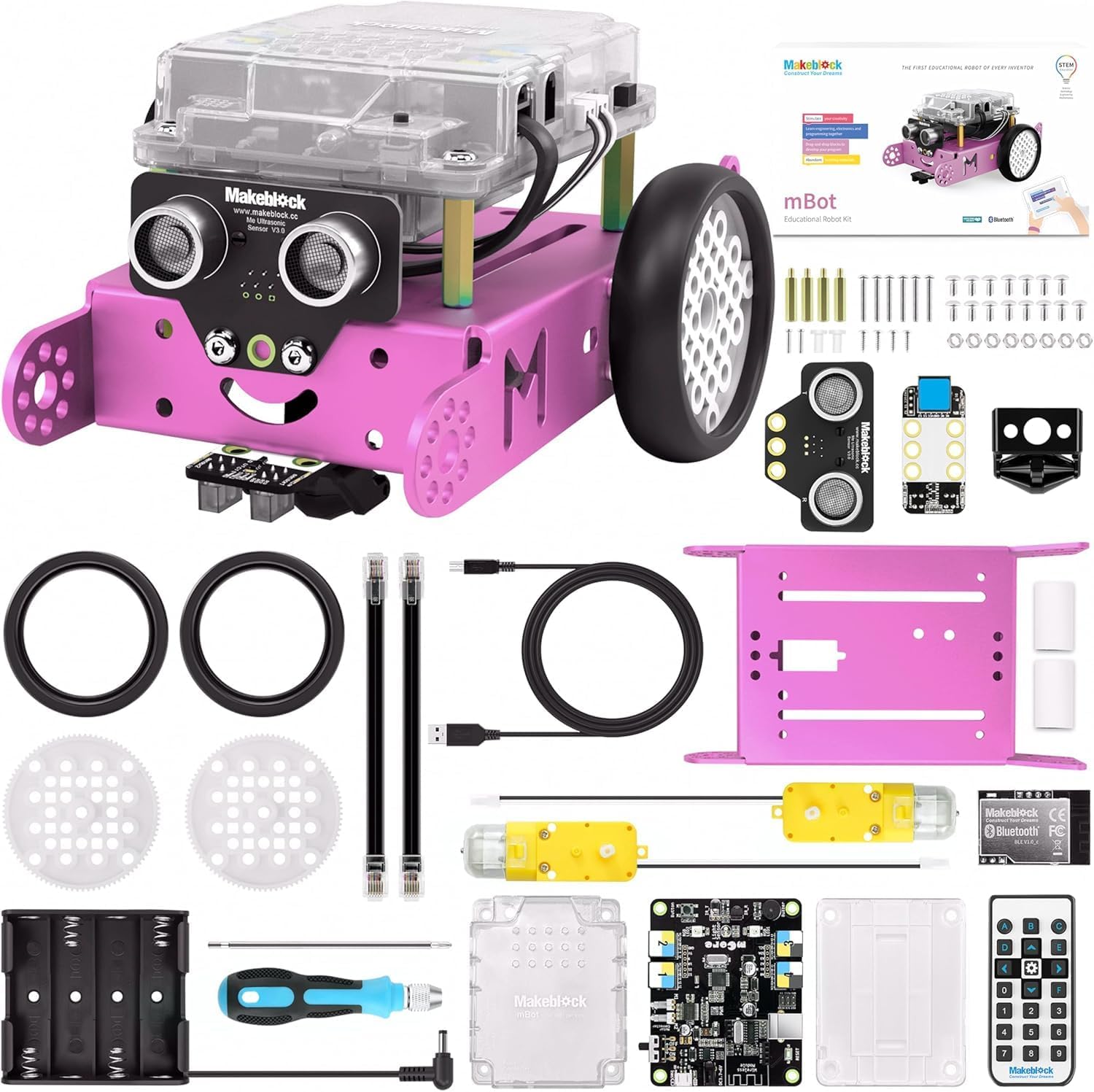
From the manufacturer What is mBot? mBot is an all-in-one solution to enjoy the hands-on experience of programming, electronics, and robotics. Working with mBlock inspired by Scratch 2.0, connecting with computers or smart devices via Bluetooth or 2.4G (by different version), this easy-to-assemble mBot provides infinite possibilities for you to learn STEM (Science, Technology, Engineering, Mathematics). What's New? – Children Safeguard Compared to the previous verison, mBot V1.1 comes with a casing specially designed for protecting main control board. Meanwhile, the casing is atomized to safeguard children's eyes from the glare of the onboard LED. What's New? – Better Auxiliary Wheel The ball omni-directional wheel of previous version is replaced by a mini nylon caster wheel that performs better when moving to any direction and dramatically reduces the little clack sound caused by a steel ball. Contracted but Not Simple Contains 38 assembly parts that can be assembled in 10 minutes and color-labeled RJ25 ports for convenient wiring, making sure more time can be spent on programming and creativity. Graphical Programming Drag-and-drop graphical programming software mBlock developed based on Scratch 2.0 provides a quick way to learn programming, control the robot, and realize multiple functions from the robot. Know more here. Fun, and Fun mBot is all about fun and creativity. It comes with various basic pre-assembled options, including obstacle-avoidance car, line-following vehicle, remote control car, and can be used in multiple games like balloon bursting game, soccer playing, sumo, and etc. Infinite Extensibility The mechanical body of the mBot is compatible with Makeblock platform and most of Lego parts, while the electronic parts of it is developed based on the Arduino open source ecosystem. This makes sure that the mBot has infinite extensibility, using any mechanical parts and electronic modules you need to turn it into your "dream robot". Unique Curriculum System To help teachers, parents, or children get started easier and faster, you will also find that we provide online manuals and two online courses that will be updated regularly. These online tutorials are developed and maintained by teachers, especially scratch teachers, at home and abroad. mBot Add-on Packs mBot Add-on Pack Interactive Light & Sound mBot Add-on Pack Interactive Light & Sound is a 3-in-1 pack based on mBot. You can construct "Lighting Chasing Robot", "Scorpion Robot" and "Intelligent Desk Light" with mBot and the components in this pack. Each one has infinite possibility. To experience the magic of mBot in the changing light and sound. mBot Add-on Pack - Servo Pack mBot servo pack is a 3-in-1 pack based on mBot. You can construct "Dancing Cat", "Head-Shaking Cat" and "Light-Emitting Cat" with mBot and the components in this pack. mBot servo pack makes mBot more vivacious and enjoyable, which is of benefit to children's creative thinking. mBot Add-on Pack - Six-legged Robot mBot six-legged robot is a 3-in-1 expansion pack based on mBot. You can construct "Beetle", "Mantis" and "Crazy Frog" with mBot and the parts inside the pack. The mBot six-legged robot makes mBot more vivacious and enjoyable. Let's get your six-legged robot move!
Review: Cool beans - It's awesome! Don't forget to install the updated firmware after you assemble it. If you're using a computer with windows OS, use one with version 7 upwards because you'll have to install a software called mblock 5 to install the firmware...the older version of mblock is obsolete. Make sure that your bot makes 3 loud beeps when you turn it on and turns of white LEDs the first time...if it's one soft, short beep then something isn't correct so install firmware. Have fun.
Review: Parfait! - Au-delà des attentes.