

Desertcart purchases this item on your behalf and handles shipping, customs, and support to Tunisia.
🖨️ Elevate your art—print like a pro, stand out like never before!
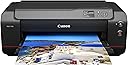
The Canon imagePROGRAF PRO-1100 is a 17-inch professional wireless inkjet photo printer featuring an 11-color pigment-based ink system with Chroma Optimizer for superior gloss and color accuracy. It supports high-resolution prints up to 4800 x 2400 dpi, offers seamless wireless and USB connectivity, and includes advanced print management tools and professional-grade software integration. Designed for photographers and artists demanding gallery-quality output, it delivers precise, borderless prints with a 1-year warranty for peace of mind.


| ASIN | B0DDVMX94H |
| Additional Printer Functions | Print Only |
| B&W Pages per Minute | 1 pages_per_minute |
| Best Sellers Rank | #57,669 in Office Products ( See Top 100 in Office Products ) #25 in Desktop Photo Printers |
| Brand | Canon |
| Built-In Media | 8.5” x 11” Photo Paper Pro Luster (5 Sheets LU-101), Power Cord, Print Head, Printer Setup Sheet, Manual, Warranty Card and Other Documentation, Set of 12 Ink Tanks (PGI-4100; MBK, PBK, C, M, Y, PC, PM, GY, PGY, R, B, CO), imagePROGRAF PRO-1100: 17” Professional Wireless Inkjet Photo Printer |
| Color | Black |
| Color Depth | 48 bpp |
| Color Pages per Minute | 1 pages_per_minute |
| Compatible Cartridge | PGI-4100, MBK, PBK, C, M, Y, PC, PM, GY, PGY, R, B, CO |
| Compatible Devices | Wireless Devices |
| Connectivity Technology | USB, Wi-Fi |
| Control Method | App |
| Customer Reviews | 4.4 out of 5 stars 78 Reviews |
| Duplex | Automatic |
| EU Spare Part Availability Duration | 1 years |
| Hardware Interface | USB |
| Initial Page Print Time | 1 minute |
| Ink Color | Black |
| Item Dimensions D x W x H | 17.1"D x 28.5"W x 11.2"H |
| Item Type Name | Inkjet Printer |
| Item Weight | 83 pounds |
| Manufacturer | Canon USA |
| Maximum Copy Resolution Black and White | 4800 x 2400 dpi |
| Maximum Copy Resolution Color | 4800 x 2400 dpi |
| Maximum Copy Speed Black and White | 1 pages_per_minute |
| Maximum Media Size | 17 X 22 Inch |
| Maximum Print Resolution Black and White | 2400x1200 dpi |
| Maximum Sheet Capacity | 250 |
| Maximum print Resolution Color | 2400x1200 dpi |
| Model Name | ImagePROGRAF PRO-1100 |
| Model Number | 6856C002 |
| Model Series | PRO-1100 |
| Number of Trays | 1 |
| Other Special Features of the Product | Borderless Printing |
| Output sheet capacity | 250 |
| Paper Size | A5, A4, A3 (13” x 19”), A2, B5, B4, B3, Letter (8.5” x 11”), Legal (8.5” x 14”), Ledger (11” x 17”), Hagaki/Return Hagaki/A3+/L/2L/4" x 6", 5" x 7", 9" x 13", 11" x 14", 13" x 19" Super B/US Photo 16" x 20", 17" x 22", 17" x 25", 7" x 10", 8" x 10", 10" x 12", 12" x 12", 14" x 17", 17” x 22” inches |
| Print media | Glossy photo paper |
| Printer Connectivity Type | USB, Wi-Fi |
| Printer Output Type | Color |
| Printer Type | Inkjet |
| Printing Technology | Inkjet |
| Resolution | 4800 x 2400 |
| Scanner Type | Photo |
| Special Feature | Borderless Printing |
| Specific Uses For Product | Multi-Purpose |
| Total Usb Ports | 1 |
| UPC | 013803381610 |
| Unit Count | 1 Count |
| Warranty Description | 1 year manufacturer |
| Warranty Type | 1-year warranty |
D**N
Easily make beautiful big prints that can last more than a lifetime.
Excellent printer. I have a lot of experience with higher end photo oriented inkjets - both Canon and Epson. The 1100 is very, very good. The set up is straight forward, if not a little time consuming. The print quality is just about as good as it gets from any contemporary printer from any brand, with a very broad color gamut. Paper handling is excellent. The Canon drivers and print software is also easy to muse and give great results for anyone who cares to learn just a little about how to use them properly. Keith Cooper at Northlight is a great source for more detailed information. The so-called "banding issue that some buyers have had with the 1100 was totally absent from any prints that I have so far made that should have revealed it; the issue has obviously been resolved with either on going hardware changes in production or firmware changes, or both, so the current supply of 1100's should not have this issue. The only downside to the 1100, besides having the room to use this rather large printer, is that it tends to use a lot of ink - expensive stuff - in regular maintenance. This is true for all high-end photo inkjets, but this latest series of Canon's pro inkjets does seem to use more ink for maintenance than its competitors, and it's something to consider. There are some work-arounds for this readily available to discover on various internet sites, but there is no absolute "cure." However, if you are looking to print frequently, there will be no cost increase for ink as frequent printing does most of this the type of maintenance itself. If you print infrequently, like once a month or every two or three weeks, you should be prepared for incurring the slight extra cost. One the positive side of costs, the 1100 has a replaceable thermal ink head which could theoretically save you a huge amount of money compared to having a clogged head using the non-replaceable piezo inkjet heads in Epson and other brand printers. Regardless, the ink maintenance issue is not that big a deal, and if you follow the best practices with the 1100, it is a quite small added cost. In short, I highly recommend this printer; it's easy to make great photo and graphic arts prints with this machine, the prints will last at least a human lifetime if kept properly, and it will make prints from 4x6 inches, up to 17x25 inches, that you will be proud to display.
G**7
Great printer
My husband purchased this and we have been using it for ~ 9 months. The photo quality is excellent. Definitely worth the money. We were concerned when the low ink indicators came on soon after purchasing but we have printed multiple large prints since with no issue. Setup up was easy if you have any computer skills at all. The window type menu is easy to navigate. The full color prints take a few minutes but are worth waiting for and the richness of the colors and the vibrancy are fabulous. It is heavy so get help to bring it inside. It weighs about 75-80 pounds and once you place it somewhere you will want to keep it in that place. We have printed 13 x 19 but it will print up to 17 x 22. By far the best paper to use is the Canon pro platinum, that metallic finish makes all the difference in landscape and architectural photos. Hubble tries to print something every few days as recommended by other owners to prevent ink wastage. He has a huge collection of beautiful photos that I need a larger place to display!
M**O
Really Happy Great Buy! Goodbye Epson!
I was an Epson fan for a long time, but since I got this new Prograf, I'll never go back. It's easy to set up, and so far it hasn't jammed. Plays nicely with Lightroom. As long as you have the correct .icc profiles, the custom prints come out beautiful. My only criticism would be the cost of inks. A complete set is more than half the cost of the printer, but it's worth it!
T**N
Great personal printer
This is a great printer. No expensive cartages to replace. Ink life is much better the cartage type. The set up takes a little time but, it works good. Computer interface with windows 11 is simple to set up. This is a personal printer that does both color and black, scan does not fax but, I did not want that anyway.
S**K
Can not install app
The printer prints just fine but the app continuously can not find the printer and after reinstalling the app five times I’ve given up. It’d be nice to use the app to check ink levels and maintenance needs. Frustrating. Epson app is much better.
A**N
Fantastic printer.
This is my first real printer and I have been printing out a lot of my work from my photography on it. Does a beautiful job and very easy to set up. I even use it wirelessly without any issues despite what some people have said. The ink is expensive and I'm hoping my next round of ink lasts longer. I've read that the initial ink cartridges aren't as full as brand new ones, which is odd to me.
D**N
Great Prints from Great Printer
Setup was easy enough, and the Canon software for printing made printing easy. First prints looked ok, but some landscape photos looked darker than what showed on my monitors (I have Dell U3223QE monitors). This was no fault of the printer. I figured my monitors needed calibration, so I also purchased the Calibrite Display Pro HL calibrator. After calibrating monitors, prints match what I edit on screen and look great ( I use mix of Adobe Photoshop and Canon editing software). The printer is somewhat heavy, I have it on the floor now and am looking for a desk or stand sturdy enough to hold it. When the printer is printing, it does make some modest noise but nothing that would disturb a quiet office. I’m using the Canon papers for now and they look good for my needs. I don’t sell my prints but just wanted a really great printer that would let me print large. For reference, the last printer I purchased was a Canon i9900 years ago when I did wedding photography. The camera I have is an older EOS 6D. Still takes great photos. But it’s been giving me some error messages lately. May be time for some new gear in the new year? 😊
J**N
Excellent printer, just beware ink usage if power cycled
Coming from a background with Epson printers (7600, 3800) I got this to replace a 3800 with sticky print nozzles, likely due to corrosion as they couldn't be cleaned. It's very close to the 3800, many of the same ICC profiles work for the same papers, I'd say it's a 95% solution. A little bit on the slow side, but no terribly. The feeder works fine for single sheets, but beware if you cut sheets off rolls you have to flatten them first or they're very prone to jamming. The print head is replaceable to if the nozzle ever has problems, well it's cheaper than a new printer. It has paper profiles that are separate from ICC profiles, that define things like max ink density and platen gap. One problem is that many paper vendors provide only ICC profiles, but to get the absolute most of out of the full paper configuration is needed. (And it really is a set of configuration parameters collected under a paper name.) Hopefully this improves over time. I never used the Pro-1000, so can't compare with it, but I would imagine it would be pointless as an upgrade. B&W printing is really good, nice blacks and neutral tonal scale with just a little bit of shoulder. I really like it. I'd definitely consider it if I were in the market for a 17" carriage printer. The results are very similar to the wider carriage shop printers, so it can be used to proof before sending off a file to be printed. Here, pay attention to the paper config so the shop uses the same as you. They may provide one for you to use, or you provide one. If not, make sure you know what they use, or results may differ. One thing to be aware of is that if it's power off, whenever powered on it goes through a cleaning cycle. It's not clear if it considers the time it was off (it could have a battery backed real-time clock), but it goes through about $50 in ink after a week or two off. Don't ever turn it off, and disable the auto off functionality. Just leave it on. It will maintain the nozzles, which uses practically no ink at all. In fact, I'm seriously considering a UPS for it for this reason. This automatic cleaning cycle is why I give it only four stars... if they instead popped up an alert that a power cycle was detected and recommend a nozzle check and potential cleaning cycle I think that would be much better. Most of the time I suspect it's not necessary at all, and a nozzle check is just a single sheet of paper and very little ink.
Trustpilot
1 month ago
1 week ago