🖥️ Elevate your desk game with curved clarity and sleek style!
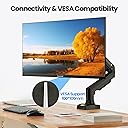
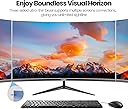
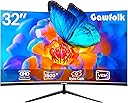
The Gawfolk 32" QHD curved monitor features a 1500R VA panel with 2560x1440 resolution and 75Hz refresh rate, delivering sharp visuals and smooth performance. Its ultra-slim, borderless design enhances multi-screen setups, while flicker-free and low blue light tech protect your eyes during extended use. Equipped with HDMI and DisplayPort inputs and VESA wall mount compatibility, it suits professional and home environments alike, backed by an 18-month warranty for peace of mind.
| ASIN | B0CNGW5P7Z |
| Adaptive Sync | FreeSync |
| Aspect Ratio | 16:9 |
| Aspect ratio | 16:9 |
| Box Contents | Base and stand, HDMI Cable, Screws, User manual (English language not guaranteed), computer monitor 32 inch |
| Brand | Gawfolk |
| Brand Name | Gawfolk |
| Colour | black/Transparent |
| Compatible Devices | Desktop, Gaming Console, Laptop |
| Contrast Ratio | 3000:1 |
| Customer Reviews | 4.0 out of 5 stars 88 Reviews |
| Display Technology | LCD |
| Display Type | LED |
| Hardware Connectivity | 3.5mm Audio, DisplayPort, HDMI |
| Has Color Screen | Yes |
| Image Brightness | 220 cm |
| Image contrast ratio | 3000:1 |
| Item Dimensions D x W x H | 1.3D x 70.6W x 50.8H centimetres |
| Manufacturer | Gawfolk |
| Maximum Display Resolution | 2560 x 1440 Pixels |
| Model Name | GF320E |
| Model Number | GF320E |
| Mounting Type | Wall Mount |
| Native Resolution | 2560x1440 |
| Network Connectivity Technology | DisplayPort |
| Picture Quality Enhancement Technology | Flicker-free, Low Blue Light |
| Pixel Pitch | 0.276 |
| Power Consumption Size | 60 Watts |
| Processor Count | 1 |
| Product Features | Curved Screen |
| Refresh Rate | 75 Hz |
| Resolution | 2560*1440p |
| Response Time | 3 Milliseconds |
| Screen Finish Type | Matte |
| Screen Size | 32 Inches |
| Screen size | 32 Inches |
| Screen surface description | Matte |
| Shape | Curved |
| Specific Uses For Product | Professional |
| Total HDMI Port | 1 |
| Total Video Out Ports | 2 |
| Unit Count | 1.0 count |
| Viewing Angle | 178 Degrees |
| Voltage | 12 Volts |
C**Z
alguien que me ayude porfavor
¿por que cuando conecto el monitor si prende el LED azul pero despues de unos segundos se pone en rojo y la pantalla se apaga y no se conecta a mi lap?
P**S
gorgeous
I got a pair of these for my wife, I needed to match the resolution she's running at work so when she's working from home all her apps line up. The displays are very nice, super clean and she loves the curved screens. brightness is very good, colors and saturation is fantastic. These are exactly what she needed for her home office setup. I'm quite pleased. I believe that these will be perfect for her setup, and in fact they have proven to be exceptional. They provide her the resolution she needs to see the virtual desktop from home when she's remote. Awesome displays.
L**M
Bright, high resolution display with blue light protection
I always have multiple windows open and have been using 2 monitors to let me view 2 windows at a time. With this monitor I can have 2 to 4 windows viewable and quickly move between them without turning my head too much. The monitor is bright and the resolution/size allows me to reduce the font size to make more content visible. There are 4 blue light blocking and I find that the second lowest filtering works best for me. It really does lower the strain in my eyes at the end of a long day in front of the computer
W**E
Bad Quality...Do not buy. Stopped working after 2 months
Do not buy this product. It's really bad quality. The screen resolution is poor quality. It also stopped working after 2 months. Checked the power supply and HDMI lead. The screen is dead!!
C**N
Not bad but not great either
The product itself is fine; the brightness and clarity seem a little low, but overall it looks decent. The stability however; is horrendous. The monitor seems to REALLY dislike full screen applications of any kind.l; causing freezes and full on blackouts. Netflix is entirely unusable with it hooked up no matter what monitor it’s on For reference, I don’t use it for gaming at all, just as a secondary monitor.
Trustpilot
2 months ago
2 months ago