Desertcart purchases this item on your behalf and handles shipping, customs, and support to Tunisia.
🚀 Elevate your home network to warp speed and never miss a beat!
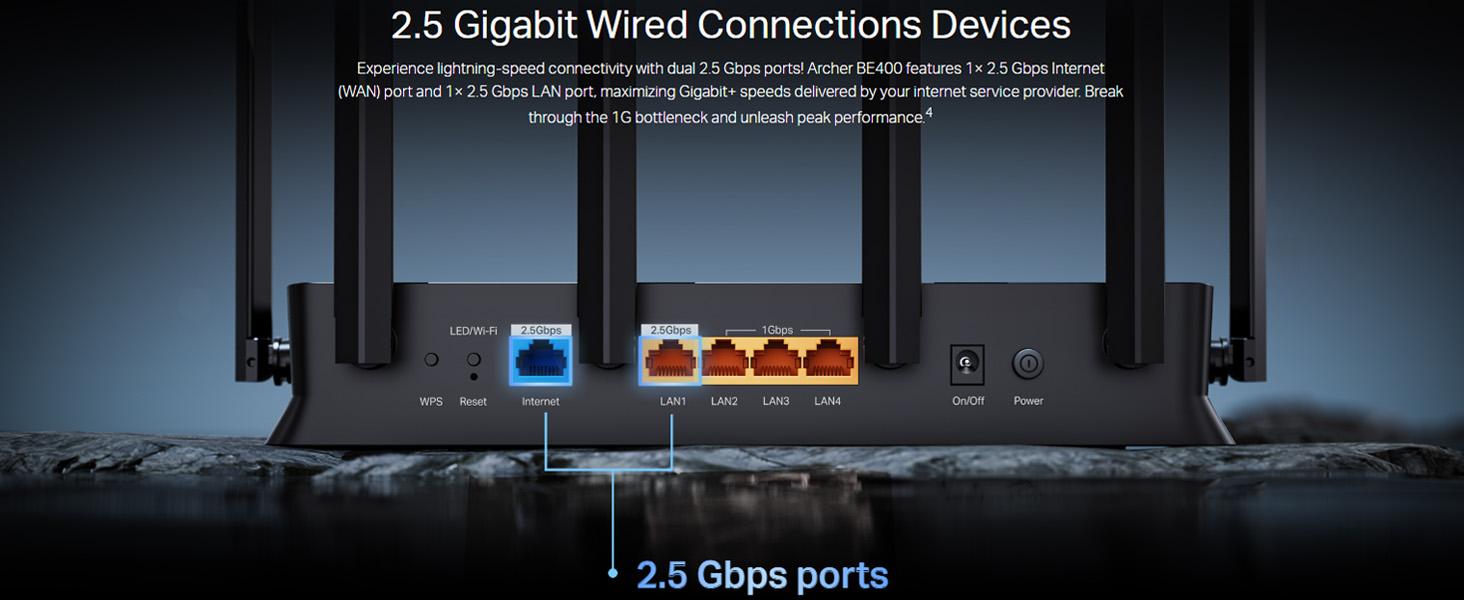
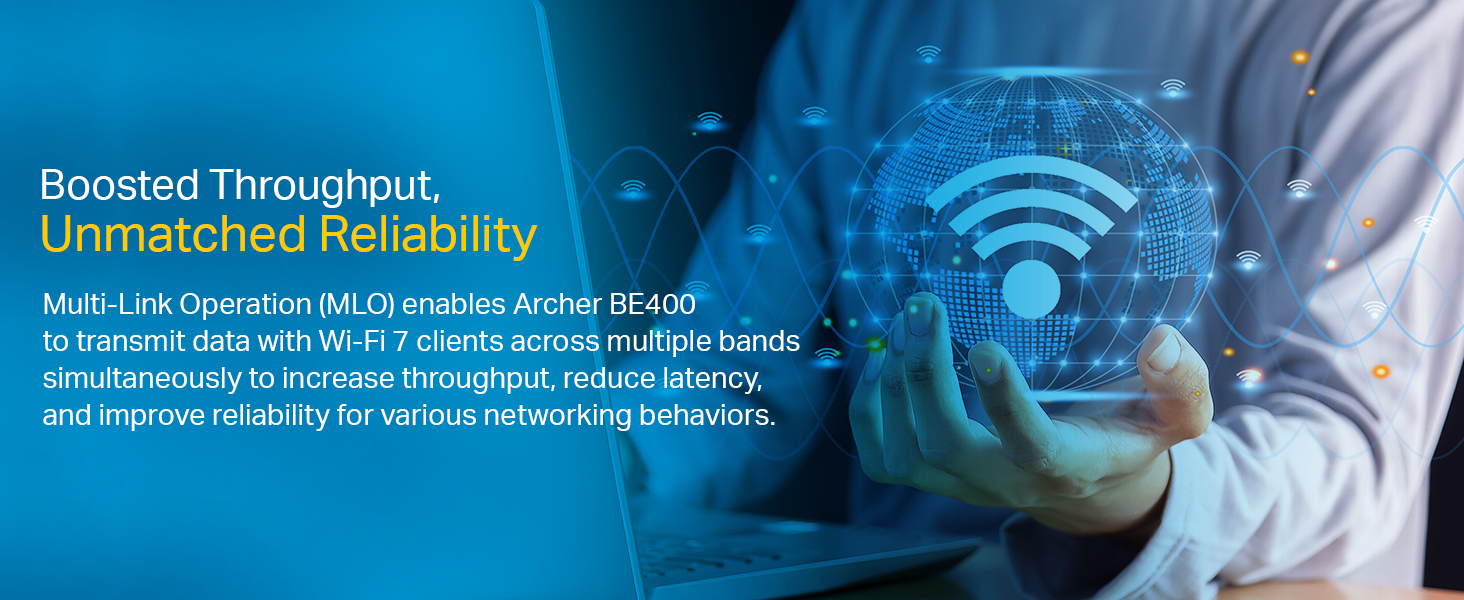
The TP-Link Archer BE400 is a powerhouse WiFi 7 router delivering up to 6.5 Gbps dual-band speeds, equipped with 6 external antennas and advanced Multi-Link Operation for ultra-reliable, low-latency connections. Featuring 2.5 Gbps multi-gig wired ports and EasyMesh compatibility, it ensures seamless whole-home coverage and future-ready networking. Compatible with Alexa and Google Assistant, it offers smart control and robust security, perfect for 4K/8K streaming, immersive gaming, and smart home integration.


| ASIN | B0DJFPX6BW |
| Antenna Location | Business, Gaming, Home |
| Antenna Type | Fixed |
| Best Sellers Rank | #1,668 in Computers & Accessories ( See Top 100 in Computers & Accessories ) #21 in Routers (Computers & Accessories) |
| Box Contents | Archer BE400, Power Adapter, RJ45 Ethernet Cable, Quick Installation Guide |
| Brand | TP-Link |
| Brand Name | TP-Link |
| Colour | Black-6500 Mbps WiFi 7 Dual Band |
| Compatible Devices | Personal Computer, Printer, Security Camera, Smart Television, Tablet |
| Connectivity Protocol | Wi-Fi, Ethernet |
| Connectivity Technology | Ethernet, Wi-Fi |
| Control Method | App, Remote, Voice |
| Country of Origin | India |
| Coverage | 3 Bedroom Houses |
| Customer Reviews | 4.3 out of 5 stars 523 Reviews |
| Data Transfer Rate | 6500 Megabits Per Second |
| Frequency | 5 GHz |
| Frequency Band Class | Dual-Band |
| Global Trade Identification Number | 08885020624113 |
| Importer Contact Information | TP-Link India Private Limited Office No.1, Tower 2, Level 2, Raiaskaran Tech Park, Andheri Kurla Road, M.V Road, Andheri East-400072 Contact: Toll Free 1800-209-4168, [email protected] |
| Is Modem Compatible | No |
| Item Dimensions L x W x H | 15.3L x 26.8W x 4.8H Centimeters |
| Item Type Name | Wi-Fi Router |
| Item Weight Unit of Measure | 0.58 Kilograms |
| LAN Port Bandwidth | 10/100/1000/2500 Mbps |
| Manufacturer | TP-Link, TP-Link Systems Inc. 10 Mauchly, Irvine, CA 92618, USA or TP-Link India Private Limited Office No.1, Tower 2, Level 2, Raiaskaran Tech Park, Andheri Kurla Road, M.V Road, Andheri East-400072 |
| Manufacturer Contact Information | TP-Link Systems Inc. 10 Mauchly, Irvine, CA 92618, USA or TP-Link India Private Limited Office No.1, Tower 2, Level 2, Raiaskaran Tech Park, Andheri Kurla Road, M.V Road, Andheri East-400072 |
| Manufacturer Part Number | Archer BE400 |
| Maximum Upstream Data Transfer Rate | 2500 Megabits Per Second |
| Model Name | Archer BE400 |
| Model Number | Archer BE400 |
| Number of Antennas | 6 |
| Number of Ports | 4 |
| Operating System | RouterOS |
| Other Special Features of the Product | Beamforming, Multi-Link Operation, TP-Link HomeShield, VPN, Easy Mesh, MU-MIMO, Works with Alexa and Google Assistant |
| Packer Contact Information | Pacific Technology Private Limited Survey No, 57/3/55, 57/2/56, 57/1/57, Silver Industrial Estate, village Bhimpore, Nani Daman, daman Dadra and Nagar Haveli and Damn and Diu, India 396210 |
| Security Protocol | WPA, WPA2, WPA3, WPA/WPA2-Enterprise (802.1x), WPA-PSK, WPA2-Enterprise |
| Special Feature | Beamforming, Multi-Link Operation, TP-Link HomeShield, VPN, Easy Mesh, MU-MIMO, Works with Alexa and Google Assistant Special Feature Beamforming, Multi-Link Operation, TP-Link HomeShield, VPN, Easy Mesh, MU-MIMO, Works with Alexa and Google Assistant See more |
| Unit Count | 1 Count |
| Voltage | 12 Volts |
| Warranty Description | 3 Year Manufacturer |
| Wireless Communication Standard | 802.11.be, 802.11ac, 802.11ax |
| Wireless Compability | 802.11.be, 802.11ac, 802.11ax |
A**I
Great router and easy to set up
One of the fastest router in the market when writing this review. The router provides wifi6 which helps as most devices are compatible with it. Good range, but as distance increases speed drops. So if you are looking for a long range you can use any TP link easy mesh supported routers as satellites.
V**H
Archer BE400
Experience seamless connectivity with this exceptional router that offers unparalleled value. Its advanced features ensure smooth streaming and lag-free online gaming, making it a top choice for discerning users. The sleek design complements any home setup, while its robust performance provides reliable coverage throughout your space. Enjoy the peace of mind that comes with a stable and secure network, all at an incredibly competitive price. This router truly sets a new standard for performance and affordability.
N**L
Good router but few features are locked behind paywall
Overall, this is a good router, but a few features are locked behind subscription-based paywall. The app is decent it lets you view connected clients and perform basic management tasks. I’m currently using it in bridge mode so it can properly handle routing, NAT, and DHCP. Note: If your ISP uses PPPoE, enable bridge mode on the ISP modem and set the connection type to PPPoE on this router. Without enabling bridge mode, it mostly ends up working as a secondary Wi-Fi extender. Also, if you connect the ISP modem’s LAN output to this router’s WAN port without bridge mode, it can create a double NAT situation, which may cause issues.
M**K
Good product with awesome range !
Nice product, internet connections work smoothly, the app software is too good, you can limit the users and also customise the WiFi time. Enhances the range and speed over regular default fibre provider modem. Covers area where regular modem doesn’t reach. One star less as I still have to take connection via modem, if this would have worked as modem too, life would have been easier !
V**N
5-Star Upgrade for My Jio Fiber Home!
I recently purchased two TP-Link Archer BE400 WiFi 7 routers and set them up as a mesh network—one on the first floor as the main unit and the other on the ground floor as a wired satellite. Installation was straightforward, and the coverage throughout my duplex home is outstanding. Even though my Jio Fiber plan is for 150Mbps, I consistently get between 160-170Mbps over WiFi with these routers, which is a fantastic boost over my previous setup. Streaming 4K and even some 8K content has been completely smooth across all devices, thanks to WiFi 7 technology. These routers come packed with useful features: fast 6.5Gbps rated speed, multiple LAN ports including a 2.5Gbps WAN/LAN, and integration with Alexa and Google Assistant for easy smart home management. The six antennas really help with coverage and reliable connections on both floors. A small drawback—Jio Fiber unfortunately locks down bridge mode on their routers, so I couldn’t activate it. It would have been nice to use that feature, but performance is still excellent with the BE400 running as my main router. If you're looking for fast, future-proof WiFi for your home, these routers deliver. I highly recommend them, especially for mesh setups and anyone frustrated by ISP router limitations! Best to buy in sale at 7500/- to 8000/- including cashback and bank discounts
R**J
11 month review. No WI-FI 7 hardware. Downgraded MLO network
This router DO NOT have the basic hardware that go into real Wi-Fi 7 routers around the world. It DOES NOT have the 6Ghz band (320Mhz). It's just an average dual band (2.4Ghz & 5Ghz) Wi-Fi 6 router misrepresented & mis sold as 6Ghz Wi-Fi 7. They have misused a clause within the naming convention that allow routers with the option of MLO network to be named as WI-FI 7. It's ultra cheap Wi-Fi 6 hardware repackaged & mis sold under flase pretense of offering Wi-Fi 7 throughput. They have for marketing purposes, published big numbers but the testing shows it's actually quite the opposite. After extensive testing within the router community over 11 months, found it is SLOWER than the large majority of Wi-Fi 6 routers in the market. In fact my 7 year old Wi-Fi 6 router from TP-Link has lower latency, more performance & coverage than this "Wi-Fi 7 router". The 5Ghz signal strength drops very sharply with the slightest change in distance within the same room as the router, unlike other routers. That alone speaks volumes about the hardware quality. The MLO Network hardware used in this device takes it to a level of scam not seen before. The MLO was originally designed for real 6Ghz Wi-Fi 7 routers to optimize multiple bands & further improve throughput. After repeated testing, found the MLO unusually slow in this device. So I contacted multiple BE router owners, found out everyone (except the ones who bought their routers from outside India) had the same speed & latency problem. Then I contacted authorized TP-Link service technician & he confirmed that the MLO network in these tplink routers are SLOWER than 5GHz!! Can't imagine how they optimized that network to slow it down further. If you don't wish to be scammed, get a Netgear or Asus.
S**.
The most insane wifi 7 router in India
I have a decently large house and used to have a router plus 3 repeaters as my old setup. With this not only it completely covers my house but i also somehow get signal till the end of my street which is close to 6 houses down (i lowered the power so it only covers my house). I get flawless wifi 7 signal throughout and it can handle large groups of people like around 20 plus connecting to it as it auto assigns people to either 2.5 or 5 ghz bands to deliver best possible qualit. Best value for money and its very easy to use and manage especially because of the thether app. It can connect 200 devices so its kind of over powered for home use but its future proof. I consistently get 500mbps with 23 devices connected to it at any corner of the house
A**A
Very Impressive
Writing this review after a week or so after use. One of the best routers i have used till date. Its has no very low latency, boosts speeds, i have never seen any drop or network congestion. I have attach this to my JioFiber 150 mbps connection and on wireless it most of the time gives me 160 mbps speed in every corner of the house, i have replaced this with my mesh router which had two pieces, not this one has the strength of two and maybe more. Even in the farthest corner of my apartment i get almost full signal. The Wifi 7 with the 6 antennas does a impressible job.
C**A
Très bon produit.
Mise en marche très facile. Produit très performant. L'application smartphone permet de configurer et voir tous les appareils connectés sur ce routeur. Je l'utilise pour remplacer le Wi-Fi de ma box fibre.
J**J
Muy completo y precio ajustado
Junto con un AX73 configurado como punto de acceso y 4 repetidores de la marca, consigo tener una cobertura fantástica en una vivienda de 3 plantas. El router de mi operador lo tengo configurado en monopuesto y el BE400 es el que controla toda la red, tanto cableada como wifi con un desempeño extraordinario.
F**K
Performans yeterli, görseli premium, boyutu büyük
Amazon'un fiyat dengesizliği can sıkıcı, bakarken 6.9xx₺'ydi, birkaç dakika sonra almaya kalkınca 6.762 falan oldu, sabah baktığımda 6.5xx₺ gibi bir fiyata düştü. Aşağıdaki paragrafta genel kullanım tarzımı anlattım, dilerseniz sonraki paragrafa geçin. Cihazın performansına gelecek olursak benim kullanımımda çok iyi, tahminen minimum 120m² evimde kullanıyorum, sanırım ekim/kasım 2025 gibi fibere geldi binaya ama 1.000 mbps aboneliğe geçtiğimiz ay geçtim aboneliğim bittiği için (750 mbps'de alsam olurdu ama fiyat farkı azdı). Genel olarak hızdan memnun sayılırdım ama daha önce VDSL kullandığım dönemde modemim Tp-Link TD-W9970 v3 modemin rezaletliğinden gidip TP-Link AX20 alıp bridge modu ile routerla baya keyifli bir kullanım sağladım. Tabi geçen yıl fiber gelince ne bir ağ yönetimi kaldı, ne cihaz önceliği, ayrıca modem artık odamdaki duvarda değil de fiber apartmandan geldiği için yeni ZYXEL EX3501-TO modemi evin girişine konumlandı. Bu modem de aslında baya iyi gibiydi ama ağ yönetimini kaybedince rahat edemedim ama bu zamana kadar bekledim. Geçtiğimiz günlerde ps5 slim aldım ama intenet hızını test ettiğimde 45 Mb/s'de download yapıyordu, internetten baktığımda bu zyxel modem ile bu sorunu yaşayan bir sürü insan varmış ve benim pek hakim olmadığım bir sürü yöntem deneyip bir türlü bu hızı arttıramamışlar. Hatta son gelen firmware güncellemesi ile bu hıza düştüğünü, bir önceki sürümde 80 mbps falan aldıklarını söylüyorlardı (hala kötü). Gidip TP-Link RE225 BE Wi-Fi 7 menzil genişletici alıp kablolu/kablosuz ps5'e taktım ama nafile, hız hala aynıydı. En sonunda şu zyxel'den kurtalayım diye gemini ve chatgpt ile konuşup iki model arasında kaldım, Ax73 ve bu model be400. Be400 bence güncele daha yakın donanımı ile genel kıyaslamalara bakınca wifi 7 demeyelim de iyi bir wifi 6 modem aldım diyebilirim. Fotoğrafları ekleyeceğim eğer kabul olursa router'ın evdeki konumu ve en uzak kısmında yaptığım test ile 435 mbps aldığımı görebilirsiniz. Girişte tam 1 numara router konumu, 2 numara ise salonda iphone 16e ile yaptığım test. Bence gayet makul. 3. Numara yer benim odam ve tüm elektronik cihazlar ps5, pc, apple tv falan burada. Kendi telefonum s25 ultra ile burada 881 donwload, 47.7 upload aldım ve gayet stabil. Tek test etmediğim cihazım (üşendim, daha routerı kuralı 2-3 saat oldu) meta quest 3 ve kablosuz olarak pcvr testi kaldı. Tabi ki bu cihaz harika, sorunsuz akış yapmaz diye düşünüyorum 3. numaralı odada ama zyxel bile tatmin edici performans veriyordu. 2.4 ghz ile 5 ghz'i beraber/karışık/smart kullanıyorum, diğer akıllı cihazları da (süpürge, vantilatör, hava temizleyici, aydınlatmalar) IoT ağını 2.4 ghz yayın yaparak bağladım. Ax20'de IoT ağı yoktu, şu an iş yerimde kameralar için aynı yöntemi misafir ağını 2.4 ghz yayın yaparak bağladım, diğer cihazlar smart connect ile 2.4/5 ghz ağa bağlı. Velhasıl şu an gayet memnunum. Bu araştırma sürecinde öğrendiğim bir bilgiyi paylaşmak isterim, aslında routerları araştırırken farklı farklı pek çok üründe yorumlarda gördüğüm bir bilgi. Vdsl ile modeme bridge modu yapıp router takıyordum (fiber ilk geldiğinde rvin girişinde yan yana 2 cihaz olmasın, uğraşamam dediğim için ax20 router'ı kurmamamıştım mesela) ancak fiber internette servis sağlayıcımınon varsayılan kurduğu bir adet modem/router artık neyse o var, bir adet gpon (o küçük kutu) var. O küçük kutu bir nevi modem diyebiliriz (o kadar hakim değilim ama olayı bu gibi). Bana gelen zyxel'i direkt söküp aldığım bu be400'ü taktım, gpon'dan gelen lan kablosunu be400'ün wan (mavi renkli) portuna takıp artık tether uygulaması ile kurulum yapabilirsiniz. İnternet sağlayıcınızdan (ben türk telekom kullanıyorum) internet hattınızın kullanıcı adı ve şifresini alabilirsiniz. İnternet adı örneğin 123456@ttnet olarak giriliyor, o @ttnet mutlaka olmalı. Şifre de genelde mesaj olarak gönderiliyor ve büyük küçük harflere dikkat edip girebilirsiniz. Benim daha önce ax20'de düştüğüm bir hata vardı, mesela L harfi vardı şifrede ama küçük harf olarak not almışım ve tekrar kurmam gerektiğinde küçük L harfini büyük I (ııı harfi) olarak yazınca 15-20 dakika nerede hata yaptım diye uğraşmıştım. Evet tether uygulamasından hızlı kurulum ile kullanıcı adı ve şifrenizi girdiniz diyelim, ileri ileri derken kurulum bitti ama diyelim ki internet yok, kırmızı yanıyor internet ve bağlantı kuramıyor. Orada da yapmanız gereken tether uygulamasında tekrar internet kurulumu yapmadan (soruyor çünkü es geçin) uygulamada modem arayüzüne girin ve alt sağdaki menüden daha fazlaya girin, gelişmiş ayarlara girin, en üstte IPTV/VLAN menüsüne girin, wn üstte IPTV/VLAN seçeneği aktif olsun, bir altındaki mod menüsünden özel'i seçin ve geri gelin, şimdi mod menüsünün altında özel seçeneğinin birkaç seçeneği açılacak ve en üstündeki "İnternet VLAN ID" satırına 35 yazın. Böyle yapıp biraz bekleyince internet gelecek, hayırlı olsun. Fotoğraflarda cihazın genel arayüzünden 3 fotoğraf ekledim merak eden olur diye. Çok hakim değilim bu cihazlara ama araştırıp uğraşınca kurdum, çok basit anlatıp belki birinin işe yarar diye buraya yorumumu bırakmak istedim. Bu arada router biraz büyük, tek endişem üstü açık yapıda olması ve evin girişinde durmasından dolayı acaba biri yanlışlıkla üzerine bir şey döker mi diye aklımda geçmiyor değil.
G**K
Dobry sprzęt za rozsądne pieniądze
Router z wifi 7 w rozsądnej cenie. Brak 6G
G**N
Good affordable router
Easy setup. Strong signal. Increases reception range significantly in my double storey home as compared to the old router.
Trustpilot
2 months ago
2 days ago