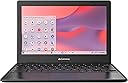
| ASIN | B0D33NC672 |
| Audio Output Type | Speakers |
| Audio Recording | Yes |
| Audio features | Built-in Stereo Speakers |
| Automatic Backup Software Included | Google Play, Microsoft Office 365 |
| Battery Cell Type | Lithium Ion |
| Battery Life | 10 Hours |
| Best Sellers Rank | #81,194 in Computers ( See Top 100 in Computers ) #3,426 in Traditional Laptops |
| Bluetooth Version | 5.0 |
| Bluetooth support? | Yes |
| Brand | Acer |
| Built-In Media | AC Adapter, Chromebook, Power Cord, Webcam Cover |
| CPU Codename | N4500 |
| CPU Model Generation | 8th Generation |
| CPU Model Number | N4500 |
| CPU Model Speed Maximum | 2.8 GHz |
| Chipset Type | Intel |
| Color | Black |
| Compatible Devices | External displays, mice, keyboards, storage devices, printers, and other accessories with USB, USB-C, Bluetooth, or Wi-Fi connectivity |
| Connectivity Technology | Bluetooth, USB, Wi-Fi |
| Control Method | Touch |
| Customer Reviews | 4.1 4.1 out of 5 stars (630) |
| Display Maximum Resolution | 1366 x 768 |
| Display Refresh Rate in Hertz | 60 |
| Display Resolution Maximum | 1366x768 |
| Display Technology | LCD |
| Display Type | LCD |
| Form Factor | Convertible |
| Graphics Coprocessor | Intel UHD Graphics |
| Graphics Description | Integrated |
| Graphics Ram Type | Shared |
| Hard Disk Description | 64GB eMMC |
| Hard Disk Interface | Solid State |
| Hard-Drive Size | 64 GB |
| Hardware Interface | DisplayPort, USB, USB Type C |
| Has Color Screen | Yes |
| Human-Interface Input | Touchscreen |
| Item Dimensions L x W x Thickness | 28.7L x 1.8W x 19.9Th centimeters |
| Item Weight | 2.65 Pounds |
| Keyboard Description | Chiclet |
| Keyboard Layout | QWERTY |
| Lithium-Battery Energy Content | 56 Watt Hours |
| Manufacturer | Acer |
| Memory Storage Capacity | 64 GB |
| Mfr Part Number | NX.Y5RAA.002 |
| Microphone Form Factor | Integrated |
| Model Name | Gateway Chromebook 311 CBO311-1H-C1MX |
| Model Number | NX.Y5RAA.002 |
| Model Series | Gateway Chromebook 311 |
| Model Year | 2024 |
| Native Resolution | 1366 x 768 pixels |
| Notebook Pointing Device Description | Touchpad with multi-touch gestures |
| Number of Items | 1 |
| Number of Packs | 1 |
| Number of Ports | 2 |
| Operating System | Chrome OS |
| Operating System Family | ChromeOS |
| Optical Storage Device | No Optical Drive |
| Other Special Features of the Product | Anti Glare Coating, Anti-reflective coating, HD Audio, Webcam |
| Power Device | AC adapter |
| Processor Brand | Intel |
| Processor Count | 2 |
| Processor Series | Celeron |
| Processor Speed | 2.8 GHz |
| RAM Memory Installed | 4 GB |
| RAM Memory Slot Total Count | 1 |
| RAM Memory Technology | LPDDR4X |
| RAM Size | 4 |
| RAM Type | DDR4 SDRAM |
| Ram Memory Maximum Size | 4 GB |
| Resolution | 720p |
| Screen Finish | Matte/anti-glare |
| Screen Size | 11.6 Inches |
| Speaker Description | Two Built-in Stereo Speakers |
| Specific Uses For Product | Business, Entertainment, Student |
| Total Usb Ports | 2 |
| Touch Screen Type | Touch Screen |
| UPC | 195133256841 |
| Unit Count | 1.0 Count |
| Video Output | DisplayPort |
| Video Processor | Intel |
| Virtual Reality Ready | No |
| Warranty Type | Limited |
| Webcam Capability | Yes |
| Wi-Fi Generation | Wi-Fi 5 |
| Wireless Compability | 2.4 GHz Radio Frequency, 5 GHz Radio Frequency, 802.11ac, Bluetooth |
| Wireless Technology | Wi-Fi |