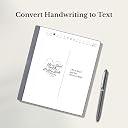
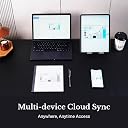
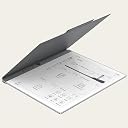
After researching different paper tablet brands, I finally decided to give Penstar a try. I was hesitant initially, could I really justify the price for something so specialized? However, my primary goal was organizing all my work-related documents and note-taking, and Penstar seemed tailor-made for that at an affordable price. After several weeks of use, this device not only met my expectations but exceeded them in several ways. The value is outstanding, and it has quickly become a staple in my daily workflow! What Stands Out - Writing Experience The writing experience is phenomenal, way better than writing on my iPad. The screen’s paper-like texture and responsiveness make it feel natural, with virtually no latency! - Reading Experience The large screen has completely transformed my reading habits. Compared to my old Kindle Paperwhite, this device is a joy to read on, and I can’t imagine going back, sorry my kindle. - Integrations As an Android-based device, Penstar allows app downloads, adding versatility far beyond a typical note-taking tablet. The device syncs flawlessly with cloud platforms, which is really helpful for my work. - Note Organization As someone who used to rely on multiple physical notebooks, I now manage all my notes effortlessly in one place. The ability to categorize and organize notes is a huge timesaver, allowing me to build a “second brain” with ease! - Customizable Physical Buttons The physical buttons are a standout feature. I was criticizing it’s not touch screen, then after my research, those are like customized action buttons! I’ve customized them for quick navigation for my notes. Since the device isn’t touch screen, it avoids accidental touches as well. - Solid Hardware and Portability The device is ultra-thin and portable, with a USB-C charging port, and I’m surprised about the long-lasting battery, I have’t charged for two weeks, and it still showing 43%. The included case and stylus are well-designed, making it a complete and ready-to-go package. Things to Improve 1. No Backlight While this may be a downside for some, I appreciate the reduced glass layer, which improves the writing feel, but having the adjustable light will be a plus. 2. No Touch Screen Again, not a dealbreaker for me since I’m relying on the stylus and the buttons for navigation, but it might effect some people’s decision. 3. Lightweight Stylus The stylus comes in the kit, but it feels lighter than expected; a heavier option would improve the writing experience, and the magnet-touching function will improve the experience as well. 4. Fingerprint Access I turn on and off the screen really often, it will be huge improve if it supports fingerprint access. Final Thoughts The Penstar eNote has been an excellent investment for me. While I primarily use it for work, I can see it evolving into a tool for countless other applications as updates roll out. For anyone in need of a reliable, distraction-free digital note-taking and reading solution, this device offers great value and usability. Highly recommended!