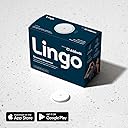
Desertcart purchases this item on your behalf and handles shipping, customs, and support to Tunisia.
📊 Own Your Glucose, Own Your Health — Stay Ahead with Lingo
The Lingo Continuous Glucose Monitor by Abbott offers millennial professionals a cutting-edge, prescription-free solution for 24/7 glucose tracking. With up to 14 days of painless, water-resistant wear, it syncs seamlessly to iOS and Android apps, delivering real-time insights into how food, exercise, and sleep impact your glucose levels. Designed to empower users—especially those managing prediabetes—Lingo helps optimize nutrition and supports heart health, backed by free replacement and HSA/FSA eligibility.

| ASIN | B0DRVD8TH8 |
| Battery Cell Composition | Silver Oxide |
| Battery Life | 14 days |
| Best Sellers Rank | #518 in Health & Household ( See Top 100 in Health & Household ) #1 in Blood Glucose Monitors |
| Brand | Lingo |
| Brand Name | Lingo |
| Customer Reviews | 3.0 out of 5 stars 6,221 Reviews |
| Global Trade Identification Number | 00357599848002 |
| Included Components | Package contains the biosensor and the biosensor applicator |
| Item Dimensions L x W x H | 1.37"L x 1.37"W x 0.19"H |
| Item Highlight | By Abbott. Optimize Your Nutrition with Real-time Data & Insights. 1 biosensor lasts up to 14 days*. iOS & Android. US Only |
| Item Weight | 9.93 g |
| Manufacturer | Abbott Lingo US |
| Manufacturer Contact Information | Abbott Diabetes Care Inc., 1360 South Loop Road Alameda CA 94502 |
| Model Name | Lingo |
| Number of Items | 1 |
| Number of Packs | 1 |
| Operating Time | 14 days |
| Part Number | 77263-02 |
| Product Dimensions | 1.37"L x 1.37"W x 0.19"H |
| UPC | 357599848002 |
| Unit Count | 1 Count |
J**M
Works great for knowing your glucose trends 24/7
TLDR; great product and great service. Easy to get replacements when necessary. I love these. I've not tried the Stelos so I can't compare the two. But I've been using these for a few months now. I love how I can see my levels throughout the day. There's only a couple things I would say to be aware of. You definitely should get the patches they sell that cover the meter and keep it on. I read from the reviews before I purchased my first one about the covers and started right away with one on the first meter I put on. I tried to use a meter a couple weeks ago without one and it came off in about a week. Got a replacement though. So no big deal. The next thing is be careful where you put it. I think I put the first one into some muscle tissue. When I first put it on it was painless to put on but it kinda stung/ burned just being on my arm. I figured that feeling would go away. A few days later it was still there. Not all the time but enough that it was uncomfortable. So I contacted them and they sent me a replacement. As far as putting them on, for me sometimes it can be a bit uncomfortable. Most of the time though it's painless. Just be aware it could be a little uncomfortable sometimes. Replacements are very easy by the way. I have had 1 or 2, I think, stop working midway in the 2 weeks and it'll automatically say there's an issue. When you tap on the button it gives you it'll take you to the form or whatever to get a new one sent to you. The first one, that I mentioned burning in my arm, I had to find the place to contact them. It wasn't AS easy, but not that difficult either, to find it. The only thing I will say negative about it that kind of really irritates me, is that, no matter what, it only last 14 days. The software (I'm assuming anyways) will cut it off saying it's expired. While I'm pretty sure the meter would still work longer if allowed to. It makes me feel like they're purposely causing it to end for you to purchase another. When it would be really helpful to those of us trying to save some money, as these are rather expensive imo, to have it last as long as possible before buying another. Maybe there's something I'm missing though. Perhaps it starts being less accurate or something. I have no idea. As far as the other issues I've seen others complain about, I haven't had any issues besides the ones I mentioned. In the event it loses connection (it's only happened once or twice) I just turn off Bluetooth and turn it back on. If necessary you might need to turn your phone off then back on. But I've not needed to do that personally. I've only had 1 that I couldn't connect to (it wasn't doing anything when I tapped it to my phone). But even that one I did finally get connected. And if it didn't connect, replacement! Anyways, all around great product and great service with getting replacements easily when necessary. One reviewer mentioned about having a caregiver option where another person can also monitor the readings. That's a software upgrade that I could definitely see being helpful. I forgot to add that the way these things work, there's generally about a 15 minute lag behind what your current glucose reading is. So if your glucose has spiked high from eating something, a reading from your actual blood (the normal finger prick meters) will show the current level. Whereas these won't show that spike until about 15 minutes later. Same with a drop. But if it's steady then they'll both be pretty close. These are great for seeing fluctuations throughout the day and seeing what affects your levels.
D**L
Installing the app
If this sensor is useful or not, I will never know... because I could not get it to work. To apply the sensor to the arm is easy and you will not feel a thing. To install the app is a total different issue. I have a Samsung Phone and I use this phone exactly for the reason intended by Alexander Graham Bell and nothing else... like most seniors my age. I do not care one bit for all this nonsense and pretend functionality on a modern phone. Actually most phones are virtually unusable because the keyboard is too small for old fingers. But I did managed to "register" for a Google account. They of course ask me all sorts of questions which are none of their damn business... but I suffer with dignity so I go to the Google Play Store and search for "Lingo" and installed the app. The app started with asking me all sorts of questions... again, none of their business. I paid for the sensor so I should be able to use it, but no... they are more interested in my info. Then 10 or 20 pages later (i did not count) finally the page which read: Ready To Scan... I did hold the back of my phone directly onto the sensor which I had already put onto my arm. and .... nothing... then the message... Pairing Error... I tried numerous times Then I called the support line and as expected a gentleman with a heavy indian accent ( you recognize the accent when they call you and try to con you out of your money, never pick up the phone when you do not recognize the number). Obviously the guy talks too fast, uses unnecessary words and you cannot understand a thing. This went on for good 1 hour and nothing. among other things, he asked me to delete the app, reinstall this and then search for a red dot... ??? what red dot??? I still do not know what he meant. Anyway I told him, that I cut my losses and tell everybody about my ordeal. Then he suddenly offered me to replace the sensor. Very well I am down $50 already, might as well... arrives in 2-3 days, meaning 4-5 days because of the weekend. Why is there no "app" for this sensor on a PC. After all A PC has a screen I can actually see and a keyboard which does not require baby fingers. And for Pete's sake, do not ask me all these dumb questions, which are none of your business. If the replacements ensor works, I will try it... but then never again. Simply measure your morning fasting BG like before and that is that. Minute to minute updates are superfluous and expensive technology and a pain in the rear. 12/21/25 1:14pm Important update. I did not want to wait for the replacement and ordered another one yesterday from Amazon same day delivery. This one worked, but did not give me any reading for 1 hour and afterwards it was 20 points too low compare to the finger stick (73, 92). however this morning it was a lot better, In fact just now it reads 92 and the contour next fingerstick reads 95. I am more than happy with that. To be sure I get some benefit from this device... after all I learned that overnight my BG dropped to 55 for a brief moment... I seriously doubt that. All you can see trends, and I am lucky with this one, it is even accurate.... but I am an EE and I did work with large continuous datasets which were contaminated with large random errors and judging by the graph, it looks very much like a data set processed using a Markov Process. This is a mathematical process to get the best up to date measurement even when the whole data set is contaminated with random errors. But there is no free lunch in mathematics, nothing beats accurate measurements, no amount of math and statistics will make it better, even when it appears like that. In the moment I am happy... lets see, if the other reviews have a point. besides, why do you want to measure something you already know? Sugar and refined carbohydrates spike your blood glucose... its common knowledge... don't eat junk food and you do not need a CGM, Everybody who wears a CGM or reads this post, has already done the most important thing, which is educating oneself about nutrition... everything else is superfluous. Important update 05/Jan/2026 I am on my 2nd sensor. They last only 14 days for whatever reason, most importantly I guess, the glue will not stick much longer than that, probably the skin will secrete oils which dissolve the glue??? The good news was, that removing the old sensor was easy and it left no mark on my skin other than a tiny hole where the sensor was inserted. Unfortunately, the second sensor is also about 20 points too low, relative to the test strip. Of course one could argue that the test strips read 20 points too high, which I seriously doubt. Consecutive testing with test strips (Contour Next EZ) show readings within 5 counts of each other using brand new test strips. Overnight I get readings of 55 with the CGM, which is utter nonsense, because I am a recovering type 2 diabetes patient... even a reading of 75 overnight is hard to believe. The only useful thing I have discovered is that overnight my BG drops significantly. Morning glucose measurements are virtually useless, because of the classic BG spike after waking up. As soon as you out of bed, the BG is already on the rise and it can go up 30 maybe even 40 points within minutes and you have no way of knowing on which part of the curve you are measuring. So again, I have a warm feeling that maybe I have conquered my insulin resistance, just add 20 points to whatever the CGM tells you and when this is under 80 during the night, you maybe ok... still avoid carbs for the rest of your life
H**S
Does what I needed it to do.
I needed something to monitor my glucose that didn't require turning my fingers into a pincushion. It needed to be reasonably accurate. Continuous monitoring from the Lingo patch seemed to be worth a shot. Up front. I am not a physician. I am not being treated for diabetes. In general I am in pretty good health. I found it a little awkward to plant under my left arm. But is it doable. I shaved the area to give the device the best shot of getting a good grip. It stayed in place for the two weeks (14 days) the app will communicate to the device. I have an iPhone. Follow the direction to get the iPhone and app talking Bluetooth. After the app is installed, you will need to hold the iPhone approx 3 inches from the Lingo patch. It takes several long seconds (think 30+) for app to find the patch and start pulling in readings. Based on supplied documentation from Lingo/Abbott, the device is powered by Bluetooth. I guess you could call it another device from the IoT world. Powered by the power of the Bluetooth intranet. If your iPhone is more than 12 feet away (or has obstructions) the Lingo patch "will get angry" and stop pulling in readings. The remedy to restart data transfers was to move the iPhone 3 inches from the Lingo patch (and get it charged up again)..... One time I needed to disable/enable Bluetooth on the iPhone. On day 10 of the patch I had an annual doctor visit. This was my chance to get an accuracy measure of Lingo to a standard blood panel glucose measure. The patch reading before the blood draw was 84 mg/dL. The lab came back with 82 mg/dL. I was able to learn "bits and pieces" how my eating habits (type of carbs and time of day) were effecting my blood glucose levels. The last couple of years my A1C measures have "creep above" 6.0. "Fasting" measured glucose blood levels were still below 100, but just barely. In my case I discovered eating a load of complex carbs didn't spike my glucose (above 190), and it dropped below 140 within 2 hours. But the the glucose never seems to drop back to the 80's/90's. Healthy carbs, maybe not happy carbs. This issue was worst if eaten late in the evening or in the early AM hours. This eating habit was changed. I also found that "sneaking" a small snack was "radioactive" when measured in 5 minutes interval by the Lingo patch. Another area to modify eating habits. Except for a triple black coffee and cocoa powder (unsweetened) in the morning, I don't usually eat anything until noon. Lingo report me in the 90's-100's (yea waking up in the morning will bump your glucose). Not were I thought (or wanted) to be. As an experiment I ate 1/2 cup of fresh fruit and two heaping teaspoons of honey with the coffee brew. Within 60 minutes the patch would report a spike of over 200 mg/dL, (Lingo accurate measures stop at 200). Within two hours I would be under 100. For the next 3-4 hours the patch reported me between 68 - 89). This is how I got my 9:30 doctor visit/labs (10:35 draw) down to a measure of 82 mg/dL. Unhappiness. The distance limitation and "restart" of the patch is best understood as, "The patch and your phone have become inseparable friends". Get use to it. The Lingo app is a somewhat expansive. All I really need was the .csv download. I am handy with Excel. Again, I got all the analysis I needed from Excel and the Lingo .csv file. I couldn't find a way to enter notes in the app and have them download with the Lingo .csv file. But this may have been me not wanting to be a "Lingo App Master". It would be nice if the Lingo app would alarm/announce it has lost contact with the patch. Kind of a basic "IT 101 App" thing. Again, maybe I didn't dig deep enough into the app. For my purposes the device is a 5 star.
V**A
Nope…cannot recommend, lots if issues
Heads up…Long review, I’m not a fan and can’t recommend it. I purchased 4 of these thinking I would get a good idea of what my diet and exercise was doing to my blood sugar for 2 solid months. First one worked okay. I did test it against a finger-stick monitor (Registered Dietitian here,) and found that it reads low. The monitor I used is made by Freestyle, same company (Abbott) that makes Lingo. My finger-sticks were about 5-15mg/dl higher than the readings coming from the biosensor. I tested it several times during the two weeks, most were 15mg/dl higher. I knew at that point that it wasn’t super accurate, but I could still see that even a tiny bit of sugary creamer in my coffee sent my blood sugar up and then crashing after a few hours if I didn’t eat anything else with it. That info helped me to give up the coffee creamer since I always tend to crash after sugar. I tested different sweet stuff, mixed with and without fats and protein. I was excited to continue with the next sensor and was planning to just stick consistently with my healthy low carb diet and not test sweets since I know I crash every time. I wore the first one without issue, knowing that it wasn’t super accurate I just looked for trends. It was fairly easy to take off after two weeks of wear, but I was surprised how sticky it still was. Hardly felt it on me or when I applied it or removed it. I could not sleep on my left arm or I would get odd swings in readings at night. After removal I waited two days and installed the 2nd. The second gave me a kinda high reading for me after an hour even though I hadn’t eaten anything yet, I think it was around 89mg/dl. Then I got the dreaded error: “Please wait 8 hours to see your reading or contact support.” No readings or history were showing. EIGHT hours? That seemed crazy. I did wait about 3, but nothing changed, so I emailed Abbott. I did get a response fairly quickly, maybe 12-18 hours. I’m sure a call would be quicker. I had to answer a billion questions and finally got an email back that a replacement was on its way. So I was told I could remove the sensor that I had on and trash it. Sensor 2 removal was tough. Since it was freshly placed, it was super sticky. After I finally got it off I was bleeding quite a bit, took a while to stop and yeah, that was fun. That one left a scary purple bruise. Since I still had 2 more sensors on hand I decided to place another on my right arm today (3 days later,) since my left arm is still bruised. I was a bit scared after the drama removal of the last one. Again, no pain applying. Whew. I was sure this would work. After one hour, (it takes an hour to calibrate,) this time it said my blood sugar was below 55. (Which BTW, I got that a lot when I wore the first sensor. When it’s below 55mg/dl, you don’t get a number, just <55.) then about another hour later I got the same error message again asking me to leave it on for 8 hours or contact customer service. Ugh. I did email Abbott a few hours ago and requested a refund for 3 sensors this time, no answer yet. I wore this one about 4 hours. Nothing. I just removed this second “error” biosensor and it was tough to remove like the last. New and very sticky, which is excellent if it’s going to stay on for 2 weeks, not 2 hours. Thankfully, I didn’t bleed much and no bruise so far. The app is pretty limited. Really needs improving. I did read that the Lingo goal is very confusing for a lot of people and I can see why it would be. It’s not intuitive. I got the hang of the app and was happy that it connects to Apple health and automatically adds my exercise. Easy enough to add food, but doesn’t connect to the Cronometer food tracking app that I use and love. I wish that the readings below 55 would be displayed since I tend to be hypoglycemic (low blood sugar) and it would be helpful to see what the lows were. I will say that I can typically feel my lows and my <55 readings did not feel like I was having a low. Wish I had confirmed a few of those with a finger stick. Great idea for self-help people like me. Needs lots of improvement. If you’re prediabetic or know an endocrinologist, or even talk to your family doctor about why you want to try one, especially if you’re worried about your health or have a family history of diabetes. I would ask for a prescription version of a CGM. Your doctor might give you one to try, but those need to be placed and removed by a health care professional. Your doctor will be more willing to give you a finger stick monitor if you’re willing to stick your finger first thing in the morning for a fasting reading, after meals and exercise. Monitor is cheap, test strips are pricy OTC. You can also get a prescription for test strips if your doctor sees a need. Seems scary, but it’s not too bad and it’s definitely more accurate if you're really worried about your health.
M**K
Often inaccurate, sometimes glitchy app, but still worth it.
I'm new to CGMs (continuous glucose monitor), but recent health issues required that I keep a closer eye on my glucose patterns than is possible with the "jab and dip" variety of testing devices. So I did a little digging and decided to try this Lingo monitor. I'm now on my fourth monitor, and can report the following. First application of the monitor was a little tricky, just because I had never seen or used the applicator before. However, once you've done it once, every time after that is simple. They recommend you always use the same arm, and just move the location around so that you're not sticking the monitor on the same patch of skin every time. I've been alternating arms anyway, just so I don't have to think about inadvertently putting a new monitor anywhere on the same patch of skin I just used. Initial download/startup of the app is a bit of PITA, but once you've gone through all the menus, questions and authorizations, and have it installed on your phone and linked to the monitor, it takes about an hour for each new monitor to finish "analyzing" your skin and start transmitting glucose data. Once installed the monitor is "water resistant," and I've had no problems at all with normal showering, exercise, etc. You can even swim with it on for up to a half-hour at a time. It has thus far stayed put until expired (each monitor lasts about 2 weeks), and removed/replaced by a new monitor. A lot of reviewers have complained that this monitor system is "not accurate," and that is often true ... but it's not because there's anything "wrong" with the monitor. It's because this device uses a different kind of tech than what's used for the typical "jab and dip" glucose testers. This monitor does not take a direct reading from contact with any blood or blood vessels in your arm. It reads from the "interstitial" fluids/tissue in the area just beneath the surface of your skin. So, in my experience so far, the reading given by this monitor is a "lagging indicator" of what's actually happening at the moment with your blood glucose. If it's rapidly going up, this monitor's reading will lag behind the actual glucose reading you'd get from a "jab and dip" test. If it's rapidly dropping, same thing ... this monitor will read higher than your actual glucose rate. The more stable your glucose is over a longer period of time, the closer this monitor's reading will be to to your actual blood glucose at the moment you check it. Point is, and where this device and its related app really rock, is the way they provide you with continuous "tracking data" on what your glucose is doing over long periods of time ... by the hour, by the day, over weeks of time. As long as you're wearing an active monitor, the app just keeps accumulating data, and showing you the results in "real time." This function has been invaluable to me, and in a matter of weeks, has taught me more about my diet/eating patterns than anything I ever learned/understood over 20 prior years of intermittent "jab and dip" tests. For easy access to that kind of "information," I'm more than willing to trade off EXACT accuracy at every moment. Any time I want a more exact reading, I can (and still do) use the old "jab and dip" variety of tester. I have had a few issues with the monitor losing contact with my phone, and even had to re-install the app once, but so far, it's never lost any of my past data, and I've now asked my regular doc to prescribe a CGM for me, so that I can get the monitors supplied regularly through my insurance, rather than me having to buy them retail through Amazon. This "Lingo" monitor is made by Abbott, who also makes what appears to be an identical monitor known as "Freestyle." I don't know, but I think the only difference between the two is marketing. The "Lingo" label is marketed/sold direct to consumers, and I think the "Freestyle" label is marketed/sold through doc prescriptions, insurance, etc. In any event, I've now become comfortable with this tech and what it does for me. I now see it as a highly valuable tool in my never-ending effort to maintain control over my diet, health and quality of life.
C**T
You're better off doing literally anything else to track your blood sugar.
Years ago, as part of a study, I was given a Freestyle to wear. As someone who is prone to reactive hypoglycemia and has a family history of diabetes, it was very useful to see the ways in which food affected my blood sugar and make different food decisions based on the data. After starting a new medication recently, I started to feel like my blood sugar was swinging wildly despite my best efforts, so wanted to track my glucose levels in the same way. This was how I stumbled on the Lingo. It looked like what I'd worn in the past and was made by the same company, so it seemed promising despite the poor reviews. I decided to order it anyway and give it a shot. Overall, I would not recommend doing what I did and giving it a chance. Installing the device was easy. You barely feel the needle going in, and the adhesive around the monitor is strong and fairly water-resistant. Syncing the device to the app on my phone was also a pretty painless experience. Now, part of what's been going on--why I was put on that medication--is that I have been dealing with some debilitating fatigue. After so many tests we've been throwing stuff at the wall to see what sticks, and thus far, really, nothing. So when I started to look at the readout from the sensor and saw that my glucose was regularly in the 50s and 60s and never really cresting over 110, I thought, "Holy cow!" That'll certainly take the wind out of your sails, right? Except, it didn't make much sense. If my problem was chronic hypoglycemia, the glucose test I had a few months ago would have looked a lot different than it did. My fasting glucose is consistently in a normal range, as is my A1C. I tried to come up with some reason why this disparity might exist, but everything on the internet was telling me that I should compare the Lingo's readings to a finger stick before worrying about this too much. So that's exactly what I did. My conclusion from a week of using the Lingo is that it's an okay tool for charting your ups and downs, but the numbers will never be accurate. And it's not just a matter of being off by 10 or 15% here or there. It's off by quite a lot--usually 40 or 50 mg/dL, even when factoring in the small delay between blood and interstitial fluid. Unfortunately, it isn't always off by the same amount, which means the readings themselves are highly unreliable. Today it reached its highest number ever by quite a lot, and because it has been so wrong thus far I don't know whether to be extremely concerned or not--I didn't catch the surge until I was on the downswing, and by then it was a low-normal reading that was also 20 mg/dL lower than the finger stick. I reached out to support and they offered a boilerplate apology and then wanted to call me. I haven't responded yet, but I don't think there is anything they could say or do that would make me change my rating. This thing is a waste of money. I don't care if it's "not a medical device" or whatever excuses the company makes--it should do what it says it will do. And it does not.
L**S
Lingo for runners and general feedback
We have had 3 of these and they have been a mixed bag! I'll start by saying that I have wanted to try these because I am a trail runner, and these take the guesswork out of fueling! I am not an Olympic athlete, and I don't think I should be taking in carbs like one. But I do go on 25+ mile workouts in state parks, and knowing where my glucose is is very useful to decide what I am going to take. also on race days when I want to do 32 miles, knowing where my glucose is and where it is going allows me to dial in my nutrition without overdoing it. And if glucose goes too high, I just wait a little more before taking in more carbs. So, our results: My first one, worked well. The sensor's baseline was low (50-60) but I could see the peaks caused by carbs. it lasted 13 or 14 days, as promised. My wife's first lasted 2 days and died! She filed the forms with Lingo. More than a week later, and she is still waiting for the replacement!! So, if you want to have the device for an event. you may have to buy another on your own dime, and maybe Lingo will give you a replacement! We are still waiting without any feedback. Update: she re submit the form on the computer rather than on the phone and Lingo responded the same day. My second worked less than a week. The baseline was too low, and the trace went away in between meals and at night. Once I eat, I can see the line again. It did work during a race I had, but outside of it I don't see much. When I do eat carbs, I do see the resulting peak. I submitted the form to Lingo and I am waiting for a replacement. Going forward, I may still get one for an important race, and if I do, I will order with enough time so that I can replace it if it malfunctions. But I don't expect Lingo to give me the replacement. So malfunctions are at your own risk! It's sad because these are interesting devices with potential. But the company just kills it!!
L**E
Ignore All the Bad Reviews - This is a Great Product
I’m an RN and bought this because I am super interested in all of the metabolic disease that is overrunning our country and feel that the current standard lab testing does a poor job in identifying problems early when there is still time to modify behaviors and outcomes. As I was looking at CGMs, I was surprised to see so many bad reviews. I’ve never written an Amazon review in my life but felt my experience was so different from the bad reviews that I needed to help people feel informed. The reviews noted issues with the CGM 1) Falling off easily 2) Not being accurate 3) Not working. I purchased the Abbott Lingo and was very, very impressed with the applicator, the biosensor, and the app. Everything worked flawlessly for the full two weeks when it appropriately ended its time. Regarding the issues others noted above: 1) I proactively purchased the Ceeport CGM sensor stickers and cut a small hole in the center since the dot on the biosensor can’t be covered. Abbott should probably consider including a sensor sticker with their package, but until then, it’s a no brainer to buy a $1 sticker to protect a $45 biosensor. The sticker lasted the full 2 weeks and I had zero issues with the sensor or sticker coming loose with daily exercise and showers. 2) Reviewers had complained that they did a finger prick glucose test and it was completely different than the reading on their CGM. I didn’t test my blood sugar at all during the two weeks, however I do know that the CGM is not testing *blood* sugar, it’s testing *interstitial fluid* (in the tissues) fluid, so it’s going to vary and it is a delayed result. My satisfaction with the rest of the product and seeing appropriate fluctuations based on meals/exercise/stress level give me confidence that this is likely pretty accurate. 3) When you initially open the app any time you want to see your reading, it says “sensor not in range” (or something) and the first time I saw this, I thought it wasn’t working. It does this every time you open the app, lasts 30 seconds or so, and then it pairs and all the info since the last time you logged in is uploaded on the app. It functioned perfectly for me for the two full weeks. Lastly I’d like to comment on the application of the biosensor. I was SO nervous about sticking myself with the needle. It literally did not hurt. The spring action made so much clicking sound when it fired as I was *very slowly, nervously* putting pressure on it, that it caught me off guard and all of a sudden it was applied and I didn’t even feel the poke! I was amazed. Nice work Abbott. The other positive component of wearing this CGM was the awareness of my body’s response to different foods. It gave me incredible insight (and therefore power) into how my diet was affecting me at the cellular level, and gave me great motivation to improve my dietary choices. I felt like the phone app was easy to navigate and very well done. Excellent product!
A**M
Not supported for Singapore! Be careful!
No idea why it does not mention a warning while buy this product that it’s not supported in Singapore. Very frustrated that I paid and got a product which does not work but I can’t return as I come to know only after opening it. Waste of money and only supported for US and UK. One of them is damaged and Abbott says they will replace for free but realized I am in Singapore and says ah ha sorry not supported.
R**G
Don’t buy if you are not us or uk residents
Do not buy if you are not living in US or UK as you will not be able to use the product without downloading the app which is not available in your country app store
Trustpilot
1 week ago
5 days ago