We remain fully operational. Our teams are working around the clock to ensure your deliveries continue safely.

DOWNLOAD THE APP


Customer Services
Copyright © 2025 Desertcart Holdings Limited
DOWNLOAD THE APP
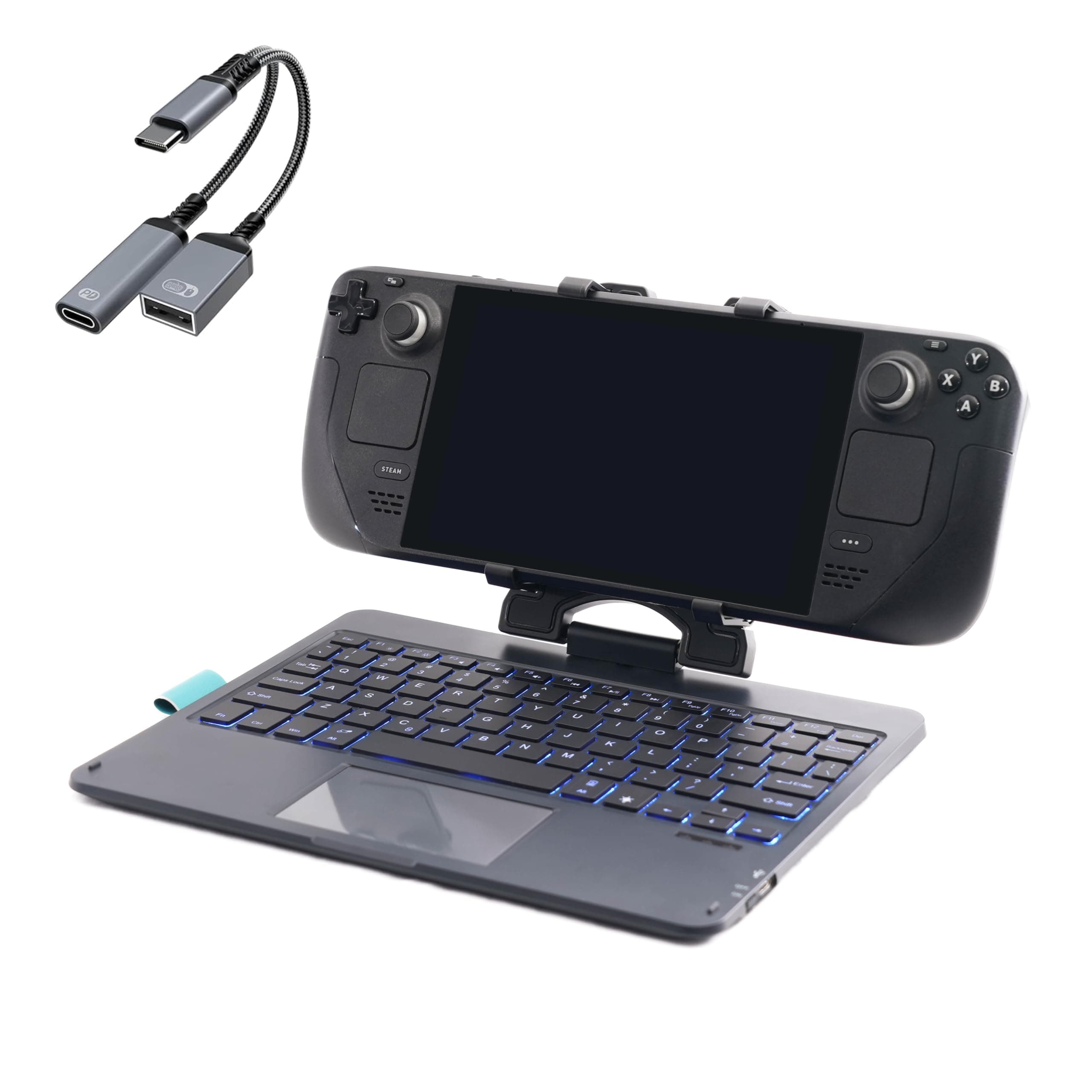
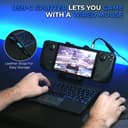
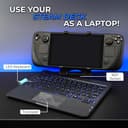
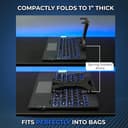
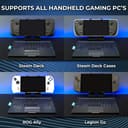
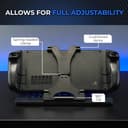
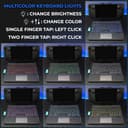
🎮 Level up your Steam Deck game with DeckTop — where precision meets style!
The DeckTop with Splitter is a premium Bluetooth keyboard and trackpad combo tailored for Steam Deck and ROG Ally users. Featuring responsive keys, customizable RGB lighting, and a rechargeable lithium-ion battery, it offers a portable, durable, and perfectly compatible accessory to enhance gaming control and navigation. Designed for easy setup and seamless integration, it transforms your handheld gaming experience into a sleek, professional-grade workstation.
| ASIN | B0D6Y3LSW2 |
| Are Batteries Included | Yes |
| Batteries | 1 Lithium Ion batteries required. (included) |
| Brand | Invensic |
| Colour | Multiple (RGBs customizable) |
| Customer Reviews | 4.3 4.3 out of 5 stars (30) |
| Date First Available | 10 July 2024 |
| Delivery information | We cannot deliver certain products outside mainland UK ( Details ). We will only be able to confirm if this product can be delivered to your chosen address when you enter your delivery address at checkout. |
| Guaranteed software updates until | unknown |
| Item Weight | 855 g |
| Item model number | IMxxxx |
| Lithium Battery Energy Content | 2.4 Watt Hours |
| Lithium Battery Packaging | Batteries contained in equipment |
| Manufacturer | Invensic |
| Number Of Lithium Ion Cells | 1 |
| Operating System | Linux |
| Package Dimensions | 27.9 x 21.5 x 5.5 cm; 855 g |
| Power Source | Battery Powered |
| Series | DeckTop |
R**S
Extremely overpriced
I don't own this device but wow is this not £60 to £80 overpriced. I will wait for a clone thanks.
M**.
Amazing, helpful and good quality My only problem was fn and control keys should be switched, really takes a lot of times to get used to it
W**M
Works as intended and lasts quite a while. The only negative things I have to say, is 1 the rgb times out quickly so useing it to see what your typing in the dark when playing a game and not typing regularly. 2 to get it to reconnect when its gone to sleep you have to press a key on the keyboard and wait a few seconds (mouse pad isn't effective for this) or turn it off and on again. 3 the grip pads are stick on and will peel off with extended use. The biggest problem in my opinion is the fact the keyboard has a 360° swivel so when not useing it for a keyboard it also functions as a stand.
A**R
My son was very pleased with this and he is hard to please it rotates and makes it easier to play games fits the steam deck very well
A**R
I got the Steam Deck for me, but my son took it away and now believes it's his. It's fine... I have a nice desktop setup with a 42" 4K tv... I'll live. But he likes some weird games that aren't necessarily Steam Deck compliant. Garten of Banban and Poppy Playtime being the worst offenders. He'll routinely come to me asking for help getting to a spot that requires him to run and jump. But there's no run button on Steam Deck. I'm too lazy to figure out game-specific custom bindings. I found this KB as a solution (well... I also needed a mouse... got a wired one that connects to the splitter cable, which allows for power to be hooked up to the Steam Deck simultaneously). Running is the Shift key, as God intended. After charging, I turned it on, put it in pairing mode, then opened the Steam Deck settings for blue tooth and it found it immediately. My son, who knows nothing of connecting to blue tooth, evidently played his game this morning without having to connect it again, so that's good news. The Deck is held securely by the clamp. This is a pretty good setup. I'm relieved that the workaround wasn't "Buy a ten year old a gaming laptop for Christmas". We were pretty close to that point. We've already spent too much on Christmas Lego sets as it is, so this is an excellent compromise.
K**Z
Mine did come with a different clamp than was advertised or seen in other reviewers' hands; the clamp on mine has a folding, not recessed design, that does NOT allow the deck to fold in face down, but does allow it to fold in face up. It does seem to compact a little better for travel than the one in other reviews, and the more forward position likely also helps with stability, but it would have been nice to be able to fold the Deck face down in it, I would have just stuck a cushion on the screen to keep the thumbsticks from getting mushed against the keyboard. The scissor switches are very tactile, but almost dead silent. I haven't yet typed on this for long periods, but I have a strange addiction to quality scissor switches, and out of the gate these feel like some of the better ones I've used. The trackpad has two physical click buttons underneath it for positional left and right click, I think I would have preferred the trackpad to be hard mounted and the buttons places out to the sides, but given the prominence of these "clickpad" style trackpads I can't complain too much even though I've never liked them. At least there is actually two buttons here, and not just one serving dual purpose based on where the finger clicks, albeit rarely I sometimes need to click both at the same time and most clickpads make that physically impossible. There are some complaints of Bluetooth dropouts, but while I haven't used it for long, honestly this is probably the only Bluetooth device that actually *doesn't* disconnect when I click my Deck's power button, if I want my Deck to stay asleep I have to make sure this is OFF, I've not experienced this with other bluetooth devices, USB peripherals, controllers, or the built in controller so it's quite odd, albeit very convenient in that I turn it on and it's just there, pretty much immediately. I'm not gonna lie, while this is a nice accessory, it kinda feels cheapened for the price by the obviously 3D Printed clamp that's been thrown together for the Deck, it makes the thing feel like a product meant for something else but modified to fit this purpose. There is another reviewer I saw on here who claims it's a generic modified iPad keyboard, but I can't find an exact match to it, everything I see has slightly different layouts and the Apple "Option/Command" key setup compared to the Windows key lettering here, with different locations for the rubber dimples and different designs for the lip beneath the trackpad; take that for what you will, but those differences plus the printing on the back makes me believe that while this is probably based on one of those designs in order to save time and money on either printing the whole case or making a custom injection mould, the actual hardware underneath is at least somewhat customized to better serve the purpose. Last but not least, I WANT THIS KEYBOARD BASE AS A USB KEYBOARD! Strip out the hinge, strip out the Bluetooth, strip out the battery, add a data connection onto the USB port, provide a low profile right angle cable to use it with, this would make a PERFECT workshop keyboard. Without the BT and batt, I think it could fit in the sub-$30 bracket, which would make it the cheapest all in one WIRED keyboard on the market. For context, I work in an IT shop, and for what I do, Bluetooth is too far into the OS chain, and 2.4GHz dongles are too easy to mix up and lose, so I've been looking for a relatively cheap but good quality Keyboard plus Touchpad that runs wired, so that I could get about ten or fifteen of them to help declutter my working area. It's probably not the best keyboard for the purpose, but after having used it it's really, *really* close, and I'd happily buy a fleet of a USB/hingeless one of these if they were available. When I plugged it in and couldn't get it to work over wire I was so disappointed.
Trustpilot
4 days ago
2 months ago