


๐ Elevate your rig with GIGABYTE Z790 โ where power meets future-ready speed!
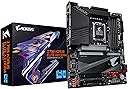
The GIGABYTE Z790 AORUS ELITE AX DDR4 ATX motherboard features the latest Intel Z790 chipset, supporting PCIe 5.0 for next-level GPU performance and four PCIe 4.0 NVMe slots for ultra-fast storage. Its robust 16+1+2 DrMOS power phases guarantee stable operation under intense workloads, while DDR4 memory compatibility offers a cost-effective upgrade path. Integrated WiFi 6 ensures cutting-edge wireless connectivity, making it a perfect foundation for high-performance, future-proof PC builds.


| ASIN | B0BHTLF2X5 |
| Amazon ๅฃฒใ็ญใฉใณใญใณใฐ | ใใฝใณใณใปๅจ่พบๆฉๅจ - 94,376ไฝ ( ใใฝใณใณใปๅจ่พบๆฉๅจใฎๅฃฒใ็ญใฉใณใญใณใฐใ่ฆใ ) ใใถใผใใผใ - 460ไฝ |
| CPUใฝใฑใใ | LGA 1700 |
| PCIeใใผใ็ทๆฐ | 3 |
| RAMใกใขใชๆ่ก | DDR4 |
| RAMใกใขใชๆก็จๆ่ก | DDR4 |
| SATAใใผใ็ทๆฐ | 4 |
| UPC | 889523034101 |
| USB2.0ใใผใๆฐ | 2 |
| USBใใผใๆฐ | 2 |
| ใใใใๅบฆ | 5ใคๆใฎใใก4.5 119 ใฌใใฅใผ |
| ใฐใฉใใฃใใฏใซใผใใคใณใฟใผใใงใคใน | PCI Express |
| ใณใณใใฅใผใฟCPUใฟใคใ | Core i5 |
| ใใใใปใใใฟใคใ | Intel Z790 |
| ใใฉใณใ | GIGABYTE |
| ใใฉใณใๅ | GIGABYTE |
| ใใฉใใใใผใ | Windows 10 |
| ใใญใปใใตใฝใฑใใ | LGA 1700 |
| ใใผใใฎๆฐ | 23 |
| ใกใขใชใฏใญใใฏ(Mhz) | 2133 MHz |
| ใกใขใชใกใใฃใขในใใฌใผใธๅฎน้ | 128 GB |
| ใกใขใชใผในใญใใๆฐใจใฟใคใ | 4 |
| ใกใผใซใผๅ | GIGABYTE |
| ใกใผใซใผๅ็ช | Z790 |
| ใขใใซๅ | Z790 |
| ไธป้ปๆบใณใใฏใฟใฎ็จฎ้ก | 24ใใณ |
| ไบๆใใใคใน | ใใฝใณใณ |
| ไบๆใใญใปใใตใฟใคใ | Intel Core 12th Gen, Intel Core 13th Gen |
| ไปๅฑๅ็ทๆฐ | 1 |
| ไฟ่จผๅ ๅฎน | 2ๅนดไฟ่จผ |
| ๅ็ช | Z790 AORUS ELITE AX DDR4 |
| ๅฏพๅฟใใใคใน | ใใฝใณใณ |
| ๅฏพๅฟใใญใปใใต | Intel Core 12th Gen, Intel Core 13th Gen |
N**O
Simple to start without problems
Finally said goodbye to all HDD with this MB
D**D
Nice mobo- good build quality, highly adjustable settings, a little RGB eye candy
I really like this mobo. Highly customizable settings, nice build quality, etc. My buddy just built an brand new Asus system- flashed the recently released Asus BIOS update and bricked it. Asus sent him a replacement- two of the four RAM slots did not work. Give this Gigabyte Z790 Aorus DDR4 Wifi a chance. I paired it with a new Intel i7-13700 CPU, a Thermalrite Assassin air cooler, a Samsung Gen 4 M.2 drive and 48 GB of Corsair RAM. It screams in gaming even with a legacy Nvidia 3060Ti GPU. Flashed the BIOS to version F6 (due to recent security revelations) - super easy to do right thru Windows 11. Went perfect. Super happy with this mobo so far ! This is my first new gen computer build in many years. Just BUY it !
A**N
Fantastic motherboard with great options
I upgraded from a B660 motherboard to the Z790, because this was a great Warehouse Deal, and I am upgrading my CPU in the near future (come on Prime days!!). It fits like a glove, and it was, as far as I can see, never been opened, brand new. The savings were substantial and that already put me in a great mood. What do I not like about the board? Placement of the PWM fan headers could be better spread over the board. What do I like? Well, it is compatible with the LGA1700 Intel chips, and moving the CPU from one motherboard onto this one was a breeze. Because the board is bigger (full ATX) it fit my case snugly, there is still room to poke cables through and overall the cable management was easy. Except for one fan (exhaust) that sits way far from the fan headers, but it is what it is, and luckily I have extension cables. The manual is online, I did not find one in the box, and I printed off the page where I would connect the cables. Worked out perfectly fine. Some tight spots and I would really recommend, if this is the first time, to review some build videos either on Amazon or YouTube. I needed to order some extra motherboard mounting screws and PCI slot covers since the motherboard is larger and the video card is one slot lower. The software that came with the board is fantastic. GCC (management software) is to the point and is great in setting fan curves and setting the motherboard up the way you want it. XMP profiles are new to me, so I have not even attempted to overclock at this moment. Great motherboard and great prices, they go hand in hand. A worthy upgrade!!
K**N
mudda
motherboard. i have one. get one
A**Z
Great budget Intel LGA 1700 motherboard
I've had it for over a year and so far no problems. Not much to say really. My Specs: * Intel i5 -12600k * AMD Radeon RX 6700 XT * WIndows 11 * 64 GB DDR4
D**T
I needed to upgarde to PCIe 4.0x 16 mobo to handle Geforce 4070 graphics card
I use this machine for photography and video work (Photoshop, LightRoom, Topaz, etc.) So here's what happened: 1. I needed a new graphics card to meet the load Topaz can put on a graphics card. (Great software.) 2. Ordered Geforce 4070 ti (later returned it - black screen - and got the 4070 - long story) 3. Ordered the Z790 Aorus Elite AX DDR4 (DDR 4 is not a typo) 4. Ordered the i7 13700KF (no graphics unit on the chip) 5. Ordered the Corsair H115i adpator kit for the older cooler's bracket - these slightly longer standoffs work great. 6. Used my GSkill DDR 4 3200 RAM - 32 GB. 7. Used my EVGA 850 PSU. 8. Once I figured out I needed a PCIe 4.0 riser extension cable, all was well. (If you use the old PCIe3.0, you'll get black screen and pull your hair out on unneccesary trouble shooting. The picture shows the card in the PCIe 4.0 slot. When the cable comes in, I'll return the Card to the riser via the PCIe extension cable. ) This machine is grrrrreat!!!! Cinebench 23 score multicore is 29810. Monitor: BenQ SW 2700PT on Display port and Calibrated i1 Display Pro (XRite). Saved a bunch of dollars using a few older parts for this build.
Trustpilot
3 weeks ago
2 months ago