Desertcart purchases this item on your behalf and handles shipping, customs, and support to Tunisia.
🎨 Elevate your digital art game with precision and freedom — don’t just create, dominate!
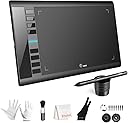
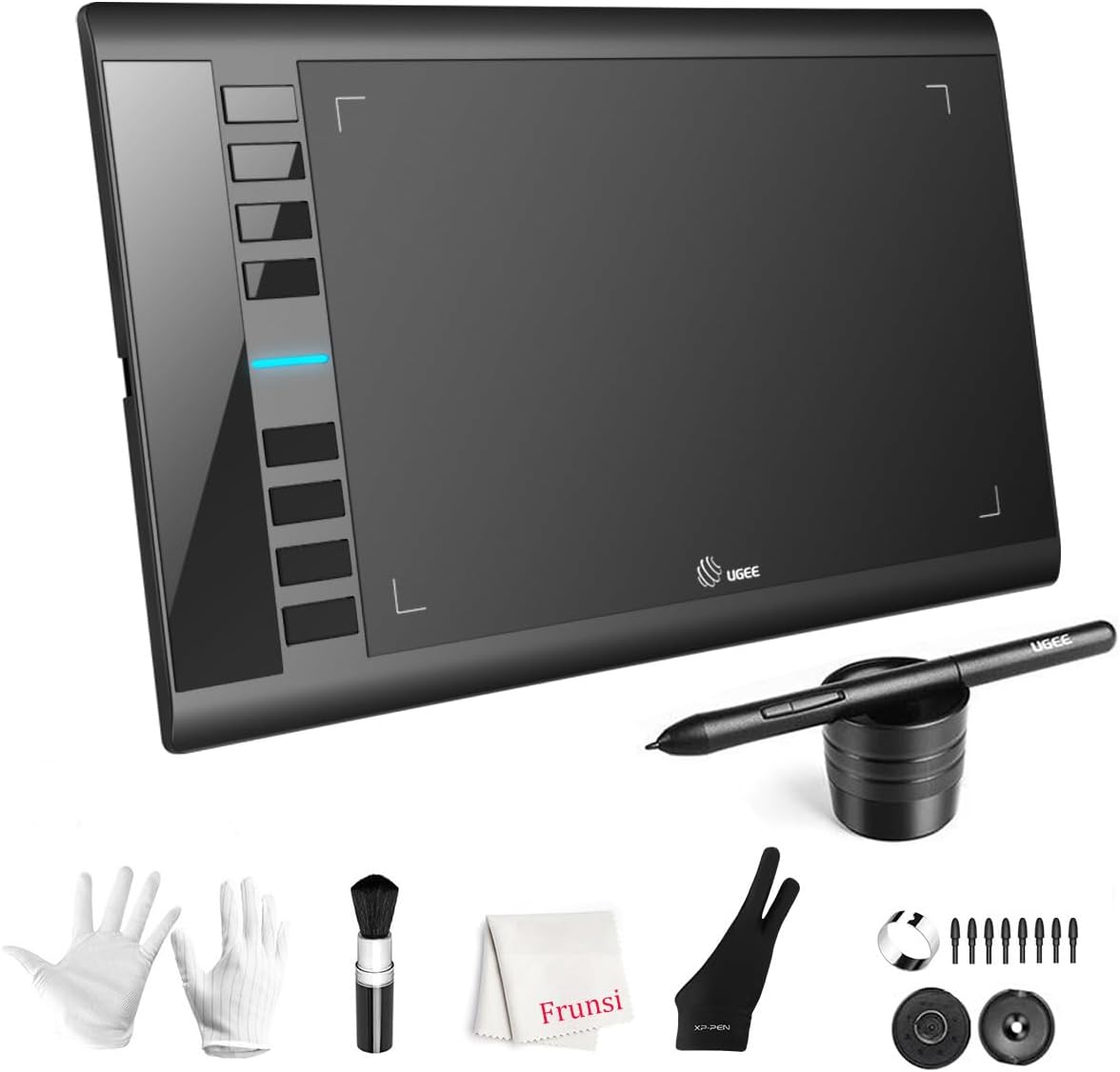
The UGEE M708 is a versatile 10×6.25-inch graphic tablet featuring a unique dual-mode drawing area for tailored workflows, industry-leading 16384-level pressure sensitivity with ±60° tilt detection, and an ergonomic, rechargeable-pen-free stylus. Equipped with 8 customizable shortcut keys and a scroll wheel, it enhances productivity across Windows, Mac, Android, and more. Its slim, lightweight design and included OTG adapter make it ideal for professionals and creatives seeking seamless, high-precision digital artistry anywhere.


| ASIN | B07P82FSFW |
| Amazon 売れ筋ランキング | パソコン・周辺機器 - 369,337位 ( パソコン・周辺機器の売れ筋ランキングを見る ) グラフィックタブレット&ペン - 833位 |
| GTIN (Global Trade Identification Number) | 00703363411864 |
| OS1 | Mac |
| UPC | 703363411864 |
| おすすめ度 | 5つ星のうち4.4 6,027 レビュー |
| アクティブな表面積 | 10 inches x 6 inches |
| オペレーティングシステム | Mac |
| カラー | ブラック |
| ネイティブ解像度 | 1920x1080 |
| パック数 | 1 |
| ブランド | Ugee |
| ブランド名 | Ugee |
| メーカー名 | UGEE |
| メーカー型番 | F-UGEE-M708-old |
| モデル名 | M708 |
| ユニット数 | 1.0 個 |
| 互換デバイス | パソコン。 |
| 付属品総数 | 1 |
| 保証内容 | 2年間メーカー保証 |
| 同梱商品 | USBケーブル, スタイラス, ペンホルダー, 交換用ペン先, 手袋 |
| 商品の寸法 L x W | 21.1長さ x 36.1幅 cm |
| 商品の対象 | オンライン教育, 先生, 先生。, 図面, 学生 |
| 商品の追加説明1 | ショートカットキー |
| 圧力感度 | 16384 レベル |
| 型番 | UGEE M708 V3 |
| 接続技術 | USB |
| 特徴 | ショートカットキー |
| 画面サイズの単位 | 6 インチ |
| 筆圧感度 | 16384 レベル |
| 通信・接続インターフェース | USB |
| 魚種 | ドローイング |
N**Y
10インチの広さとスクロールホイールが絶妙!PCとスマホの両方で使えて作業効率が一気にアップ
PCでのイラスト制作とちょっとした画像編集用、あとAndroidスマホでも手軽に描けたらいいなと思って試してみることに。 届いたとき外箱の角が少し潰れていて「大丈夫かな…」と一瞬ヒヤッとしました。シュリンクフィルム越しにも分かる凹み具合でヒヤヒヤしましたが、開封してみたら本体や付属品には一切傷もなく無事。一安心です。 実際にPCに繋いで描き始めてみると、16K筆圧検知の繊細さに驚き。力を抜いた線の入りからグッと太く落とし込む線まで、手の感覚がそのまま反映される感じ。追従性も悪くなく、線の遅延やブレもほとんど感じません。10×6.25インチという作業領域の広さも絶妙で、腕を使って大きく描くにも狭さを感じないのが良いですね。 一番重宝しているのが中央のスクロールホイールと8つのショートカットキー。キャンバスの拡大縮小やブラシサイズの変更をホイールでクルクル操作できるのが本当に便利で、左手のキーボード操作が劇的に減りました。キーの押し心地もしっかりしていて、割り当ての自由度も高い。 本体は9.3mmとかなり薄くて軽いです。デスクの上に置いても圧迫感がなく、使わない時はサッと立てかけておけるサイズ感。付属のペンも充電不要タイプなので、使いたい時にバッテリー切れで待たされるストレスがないのもポイント高め。OTGアダプターが付いているのでスマホ接続もスムーズで、出先で軽くアイデア出しをスケッチするような使い方も全然いけます。 箱の潰れだけは梱包時か輸送時の問題として気になりましたが、製品自体のクオリティや使い勝手に関しては期待以上。イラスト初心者からちょっと凝った作業をしたい人まで、かなり快適に使える板タブだと思います。
A**R
Très bon investissement
Votre produit est d'une excellente qualité/prix. Super génial.
K**I
very good think
very Good
R**D
Delightful and easy to use
I have largely given up doing art because I have parented young kids for over a decade and it is difficult to do with kids grabbing at the tools. I have used this tablet for a short time but appreciate that even if a kid gets their hands on the stylus there is no mess and marks made can be easily undone. I am new to digital art so I started using the paint application on my computer and coloring page. It was pretty fun being able to draw and color in a way I had never been able to do before. Of course I realized quickly I was missing out on the pressure sensitivity and got a new application to utilize that feature. I'm still getting used to the digital art and although the feeling of a stylus differs greatly from brushes, pastels, and even pencils, it is very delightful to be able to engage in art in a way I was unable to for a long time. My older child took a try as well and found it satisfying to use. Based on my current experience I would recommend it. I haven't tried other similar devices but I can't imagine anything could be done better. Pros: *Quick and easy set up *Easy to program shortcut buttons on tablet and pen *Can be used with our without pressure sensitive application *Pressure sensitivity is awesome- this is really where there is phenomenal opportunity to make art Cons: *Pencil shortcut buttons get in my way. My pencil grip is not standard so I accidently press the shortcut buttons while drawing. These are easy to disable and may be super useful for those with a standard grip *It took a little bit to get used to drawing on the tablet and watching to screen for feedback, an issue I would have for any drawing tablet that isn't directly on a screen. *The shortcut buttons on the tablet are easy for my kids to push while I draw although they are discreet enough that my kids aren't drawn to them. *There is a lag between the drawing on the tablet and the response on the screen with quick movements. I believe this is likely due to my computer specs and limitations rather than the tablet.
U**A
Equipamento excelente.
A mesa foi para minha mulher, ela disse que atende perfeitamente todas as necessidades dela. Nosso único problema foi com a transportadora. Mas isto não é o caso aqui.
P**A
Fantastic value starter drawing tablet that feels truly professional
I was looking for a dedicated drawing device after getting into digital art recently, and the UGEE M708 caught my eye. At £39.99, it looked like a solid way to test the waters without spending a fortune. Just to be clear, this isn’t a standalone tablet that you draw directly on. It needs to be connected to your computer or laptop via USB, and you draw on the tablet surface while your artwork appears on your screen, so this does NOT have it's own screen. The good news is that you can connect this to either a Windows machine or an Apple MAC desktop or laptop. Once connected, it feels natural very quickly. The 10x6 inch drawing area gives you plenty of room to work, and the slightly textured surface gives a pleasant paper-like feel. The pen doesn’t need charging, which is a big plus, and it responds instantly with no lag. The 8192 levels of pressure sensitivity make sketching, shading, and detailing smooth and accurate, reacting beautifully to light or heavy pressure. The eight programmable shortcut keys on the side make the workflow much faster. I set mine for undo, zoom, and brush size, which saves a lot of time once you get used to it. Installation was simple on my Windows laptop, and it works with all the main creative software I’ve tried so far, including Photoshop and Krita. The beauty of it is that you’re not tied to one app - it works with pretty much any drawing or design software that supports these devices. That means you can pick the right software for the person’s age or skill level, and just change the software as your skills progress rather than having to buy a new tablet. Overall, this is a brilliant option for beginners looking to explore digital art seriously without breaking the bank. The build quality feels sturdy, it performs far better than expected for the price, and it’s made digital drawing genuinely enjoyable.
Trustpilot
4 days ago
2 months ago