


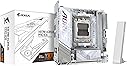
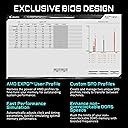
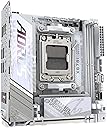
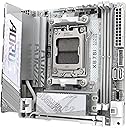
Mini-ITX motherboard for AMD Ryzen 9000/8000/7000 series processors with AMD X870 chipset. Form Factor: Mini-ITX (6.7 x 6.7 inches (170 x 170 mm) Chipset: AMD X870 CPU Socket/Supported CPU: AMD Socket AM5, AMD Ryzen 9000/8000/7000 series processors. Power Phase: 8+2+1 110A SPS Power Phase Memory Socket: 2 x DDR5 DIMM slots up to 128 GB Supported Memory: DDR5 4400 - 8800 (OC), AMD EXPO, XMP (Intel XMP3.0) Expansion slot: PCIe 5.0 x16 x 1 Storage: M.2 x 2 (PCIe 5.0 x 1, PCIe 4.0 x 1), SATA 3 x 2 Video Output: USB 4 Type-C (DP-Alt) x 1, HDMI 2.1 x 1 USB (rear): USB 4 Type-C x 1, USB 3.2 Gen2 Type-C x 1, USB 3.2 Gen2 Type-A x 2, USB 3.2 Gen1 Type-A x 2, USB 2.0 Type-A x 2. USB (front): USB 3.2 Gen2 Type-C header x 1, USB 3.2 Gen1 header x 2, USB 2.0 header x 2. Sound: 2ch HD Audio Codec (Realtek ALC4080) Network: Wired LAN 2.5GbE, Wireless LAN Wi-Fi 7, Bluetooth 5.4 Compatible operating system: Windows 11 64bit Accessories: Quick installation guide, WiFi antenna, SATA cable x 2, fan power extension cable x 2, case screws, M.2 screws, thermal pad kit. Review: No es confiable - No la recomiendo, el controlador argb de la mother falló después de 2 meses dejando inútiles los conectores argb y el led de cpu (rojo) permanentemente encendido . En foros se ve que es un error común y las soluciones que da la marca solo son RMAs burocráticos, lentos y con costo al usuario final. Nada aceptable para un producto Review: Great full featured MB - This is a fantastic MB for a small build. I am using a 7950X with 64GB and a 240mm Rad in a small box as a media server, and spare pc. Lots of connectors for fans, but I still added a couple of 2 to 1 connectors for additional fans. I had a spare 3090 kicking around, and this was the obvious choice. It's all a bit overkill for the main purpose of this machine, but handy for running a couple of VMs for media, and gaming when I get kicked out of the living room.




| ASIN | B083WG2VDF |
| Brand | GIGABYTE |
| Brand Name | GIGABYTE |
| CPU Model | Ryzen 7 |
| CPU Socket | Socket AM5 |
| Chipset Family | AMD X870 |
| Chipset Type | AMD X870 |
| Compatible Devices | Personal Computer |
| Compatible Processors | AMD Ryzen 9000 / Ryzen 8000 / Ryzen 7000 Series Processors |
| Customer Reviews | 4.1 out of 5 stars 102 Reviews |
| DriveMemory Storage Capacity | 128 GB |
| Graphics Card Interface | PCI Express |
| Main Power Connector Type | 24-Pin |
| Manufacturer | GIGABYTE |
| Manufacturer Part Number | X870I AORUS PRO ICE |
| Memory Clock Speed | 5200 MHz |
| Memory Slots Available | 2 |
| Model Name | X870I AORUS PRO ICE |
| Model Number | X870I AORUS PRO ICE |
| Number Of Ports | 17 |
| Number of Ethernet Ports | 1 |
| Number of Items | 1 |
| Platform | Windows, Windows 11 |
| Processor Socket | Socket AM5 |
| RAM Memory Technology | DDR5 |
| System Bus Standard Supported | SATA 6 |
| Total HDMI Port | 1 |
| Total PCIe Ports | 4 |
| Total SATA Ports | 4 |
| Total USB Ports | 8 |
| UPC | 889523045930 |
K**N
No es confiable
No la recomiendo, el controlador argb de la mother falló después de 2 meses dejando inútiles los conectores argb y el led de cpu (rojo) permanentemente encendido . En foros se ve que es un error común y las soluciones que da la marca solo son RMAs burocráticos, lentos y con costo al usuario final. Nada aceptable para un producto
D**C
Great full featured MB
This is a fantastic MB for a small build. I am using a 7950X with 64GB and a 240mm Rad in a small box as a media server, and spare pc. Lots of connectors for fans, but I still added a couple of 2 to 1 connectors for additional fans. I had a spare 3090 kicking around, and this was the obvious choice. It's all a bit overkill for the main purpose of this machine, but handy for running a couple of VMs for media, and gaming when I get kicked out of the living room.
O**E
Only white X870 ITX board right now.
Used this board to build a white themed SFF build. Practicality the only white X870 itx motherboard out right now. Have had it for around a month running a 9800X3D with 32GB of ram at 6400mhz. Everything is great so far. My system runs great, and looks amazing. But it needed multiple bios updates, as it looked like my board came with a pre-release bios of some sort. I do have some minor complaints though. -No onboard RGB lighting, only RGB headers for other products. Though some people would consider this a win. -VRMs run pretty warm without dedicated airflow over the heatsink. You would think that for $300 Gigabyte would engineer a better solution for the VRMs and chipset. I bought a cooper M.2 heatsink and plunked it on the side of the flat part of the heatsink above the VRMs (next to the CPU) with some thermal tape, just for some peace of mind. Makes it look prettier at least, lol. -The SSD fan runs at max speed by default, and is loud by nature. Definitely tune it down in BIOS when setting up. -No optical out audio, a standard audio port that has been included in virtually any other device for decades. Not really a big deal in the real world, but I don't get why they didn't include it. There is clearly room on the back of the board, and cost-savings on this board shouldn't be a concern for Gigabyte. -No built-in temperature probe headers for adding thermal sensors around your system. This means that if you decide to watercool your system, like I did, you'll have to rely on traditional thermal sensors on the board instead to control pumps and fans. Which means you are gonna need to take some extra time and patience to tune your cooling setup for your noise to performance preference. On my other water-cooled builds, I used fittings with embedded thermal sensors monitoring coolant temperature to control all my fans/pumps. Every one of them was dead silent for that reason. Again for $300, I would expect for Gigabyte to spare the extra few cents in manufacturing for a two-pin header that literally exists on their other boards from previous generations. Why they forgot to include at least one, in an expensive enthusiast motherboard, is beyond me. I got around this in my build by controlling everything with the VRM's temperature. Solid and stable motherboard overall. It's pricey though, and there is not much to differentiate it from B850 boards to justify a $300 price tag, in my opinion.
A**ー
数少ない選択肢の候補
ミニITXを選ぶ人はそもそもケースなどに制約を設けてる人なので数少ない選択肢から最良を選ぼうとするはずでX870の白という条件ならこのマザボ以外にあまり選べる選択肢は無い。ただ単にこの大きさのマザボを検討してる人でも最上位クラスのx870を検討されるなら候補に入れていいと思う。
K**D
high-end
It will open up specs for upgrades and all of the hardware potentials
Trustpilot
1 month ago
1 month ago