Desertcart purchases this item on your behalf and handles shipping, customs, and support to Tunisia.
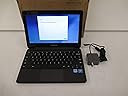
🚀 Power through your day with Samsung Chromebook 3 — where reliability meets sleek efficiency!
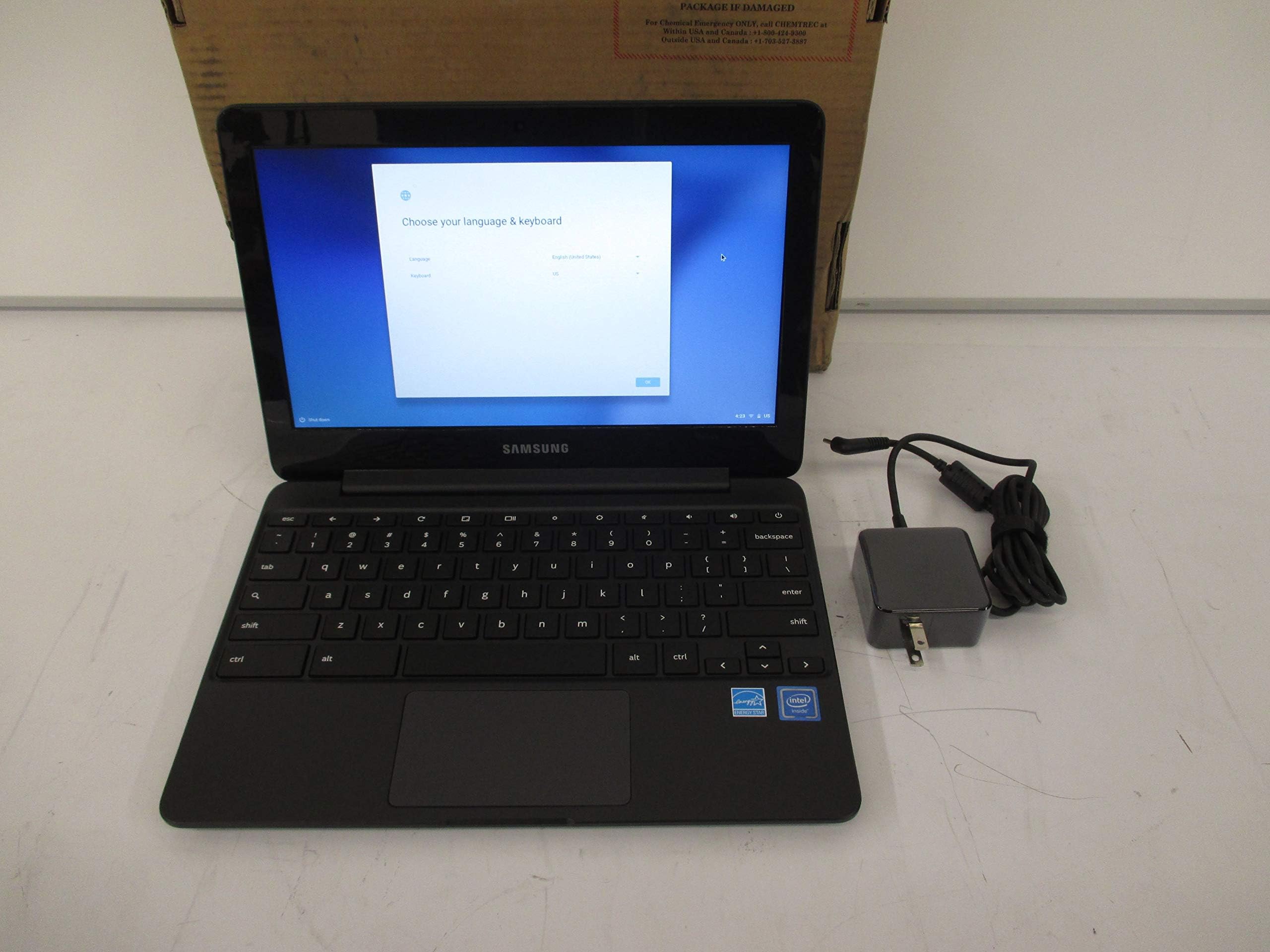
The Samsung Chromebook 3 (11.6”) combines an efficient Intel Celeron N3060 processor with 4GB RAM and 64GB eMMC storage, delivering smooth performance for everyday tasks. Its standout 11-hour battery life and spill-resistant keyboard make it ideal for busy professionals and students on the move. Featuring an anti-reflective HD display and built-in security with Chrome OS, this lightweight, durable laptop ensures seamless access to Google apps and cloud backup, all at an unbeatable price point.
| ASIN | B07D4Z8FY7 |
| Audio Output Type | Speakers |
| Automatic Backup Software Included | Chrome OS |
| Battery Average Life Standby | 11 hours |
| Battery Cell Type | Lithium Ion |
| Battery Life | 11 hours |
| Best Sellers Rank | #93,756 in Computers & Accessories ( See Top 100 in Computers & Accessories ) #16,930 in Traditional Laptop Computers |
| Bluetooth Version | 4 |
| Brand | Samsung |
| Built-In Media | Samsung Chromebook 3 4GB (2018), Adapter, Power Cord, Quick Strart Guide, Software Guide, Warranty Card (only for US) |
| CPU Codename | Braswell |
| CPU L2 Cache | 2 MB |
| CPU L3 Cache | 2 MB |
| CPU Model | Celeron N |
| CPU Model Generation | Skylake |
| CPU Model Number | XE500C13-K06US |
| CPU Model Speed Maximum | 2.48 GHz |
| Cellular Technology | WIFI only |
| Chipset Type | Intel Braswell Chipset |
| Color | Black |
| Compatible Devices | Devices with WIFI and Chrome OS compatibility |
| Compatible Flash Memory Type | SD |
| Connectivity Technology | Bluetooth, HDMI, USB |
| Control Method | Touch |
| Customer Reviews | 4.4 out of 5 stars 1,467 Reviews |
| Display Maximum Resolution | 1366 x 768 |
| Display Refresh Rate in Hertz | 60 |
| Display Resolution Maximum | 1366x768 pixels |
| Display Technology | LED |
| Display Type | LED |
| Form Factor | Chromebook |
| Global Trade Identification Number | 00887276278773 |
| Graphics Card Ram | 4 GB |
| Graphics Coprocessor | Intel HD Graphics 400 |
| Graphics Description | Integrated |
| Graphics Ram Type | DDR3 SDRAM |
| Hard Disk Description | SSD |
| Hard Disk Interface | ATA-5 |
| Hard Disk Rotational Speed | 1 |
| Hard Disk Size | 64 GB |
| Hard-Drive Size | 64 GB |
| Hardware Interface | Bluetooth |
| Human-Interface Input | Touch Pad |
| Item Dimensions L x W x Thickness | 11.37"L x 0.7"W x 8.04"Th |
| Item Type Name | Samsung Chromebook 3 (XE500C13-K06US) |
| Item Weight | 2.5 pounds |
| Keyboard Description | Spill resistant keyboard protects against accidental Damage |
| Keyboard Layout | QWERTY |
| Lithium-Battery Energy Content | 33 watt-hours |
| Manufacturer | Samsung IT |
| Memory Clock Speed | 2400 MHz |
| Memory Storage Capacity | 64 GB |
| Mfr Part Number | XE500C13-K06US |
| Microphone Form Factor | Built-In |
| Model Name | Samsung Chromebook |
| Model Number | XE500C13-K06US |
| Model Series | Chromebook 3 |
| Model Year | 2018 |
| Native Resolution | 1366 x 768 pixels |
| Notebook Pointing Device Description | Clickpad |
| Number of Items | 1 |
| Number of Packs | 1 |
| Number of Ports | 7 |
| Operating System | Chrome OS |
| Operating System Family | ChromeOS, Windows |
| Other Special Features of the Product | Spill Resistant |
| Power Device | Rechargeable Lithium-ion Battery, 2 Cells / Li-Ion, 4400 mAh, 11 hours, 26 W AC Adapter |
| Processor Brand | Intel |
| Processor Count | 2 |
| Processor Series | Celeron N |
| Processor Speed | 1.6 GHz |
| RAM Memory Installed | 64 GB |
| RAM Memory Slot Total Count | 2 |
| RAM Memory Technology | DDR3 |
| RAM Size | 4 GB |
| RAM Type | GDDR3 |
| Ram Memory Maximum Size | 64 GB |
| Resolution | 720p |
| Screen Finish | Anti-reflective |
| Screen Size | 11.6 inches |
| Specific Uses For Product | Personal |
| Total Number of HDMI Ports | 1 |
| Total Thunderbolt Ports | 2 |
| Total Usb Ports | 2 |
| Touch Screen Type | Chromebook |
| Touchpad Feature | Clickpad |
| UPC | 887276278773 |
| Unit Count | 1 Count |
| Video Output | HDMI |
| Video Processor | Samsung |
| Voltage | 120240 volts |
| Warranty Description | 1 Year |
| Warranty Type | Limited |
| Wi-Fi Generation | Wi-Fi 5 |
| Wireless Compability | Bluetooth |
| Wireless Technology | Bluetooth, Wi-Fi |
T**N
The most affordable 64gb Chromebook on the market.
I’ve been using this Chromebook for about a week prior to writing this review. So far, I’m impressed with the amount of value Samsung brought to this device. The N3060 processor is perfectly suitable for my daily tasks. This Chromebook is able to stream 1080p/60fps videos, load ad/image-heavy websites relatively fast, multitask without slowdown, and run Android apps/games well. For example, 3d games such as Max Payne, GTA San Andreas, and Star Wars KOTR from the Google Play Store are perfectly playable at their default settings (If you’re wondering about the controller, the DualShock 3 is compatible with this model). As for the general build quality, I have no complaints. The spill-resistant keyboard is comfortable to type on, the mousepad is responsive, and the design of this laptop both looks and feels more premium than the price suggests. The only downside I have for this laptop is the screen. Compared with my old Chromebook, the Acer Chromebook 11 (2016), it’s no contest. The IPS screen on the Acer Chromebook has much better viewing angles and the colors are more saturated. That being said, I wouldn’t say that the screen on the CB3 is bad. The colors are decent when you find an optimal viewing angle and the anti-reflective screen is well suited for brightly-lit environments. You can tilt the screen about 30 degrees outside of the optimal viewing angle before the colors get washed out. Also, I've had no issues running this Chromebook through my 1080p monitor. In the future, the Samsung Chromebook 3 will have Linux support with Crostini. Currently, you can switch this Chromebook to the Canary channel to test this feature out. Unfortunately, I was unable to get Linux to work because of mounting issues. Hopefully Google will get this feature ironed out in the future, since having 64gb of storage is optimal for installing a plethora of Linux apps. To conclude this review, I’d recommend this Chromebook to anyone that wants to install both Linux apps (either with crouton or crostini) and Android Apps on their Chromebook. Having 50gb of usable internal storage makes this Chromebook an excellent device to use both online and offline. Pros 1. Decent processor with 4gb of RAM 2. Anti-glare screen 3. Comfortable keyboard and responsive trackpad 4. Less than $300 5. 8-10 hours of battery life 6. Google Play is supported and Crostini (Linux apps inside Chrome OS) is coming in the near future. Cons 1. Colors get washed out when the screen is tilted out of optimal range. 2. Quiet speakers *Update - 1.5 months later* The Samsung Chromebook 3 officially supports Crostini Linux in the beta channel. Even though I initially had a few issues getting the terminal to install on this Chromebook, Linux apps work quite well. For example, the Libre Office suite (a Linux substitute for Microsoft Office) works very well and I haven't experienced any crashes with it. The same thing can be said for Filezilla, Gimp photo editor, and GnuCash. However, if you're using Linux apps that rely on sound and video/graphics (Spotify desktop, VLC Media Player, watching videos through Firefox, games with Steam), the performance is quite laggy and all of these apps have audio problems (scratchy audio or none at all). Therefore, it still has a long ways to go when it comes to replacing a dedicated Linux distro. If you're interested with a smoother Linux experience with this Chromebook, I'd recommend installing Gallium OS and dual boot it with chrx. I was able to get Counter Strike GO playable through steam (at very-low graphics) and the rest of the apps I've had problems with in Crostini worked in Gallium.
K**N
Definitely a good little machine for the price!
So, I'm going to be comparing this Chromebook with the really well rated Asus Flip. I wouldn't have changed, except for the fact that the screen on my Flip cracked when I was bumped into and dropped my backpack. Pros: It just looks more expensive/high end. The Asus Flip, in my opinion, looks cheap. This laptop looks like a sleek little machine. The screen is sharper and the colors are brighter. Nearly $80 cheaper for the same specs. The Flip has a touch screen, sure, but not a very good one. I constantly found it registering touches all the way across the screen from where I touched. The hinge feels very durable, far more durable than the Flip. The Flip hinge wobbled every time I even used the touchscreen. Touchpad flows a lot better and it's slightly bigger. HDMI port, SD card port, and 2 USB-A ports. Good enough! Cons: The keyboard is noticeably smaller, so I find myself making a few typing mistakes. I'm sure this will go away as I use the laptop more and more. The charger!!! Really, Samsung? A unique charger in this day and age? It was so nice to only have to carry one charger for my phone, laptop, and Switch (USB-C for all 3). This laptop has a unique charger and it's really irksome. The future is USB-C, and I'm not sure why Samsung refuses to jump onboard. Like other reviews have said, it does get smudgy. I would invest in a skin or a hard snap on case. Overall, for the price, it is great. I bought this in a pinch because my Flip screen is totally destroyed from the drop and I'm a college student who needs a laptop. I would definitely recommend this laptop over the Flip.
S**.
Good out of the box
Have been using this for about days now and out of the box, I am happy with it. It seems very fast, and functions as expected. So far the battery life seems great but it does take a long time to reach a full charge. Very disappointed that it does not have a back lit keyboard - its the one feature that is missing that would make it 5 stars. UPDATE APRIL 1, 2020 (mid-COVID 19 pandemic): The speed of the browser and apps is still great - no issues there. The battery life is great - I can go a few days of use without having to charge it and while it does take a bit to charge it, its not an issue. I am having issues with the internet. I have a strong signal on the wifi (with other devices connected with no issues) and the laptop does not stay connected, runs slowly and its IMPOSSIBLE to do a video conference which is a huge disappointment. I am hoping it is something i can fix but at this point if I can't find a solution I am going to have to start exploring other computer options - its that bad!
W**R
Works well
It does not have a touch screen. We did get a mouse as I find a mouse more convenient than the touch pad. the battery lasts pretty good. It is easy to use and no slow downs for watching Hulu, reading email, youtube or facebook. It also runs an app for remote control of my camera with the screen ideal for wireless tethered shooting. My wife plays many not first person shooter game although it is not gamer machine. We use our phone as a hotspot when out camping, etc and it is slower than home wifi which is the limits of a 4G signal to the phone. Still I can watch videos or Hulu on it that way. When a product works well, they are all good. When something goes wrong, is when the good companies stand out. We had an issue and Samsung took care of it quickly and easily (for us). To me that is most important and why I would recommend this and purchase Samsung if I was to buy another one.
B**S
Perfect for me
I’m a high school student and our school has very similar chromebooks so I decided to buy one. Oh boy it’s so convenient! I seriously love this chromebook. I mean, there’re definitely better, more expensive ones out there but I think this one is more than enough. For me I do a lot of my work on google and with google apps - chromebooks work so well with them. I think it’s fairly stylish and the size is very portable - I can easily stuff it in my backpack and bring it everywhere with me. I haven’t encountered a lagging problem so far despite having at least 25+ tabs open at once (I work on different projects and it’s very convenient this way). Battery life is amazing as well, and charges super fast. It can easily get through whole school day (~2-5 hours of use on average) on 50% battery and I’ve never had it die on me once. Definitely not for gaming but this chromebook is super convenient for work and studying.
T**A
AWESOME PRODUCT!!! AWESOME PRICE!!!
I bought this for my daughter as she needed the chrome book for school. This was the one recommended by an I.T. Guy. We received it within days. I was extremely surprised at how light it was. My daughter had it up and running in no time. The battery life is awesome!!! The keyboard was awkward for me only because I am used to a full-size lap top keyboard. The only issue I had was it took me quite some time to set it up and connect it to our printer. I was concerned I I would now have to buy a printer new printer that would be compatible. That being said, I am sure a majority of that was operator error and our printer is 5 years old. However after some time and having to use my phone to follow the directions it finally connected. The little bit I have used this, I am very, very impressed!!! I am even contemplating switching to this when my iPad crashes.
M**S
I love this thing and I don’t love computers
This is so lightweight and has everything you need. I do most stuff on my phone and am sick of laptops that crash and Stress me out. This is basically a giant phone with a keyboard so you can do google docs, sheets, slides. I made a wix website on it with no problem. Long battery life is cool and real, great to watch Netflix in bed. It’s plug and play — no hassle to set up. This is a great value for money and I honestly didn’t know it was touchscreen until filling this out.
B**L
Thoroughly Adequate
Let me preface this review by saying I'm writing this from the perspective of the deep discounts this Chromebook periodically gets. I paid about $160 and feel I got my money's worth. If it's currently going for significantly more, you can do better with your money. The Samsung Chromebook 3 is in every way "adequate", and embodies much of what people expect from a cheaper Chromebook. It has possibly the worst screen I've used this decade, with obvious color distortions at what should be natural viewing angles. The trackpad is just a little less sensitive than a multi-touch pad should be, leading to occasional failed gestures. The processing power is sufficient for most web, video and app usage, but can start to get a little unresponsive under heavier loads. The case is noticeably bulkier than what I expect from an 11.6" model and has a very cheap feel. About the only genuinely nice thing to say about this thing is the storage size. 64 GB is basically unheard of at this price point. Far nicer sub-$300 books cap at 32 GB. That's not nothing, considering this model supports both Android apps and the experimental Crostini Linux container. If you're using Android video apps that support offline downloading or installing more than a few Linux programs, filling that up is trivially inevitable. All of that adds up to a book that "gets the job done". If you're looking for a cheap introduction to the world of Chromebooks and it's on sale, it can be your disposable workhorse. It supports all the features the platform has to offer with a lot of storage. But if you've got a bit more cash to burn, there are more polished models out there for not a lot more money.
Trustpilot
1 month ago
3 days ago