


Desertcart purchases this item on your behalf and handles shipping, customs, and support to Tunisia.
🔄 Elevate your workspace: Two devices, one screen, zero hassle!
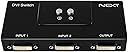
The Next By Athena DVI 2 Port Manual Switch Box enables seamless manual switching between two DVI devices on a single monitor or projector, supporting full HD 1920x1080 resolution with no power supply needed. Its compact design and broad compatibility make it an essential tool for multitasking professionals seeking efficient workspace management.
| ASIN | B07489JJHF |
| Best Sellers Rank | 52,018 in Computers & Accessories ( See Top 100 in Computers & Accessories ) 116 in DVI to HDMI Adapters |
| Brand | Next By Athena |
| Brand Name | Next By Athena |
| Cable Type | DVI |
| Cable type | DVI |
| Color | black / black |
| Colour | black / black |
| Compatible Devices | Camera, Monitor |
| Compatible devices | Camera, Monitor |
| Connector Type Used on Cable | DVI |
| Connector type | DVI |
| Country of Origin | China |
| Customer Reviews | 4.3 out of 5 stars 586 Reviews |
| Item Dimensions D x W x H | 25D x 157W x 25H centimetres |
| Item Weight | 191 g |
| Manufacturer | ez-net |
| Manufacturer Part Number | 202S |
| Model Number | 202S |
| Number of Ports | 2 |
| Number of ports | 2 |
R**L
Does exactly what it needs to do with no fuss
Wanted to leave a review as I'm really impressed with this little box. It does exactly what I need it to do and I've had no issues in my first month of use. I have 1 monitor I use for both work (2nd monitor to a laptop) and my PC (primary monitor). This box saves me unplugging/replugging the monitor in every time I want to switch input and doesn't need its own power. I've also not noticed any quality difference over using the cables directly and have no problems with the buttons.
A**R
Nice piece of kit
I use 2 computers, one more powerful than the other and each with its own monitor. But I wished to connect both to the larger monitor of the 2. My computers have Display Port connectivity, but the Monitors DDI. The NEXTU switch enabled me to connect each computer to inputs 1 & 2 using Display Port to DDI cables and the shared monitor to the output using a DDI to DDI cable. The switch works perfectly and gives me exactly what I wanted. I'm well pleased.
D**L
It works.
I needed this so i could use swap between my second monitor showing my computer and showing my nintendo switch and it works very well, make sure you get some decent dvi-d cables with long screws.
J**N
Just perfect
Dammit i should have bought that years ago, it is PERFECT. I have one computer connected to a TV screen and a screen on a desk, at such an angle that I cannot see both at the same time. I use to have to deal with either mirroring the screen (which crop the ratio and have an un-ideal resolution for one of the screen) or extend, but then having to move everytime a window open on the wrong screen. With this, on the press of a button, my PC becomes a media center with no loss of quality. Audio is being transmitted as well to the TV. It's entirely mechanical as well so doesn't require an extra power outlet. Money very well spent. + Doesn't require power plug + Instanteneous + Carries audio as well + Satisfying click when selecting one or the other - Really not a problem for me, but I guess some people would like a remote control ? (Which of course means you then need a power plug, definitely more happy like that)
D**R
Works well for switching between two dvi inputs to one screen
Excellent product for switching between two dvi inputs. I needed to go from a pc and laptop to single screen and this did the job superbly. Mechanical robust buttons for each input and no power needed.
M**.
Worked with MAC - Just what I wanted
I have a PC with two monitors. I also have a work MAC book I figured it would be nice to use one of my Pc monitors with my MAC when using at home.. This was fine but a bit of a pain unplugging the PC cable from the nonitor an plugging the MAC in.. So bough this box. 1) Plugged the PC cable of chosen monitor into the output of this box instead of the monitor 2) Plugged a DVI to DVI cable from the monitor to input 1 (like this https://www.amazon.co.uk/gp/product/B0131RQTA8/ref=ppx_yo_dt_b_asin_title_o00_s00?ie=UTF8&psc=1) AmazonBasics DVI to DVI Cable 3) Plugged a DVI to to HDMI cable into INPUT 2 The HDMI goes into the MAC when I want to use it. Otherwise it just sits there ready. Something like this: https://www.amazon.co.uk/AmazonBasics-Adapter-Cable-Latest-Standard-Black/dp/B014I8UL8U/ref=sr_1_3?crid=RKS6GSH1O6IA&keywords=dvi+to+hdmi&qid=1564218410&s=electronics&sprefix=dvi+to+hd%2Celectronics%2C137&sr=1-3 Now I just press button 1 and have both monitors on my PC ..Orr button 2 and have one momitor om PC and the other is used by the MAC Simple as that Some peoople said they had issues with MAc but works fine for me.
D**H
IT DIDN'T DO WHAT IT SAYS ON THE BOX
I bought this for our holidy house in France so that I could switch between my laptop screen and the PC screen in situ. Channel 1 was OK, but channel 2 had no signal. I switched the cables round to check that they were OK, which they were, so it was definitely the box. I was in France, so I couldn't return it! By the time I got back to UK, I'd missed the deadline. A complete failure all round. Moral: check to see if the item works as soon as you get it.
D**Y
No nonsense product - works well - easy to use.
Does the job well - no flicker or interference - clean switching between 2 PCs - using it lot while in lockdown with my work laptop and home PC!!.
M**O
ottimo
semplice da usare
J**C
Simple device but so handy
I have my personal laptop that I use nightly and my work laptop that I use for working from home. At the end of the day I kept swapping cables to my secondary monitor that was connected via USB-C to DVI between the work laptop and the personal laptop. It was a pain to have to snake that cable around cameras and other cables each night when I wanted to work on my laptop. I was also worried about the wear and tear of constantly removing the cable from the usbc port and back in etc. This eliminates all that, first I had to buy another usbc to DVI cable, plug one into Input1 and the other into Input2 and the Output using a DVI to DVI cable to the monitor. Now I just press a button for 1 or a button for 2 and it automatically switches over. Wish I bought this a year ago.
J**S
FUNCIONANDO al 100%
El envío como siempre de 10, y el selector de puertos funcionando a la perfección.
A**R
Great, wish they had a triple input/single output version
I bought this to connect some older monitors into my work from home setup. The monitors only had one VGA and one DVI in, and I had 3 PCs to connect, so I needed a solution that would give me more inputs. I found this product, and gave it a try. They work great! I used some double-sided adhesive to mount them on the back of the monitors, connected the cables, and it just worked. Overall, their construction is good. They aren’t terribly heavy, so I would recommend securing them to either your desk or monitor, and the switch buttons are pretty simple, so don’t slap them too hard, and they should work just fine. Build quality is good, they just used fairly cheap materials. If you have an older monitor that just needs the extra inputs, this is a great solution - I just wish they had a model that had 3 inputs to a single output, then I could use just a single switch box!
C**B
Solides Gerät
Die Kabel lassen sich einfach aufschrauben, die Umschaltung erfolgt mühelos über die Drucktasten. Kein Schnickschnack - solide Mechanik. Mehr braucht man dafür nicht.
Trustpilot
1 day ago
2 weeks ago