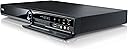
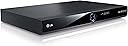
๐ฌ Elevate your home entertainmentโrecord, store, and relive every moment with LG RHT599H!
The LG RHT599H is a sleek 500GB HDD DVD recorder featuring a built-in Freeview+ tuner that grants access to over 40 digital channels. It offers seamless recording of up to 935 hours of content, fast DVD archiving, and supports multiple media formats including DivX, MKV, and MP3. With HDMI and USB connectivity, this device integrates effortlessly into your home entertainment setup, delivering professional-grade recording and playback with user-friendly operation.
| Analog Video Format | PAL |
| Asin | B007HZHEKA |
| Audio Output Mode | Stereo |
| Best Sellers Rank | 131,478 in Electronics & Photo (See Top 100 in Electronics & Photo) 39 in DVD Recorders |
| Brand Name | LG |
| Colour | Black |
| Compatible Devices | Television |
| Connectivity Technology | USB |
| Connector Type | HDMI |
| Customer Reviews | 3.9 3.9 out of 5 stars (91) 3.9 out of 5 stars |
| File Format | DivX, MKV, JPEG, MP3, WMA, MPEG4 |
| Item Weight | 0.01 Pounds |
| Manufacturer | LG |
| Manufacturer Part Number | RHT599H |
| Media Type | Blu-Ray Disc, CD, DVD, SVCD, VCD |
| Model Name | RHT599H |
| Model Number | RHT599H |
| Number Of Channels | 4 |
| Number Of Items | 1 |
| Other Special Features Of The Product | 500GB HDD, Freeview Tuner, HDMI, USB |
| Resolution | 1920x1080 |
| Supported Audio Format | Dolby Digital, DTS, MP3, WMA |
| Surround Sound Channel Configuration | 4.0 |
| Total Hdmi Port | 1 |
| Unit Count | 1.0 count |
| Video Encoding | H.264/AVC, H.265/HEVC |
| Video Output Resolution | 1080p |
User
So far so good
Received this today. Very well packaged, promptly delivered and a good price (ยฃ14 less than when I first checked it out a couple of weeks ago) - ยฃ190.Bought to replace our vintage LG VCR/DVD player which still works fine but is hopelessly out of date now, and a bit of a brick.Setup was very straightforward. We have Virginmedia so it was just a case of unplugging the old VCR and plugging this one in. It automatically searched for channels but once it had found the cable feed I stopped it looking further. Although it has Freeview+ built-in we won't be using it unless Virgin wacks the subs up too high! There are tons of bells and whistles so we started by just making sure we had it connected up correctly so as to see TV this evening with the recorder turned on and turned off (i.e. pass through). No problem.We then tried a brief recording just to learn how to do it and, again, it's very straightforward as long as you read through the relevant bit in the brief but sufficient manual. Frankly, once you've set up one recording it's pretty much second nature and logical. One pleasant surprise was the lack of tape noise (obviously!). 500Gb seems loads of space (compared to our old 3 hours max) but I'm sure we'll soon be filling it with all sorts of stuff.Next step will be burning to DVD.A very neat, trim piece of kit.If I can work out how to do it I will update this review as we try out all its capabilities over the next few weeks.update 6th April, 2013Continuing to work well. Copying (dubbing) to DVD very simple and fast - as long as you remember to set it to the 'fast' option. I set my first DVD copy to SP (standard play) so it played the recording and dubbed it in real time. My second one took about 4 minutes for a recording of about 1hr 40mins. The timeslip feature is very good. Once you start recording, if you missed the beginning then, as long as the recording is at least 15 seconds into the programme then you can get it to play it from the beginning while it continues to record the rest of the programme.I used Amazon generic blank DVD+R disks. Formatting was straightforward, page 26 of the little manual, as was finalising. Both recorded DVDs run fine on the player and on my PC.
User
Brilliant. I would buy two more if I got the chance.
I bought two of these machines and they are absolutely brilliant. I just love them. They can record up to around two thousand hours at a low quality setting which is not visually great, but may be useful for low-cost security purposes. However if you set it correctly, it can record over 500 hours of high quality recordings. The programing could not be easier, just look up what you want to record in the program guide and press 'record'. When doing it this way, the machine sometime makes mistakes, so after setting a recording time from the guide, go into 'TIMERS' and highlight what you selected, the program title will be shown, then extend the start and finish times. When you do this, the program title will disappear but this does not matter as you can re-enter it after the recording is complete. Of course, you can enter what you want to record straight into 'TIMERS'. It is possible to cut/add/move edit anything which has been recorded and it can also burn to DVD anything you have recorded that you want to archive, therefore super-good for the home-movie buffs. If a retailer can supply me with more of these LG RHT599H 500GB HDD DVD Recorders with Freeview+ at the price I paid for the first two, contact me, I want two more.
User
LG RHT599H RECORDER
I WAS A BIT DUBIOUS ABOUT BUYING THIS UNIT AFTER READING SEVERAL REVIEWS ABOUT IT. OK, I'V HAD IT ABOUT A MONTH AND TWO THINGS STAND OUT AS GRIM; THE WAITING TIME BEFORE ANYTHING HAPPENS AFTER PRESSING THE KEY PAD IS PAINFULLY SLOW, SEVERAL TIMES I THOUGHT THE UNIT HAD RETIRED FOR THE DAY. THE KEY PAD -- OH DEAR! OK FOR CHILDRENS FINGERS BUT VERY FRUSTRATING FOR A GROWN MALE. THE KEYS ARE TOO SMALL, MUCH TOO SMALL. HOWEVER, GOOD POINTS OUTWEIGH THE BAD; EASY HDD RECORDING AND PLAYBACK, AS IS DVD, FIRST TIME SETUP DOES ITSELF, HDMI TAKES SEVERAL MINUTES, PLENTY OF ONSCREEN INFORMATION, EXCELLENT SIZE HDD... AFTER READING REVIEWS OF A NUMBER OF OTHER RECORDERS AND THEIR DOWNFALLS, I'M GETTING USED TO THE TWO GRIM POINTS OF THE 599H AND CONSIDER THE UNIT A VERY GOOD BUY.
User
This machine is now a NO-NO for me!
After buying an LG television, I thought I should buy the LG HDD DVD Recorder to keep it all compatible and invested in both at the same time. While the Electronic Programme Guide is useful for recording programmes, especially films, I discovered the editing facility completely let the HDD machine down! Every programme recorded has a second or so of a previous introduction or advert and the editing refuses to remove this! I then discovered that the films I recorded on channels like ITV, Channel 4 and Film 4 - where there are adverts - the editing, despite showing the start and end in the preview windows, actually fails to delete the channel cards advertising the name of the programme recorded during every advert break! Hence, I am very disappointed with LG. If you are looking for a machine where you can keep recordings and edit them then the LG RHT599H HDD DVD Recorder with Freeview+ (er Freeview+...?) should be avoided. If you just want something to record a soap on, and then delete afterwards, then the LG RHT599H is more than adequate.UPDATE: Three weeks after receiving this machine, the aerial connection failed and all I received was static on the screen. When I finally got a window to come up it wanted a password! Amazon very kindly allowed me to return the machine but then a friend suggested 'factory settings'. I did this and BINGO! everything was okay! BUT, a week later - TWO DAYS BEFORE CHRISTMAS! - after recording movies and Merlin, when I went to watch the programme, despite saying it was 45mins in length (correct!) it only played a few seconds and said there was a hard disk error! I copied the programme to a DVD and - you guessed it! - DVD reading error!I am returning this HDD DVD Recorder to Amazon (who were very sympathetic and understanding - so a thousand thanks to their customer service team), which I should have done a week ago, and am looking for an alternative make - maybe go back to Sony! I just wished I hadn't also invested in the LG television, which I hope doesn't let me down over Christmas!!!
User
Does the job.
I bought this product to replace a very old Lite-on dvd recorder when my region recently switched over to digital. I've had it about a month now and am so far very impressed. Picture and sound quality are excellent which naturally was my main requirement. Setup was simple, just connected it to my Samsung TV using a HDMI cable and followed the on screen instructions.To configure the remote to operate your TV just follow the instruction booklet to the letter but don't expect to see anything on the screen while doing this as I did. It just works.The HDD is huge and I haven't come close to filling it up yet, it will record about 250 hours in SP mode. The unit looks good and is very quiet and is unnoticeable while watching a recorded program on the TV.One minor niggle is that the auto chapter setting which I've set at every 15 minutes only seems to work on the DVD drive and not on the HDD but maybe I'm doing something wrong there. You can set chapter marks manually using the remote.All in all I'm very happy with the LG RHT599H and would recommend it.
User
BEAUTIFUL BODY, GREAT MIND
I have been using this LG recorder almost on a daily basis for over five months now and, so far, I can sing its' praises all the way - much unlike its very first generation predecessor which packed up after two years of lazy work. And of course one shouldn't judge by looks but in this case it is very much an added advantage. This is a great looking piece of equipment that also happens to function very well! I've got the audio part connected to my 12 channel mixer which enables me to record and play from various sources.Though a teeny weeny bit slow to react to remote control instructions, everything works as expected. And that is my one and only gripe with this LG Recorder - hence the four stars rather than full marks (believe me I am being quite stingy and picky here.) Otherwise, I am completely delighted with the quality and performance.Easily recommended.
User
Simple to use.
I bought this LG as i had bought my partner an LG for Christmas and he has nothing but praise for it. I have bought the same brand but upped the HDD storage. I have found that,from scratch,the LG has been very easy to use and the instructions are very easy to follow. The recording quality is very good but i have only used the XP setting for the quality as i have not recorded vast amounts that would require me to lengthen it to LP or more. The LG is respectably quiet and the only time that i hear it is when i switch the TV off for the night and then you can just make out the hum of the machine. It is a reasonable size but thin and very slick looking. The first set up is very easy as well as it virtually does it by itself. I have only used the HDD to record onto but i have used the DVD player to watch DVDs and that is as you would expect from any DVD player. I would recommend this item to anyone who has to buy a new recorder to replace a broken item or just needs to,as i had to,upgrade so that i they can carry on watching and recording after the Digital switchover.
User
LG RHT599H 500GB HDD DVD Recorder with Freeview+
This unit has had 2 glitches (failures) so far in the 4 weeks that I have had it. Like all combined DVD and HDD recorders it suffers from the odd glitch.It is NOT logical or intuitive to use once you get beyond a simple record a TV program. If you want logic and greater simplicity in use then buy a Panasonic.PROBLEM AREAS:On initial setup it failed to find and store all of the available Freeview channels (including the main ITV ones). But, on doing a full re-scan the unit did appear to find and store all available channels.It failed to record a BBC program (2nd of 4) set on series record.Other than a simple record (one off for one program) setting record from the guide is NOT intuitive and the various options are not explained in the brief instruction booklet. Series record does not show as such in the "Timer Recording" listing although it does (mostly) seem to work. So resist the temptation to edit it manually to specify "weekly" or "daily".If you cancel (delete) a series record in the "Timer Record" listing the item reappears in the list if there are still future programs available. You need to go to the next occurrence of the program in the guide and press "Record" again. This removes the record marker from the guide and deletes the entry from the "Timer Record" listing. Panasonic is much simpler!The response time for actions from the remote is a little slow, but id you are not a manic button presser then you can live with this.You cannot "MARK" items on DVD discs for multiple copying (dubbing) to the HDD. But you can "MARK" items on the HDD for mutiple copying to a DVD.GOOD POINTS:It is cheaper than an equivalent specification Panasonic and has a much greater variety of connectors than the newer Panasonic models. So if you want to record from other devices and are reasonable technically competent this is for you.The HDD at 500GB has more than enough storage for you to keep programs for months until you get around to viewing them.The quality of both picture and sound on recordings is excellent, and the up-scaling of DVDs is good.OVERALL:Providing the problems experienced so far do NOT increase it does not seem to be as bad as some of the worst reviews suggest. BUT, neither is it as good as the best reviews would suggest.Generally it seems (mostly) that it does what it is supposed to although it is awkward and illogical to use at times. But it does what it should (I hope).But as said above ALL of these combined DVD Recorder and HDD Recorder machines do have their own peculiarities and glitches. YES, we should expect better from these major manufacturers but I do not think we will get it unless we all STOP buying their goods until they get it right!Amendment to above (30/10/13) - having been away for a week and set 2 recordings I returned to find that this unit had NOT recorded either!! It appears to have locked up trying to perform a software download. Front panel showed OTA when switched on and screen showed software download which was not moving and stayed at around 25% complete. In set up I have unticked the "download in standby mode" option but only time will tell if this solves the problem. LG NEED TO REVIEW THE SOFTWARE OF THIS PRODUCT AND RELEASE A DEBUGGED VERSION VIA THEIR WEBSITE. All settings that are set to on by default should work and should NOT disrupt the operation of the unit. I NOW QUESTION IF THIS UNIT IS FIT FOR PURPOSE - IF IT CANNOT BE RELIED UPON TO RECORD PROGRAMS (IT's PRIMARY PURPOSE) THEN IT IS NOT.I HAVE NOW REDUCED MY RATING FOR THIS PRODUCT FROM 3 STARS TO 2 STARS.
Trustpilot
5 days ago
2 months ago