🚀 Elevate your everyday grind with power, speed, and style.
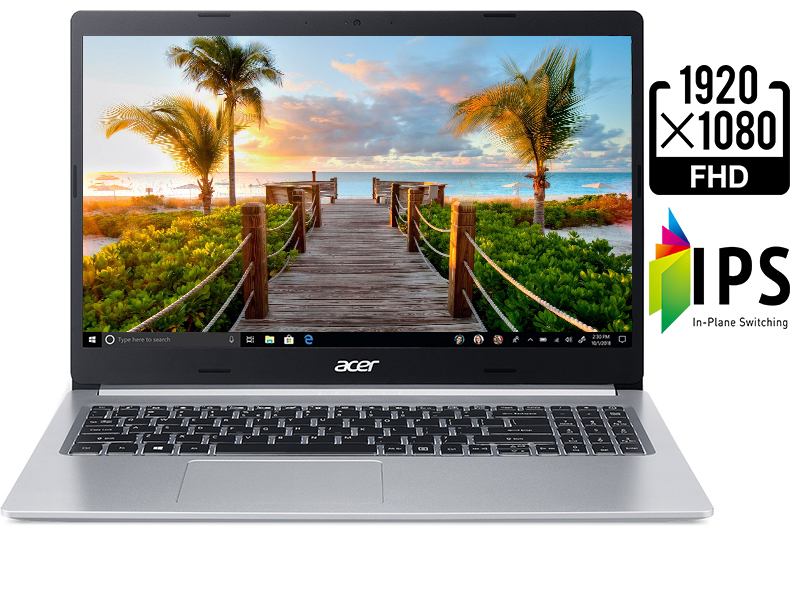
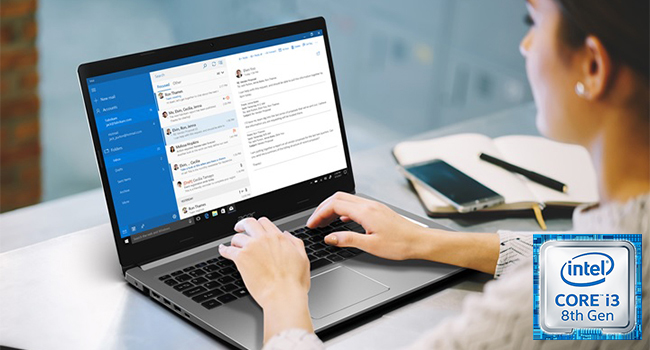
The Acer Aspire 5 Slim Laptop features an 8th Gen Intel Core i3-8145U processor with Turbo Boost up to 3.9 GHz, 4GB DDR4 RAM, and a 128GB PCIe NVMe SSD for fast, reliable performance. Its 15.6" Full HD IPS display offers sharp visuals, while the backlit keyboard and up to 9.5 hours of battery life support productivity anytime, anywhere. Equipped with versatile connectivity options including USB-C, HDMI, Wi-Fi 802.11ac, and Bluetooth 4.2, this sleek silver laptop balances budget-friendly pricing with mid-level power, perfect for professionals seeking efficiency on the go.


| ASIN | B07RJ687N3 |
| Audio Output Type | Speakers |
| Audio Recording | Yes |
| Audio features | Stereo speaker setup |
| Automatic Backup Software Included | Windows 10 |
| Battery Average Life Standby | 9.5 Hours |
| Battery Cell Type | Lithium Ion |
| Battery Life | 9.5 Hours |
| Best Sellers Rank | #109,562 in Computers & Accessories ( See Top 100 in Computers & Accessories ) #18,745 in Traditional Laptop Computers |
| Bluetooth Version | 4.2 |
| Bluetooth support? | Yes |
| Brand | acer |
| Built-In Media | Laptop, AC Adapter, Power Cord |
| CPU Model Generation | 8th Gen |
| CPU Model Number | i3-8145U |
| CPU Model Speed Maximum | 3.9 GHz |
| Camera Description | Front |
| Color | Silver |
| Compatible Devices | External displays, mice, keyboards, storage devices, printers, and other accessories that connect via USB, HDMI, Bluetooth, or Wi-Fi |
| Connectivity Technology | Bluetooth, HDMI, USB, Wi-Fi |
| Control Method | Voice |
| Customer Reviews | 3.9 out of 5 stars 810 Reviews |
| Display Resolution Maximum | 1920x1080 Pixels |
| Display Technology | LED |
| Display Type | LED |
| Form Factor | Laptop |
| Global Trade Identification Number | 00193199303035 |
| Graphics Coprocessor | Intel UHD Graphics 620 |
| Graphics Description | Integrated |
| Graphics Ram Type | Shared |
| Hard Disk Description | SSD |
| Hard Disk Interface | Solid State |
| Hard Disk Rotational Speed | 0.1 |
| Hard-Drive Size | 128 GB |
| Hardware Interface | HDMI, USB |
| Has Color Screen | Yes |
| Human-Interface Input | Touch Bar |
| Item Dimensions L x W x Thickness | 14.3"L x 0.71"W x 9.9"Th |
| Item Height | 9.9 inches |
| Item Weight | 4 Pounds |
| Keyboard Description | Backlit |
| Lithium-Battery Energy Content | 3220 Milliamp Hours (mAh) |
| Manufacturer | Acer |
| Memory Clock Speed | 3.9 GHz |
| Model Name | A515-54-30BQ |
| Model Number | A515-52-58ZW |
| Model Year | 2019 |
| Native Resolution | 1920 x 1080 pixels |
| Number of Ports | 2 |
| Operating System | Windows 10 |
| Other Special Features of the Product | Backlit Keyboard |
| Power Device | AC Adapter |
| Processor Brand | Intel |
| Processor Count | 2 |
| Processor Series | Intel Core i3 |
| Processor Speed | 3.9 GHz |
| RAM Memory Installed | 4 GB |
| RAM Memory Slot Total Count | 2 |
| RAM Memory Technology | DDR4 |
| RAM Type | DDR4 SDRAM |
| Ram Memory Maximum Size | 20 GB |
| Refresh Rate | 60 |
| Resolution | 1080p |
| Screen Size | 15.6 Inches |
| Speaker Description | built-in stereo speakers |
| Specific Uses For Product | Business, Multimedia, Personal |
| Total Usb Ports | 4 |
| UPC | 193199303035 |
| Video Output | HDMI |
| Video Processor | Intel |
| Voltage | 3.7 Volts |
| Warranty Description | One-year International Travelers Limited Warranty (ITW) |
| Warranty Type | Limited |
| Webcam Capability | Yes |
| Wireless Compability | 802.11ac |
| Wireless Technology | Wi-Fi |
T**G
Out of date review
Way out of date review. Just now realizing this laptop is 6 years old. It has been an excellent computer. Never any problems with it. In fact only being replaced because it was dropped 1 time too many, this time screen open and screen hinge broke.
J**S
Acer knocked it out of the park!
I've been using computers since the Intel 8088 processor hit the market via the first IBM PC...well truth be told, we came out at the same time in June of 1979. I feel somewhat like the old man relaying how they walked to school, up hill both ways, in the snow, with no shoes on, saying this but when that device came out, it cost the equivalent of $5,000 ~ $10,000 USD today. Fast forward to 2007 when I purchased my Mac Book Pro for $2,500 to do high-end Graphic design on, with a Core 2 Duo, 2GB DDR2 RAM and 5400RPM HDD....and now....I just purchased a budget buy of a PC that puts them both utterly to shame. I say these things because it has a large bearing on the decision to purchase this laptop. I just finished repairing and upgrading my mother in laws laptop from 2011 that cost more than this but had now where near the performance, even for it's time. Granted, this is not a gaming PC as it does not have a dedicated graphics card but it has enough to push the envelope of what we consider a budget PC. Also worth noting is that this laptop is a replacement for my Dell M6700 workstation laptop that got murdered by lightning. The 8th gen i3 is only half of the overall power of the i7 that was in my M6700. But! the "Single Thread Rating" of the newer i3 is significantly better...and let's face it, even many of the graphic design tasks I do are really only single threaded applications. So, all that extra power was usually not even being tapped. My CPU was usually only at 25% doing HD renderings in Blender. That's definitely worth considering when buying a device, what are the needs of your tasks? If they are single thread tasks, like most non gaming tasks, then an i3 performs quite well, so long as you don't over multi-task by running to many applications at once. It's got DDR4, which is an obvious advantage over DDR3 systems. But even systems that cost more than twice as much are being sold with 5400RPM HDDs. There are very significant performance differences between SSD and HDD systems and the fact that this laptop comes with NVMe drive, which outperforms both SSD and HDD, gives it a solid edge over other budget PCs. Being only 4GB of RAM can be concerning, especially for things like photo and video editing...but I used to do that with 2GB or RAM and it is easily upgradable to 20GB. 128GB of storage is not a lot either by today's standards, but for $50 yo can add in a decent 2TB HDD for storage...i just so happened to already have one because of my system that died. I also redirect my Desktop, Downloads and Documents to the secondary drive to help keep the OS drive clean...worth Google-ing to do yourself. The display is great! it was important to me to get something that is Full HD 1080. I was very near to buying something in the tablet range just because most laptops in this class are only 1366 x 768. it is also not glossy, which I rather prefer. In most cases, glossy screens create in consistent results because of reflecting too much of the environment. It is also very thin and light weight. This was a very important factor since my M6700 was twice has heavy and twice as thick. Overall, I'd say this laptop is the perfect balance of budget pricing with mid level performance.
K**K
Model A515-54-30BQ: Very good value for the price
Update 12/12/2019: The design of the power plug connector to the laptop is poor and very likely to break. It's almost a standard "L" 3x1mm DC connector ("L" fits for buying a secondary power brick, although the Asus connector is closer to 2.4x1mm). Problem is that this connector is rather fragile and must be pulled straight out or it will likely break. But the plug sticks out noticeably and is easily bumped by anything close to the laptop, and the "natural" tendency of 3 different test subjects was to pry the plug out at an angle, not pull straight out. The plug will easily turn downwards when lifting the laptop so that even moving it on a desk risks putting stress on the plug (unplug before moving this laptop anywhere). So I'm guessing that the connector will be the first thing to fail, and if it is the internal part of the plug that breaks then it is probably not worth repairing - dead laptop. Original 12/8/19: This review is: "You get what you pay for -- but at least here you get good value for your money." It's a conventional budget laptop; it's not a high-end gaming machine; it's not the slimmest/lightest/fastest; it's not a fancy 2-in-1, no touch screen; it's not rugged enough to bang around very much. It is very reasonably priced, at least when on sale. Expectations low enough yet? ;-) Model A515-54-30BQ uses i3-8145U CPU; 4 Gb (soldered) RAM + 1 expansion slot; 128 GB M.2 NVME SSD, plus one internal 2.5" "space" (the mounting bracket is separate in the box - more about that later). There is a slightly cheaper Ryzen model (probably a better value), and some higher-end Intel I5 models (no comment, though if you need more CPU then you probably need to move up the laptop scale to other models built for higher workloads). Aspire 5 does appear to be a very solid build, and acceptable construction quality if treated nicely, to do typically daily tasks such as web browsing/social media, writing, light video and so on at a decent price. Very good student machine if handled reasonably gently. Screen is pretty good; matte screen, not glossy, and colors are not exceptionally vibrant but neither are they dull or washed out. Keyboard is better than expected: good spacing and key feel, except that the up/down/left/right keys and the keypad are a bit cramped. Keyboard is backlit, which is rare at this price. Caps Lock has no visible indicator -- can be a pain when typing hidden text like passwords, otherwise not much of an issue. Stereo speakers are "acceptable", not great. Port selection is surprisingly good for the price. Battery life seems to be about 6-7 hrs of "typical" light use (no promises, no serious methodology in these tests while doing simple battery conditioning). Wifi is better than other reviews led me to believe. I'm getting 800Mbps between floors from an Asus 86U router. Have not tested range and attenuation extensively. Hardware Upgrades: Requires removing the entire back, which is 11 Phhilips screws (no special torq heads, etc) and plastic tabs that require a small amount of finesse but not hard. Changing the NVME SSD (system disk) is easy; I swapped to an Intel p660 1TB. I replaced Win10 with Ubuntu and Elementary OS, so didn't have to deal with moving Win10 around. Adding an 8 GB RAM is even easier than replacing the SSD, just plugs in. But then there is that additional 2.5" SATA SSD, mounting bracket in the box. You would have to (partially) remove the Wireless card (one screw, similar to NVME SSD), and then disconnect some other lead, fit the SSD into the provided bracket and then mount that, and then tease together the power and data leads and remount the WiFi. There are videos on line that clearly walk you through it. Nothing hard, but a lot of fiddling about to add a standard SATA drive. Given a 1TB NVME SSD, I didn't bother. Yet. I also installed LInux: Ubuntu 19.10 (test everything on relatively safe leading edge for a couple of days -- all OK) and then Elementary OS 5.1 (prepping as a gift). I've run into one odd-ball BIOS issue (reset to default values unexpectedly, easily fixed), but everything else has tested out fine. The screen dimming keys are reversed, oh my! Will update if I turn up anything untoward in the next week or so. I compared about a dozen laptops in the $300-450 range: Asus Vivobook, Lenovo IdeaPad, Dell, HP, etc. The Aspire ticked all the right boxes, although there are many good choices atm. For personal reasons, and not liking everything-in-the-cloud, I excluded chromebooks, but those would be a good alternative for many people who just need web/social media and such. Overall, very satisfied with the Acer Aspire 5 as a daily driver.
N**M
Love Acer Aspire Laptops
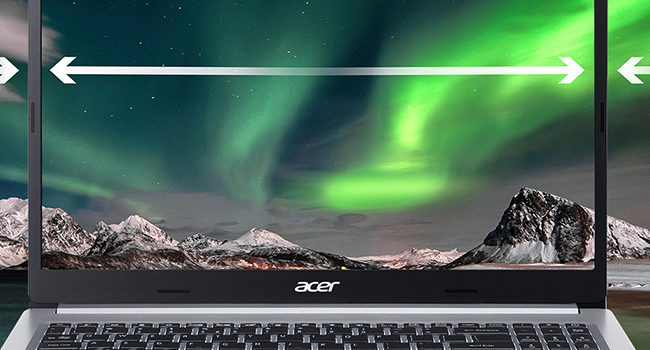
I had an ACER Aspire laptop before this one and that made me love that brand enough to buy this one. I did like the other one having a flip/touch screen but couldn't find one in my price range this time. I bought this one during the big sale days on Amazon. Very happy with it. Keyboard lights for easy viewing of the keys, nice thin design and very thin "framing" around the screen (I know it has another name but I don''t know it). I am not sure what to write about it because it does what it's supposed to do and what I expect a laptop to do. It came with Windows 10S. I have it for a long time and I'm still not sure if I'll keep the "S" or not. The only problems I've had with having that are not that grave. Had trouble getting Zoom and can't download Chrome when I tried to. I find things here and there but nothing of such great significance that I can even remember them or it. I don't find it to be a fast as I thought it would be. It's plenty fast, just not as much as I thought it would be. I do miss the flip/touch screen a lot. If I were to get another one, I think I'd be sure it has those things, when that time comes. But, again, for usual use, the speed is fine. And, also again, maybe it's that way from being kept in S mode. I can't try switching to regular Windows 10 as a comparison because I won't be able to come back to S if I do. Why do I keep it with S? Well, it is said that it is more secure that way and I like that. Problems keeping that program have pretty much not existed. I am OK with the things having that program has maybe blocked so far. I don't use it for high end gaming. The one thing I wish ANY laptop could do, like my iPad does, is texting. I find that convenient when I'm on my iPad doing other things and a text comes in or I think of one I want to send. In conclusion, I really find Acer Aspire laptops to be dependable and without problems. This one holds a charge well and warns me when it's gone into low battery mode. I really can't think of Cons to state. Works well for my needs. I don't use it for work or gaming. Just ordinary home use and in that way, it serves me well.
D**S
I'm loving my new Acer Aspire 5
My new Acer Aspire 5 arrived yesterday. I immediately added an extra 8G DDR4 Ram chip to it, for a total of 12G.; you simply unscrew the 10 tiny screws on the backplate with a small Phillips head; slip the backplate off and pop your new DDR4 chip into the little socket provided. Total time? About 12 minutes. Really, the unit is now amazingly fast... I haven't seen it hiccup or lag yet. I had opted for the Intel chip version of the Aspire, as it does have a slightly faster CPU speed. I immediately opted-out of the Windows 10 "S" mode... which literally took a few seconds to do. I connected my high-speed internet to the unit via the Ethernet socket, and proceeded to upgrade all the drivers and firmware for the unit. I gave the unit a good Defrag and a Registry cleanse, and I'm good-to-go. I mainly bought this laptop as a way to entertain myself on long airplane flights. The unit is very light and handsome... I am mystified by those who point out that the chassis is not more hip 'n' chic looking, because it looks great to me. I've also read several pro reviews online which allege that the unit is deeply flawed by a bad-looking monitor display; I absolutely don't know what they're talking about-- the display looks amazing to me: super-sharp and clear 1080p, with natural-looking colors, perfect brightness and contrast. Fonts look sharp yet nicely antialiased. A 15.6" monitor is perfect real estate to view movies on while traveling, neither too big nor too small. I will agree with the naysayers who say that the onboard speakers are not very loud, and the sound quality is not as good as one might wish. Yep, those things are true, but hey, who expects a laptop to sound like Studio 54? Usually one will be using headphones anyway, right? When watching videos on the VLC Player, one can tweak their included graphic equalizer in order to get the optimum sound response possible. I will soon be purchasing a mouse for this unit, as, at age 56, I never have gotten the hang of using a touchpad. I am not a gamer at all, so am not worried about the power needed to play GTA, etc. Although I will take a stab at doing 2D and 3D artwork in Photoshop and Cinema 4D and see how it goes. All-in-all, I am very pleased with this new laptop and hope to get lots of good use out of it. At this price-point, I don't see that you can do much better. Highly recommended.
S**S
Excellent screen and battery life, BUT with a serious flaws
The major components are excellent. I want to love this laptop. I have run Ubuntu Linux on it along with Windows 10. Even with only 4GB RAM and 128GB eNVM it is very usable. It does have a serious flaw. The touchpad has a problem with recognizing a single finger tap verses a double tap. Quite often it will recognize a single tap as a double tap. Sometimes it will not recognize a single finger tap at all. Even with pressing down to make it click. Working in a application like a browser you can deal with it. While coding or writing in multiple documents it is unusable. I will fiddle with the sensitivity and toggling off some touchpad features, but this about to be sent back. In addition, it appears Acer manufacturing has changed this A515-54 model to no longer have two DDR4 RAM slots and a spare SSD connection. Instead it has one spare DDR4 RAM slot and no additional storage connections. This makes the Aspire 5 line less interesting with a max 20GB instead of 32GB RAM and no upgrade options for storage. I am disappointed. I really wanted to love this laptop. Instead I am likely to return it and seriously consider other manufacturers. Updated: I figured out the touchpad cannot handle a tap or touch within a inch or two for dragging or selecting. Almost has to be click bottom and drag from top. Usable now I know the quirk. Updated to 3 stars. Still down 2 stars for only supporting 20GB RAM rather than the stated 32GB.
J**Y
Well it's better than my wife's Mac -
Oh My God... this is SUCH a great purchase. I'm not running the Win-10 s mode as I wanted it to be fully functioning - At first I thought for sure I would need more memory, but I haven't it's been awesome! Primarily I use it for Remote desktoping into my Main Custom built SSF-PC which let's it do all the heavy lifting... however recently my wife's macbook air wasn't capable of running her favorite game satisfactorily so I jokingly said, let's just install civ on my Aspire and see if my $300 laptop can outdo Mac's finest... well... it did - A little long on the processing times when she hosted at the end of the game, but never crashed, and fine graphics for what it is. There are two things I would change given the opportunity: I wish I could get was a brighter screen - But it's so cheap for what you are getting... I couldn't believe when looking at the specs that it was priced where it was. And it was an awesome decision. I wish the Charger didn't have the absolutely TINY connection point at the pc. I mean, for this price, I don't expect a magnet mount... but it looks cringingly small and could be bent by a harsh breeze... I'm not sure the longevity of the charging mechanism should even be talked about. But I take great care of my tech, so it shouldn't be a problem for me... however I don't know if I'd trust it in a house with children or college roommates walking over the charging cable. All in all still 4.9 stars for value!
T**6
Noisy
Purchased this computer and thought Wow this is fantastic. Fast and crystal clear colorful screen. After spending time removing all the bloatwear, all of a sudden there was a grinding chopping noise. I thought that maybe I accidentally hit a button for a video to play on the internet. All programs were closed. I called Acer and held the phone up to the laptop so the tech could hear the sound. We laughed it sounded like a monster was eating a tree. I only had the computer two days. Acer said it was a hardware problem and to return the computer. Although I sent it back I’m considering ordering it again. Things happen and the customer service was great. 2nd review. Returned the laptop and purchased it again. I loved the computer and figured that the static grinding noise was just one of those things. Well i reordered the same computer and now I'm extremely irritated because after setting up the computer that awful static grinding noise started up. I googled the problem and found that there are numerous people listed in reviews and forums that also have the same grinding noise. Also this static/ grinding noise is on several Acer models since 2013. This computer is also being returned
Trustpilot
2 days ago
1 month ago