
DOWNLOAD THE APP


Customer Services
Copyright © 2025 Desertcart Holdings Limited
DOWNLOAD THE APP


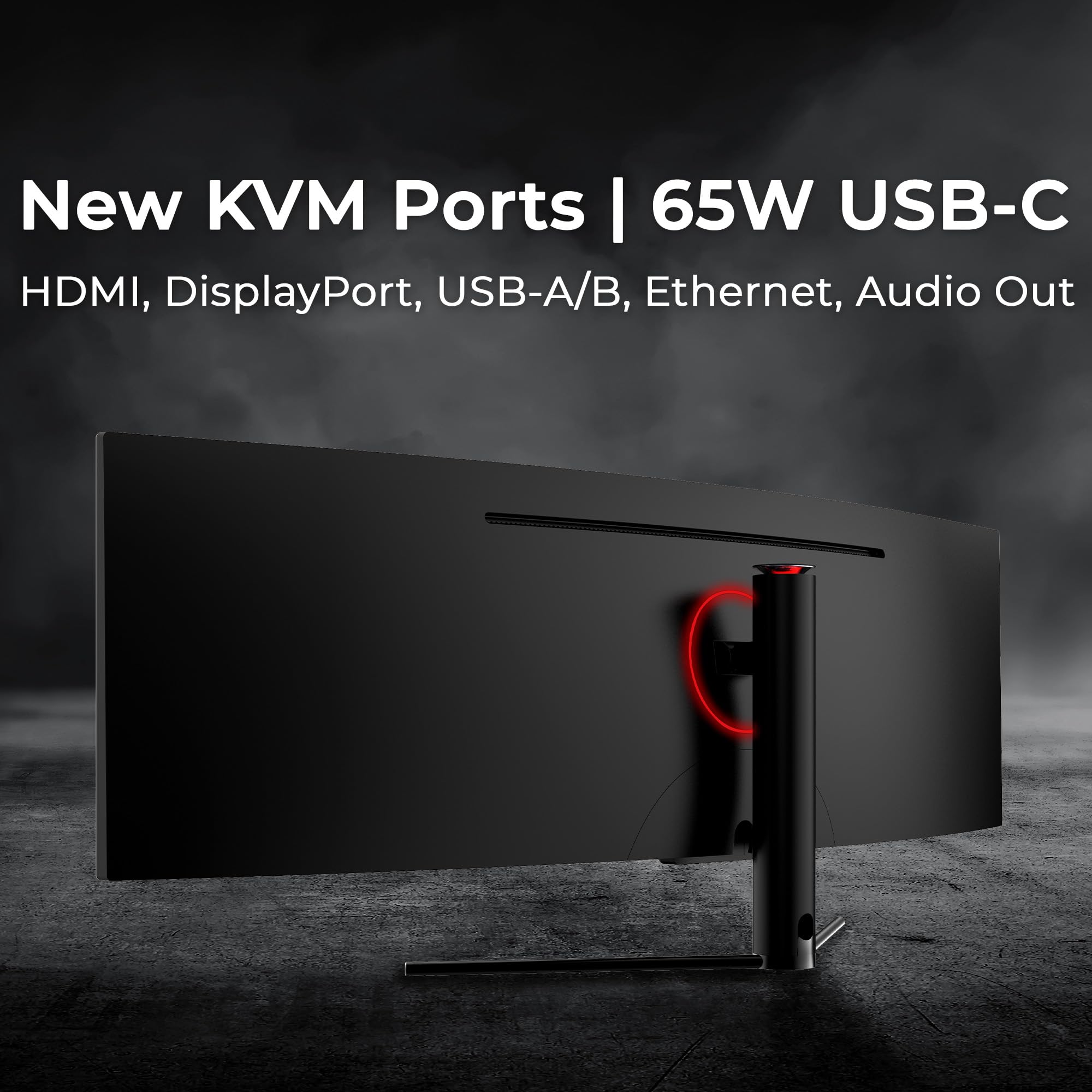


🚀 Elevate your workspace with the ultimate ultrawide powerhouse!
The Deco Gear Curved 49” Super Ultrawide Gaming Monitor delivers a massive 32:9 3840×1080 WDFHD display with a fast 144Hz refresh rate and 3ms response time. Its 1800R curved VA panel offers deep 3000:1 contrast and HDR400 support for vibrant, immersive visuals. Designed for professionals and gamers alike, it features an all-in-one connectivity hub including USB-C 65W power delivery, HDMI, DisplayPort, Ethernet, and KVM functionality. Backed by a reliable American brand with dedicated U.S. customer support, this monitor balances high performance with practical versatility for multitasking, gaming, and creative workflows.


| ASIN | B07XQGRB1F |
| Adaptive Sync | FreeSync |
| Additional Features | 6 User Profiles, Blue Light Filter, Flicker-Free Backlight, Game Plus, Picture-in-Picture/Picture-by-Picture |
| Aspect Ratio | 32:9 |
| Best Sellers Rank | #7,025 in Electronics ( See Top 100 in Electronics ) |
| Brand | Deco Gear |
| Brightness | 320 Candela |
| Built-In Media | 3 x HDMI Ports, 1 x Display Port, 1 x Displayport Cable, 1 x Power Cable, 1 x Monitor Stand, 1 x Instruction Manual |
| Color | Black |
| Color Gamut | 100 |
| Compatible Devices | Laptop, Desktop, Gaming Console |
| Connectivity Technology | Audio Output, DisplayPort, HDMI |
| Contrast Ratio | 3000:1 |
| Customer Reviews | 4.2 out of 5 stars 1,252 Reviews |
| Display Resolution Maximum | 3840 x 1080 Pixels |
| Display Technology | LED |
| Display Type | LED |
| Hardware Connectivity | DisplayPort, HDMI |
| Has Color Screen | Yes |
| Image Contrast Ratio | 3000:1 |
| Is Electric | No |
| Item Dimensions D x W x H | 9.7"D x 47.2"W x 18.5"H |
| Item Weight | 24.2 Pounds |
| Manufacturer | Deco Gear |
| Model Name | DGVIEW490 |
| Model Number | VIEW490 |
| Mounting Type | Wall Mount |
| Native Resolution | 3840x1080 |
| Number of Component Outputs | 4 |
| Picture Quality Enhancement Technology | HDR |
| Pixel Pitch | 0.31 |
| Power Consumption | 68 Watts |
| Processor Count | 1 |
| Refresh Rate | 144 Hz |
| Resolution | 3840 x 1080 |
| Response Time | 3 Milliseconds |
| Screen Finish | Curved |
| Screen Size | 49 Inches |
| Screen Surface Description | Curved |
| Shape | Rectangular |
| Specific Uses For Product | Gaming |
| Total Number of HDMI Ports | 2 |
| Total Usb Ports | 4 |
| Unit Count | 1.0 Count |
| Viewing Angle | 178 Degrees |
| Voltage | 240 Volts |
| Warranty Type | [EO] 2 Years Manufacturer Warranty |
A**Y
Great monitor - great deal - easy on the eyes for coding - recommend
Great monitor - good resolution, easy on the eyes, and just that extra sideways space that's super helpful. Half price of similar others, was sceptical but happy I have it a shot (and the size is just right) NOTE: MAC: On MacBook Pro the HDMI connector doesn't support this high a resolution and looks weird when you first connect it. You have two options: a) can make HDMI support it but need to take it down from 60hz refresh rate to 30hz: need to install custom software that modifies the built in resolutions, or b) give up on HDMI and go to usbc (much more built in support.. so put the lower res monitor on hdmi) NOTE: VESA: my VESA mount didn't fit and had to be filed down - after that it was able to connect. And if you hook up vesa with regular screws the decorative piece doesn't fit anymore. went back to included stand and it's fine.
W**M
Excellent AI Workstation Monitor
I connected this monitor to my new DGX Spark AI Workstation in less than 5 minutes. The curvature of this monitor is perfect for viewing multiple windows without moving my head. The stand allows you to move the screen up and down. This allows you to get your eyes vertically aligned. Computer simulation graphics (e.g. IsaacSim robots) are super sharp. YouTube videos colors are very good and easy to watch in large windows. Highly recommended for developers doing Agentic AI where you have multiple windows open.
C**Y
Outstanding Mid-Range Gaming Monitor That Delivers Where It Counts
The Deco Gear 27-Inch 2560x1440 HDR400 curved monitor seriously impressed me for what it offers at this price point. The 144Hz refresh rate paired with 1440p resolution is a sweet spot for modern gaming — smooth visuals, sharp detail, and no noticeable input lag. Even in fast-paced shooters and racing games, it keeps up without breaking a sweat. The 1ms MPRT (motion picture response time) keeps motion blur in check, and FreeSync helps avoid screen tearing. Setup was a breeze — plug-and-play. The menu is intuitive, with quick toggles for game modes, brightness, contrast, and blue light filter. No headaches getting it dialed in. Inputs are clearly labeled and easy to access. You get multiple ports (HDMI, DisplayPort, audio), plus a solid set of built-in presets for different uses (FPS, RTS, Cinema, etc.). It’s versatile for gaming, media, and even some light editing. The curved display really enhances immersion without being gimmicky. Brightness hits around 400 nits, which is plenty bright for well-lit rooms. HDR400 support gives visuals more punch, though don’t expect OLED levels — still, for a VA panel, it pops. The color accuracy is better than expected, and build quality feels premium with a sturdy stand and clean bezel. Final Verdict: If you want a monitor that nails gaming performance, visual quality, and ease of use, this is a strong buy. You’re getting high-end specs without the high-end price tag.
J**.
Buyer Beware - product failure & the worst support
SUMMARY: Originally loved this monitor, worked well until it didn't. The USB-C connector failed, making it challenging to work with my set up and peripherals. Product support is HORRIBLE - so if you device has an issue you are likely on your own/losing out on the money you invested in the purchase. I wanted to give this 2 stars as the Monitor was great until the USB-C port failed. I have a work around but picture quality has suffered. 1 star due to horrible support ( can't be reached and when you do they do not follow through on any actions). Looks like your money can be better invested in other alternatives *will update if/when DecoGear support responds --------------------------- THE GOOD: - PRICE: I did a lot of research - this was the best option at a great price point that provided a curved monitor / built in hub / monitor size / picture quality - SIZE: the 40 inch was a perfect option and fits my set up well. - BUILT IN HUB: The monitor has a built in hub and additional power out options, making it ideal for connecting and integrating multiple devices and peripherals. I aim for a minimalist desk set up with fewer / hidden wires and this helped a lot toward that end --------------------------- THE BAD: - TECHNICAL FAILURE: About 2-3 months into owning the monitor, I began to have issues with my devices connecting into the USB-C port on the monitor hub. This was my primary connection and provided the best picture / resolution from my devices. - SUPPORT: Horrible all around - It is near impossible to get a human on the phone or engaged in a chat. After a long effort I was able to make progress and they agreed to send replacement monitor when it was back in stock, they said to expect it within a month and it has been over 6 months now....can't seem to get them back on the phone or in chat after MULTIPLE attempts since they promised to send replacement (note: I would have to ship monitor I have now back - so if you do make purchase save the box it came in just in case)
D**P
THE BEST MONITOR IN IT'S CLASS, ONCE YOU SET EVERYTHING CORRECTLY
This is the best monitor I've ever owned. It's very easy to set-up with some required study. The graphics card and Windows Operating System are the only obstacles because they will look at it as they see it should be, based on what you used before. Auto-detection at first does not display properly, but it's easy to fix this with the provided instructions, and within Windows. The video card software (I have AMD) will fix itself if you reset the software and allow it to truly see what this monitor does. The refresh rate is 60 Hz by default, but you can easily switch to 75 Hz within Windows. Games see it fine, once you have it set properly. FSX needs to be told about the new screen size, best done through the Aircraft.cfg file. As you play with the built-in monitor settings with the buttons on the bottom right, you can control so many things your head will spin. I did all of this in about 1 hour's time. The only problem I had was trying to read the details of initial construction, especially attaching the stand. Although screw holes are countered to make it easier to figure out, you can still do it wrong if you rush it, like me. You can also wall mount this monitor, but you need additional hardware available on Amazon (usually listed under this monitor as additional items). The packaging was done well, and I could see that UPS didn't use much care getting it to me, and the contents were protected from their lack of concern. "THE WORLD ON TIME" doesn't necessarily mean "In Good Condition", and the manufacturer must know this very well. It only took a few days to arrive, and was on-time as indicated by the original delivery date when I ordered. I use this monitor in my bedroom mainly for Flight Simulation, and now I can see details while lying on my bed a good distance away ... before it was a squinting game. I really don't think any of the issues I've mentioned above should deter anyone from purchasing this monitor, if you want the best of the best, on time, and for an unbeatable price. I'd have to say this monitor is worth at least $100 more than it is being sold for. Take my word for it ... I've been around the block with monitors since day one.
B**Y
Let's Be Honest About This Monitor!
I bought this monitor fory wife's office. Me, I have a dual 32" monitor curved, ultrawide setup that is super slick. My partners are envious. Got those on sale last year. I built my wife an incredible fast computer with a RTX 3060 w/12mb on board ram. So of course I was going to get her some excellent monitors but, I remembered last year seeing a monitor that I'd love to try. So, I bought it, grabbed the correct cables call that were capable of highspeed data. Let me tell you, with an i7 processor, 4TBs, excellent GPU..this monitor made me JEAL!! Granted, no it's not too of the line, but the display, speed, Hz speed and a few other options really made this come alive. Colors aren't as vibrant as other monitors, but it MORE than gets the job done. Man is this a massive monitor. I'm really happy with it, she's ecstatic and overall I'd recommend this. Only couple things I thought needed to be addressed at the price were these items: 1 - DPI inputs feel really loose.. not exactly firm like I'd expect; 2 - the stand could be a better design to be more firm. I love the backlighting as well but the stand itself needs to be reworked ..the arm that holds this big boy. Hopefully it'll last because it's heavy. It's a great buy and the let's be honest, I didn't go wrong and she loves it. Multitasking is awesome and having multiscreens configured in the browser is absolutely slick..of course. My dual setup is hyper sick but,..BUT....I have the divider in mine and on hers, there is no visible partition or split. If you follow.me you can see my setup and then this. Mine looks Niiiice...but hers is just clean. Grab this monitor and you'll be happy..especially on sale.. Get the correct cables that support the resolution and speed paired with a great GPU and you'll feel SPECKTAK about this purchase. Hope this helps.. It's huge...it's ultrawide and curved..can't go wrong. Stats prove it.
S**Y
Game Changer for Productivity
I want to start by mentioning that I am not a gamer. I read/watched a lot of different reviews and articles about ultrawide monitors for productivity. What I found is that they are becoming increasingly popular for such functions and are often preferable to two separate monitors. In my case, I work remotely and I have several windows open at once for my job. I was using dual monitors . . . well . . . flatscreen TV's, which wasn't super great. I use this monitor for my work laptop with a docking station using Windows 11. I also use it for my Ubuntu Linux desktop. I have it attached to a KVM switch (and there's good reason for that coming up). I'll start by saying, now that I have this set up, it's been a game changer. Obviously, the resolution and refresh rates are way better than what I was using before. Because this is a single, ultrawide monitor, there's no longer a bezel in the middle (where the monitor separation would be). My setup for both my personal and work computers is awesome. The curve actually helps me pick up more in my peripheral vision so I don't need to turn my head as much (a benefit for productivity just like it is for gaming). I am a relatively "tech savvy" kind of person. But since I'm not a gamer, I hadn't had any experience or any need to learn about these monitors prior to now. Because I'm not a gamer, I don't have insane graphics adapters with ultrafast GPUs. My desktop is heavily customized and the GPU was top of the line . . . 5 or 6 years ago. It does what I need it to do and does it well so I see no reason to drop a whole bunch of money into upgrading at this point. My work laptop is . . . well . . . work. The company provides it and they don't provide gaming laptops. Why is this important? If ultrawide is new to you, I'm going to save you a learning curve. I had hoped to just connect each of the two HDMI ports to the separate computers. Nope. I have no ability to unlock/change the aspect ratio for my display on either computer. That typically requires a high end graphics card with the appropriate software installed. Ubuntu and Windows don't do it natively. Because of that, connecting with a single connection does display on the entire monitor but the image is stretched with no real way to adjust it. My graphics adapters just don't support it. Fret not. There is an alternative. These ultrawide monitors have an advanced PiP feature that allows you to "trick" your computer into thinking there are two separate monitors. You need dual monitor support (most laptop docking stations have it and a lot of newer graphics adapters support it even when they're not top of the line). The monitor's settings interface leaves a bit to be desired but at least you get a remote and it does work once you get used to it. Not the worst thing in the world. The nice settings interfaces are on monitors that cost 2 or 3 times as much as this one and again, I'm not a gamer so I don't care about the latest and greatest. My wallet doesn't care either. Once I connected the two HDMI ports to the dual monitor adapters and set the PiP to HDMI 1 and HDMI 2, everything self configured nicely in both Windows 11 and Ubuntu Linux (if you happen to plug in the wrong order, both OS's support you shifting which one is the left vs. the right monitor so you can just line it up - it's easy). But herein lies the second issue. This monitor has 2 HDMI ports and 2 Display Ports. HDMI to DP does not work unless you are going from an HDMI monitor to a DP computer, so I can't use the Display Ports. That's why I have a dual monitor KVM switch. I'm able to connect both computers to the two HDMI ports on the monitor and just switch back and forth as necessary. As I said, I had a serious learning curve and I did end up needing a KVM switch that I wasn't expecting. Not a big deal. Once you get this thing set up, it should serve you well. Depending on the age and power of your graphics adapter and GPU, you may not be able to use it to its full capability. Not a big deal. It means it'll still be good if you end up needing to upgrade. I did get the protection plan just because I saw a few reviews that mentioned dead pixels or malfunctioning after a few months. So far, I've been really pleased with this monitor.
R**I
Immersive, high-value ultrawide experience — a standout for home setup
I recently upgraded my home setup with the Deco Gear 49" Curved Ultrawide Gaming Monitor, and I’m genuinely impressed. As someone who spends long hours at the rig (from sound engineering work to gaming and multitasking), this monitor delivers in multiple dimensions. 👍 What stands out: The sheer screen real-estate is fantastic. With a 49-inch diagonal and a 32:9 aspect ratio, the display fills my peripheral vision in a way dual-monitor setups rarely do. The specs show it’s 3840 × 1080 resolution for this model. Deco Gear +2 Amazon +2 The curvature (1800R) is a welcome touch — it wraps around just enough to feel immersive without being overwhelming. Deco Gear Smooth motion and responsiveness: A 144 Hz refresh rate and a 4 ms response time (in the specs) make gaming, fast-moving visuals, and switching windows feel fluid. Deco Gear Solid color/contrast performance: With VA panel, HDR400 support, and a 3000:1 contrast ratio listed, the image is vibrant and deep. Amazon +1 Great for multitasking: The wide layout means I can have multiple windows (DAW, video editing, web, chat) open side by side without feeling cramped. The aesthetics and build feel good: Clean bezel design, good size for a desktop workstation, and it complements the home setup nicely. 👎 Some caveats: While 3840 × 1080 is a large width, it’s still effectively the resolution of “two full-HD displays side by side” rather than a “4K” width. If you’re used to very high-res displays (4K, 5K), you may notice slightly less sharpness than you anticipated. Tilt only (-5° to +15°) and no height adjustment (in this model) means you’ll want your mounting/desk setup to already be ergonomic. (From the specs: “Tilt / No vertical adjustment”). Deco Gear The size means you do need enough desk depth and space. If you’re too close, sitting back or mounting slightly higher may help for comfort. Some tasks—especially very high fidelity color-critical workflows—may push this beyond what its panel supports compared to high-end professional monitors. But for the price and overall mix of gaming + productivity, it’s a very strong value. 🎯 My verdict: If you’re looking for a monitor that does double duty—immersion for gaming and serious desktop multitasking—and you have the space to accommodate it, the Deco Gear 49″ curved ultrawide is a smart pick. It strikes a sweet spot between value and performance. For my home studio / sound-engineer-at-home setup, it feels like a meaningful upgrade. I’d rate it 4.5 stars out of 5 and recommend it to others in the same boat.
Trustpilot
1 week ago
2 weeks ago