🚀 Elevate Your Workspace with 4K Brilliance & Pro-Level Precision
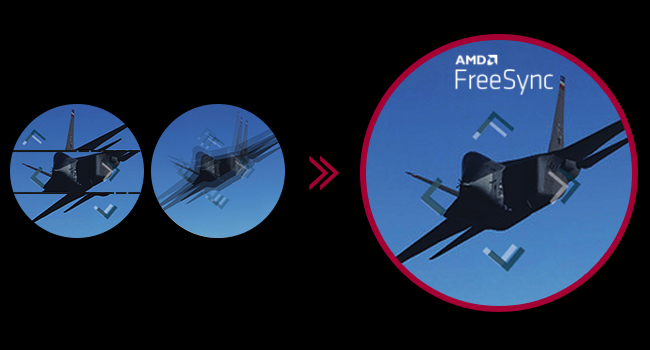
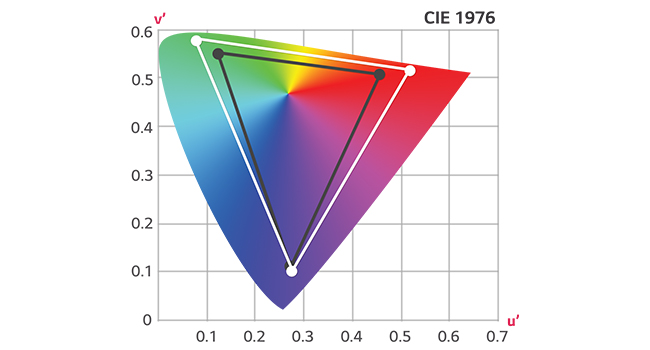
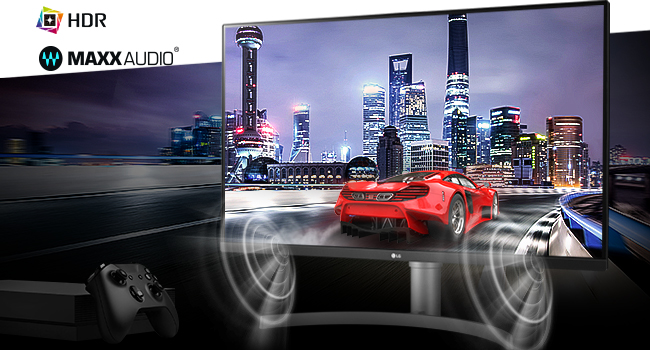
The LG 32UN650-W is a 32-inch UHD 4K IPS monitor delivering exceptional color accuracy with 95% DCI-P3 gamut and HDR10 support. Designed for professionals and gamers alike, it features a fast 5ms response time, AMD FreeSync for smooth visuals, and a sleek, ergonomic design with a virtually borderless display and height-adjustable stand.


| Standing screen display size | 32 Inches |
| Screen Resolution | 3840x2160 |
| Max Screen Resolution | 3840 x 2160 Pixels |
| Brand | LG |
| Series | 32UN650-W |
| Item model number | 32UN650-W |
| Item Weight | 18.1 pounds |
| Product Dimensions | 8.9 x 28.1 x 19.1 inches |
| Item Dimensions LxWxH | 8.9 x 28.1 x 19.1 inches |
| Color | White |
| Voltage | 240 Volts |
| Manufacturer | LG Electronics |
| ASIN | B08FQ42MN1 |
| Date First Available | August 1, 2020 |
D**3
Great monitor!
Fantastic, ginormous monitor. Can fit like 4 regular screens in this puppy. Great for singular work spaces where you don't want to finangle with multiple monitors but you want to have several split screen views, etc. Display is crisp and adjustable in a myriad of ways. Good audio as well. Connects easily, height adjusts well, works great all around!
G**E
Good value, great picture
This 32" 4K monitor displays crisp text and good color right out of the box. The VESA mount let me attach it to a hydraulic arm mechanism. The speakers are surprisingly good in terms of sound quality, tho the volume is a little low compared to a set of desktop speakers. I appreciate the connectors facing out from the back of monitor, rather than pointing down toward the desk; makes it much easier to handle the cables. The joystick control under the bottom edge of the monitor makes it easy to access all functions, especially the input selection. That's important to me because I have the monitor attached to both a home-built PC and a Mac Mini M4 Pro. I'm quite happy with the monitor, enough so that I'm buying a second one to replace an aging NEC 27" monitor.
D**D
Not true VESA compatible. Good, rich colors, not as sharp as my old Dell U3219Q screen
I bought this LQ monitor after my Dell U3219Q screen met an untimely end after getting the screen smashed by an angry person - it had otherwise been doing fine for the last ten years. This monitor has richer colors than the Dell, but the immediate feel from watching movies on this monitor was that all the edges seemed less sharp than on the Dell monitor. Now, this is running the monitor in the HDR mode which seems to give the best colors but turns off the ability to change the sharpness setting - you have to set your own custom mode to change the sharpness - this does improve the sharpness but then you have to manually play around with all the other settings to get the color look that you want. The main complaint I have is the supposedly VESA compatible stand that comes with this monitor. I didn't like the stand that it came with since I had gotten used to setting a small soundbar directly under the monitor (this monitor does have its own speakers, but has no quick and easy way to turn off the speakers and just listen on headphones in private mode, whereas the soundbar has a simple on/off knob) and the two pronged feet of this monitor gets in the way of the soundbar, unlike the flat base of the Dell stand. The LG stand also does not allow any rotation to a picture mode instead of the standard landscape mode, unlike the Dell U3219Q stand. The LG stand does allow tilting and does adjust height. So, I thought I would just switch out the LG stand for the old Dell stand into this monitor - right? VESA compatibility should mean it's an easy simple switch. Not. As the attached pictures show, this LG monitor's back mounting cannot possibly be VESA compatible. The square inset for the VESA mounting has ROUNDED corners, it is smaller on three sides by about 1/16", and finally and fatally, the slots to hold the bottom two metal plate-hooks are in the wrong place, being too wide apart compared to the Dell mounting. To deal with the first two issues, I had actually taken my Fein oscillating saw and cut the corners off and shaved 1/16" of an inch off three sides of the mounting plate on the Dell stand before I came to a screeching halt when I saw that the bottom hooks of the Dell mounting plate would never go into the slots in the back of the LG monitor as the LG slots are too wide apart. See the photos to better understand what these three problems look like. I'm pretty sure the Dell mount is the correct VESA standard and this LG monitor is not VESA standard.
D**W
Good monitor for basic photo/video editing and casual gaming
I'm a hobbyist photographer/videographer (I sell products but it's not my full time job) and this monitor has been excellent so far for editing. For the past several years my setup has been three 27" QHD (2K) monitors, but I recently got into drone photography and decided to replace one of the monitors with something bigger to help with editing the larger landscape photos (it has helped). I also recently built a new computer and wanted to get a 4K monitor to take advantage of the upgraded video card (that was more of a "want" than a "need" but it was definitely worth it). As for gaming, I'm way too old to be hardcore lol. For the games I do play - WOW, (non-hardcore) MOBA, strategy/simulations, etc - this monitor is a huge upgrade from a 27" QHD and delivers excellent performance. The monitor arrived well packaged with no dead pixels or any other problems. The stand isn't anything fancy but it serves its purpose - height & angle adjustability more than meet my needs (I'll probably eventually get an arm and mount it like my other 2 monitors to free up some desk space). There were some cables in the box but my desk is a little distance from my computer so I ordered a longer cable (Cable Matters DP 1.4, 16 feet) for 20 bucks and it works fine. The monitor's color gamut and brightness are great for my needs and it calibrated easily using my Spyder. I haven't used the speakers. If you need more than a billion colors, built-in hardware color calibration or an insane refresh rate, this monitor isn't for you - you'll either need to get a smaller monitor pay a lot more. But for general use, this is great monitor for the price! I've had it for 2 weeks and am very happy with the purchase.
R**B
Great clear IPS Display with Beautiful Colors that Pop and Good Off-Angle Flat Screen
Great 32" 4k monitor. Beautiful colors with IPS, good off angle viewing and I like the single stick control. Cord isn't standard pluggable power and is short but makes it to my power conditioner. Had it for two days, setup in minutes, this is a keeper. I run the LG UN650 IPS side by side with my relatively new Philips 328E 32" 4k VA, the biggest difference by far is the color on the UN650's IPS is so much better, deeper and pops, making the the 328E's VA screen look washed. The UN650 IPS flat screen has good off angle and the 328E is curved so I don't lose screen real estate. The price is a two sided coin -- the first 32" 4k IPS display at $450 new is unbelievable and worth the extra $100 over a VA display whether 1 step down or from another brand. I remember buying several HP 30" 2k IPS displays used on eBay for $600 years ago which was a steal for the $2,000 monitor when new, those HP's don't run on Windows 10 anymore being so old. Next came cheap 28" 4k TA monitors which required reading glasses but reasonable for programming. Now for about the same price as the 28" TA and $150 less than used 2k IPS's I get a brand new 4k IPS monitor at double the resolution on a bigger screen. The other side of the coin is I just spent $450 on a monitor, although for one I really needed and worth it. 4k movies over a firestick look good but are a little dark after getting used to my now older 4k LED TV, just testing with Avengers: Infinity War. Sound is good from the standard jack when amplified thru my Fiio and Sennheiser headphones. I haven't played games in years so I'm not interested in 120 or 144Hz which may not exist yet for IPS and would cost twice as much or more. I primarily have this monitor for programming and office applications and it suits me very well, great purchase. Thank you LG.
J**R
I'm not easily impressed but I'm impressed with this monitor.
I spent way too much time shopping for monitors and I'm usually always dissatisfied. This monitor blew away my expectations and performs (picture quality, consistency, and brightness) so much better than any other monitor I've used. So what is the deal with this? And why is this the best monitor in this price range? You are getting the same high quality and high performance LED panel as the more expensive monitors in this size but they've put it in a cheaper plastic enclosure with less features (less connections, cheaper power supply, cheaper stand, cheaper plastic case). So if you are looking for $1000+ performance and don't need all the extra connection options, audio features, pretty case, and fancy stand - this is a tremendous value at half the price. You can use the money saved and buy a nice pivoting VESA stand (yes, it has VESA on the back so you can easily mount this on anything).
J**.
Nice glare free screen.
Bought this as a monitor for my Mac Mini. Great resolution for printed word documents and great color accuracy. Great size for a monitor for my Mac Mini.
P**Y
Very sharp picture, compensates for vision issues
I have an LG 27" with virtually the same specs as this 31.5" monitor replacement. Both have no dead pixels and no objectionable defects. I have this monitor set at 350% magnification on Windows display settings and I can see more clearly on this display than anything else. I've realized that the monitor size cannot be greater because this one is at the boundary of my field of vision (i.e., a larger monitor would cause me to move my head left to right to see the whole thing). The clarity of large and small objects is superb. I can discern even small writing print. The only problem that is probably not this monitor is that Firefox has crashed a lot since installation. I've also installed a new video card (offering 4K resolution) at the same time, and Windows had a major update, so I don't know what is causing the problem.
Trustpilot
3 weeks ago
1 month ago