
DOWNLOAD THE APP


Customer Services
Copyright © 2025 Desertcart Holdings Limited
DOWNLOAD THE APP

🚀 Elevate your workspace with style and clarity — see more, do more, be more.
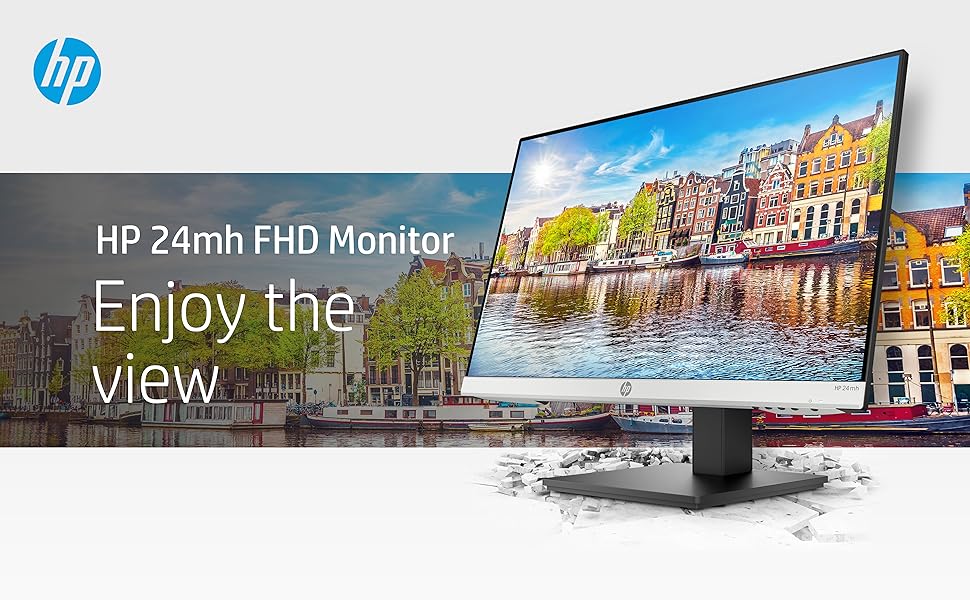
The HP 24mh FHD Monitor combines a 23.8-inch IPS Full HD display with a 75Hz refresh rate and ultra-wide 178° viewing angles to deliver vibrant, accurate visuals. Its sleek micro-edge design saves desk space while height and tilt adjustments ensure ergonomic comfort. Equipped with HDMI, DisplayPort, VGA ports, and built-in 2W speakers, it offers versatile connectivity and enhanced multimedia experience. Backed by HP’s 1-year warranty, this energy-efficient monitor is a smart, stylish upgrade for professionals and multitaskers alike.



| ASIN | B08BF4CZSV |
| Adaptive Sync | FreeSync |
| Additional Features | Blue Light Filter, Built-In Speakers, Height Adjustment, Tilt Adjustment |
| Aspect Ratio | 16:9 |
| Best Sellers Rank | #716 in Electronics ( See Top 100 in Electronics ) #28 in Computer Monitors |
| Brand | HP |
| Brightness | 250 cd/m² |
| Built-In Media | 1 x HDMI Cable, 1 x AC Power Cord, 1 x Audio Cable, 1 x 2.3 inch Display, Warranty, Product Notice, Quick Start Guide |
| Cable Length | 3.5 Millimeters |
| Color | Jet Black |
| Compatible Devices | Desktop, Gaming Console |
| Connectivity Technology | wired |
| Contrast Ratio | contraste alto |
| Customer Reviews | 4.6 out of 5 stars 25,453 Reviews |
| Display Resolution Maximum | 1920 x 1080 |
| Display Technology | IPS |
| Display Type | LED |
| Hardware Connectivity | DisplayPort, HDMI, VGA |
| Has Color Screen | Yes |
| Image Contrast Ratio | contraste alto |
| Item Dimensions D x W x H | 8.33"D x 23.54"W x 18.28"H |
| Item Weight | 9.9 Pounds |
| Manufacturer | hp |
| Model Name | 24mh |
| Model Number | 1D0J9AA#ABA |
| Mounting Type | Wall Mount |
| Native Resolution | 1920x1080 |
| Number of Component Outputs | 1 |
| Picture Quality Enhancement Technology | IPS technology, Low Blue Light mode |
| Pixel Pitch | 0.274 |
| Power Consumption | 22 Watts |
| Processor Count | 1 |
| Refresh Rate | 75 Hz |
| Resolution | FHD 1080p |
| Response Time | 5 Milliseconds |
| Screen Finish | Flat |
| Screen Size | 23.8 Inches |
| Screen Surface Description | Flat |
| Specific Uses For Product | Gaming, Multimedia, Personal |
| Total Number of HDMI Ports | 1 |
| UPC | 655360818675 195122270674 |
| Viewing Angle | 178 Degrees |
| Voltage | 240 Volts (AC) |
| Warranty Description | One year limited warranty |
B**F
Remarkable monitor value
I bought this monitor to replace an older HP monitor that was finally getting a little flaky. Electronically, the image quality has improved compared to the 2020 vintage monitor. I was satisfied before, but this is notably brighter with better whites and contrast. What really amazed me is the more robust construction of the stand, including both height and angle adjustments. And it was a lot less money than the last similar monitor I bought in 2020. I don't use the internal speakers, but that's a plus as well. They're adequate for voice, but good external speakers are still a big plus. All in all, this represents a very nice quality product at a great price.
A**R
5 Stars all the way.
I bought this monitor for my laptop in December 2020 for $109.99 when it first came out. I read the specs on it and new it was a good all-around monitor. Picture & Screen quality 5 Stars, as for gaming I can not say. Now in July 2023 it is on sale for $122.61 so I just ordered another one for my wife's laptop. OH and it has speakers on the back of it that are as good as laptop speakers. HP is a great name that makes great stuff for a reasonable price. My personal opinion is that this monitor is better than the one that is about to replace it by far and @ 1/2 the cost. Sorry HP. This is the newer model I speak of - "HP 24" M24f Monitor with 3-Sided Micro-Edge Bezel, Silver and Black - 23.8" FHD (1920 x 1080) IPS Diagonal Display, AMD FreeSync 99% sRGB Color Gamut, VGA and 1 HDMI Ports, BROAG USB Extension Cable" NO speakers & why does it need a BROAG USB Extension Cable? As far I have read in the specs there is no USB hub/port on this new monitor. That is just my opinion - if you are looking for a great dependable monitor with a great picture and speakers @ a GREAT price. Buy this monitor. Sorry again HP but I just could not believe it when I seen it on sale for this low price. I think they are going to retire this model because it is TO GOOD - Just my personal opinion again.
I**E
Pretty good useful and useful for an office
Pretty good monitor to use it has a high-quality picture
P**)
Overall I like it, but I personally have a few issues.**It is 75HZ and there are speakers!
Let's start with the pros! -The size is good, I think it looks pretty, it's clear, has decently good speakers, can be turnt sideways, and is decent for gaming. I bought this primarily as a budget gaming monitor and to use it while I'm streaming games on Twitch. -Not too expensive -Nice looking stand Cons -Whenever I play any dark game like Skyrim, or see a dark loading screen from a game, I unfortunately see yellow bleeding on the sides. It's been there since Day 1. I most likely will exchange it for a new one if I can find a solution for my second issue. I really needed a monitor for streaming, so I don't have time to go days without a monitor again. This monitor does have a warranty, so I'll have to contact HP at some point if it really starts to bug me while playing games like Skyrim. -I cannot connect my Nintendo Wii. I've tried contacting HP support but no one knows the answer so far and I get an error every time I plug in my Wii saying that I need to "change the mode" when there is no option to change the mode. I was really looking forward to streaming switch and Wii games but I haven't found a solution for the Wii games yet although Switch games are fine... if I don't, I may have to get a BENQ or some other type of gaming monitor that is more compatible with different gaming systems. **EDIT: I had to change my Wii settings from 480i to 480p and it works now! & Now I have two monitors and put them on a VESA dual mount! Besides that, it's great! The height adjustment is AMAZING, I LOVE that it has speakers, and it has the ports that I need! Another HDMI would be nice, but it's okay. Main problems were just the bleeding and not being able to connect my Wii. If I find a solution for my Wii I'll update this review! -@LeSweetpea on Twitch, IG, and YouTube
L**I
Great monitor + 75Hz + HOW TO FIX LOW VOLUME SOUND
This HP 24mh monitor has a clear, crisp display and is the perfect size for desktop use (not too big, not too small). It accepts both HDMI and DisplayPort inputs (and even VGA for old school PCs). While Windows will select 60Hz refresh rate by default, you can go into Windows' display settings and select 75Hz refresh rate for this monitor. The 75Hz refresh rate really does help smooth out motion. You should also go into the monitor's "Image" menu setting and set Response Time to Level 3 which provides the best VSYNC performance. One of the best features that places this monitor above and beyond its price range is the 90-degree rotating screen, height adjustment, and swiveling base. The stand is rock-solid without any wobble. The speakers are just fine once you discover the menu control I explain below: HOW TO FIX LOW VOLUME SOUND: The built-in speakers are better than some reviewers indicate. I believe most people don't discover that the monitor menu has its own volume control that's set to 50% volume by factory default. If you just connect this monitor to the PC you'll automatically get sound through the HP speakers via HDMI or DisplayPort (you only have to use the separate audio cable when using the VGA input). But no matter how high you turn up your PC volume control, you'll only get 50% volume from the monitor's speakers which is why people complain about low volume. To fix this, all you need to do is go to the "Management" tab of the monitor menu, select "Audio", and then turn up the volume control from 50 (default) to 100 and you'll find the monitor speakers are plenty loud. After that, you'll only have to use your PC volume control as normal. This is a great quality monitor with features beyond its price range. Fantastic value, HP! ADDITIONAL NOTE: HP sells an identical monitor to the HP 24mh under the model P24h. The only difference is that the P24h has a black plastic logo strip along the bottom instead of silver like the 24mh. Everything else is identical (specs, speakers, height adjustable stand, etc.) plus the P24h comes with both an HDMI cable and a DisplayPort cable.
J**A
Best monitor I have worked with
As a longtime Apple user, I'm spoiled by top-tier displays. That said, this screen blows me away, great image and quality, all for a fraction of the premium price. If you're chasing value without compromise, this is your upgrade.
D**S
Very clear,easy to assemble
Nice,easy to set up Sturdy. Nice and clear.
K**S
A Very Satisfied Customer
I am writing this review specifically for one major reason. Tech reviewers on YouTube and elsewhere are wont to tell you that a 27" 1440p monitor is now the "sweet spot" and should now be the standard monitor size for work and gaming. A few will tell you they can't use anything less than a 32" monitor. Well, I have a 32" monitor and I've tried a 27" monitor too. Actually I recently bought two 27" monitors, but I quickly returned them. My 32" monitor is in one of my bedrooms, and I use it every now and then. Is a 24" monitor big enough for work and play? YES. Plenty! Some folks use a 13" laptop for all their computer tasks. The biggest laptop in the world at this moment is the Acer Predator 21X, which has a curved 21" screen. So, everyone who uses a laptop for their computer tasks (and there a many, very many people who work this way), do so on computer screens less then a 24" monitor. As far as I know, there are no monitors at my place of work bigger than 24". In one Gadget Review article, Lawrence Bonk wrote, "Professional gamers nearly always use 24-inch monitors instead of larger monitors." Before I go further, let me quickly say that a 24" 1080p monitor may very well be the perfect size for any type of task you perform on a computer. It has plenty of screen real estate, and it is not overwhelming. Monitors of this size are cheaper too. A 24" monitor doesn't have much of the wasted spaces I found on my 27" 1440p monitors. This 24" HP monitor has two built-in speakers (thank you, HP!). Yes, I often connect my PC via Bluetooth to my JBL Partybox 310, but I love that I have an option of using the speakers in my monitor. I did not like how texts appeared on my 27" 1440p monitors. Because of the higher pixel density, the texts were smaller than they appeared on this HP monitor, forcing me to scale up text and picture sizes on the 27" monitors. Without even tweaking the settings on this 24" monitor, pictures and texts were just right. I also played some videos on both the 27" 1440p monitor and this 24" 1080p monitor. And frankly, the quality was either practically the same on both or even better on this 24" 1080p monitor. I don't game. I use my computer for everyday, ordinary tasks (emails, study, paying bills, shopping, VoIP calls, video calls, video conferencing, work-related tasks, web surfing, playing music, and watching videos and movies). I can report confidently that not only is this 24" monitor adequate for these tasks, I also prefer this monitor to the 27" 1440p monitor (which I have already returned). Presently, I use two of this 24" monitors in an "Extend these displays," dual monitor setup. I love it, but just one monitor would have been adequate for my needs. Some bloggers are adamant that having three monitors is the best for productivity, but I found that to be counterproductive. Not only does a three-monitor setup require more desk space, it also becomes a distraction. I kept asking myself, "What should I display on the third monitor?" The third monitor was totally dispensable.
Trustpilot
3 days ago
1 month ago