

Desert Online General Trading LLC
Dubai, United Arab Emirates
Desert Online General Trading LLC
Dubai, United Arab Emirates
🚀 Elevate Your Storage Game!
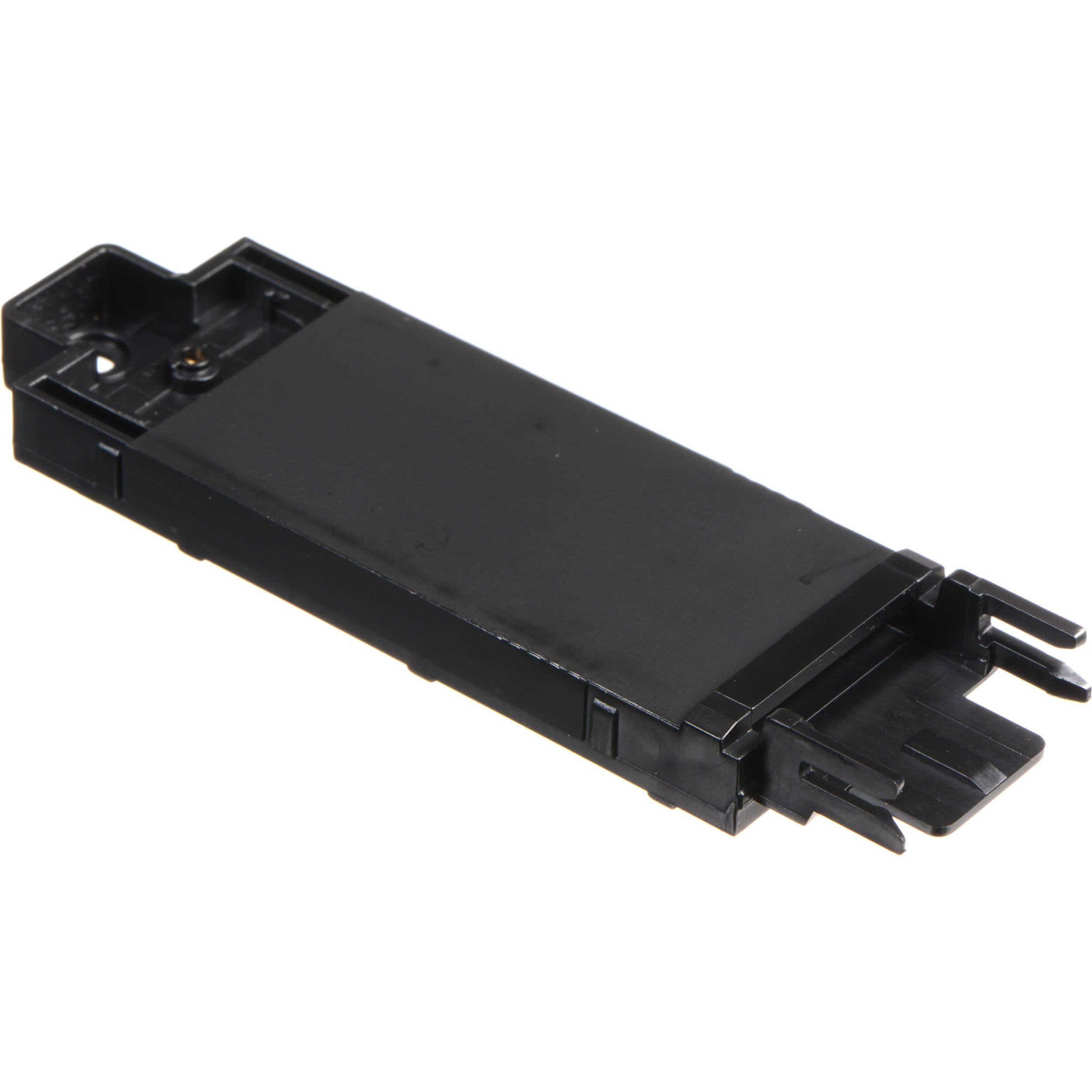
The Lenovo 4XB0K59917 ThinkPad M.2 SSD Tray Storage Bay Adapter is a lightweight, durable solution designed for seamless integration with various ThinkPad models, allowing users to upgrade their storage effortlessly. With its user-friendly installation and robust compatibility, this adapter is a must-have for professionals seeking to enhance their device's performance.
| Standing screen display size | 1 Inches |
| Max Screen Resolution | 2736 x 1824 Pixels |
| Processor | 1 hertz 68030 |
| Hard Drive | 1 MB Solid State Drive |
| Chipset Brand | Texas Instruments |
| Card Description | Dedicated |
| Graphics Card Ram Size | 1 MB |
| Number of USB 3.0 Ports | 1 |
| Average Battery Life (in hours) | 1 Hours |
| Brand | Lenovo |
| Series | ThinkPad M 2 |
| Item model number | 4XB0K59917 |
| Hardware Platform | PC |
| Item Weight | 3.5 ounces |
| Product Dimensions | 7 x 5.8 x 2 inches |
| Item Dimensions LxWxH | 7 x 5.8 x 2 inches |
| Color | Black |
| Processor Brand | Transmeta |
| Number of Processors | 1 |
| Hard Drive Interface | LVDS |
| Hard Drive Rotational Speed | 1 RPM |
| Optical Drive Type | DVD+R |
| Voltage | 240 Volts |
| Manufacturer | Lenovo (United States), Inc. |
| ASIN | B01ALBIFA4 |
| Is Discontinued By Manufacturer | No |
| Date First Available | January 14, 2016 |
S**.
Worked well!
Worked awesome! its so much cheaper to buy laptops configured how they are by default and switch out the parts yourself if you know what you are doing. This made it really simple to put an SSD in.
M**D
Perfect fit!
I have a lenovo P50 and I installed a pair of NVMEs on it. Although the Lenovo comes with the slot to get the NVMEs installed, it does not come with the "housing" to get it in there securely. This is the part to do it. Fits like a glove and the NVMEs are secure.
C**R
Easy to use and it WORKS
Was a bit apprehensive about getting this but it was quite easy to use. It is a MUST for Lenovo Thinkpad P50 if you want to add M.2 SSD internal storage. The worse part of it all was removing all those screws to take bottom cover off to get to storage area. Not difficult, though. Be patient. I am MOST grateful to have been able to add storage. I bought what supposedly had 500gb SSD & 1TB HDD but ended up receiving pc with only the 500 SSD (which I seemed to use within a very few months!). Don't hesitate to try this. You Tube has some videos on how to do it if you need more info. Good luck!
A**.
It's the correct part
It's an official Lenovo part in Lenovo packaging, and it's the part I needed. However, I wouldn't call it a great value. A tiny drive carrier like this really is overpriced at $10, especially when you can replace the bottom cover of the laptop for around $25; $5 or $6 would be more reasonable. It also took 9 days to arrive.But the part was available and is currently installed in this laptop, holding a M.2 NVME drive.
A**R
Perfect Fit
The installation took 4 minutes. The only drawback is the absence of the installation instructions. You need to figure out that the correct installation order should be as follows:- remove the screw that comes with the notebook, you will need it later on to attach the bay adapter to the computer tray- insert the SSD into the bay adapter- install the adapter with the SSD- attach the SSD to the bay adapter with a screw that comes with it in the box- finally secure the bay with the screw you've removed in step 1
S**N
Great OEM addition adapter for your P50/P51/P70/P71 systems
Genuine OEM article and works as expected. Also has the an additional foam padding to transfer heat and reduce vibrations which wasn't on my laptop drive adapters and is a nice addition.
N**K
Worked perfectly
Not really much to go wrong with this. It's a sled for an NVMe drive.
M**N
Easy of Installation
Extra drive bay / carrier
A**R
Piece d'origine comaptible avec mon Lenovo P51
La piece etait conforme et de bonne qualité.
J**L
Necesario y perfecto
Perfecto para ampliar con SSD NVMe un Lenovo ThinkPad P51, otra cosa-pésima por parte de Lenovo- es considerar la obligación ineludible de tener el dispositivo para conseguir la ampliación.
A**.
Original ... was soll man dazu schon schreiben.
Es gibt zwei Arten von Trays für die P50: mit und ohne Kühlung. Für eine M.2 SATA SSD reicht ohne, aber wer eine NVMe verbaut sollte tunlichst zu dieser hier greifen. Wird der SSD zu warm, wird sie sonst im Fall des Falles langsamer. Wer will schon seine NVMe ausbremsen? War teuer weil es schnell sein soll.Die Montage der SSD im Tray ist eine Frage von Geduld und Zärtlichkeit ;-).Fehlerträchtiger ist da schon das einsetzen des Trays: man kann ihn anschrauben auch wenn der noch nicht richtig im Stecker sitzen, also vorsichtig etwas ruckeln und schauen dass man wirklich am Anschlag drin ist und dann erst verschrauben.
A**Y
Genuine Lenovo part
Just be aware it only has one screw.You need two of the tiny screws. On to mount drive to this and one to secure this in laptop
A**R
Good
Does the job for my P51.
Trustpilot
1 day ago
3 weeks ago