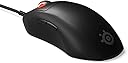
🎮 Dominate every match with the Prime’s pro-grade precision and featherlight speed!
The SteelSeries Esports FPS Gaming Mouse Prime Edition is a pro-designed, ultra-lightweight 69g mouse featuring a cutting-edge 18K CPI TrueMove Pro sensor and magnetic optical switches for unmatched precision and durability. With 5 programmable buttons and onboard customization, it offers seamless control without software dependency, tailored for FPS gamers seeking comfort, speed, and reliability on PC and Mac.


| ASIN | B093LSC9KY |
| Additional Features | Lightweight |
| Antenna Location | Gaming |
| Are Batteries Included | No |
| Are Batteries Required | No |
| Best Sellers Rank | #1,843 in Video Games ( See Top 100 in Video Games ) #117 in PC Gaming Mice |
| Brand | SteelSeries |
| Button Quantity | 5 |
| Color | Black |
| Compatible Devices | Personal Computer |
| Connectivity Technology | USB |
| Customer Reviews | 4.2 out of 5 stars 1,369 Reviews |
| Embellishment Feature | LED |
| Enclosure Material | Plastic |
| Hand Orientation | Ambidextrous |
| Hardware Platform | PC |
| Item Dimensions L x W | 2.67"L x 4.93"W |
| Item Height | 1.67 inches |
| Item Weight | 0.23 Pounds |
| Manufacturer | SteelSeries |
| Model Number | 62533 |
| Movement Detection | Optical |
| Movement Detection Technology | Optical |
| Number of Buttons | 5 |
| Operating System | Windows, Macos |
| Range | 5.0 meters |
| Special Feature | Lightweight |
| Style Name | Prime |
| UPC | 813682027315 |
| Unit Count | 1.0 Count |
| Warranty Description | 1 Year |
J**S
Good gaming mouse
I can only speak about the Prime+ wired version, this mouse has been great so far. It has a nice firm mouse click actuation with the two top mouse buttons. That is what I prefer as I don't want to mis-click just from resting my fingers on the mouse buttons. Mine came with the braided cable and it's not stiff at all. Coming from a G700s it's significantly lighter which takes some getting used to. The #1 reason I purchased this mouse is because it has on-device settings that are easily changed and don't require me to install software. I can quickly set DPI, Polling frequency, Lift off distance etc without installing anything extra on my computer. It also uses optical switches for the primary mouse buttons. I would have given Razor a shot, but I HATE their software and the fact that it auto-installs when you plug in one of their devices. This one does have a pop-up that asks if you want to install the software but you can just click No and go about your day. Pros: - Optical primary mouse button switches - Simple side mouse buttons - Good overall feel in my hands (I have slightly bigger hands) - Ability to control just about everything from the mouse itself Cons: - No infinite-scroll wheel (may not be a con if you haven't had a logitech mouse with it) - The scroll wheel click can be triggered by pressing the scroll wheel to the right (not sure if feature or just slop. Hasn't affected me in the least bit but could for someone else.) The -The mouse feet are just ok. Other thoughts: I turned off the lift-off detector. While it is good and works, unless you're using a flat mouse pad (like the plastic low-friction ones) this feature is hit and miss. I use a fabric one with a little cushion on the underside and there is a miniscule detent in the mouse area that the mouse will detect as lift off when I go across it. Turning the lift-off option off hasn't affected my gaming at all as I was already used to normal mouse lifting from the G700s. The mouse body quality seems avg. But when I messed with just about all of the mice at MicroCenter this was true of almost all of them. Short of going into the $139+ range where some of the mice would be textured with a rubberish coating. If you're a really sweaty player this might have an impact on you. It hasn't had any impact at all on me. This review was done a few days after getting and using the mouse. I will update if any issues come up after a few months of daily use. **** One month update **** Well it's be a month of using this as my daily driver mouse for both work and gaming. About 12 hours a day of use 6 days a week. And my original review still holds the same. It's a great mouse. All the action buttons still work find. I've gotten used to the side button locations. The middle mouse(scroll wheel) click is still firm, but that doesn't bother me at all. I haven't had any miss-clicks or double clicks. I still haven't had any reason to install the software for this mouse. Being able to make adjustments from the menu on the bottom of the mouse is great.
1**Z
Versatile option
Excellent mouse. In terms of raw performance the best one I’ve ever used, including the deathadder essential, logitech g403 and logi g502 original. Surprisingly good build quality for the weight which usually makes light things feel cheap. No rattling, no creaking unless you squeeze/press hard. Switches and wheels are all tight tolerances and centered correctly. The sensor is flawless, the weight is minimal, the design is ergonomic, and the cable is very pliable and light. Needless to say this will perform very well for any FPS game. Will it compete with “uber 8khz polling rate 20g ultra light 100g acceleration million DPI wireless top tier mice?” Probably not. Is it good enough to not matter? For 99.9% of people, yes. If you have a good bungee cord to alleviate any cable interference(which is already incredibly minimal) and the shape fits well for your hand? None of this will matter and your human limitations will come up far before any limitations of this hardware. For the minimal price I paid, I literally cannot expect anything else. This thing is also great for office use love the switches and feel. My only gripe is I wish the side buttons were bigger. Also as a very minor point, the connection point to the mouse is usb-mini and not usb-c. It’s a slightly older design and it is not any real kind of limitation other than perhaps limiting aftermarket cables(which this thing does not need, stock cable is excellent). If you need a cheap but great performing mouse and don’t care about wireless? it is very very hard to go wrong with this. Kudos Steelseries.
A**R
Great mouse
This is a great mouse, inputs are instantaneous, even on low settings its smooth, fast, and responsive. definitely recommend.
O**T
Good
Some background: a year or two ago I swore off physical switches because of how consistently bad the product quality was for certain other major mouse brands. I repeatedly ran into issues with the mouse buttons clicking multiple times with a single press, across several mice. My previous optical switch mouse from one of said major brands also had some sort of driver/firmware/hardware issue combination that caused it to repeatedly disconnect and reconnect, effectively bricking it. Decided to try some other brands, settled on this mouse. I like it so far. No connectivity issues, main mouse buttons are *satisfying* to click, weight is good, shape is good, actual behavior of the mouse is good. Glad the DPI/polling button is not on top of the mouse where it's easy to accidentally click, as I don't ever hotswap those. As some other reviews mention, the side buttons could be a bit bigger, but I don't find them uncomfortable, though I don't tend to bind too much to them in the games I play. After a very brief adjustment period figuring out my sensitivity and such, feels good in games. Not a perfect mouse, but a good one.
G**O
great mouse
Best bang for your buck mouse in gaming. Works great, not too flashy, fits the hand and is highly customizeable. Have not had any lag issues, and settings like color/brightness of the scroll wheel can be adjusted. The screen on the bottom is plenty bright and legible. I also appreciate that the cable is able to be disconnected so you can swap a faulty cable.
M**S
GARBAGE MOUSE, GARBAGE CUSTOMER SUPPORT!!!
Hello everyone, just wanted to warn people that this is a garbage mouse. It has a flawed design. There should be a class action lawsuit against this company. At first it may seem okay. But after a little bit of use the mouse wheel on my unit began scrolling in opposite directions during typical scrolling functions. I would scroll up and down, but the screen would scroll in the opposite direction. At first, I just accepted the flaw as a new normal. But it gets old really fast. I deleted drivers and uninstalled everything and downloaded the latest software and drivers in hopes that would correct the issue. I rolled back to previous drivers thinking it was a software issue. Nothing resolved the issue. At this point it has got to be the physical components of the unit that are failing way unacceptably prematurely. This happened almost immediately after using it. I have a lot of other mice, so I just started using them. But I paid for this and I expect a functioning product as should anyone. I'm thinking this company is aware of this design flaw because I see these units on sale all over the place. Discounted at alot of places. I tried to reach out to customer service. There is no phone number to call and no email that is easily and intuitively located. Their website basically makes you create, and account and you go in circles clicking buttons to get to someone to help, but nothing convenient. It's very frustrating and disappointing. I will never ever purchase a product from this company ever again. I'm writing this review to warn others and spare them the frustration.
J**N
Decent gaming mouse. (SteelSeries Prime)
This review is for the SteelSeries Prime FPS gaming mouse after about a month of usage. My old logitech mouse had a lot of double-clicking issue. I've decided to move to SteelSeries this time. This review is for the wired version, not the wireless version. I have used the mouse for multiple games genres, especially Shooters as a sniper where double-clicking is a major problem. I have relatively large hands, and I prefer the fingertip grip. Product: Box comes with mouse and a detachable clothed cable connected to the PC's USB. Software needed to be downloaded from SteelSeries' site. Things I liked: + Fantastic clicking, I like the sound and tactile feedback. Much better than a typical gaming mouse click. + Simple ergonomic design, suited for fingertip or palm grip playstyle. + Not experiencing any double-clicking issue yet, however this may change as the mouse age. + Relatively light-weight, but won't feel like it is constantly floating as you move. + Decent size for larger hands. + Clean matted plastic, that won't feel sticky with intense/long sessions. Things that may be a concern: - Limited RGB lighting. Only on the rim on the mouse wheel. (not an issue for me) - Clicking pressure does require a bit of effort. This can be tiring at first, but I eventually got used to it. - On the more expensive side, but the price was worth it IMO. - Mouse wheel isn't bad, but the scroll and click can be better. - Software needed for initial customization. Need to download SteelSeries GG software to adjust the sensitivity (CPI), or change the RGB color. I'm not a fan of extra software, but the software isn't bad, and it only needs to be done once. You can use the mouse without the Software. (not a plague like razer's synapse) Summary: Overall decent gaming mouse. Great quality build. Other than the mouse wheel, this is one of the better mouse I've used. The clicking feels and sounds great! However the clicking does require more pressure compared to a standard mouse, and can be very tiring for some people after usage. (then this mouse may not be for you) Left a very good first impression of SteelSeries.
I**T
5 Star Mouse, 1 Star Cable
I got the Prime Wired on sale for like $25. I'd say that's a fantastic deal because everything about this mouse is amazingly good, the shape, the lightweight, the surface finish, the sensor, the buttons, the build quality and rigidity of the shell, all just fantastic, I love it, except for one major problem: the cable is really stiff, the worst I've tried yet out of all the gaming mice I own or have tried. It really interferes with moving the mouse. So my options were to return the mouse and get the wireless version, OR replace the cable with an improved, highly flexible aftermarket cable that plugs into micro usb in the mouse. I decided to get the aftermarket cable because the Prime Wireless version weighed a noticeable roughly 10 grams more and I highly value lightweight in a gaming mouse, 10 grams is definitely a noticeable difference. I did some research and ended up getting an aftermarket cable from Lethal Gaming Gear (you have to go to their website they dont sell them on Amazon) with the micro USB end to fit this mouse (luckily this mouse cable unplug from the mouse). It's called the "Lethal Cable" and it's by far the best mouse cable I have so far in my collection, super thin and flexible, it's like having a wireless mouse. It cost me about $30 after tax and shipping which is more than I paid for the mouse on sale. So all in all the mouse with the new cable cost me about $55. Also I had to take some material off the plastic housing on the micro usb end of the cable with a file to make the cable fit past the opening in the mouse body and into the mouse. If the mouse wasnt so damn good it wouldn't have been worth it, but now I have one of the best ergonomic gaming mice in the market. I have to say though, for the price of this mouse, the stock cable is unacceptable and I shouldn't have to spend more money to get a better cable for a brand new mouse. Steel series isn't alone here on the bad cable front though, Razer's cables are way too stiff also. 5 star mouse, 1 star cable.
Trustpilot
1 month ago
1 week ago