
DOWNLOAD THE APP


Customer Services
Copyright © 2025 Desertcart Holdings Limited
DOWNLOAD THE APP
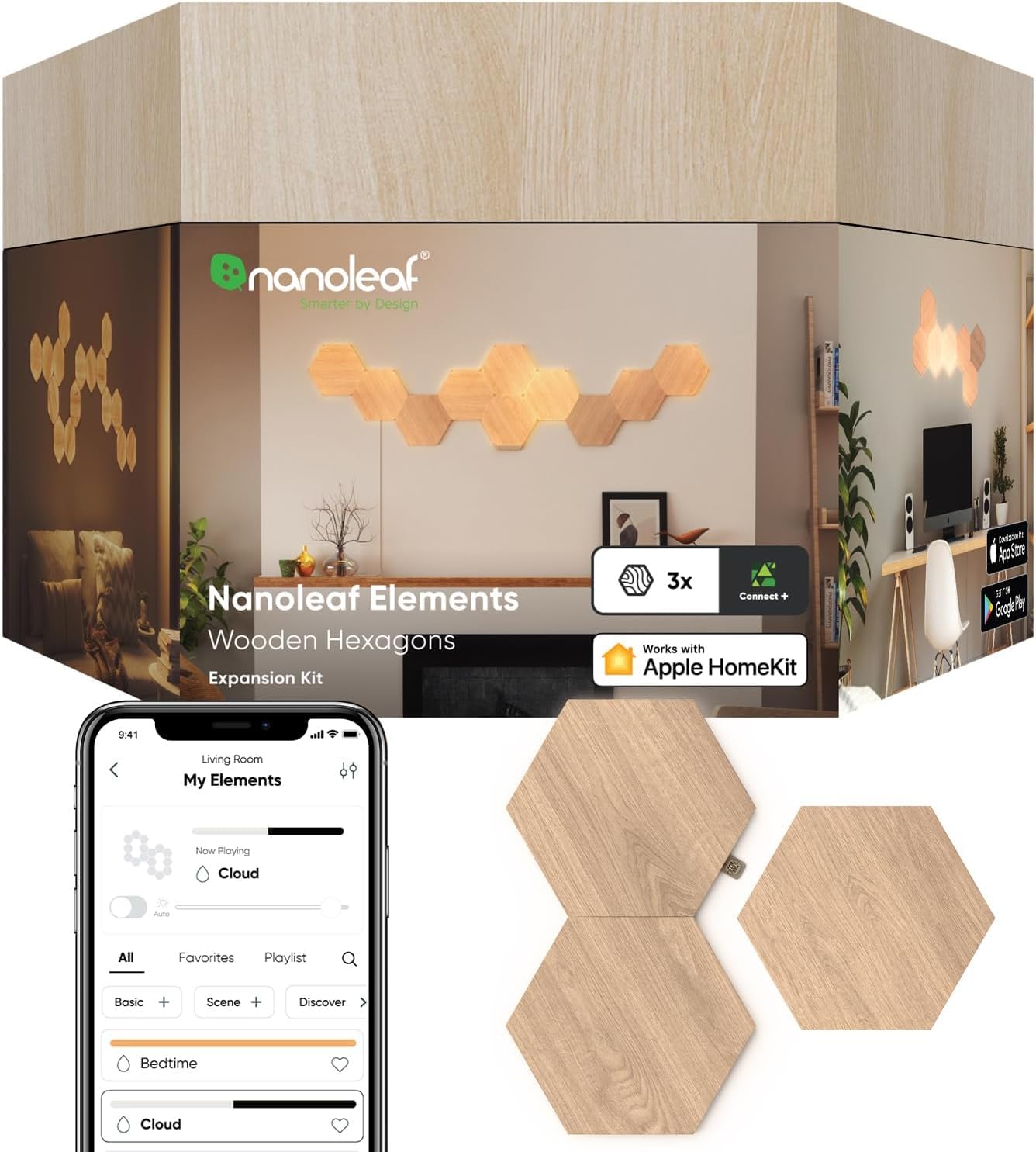
🟧 Illuminate your space, amplify your vibe — smart lighting redefined.
Nanoleaf Elements Wood Look Smart Wall Lights feature 3 modular hexagonal LED panels with a natural wood grain finish, delivering warm to cool ambient whites (1500K–4000K). Compatible with Alexa, Google Assistant, Apple HomeKit, and more, these lights offer touch control, music sync, and dynamic glowing effects. Easy to install with adhesive mounting and expandable via additional packs, they transform any indoor space into a cozy, stylish smart environment.


| ASIN | B0939DJN8P |
| Best Sellers Rank | #62,059 in Tools & Home Improvement ( See Top 100 in Tools & Home Improvement ) #315 in Wall Sconces |
| Brand | Nanoleaf |
| Brand Name | Nanoleaf |
| Brightness | 66 lumen |
| Color | Brown |
| Connectivity Protocol | Wi-Fi |
| Control Method | App, Touch, Voice |
| Controller Type | Amazon Alexa, Apple HomeKit, Google Assistant, IFTTT, SmartThings |
| Customer Reviews | 4.1 out of 5 stars 584 Reviews |
| EU Spare Part Availability Duration | 2 Years |
| Efficiency | 3.67 lumens/watt |
| Finish Types | Wood Grain Finish |
| Fixture Type | Non Removable |
| Global Trade Identification Number | 00840102701661 |
| Included Components | Mounting Plates, Mounting Tape, Rigid Linkers, Wood Look Hexagons x3 |
| Indoor Outdoor Usage | Indoor |
| Installation Type | Adhesive Mount |
| Item Dimensions L x W x H | 9.65"L x 8.28"W x 4.92"H |
| Item Type Name | Nanoleaf Elements |
| Item Weight | 680 Grams |
| Light Color | warm and cool whites |
| Light Fixture Form | Low Bay |
| Light Source | LED |
| Light fixture form | Low Bay |
| Lighting Method | LED |
| Manufacturer | Nanoleaf |
| Manufacturer Warranty Description | 2 year parts. |
| Material | Laminate with a wood grain finish (PVC) |
| Material Type | Laminate with a wood grain finish (PVC) |
| Model Name | Nanoleaf Elements |
| Model Number | NL52-E-0001HB-3PK |
| Mounting Type | Wall Mount |
| Number of Items | 3 |
| Number of Light Sources | 4 |
| Other Special Features of the Product | Color Changing, Connect+, Touch, Dimmable, Dynamic Glowing Effect, Music Sync |
| Power Source | Corded Electric |
| Required Assembly | Yes |
| Room Type | Bedroom, Living Room |
| Shade Color | Brown |
| Shade Material | Wood |
| Shape | Hexagonal |
| Specific Uses For Product | Home |
| Style | Modern |
| Style Name | Modern |
| Switch Type | Touch |
| Theme | Nature |
| UPC | 840102701661 |
| Unit Count | 3.0 Count |
| Voltage | 220 Volts |
| Water Resistance Level | Not Water Resistant |
| Wattage | 6 watts |
D**R
Angelic amber pulsating hexagons. Is there anything cooler?
Hypnotic and beautiful. Easy to install, you may need a leveler for the first two, but then they stay in place even though they can turn on the attached adhesive. It's a bit odd that they turn, but it didn't hurt. I accidentally pulled too hard slipping in a connector and the panel popped off the wall with the adhesive remaining on the wall. It held which was nice incase you want to change the grain pattern of the wood. Plan your install. I planned mine for months after a favorite cat passed, I needed some chromatherapy. It took so long because I was too chicken to install it in my office. But a spa corner/wellness area at the office for hard working professionals to relax, that's the perfect spot for this incredible light (picture below). I use a Govee Smart Plug for time/light management. I wouldn't dare use the app for this thing everyone says it's horrible. I don't really trust any apps except for Govee. The buttons are easy enough to figure out, the govee plug successfully turns it on. Last, turning on takes almost 30 seconds, and then, lovely. It almost looks like its moving to and from you.
L**E
Beautiful, simple, and unique
Yes it has a large price tag but it's more of an art piece and smart product produced at low volumes. Pros: Nice design with interlocking hexagons. I'd suggest to measure and lay out your design on the floor. Take a picture and hold up to the wall. Level your first hexagon perfectly then you don't need to worry about the rest. Simple install. Once you get past your design anxiety and making sure your first hexagon is measured and near perfect, the rest just comes into place. They stay on the wall great. Smart home options. You can use their app and manage your lights there. It also comes with a "remote" that links to any of the hexagons you want. But you can also integrate with your favorite smart home solution. I personally use Home Assistant via HomeKit integration. You can also trigger different actions when you touch different hexagons, though this is more if you're comfortable with smart home customization. Expandable. If I decided to add more hexagons or decorate the edges with colored triangles or lines, I could. Bright and variety of whites. You can use auto brightness adjust manually. Also set various whites from cool to warm to sunrise/sunset oranges. It comes with a large library of presets that you can save to your favorites for it to cycle upon shuffle, from cloud motion to star twinkle to starbursts to neon. Plus of course the music mode (if the music is in the same room, it doesn't line up as much further away). Cons: Their app looks great but isn't always reliable and firmware updates aren't confidence-inspiring, though optional. Although compatible with Elements shapes, it's more of an afterthought as it uses the same screens and sometimes gives you suggestions for RGB colors rather than just shades of white. For the price I wish you got an extra 2 or 3 hexagons. Or a more lightweight app. When I open it it seems like they want to upsell me. The "wood" itself is a bit too consistent and manufactured. Although this makes it easy to make sure the "grain" lines up to each other, it doesn't feel as natural. Mixed feedback on removal. I tried to uninstall one and although I could see it be a bit awkward in a few years when I forget what the back looks like, it's fine and replaceable with a spare 3m Command wall strip. I get the feeling that people who complain about removal don't realize there's a set way of removing the glue and instead accidentally rip them off. They're like command strips and need to be stretched parallel to the wall and NOT pulled towards you away from the wall. If you have the time, knowledge, and tools, you could build this yourself at a third of the price. But that's true with most anything: meals, computers, furniture, etc.
C**Y
Love them, but be prepared for headaches when installing
The final result was great, but man were these things a nightmare to put up. Some years back, I bought the Nanoleaf triangle light panels and had a love/hate relationship with them. I loved them when they worked, however the sticky adhesive that came with them ripped the paint off my walls, so I quickly learned to use regular command strips instead of whatever came in the package. They also did a huge relaunch of the app a few months after I purchased the panels, and they never connected the same way again. I ended up just getting to a point where I kept it on my fave color/light pattern and my fave brightness setting and never bothered using the app any more. I held off for a while but finally figured if I had to do the same thing with these elements hexagon panels, it would still be worth it for the vibe I wanted to create in my apartment. Turns out setting these up were just as much of a struggle as the other panels... but in my opinion, they are worth it for the end result. This time I didn't even try with the adhesive included in the package -- my first piece of advice is to get a bunch of those big velcro command strips as they're much easier to remove if needed. There's a circular panel in the middle of the hexagons that rotates, and I highly recommend attaching the command strips there. The rotating circle panel makes it easier to adjust once it's on the wall, which is nice. However the rotating panel can be annoying if you're trying to make sure everything is perfectly level, as it keeps rotating while you try to connect other panels. So be ready to fight a bit with that, lol. My second piece of advice is to lay out your design pattern on the floor first, and also figure out where to put the connector pieces so that you have enough. They give you the bare minimum in the starter pack, so be ready for that. At first I really wanted a connector for every spot so the panels would stick together better, however that was impossible for the design I wanted to create and the amount of panels I had. My biggest piece of advice is to make sure you have all the connector pieces already attached when you put a new panel on the wall. The connectors are practically impossible to add to a panel once it's stuck to the wall -- they snap into place pretty firmly but if you try to attach more while it's on the wall, they have a tendency to fall off very easily. Also extremely frustrating, so make sure to snap the connectors into place BEFORE putting them on the wall. You can also disconnect the panel from the little rotating circle in the center, which was helpful when I realized the connectors would keep falling off unless I snapped them into place before putting them on the wall. I had to pull all the panels off, attach connectors, then push them back onto the little rotating circle panel that was still stuck to the wall. If you get more than one starter box like I did (I got 2 so that I would have 14 panels total), make sure the number of the power adapter matches the number on the slip of paper with the QR code to connect the panels to the app, and that it also matches the number on the little control panel piece. I didn't realize the app would only connect if I used the same power adapter AND the control panel AND the QR code I scanned. You would think the power adapter wouldn't matter but apparently it does. Final piece of advice is to be ready for frustration with the app. Thankfully they upgraded the panels a bit so you can use the Apple Home app to turn them off and on and adjust the brightness. But in order to adjust the colors and patterns and create custom "scenes," you'll have to use to Nanoleaf app. I've had it connected for about 4 days now and so far it hasn't disconnected yet, but after my previous experience with my triangle panels I know that probably won't last for long. My advice is that once you have things connected, find or create a few scenes you like and "favorite" them. That way even if it disconnects from the app, you can still use the little arrow button on the panels themselves to cycle through your different scene options and just leave it set to the one you like the best. It can be confusing when you're creating or editing the scenes too, every time you make any tiny adjustment it wants you to rename the whole scene and save it as a separate one. So be ready to do a lot of editing and playing around with that. For how expensive these are, it's pretty frustrating how difficult it can be to install them and get them connected. But overall I really love the way they look, and they match the aesthetic of my apartment really well. I think they're worth it, but just know you will probably struggle for hours when first putting them up.
C**S
Easy to install, sensory friendly for migraines
I absolutely love these panels. I’m sensitive to overhead and white lights. I work from home with only natural light— but sometimes my face is too dim on zoom calls. Ring lights are a migraine disaster for me. So this was the absolutely perfect solution to back-light my wall behind my computer. They are peaceful, sensory friendly, the colors are perfect— installation was a breeze. 10/10 recommend. I bought an additional pack of 3 because we loved them so much
J**J
Beautiful but has issues and support is non-existent
While the Elements are stunning when they work normally (it truly brings the wall to life), they come with some issues (from what I found online it seems I'm not the only one). The problems are a multitude. It will randomly turn on at night, the panels will flash at random times whether the panels are on or off, and it will randomly change its scenes. There are various solutions listed online, but none seem to work for me. Some of the solutions mentioned are turning off the hand gesture function or other functions, but the problems remain even when everything is set to off. I reached out to Nanoleaf support, but even though they say they will try to reply "shortly", it's been over 10 days now and I have yet to hear back from them. It's too bad, really. There are various other Nanoleaf products that I would've liked to purchase for my home, but I feel they are too expensive to have these types of issues with no support offered by the manufacturer... Update 11/25/24: I gave this two stars in my original review, but I'm deducting another one for the incredibly slow and almost non-existent support. The review above was written early August of this year, and I'm still dealing with the same issue of random flashes. Initially, someone from Nanoleaf reached out to me through Amazon and at the same time my support ticket finally received a reply (unsure if that was a coincidence). The support ticket finally got closed in September after doing pretty much all troubleshooting one could think of, hoping it would be fixed with the replacement of four panels. Except, it didn't. I had to open a new ticket in October, and while someone did reply back and gave a few more troubleshoot suggestions (including quite a few that I already tried before), it is an incredibly slow process. My last contact with support was 12 days ago, in which they told me they would contact me in 24 hours again (which they sent as the last contact before that one was also 10 days prior, so I'm really waiting 22 days now for something meaningful). So, here we are, 4 months further down the road, still having the same issue. Honestly, I get that they're busy but at this point I wish I could just get my money back so I could go with another brand. It's getting ridiculous.
P**B
Stylish, Functional, and Inspiring—Totally Worth It
I recently added these Nanoleaf Wood Look Hexagon Panels (an expansion pack to my starter kit) to finish up a design I’ve been working on, and I have to say—they’re an absolute game changer for my small condo and living room. Let’s start with the design: these panels are sleek, modern, and add such a warm and cozy mood to the space. The wood finish blends perfectly with my decor and makes the room feel both high-tech and organic. The fact that you can adjust the lighting scenes with the Nanoleaf app or through Apple HomeKit is just chef’s kiss. Whether I’m in work mode or just relaxing, the customization options make it easy to set the perfect vibe. One feature I especially love is the touch programming. Being able to control smart devices in my home with just a touch on one of the panels feels so futuristic. Plus, when I’m in my “creative zone” for work, these panels are like a visual anchor—I’ll just sit there, stare at them, and let the ideas flow. The only downside is the price—it’s definitely not cheap. If it were more affordable, I’d cover an entire wall with these panels without hesitation. That said, they’re worth the investment if you’re looking for something that combines function, design, and a whole lot of personality. If you’re on the fence, I’d say go for it. These panels have added so much to my space, and I can’t imagine my living room without them now. Highly recommend!
G**M
Best piece of 'art work' I've ever put on a wall
These are a brilliant invention (forgive the pun). They look good on a wall with or without the lights switched on. You don't get colors with these hexagons, rather shades of white, from golden ember glows to bright whites. You can set them up from your iPhone with steady light, or waves of flickering whites, changing shades or intensity that wash gently across your pattern. They take a bit of setting up. Nanoleaf recommends setting them up temporarily first, such as on a table. It's tricky to measure the dimensions to fit the wall where you want them: hexagons have their own dimensions, rather than squares which easily conform to width and height, so check and double check! But once you take the trouble to get it right, and set them up correctly with the connectors provided, it goes well when you apply them to your wall with the self-stickies on the back. I particularly like that I can abandon the iPhone and use a touch controller which they provide for you to place where you wish. You can select different lighting patterns and brightness from this control. I think the basic set doesn't quite offer enough hexagons to make a satisfying pattern; they provide extender sets of three hexagons, and I bought two extensions to go with mine, giving me six extra to achieve the 'look' I wanted. Glad I did, but I wish they weren't so expensive. The cost can seem prohibitive, but remember this is art work that can stay with you for the rest of your life and, in theory, you can even change the pattern after a few years, or when you move home. (They adhere firmly, so you may have to patch up the surface beneath them if you move them.) To sum up, these are not for flashy 'disco-like' color changers, more for those who like subtle changes in whites that wash across your pattern. Or let them hold steady with a warm glow. They'll certainly be a focus of conversation and a comfort on dark winter nights.
L**.
Adhesive failures led to an unusable light set up, followed by poor customer service.
Despite the lights being gorgeous, the adhesive was an absolute failure, even on cleaned smooth walls. In less than a month their adhesive pads failed and my entire light setup came crashing down. This resulted in multiple damaged panels that were chipped and dented. The power supply cord prongs were also damaged, making the entire light set up unusable. Adhesive failures aren't covered under the warranty, convenient, despite doing everything right as suggested in their installation manual. I reached out to NanoLeaf customer service and they completely disregarded the information I provided and replied some copy paste information about cleaning walls and textured walls. For the cost of these lights, this is unacceptable. I would not spend money on this company's products.
Trustpilot
1 month ago
2 days ago