


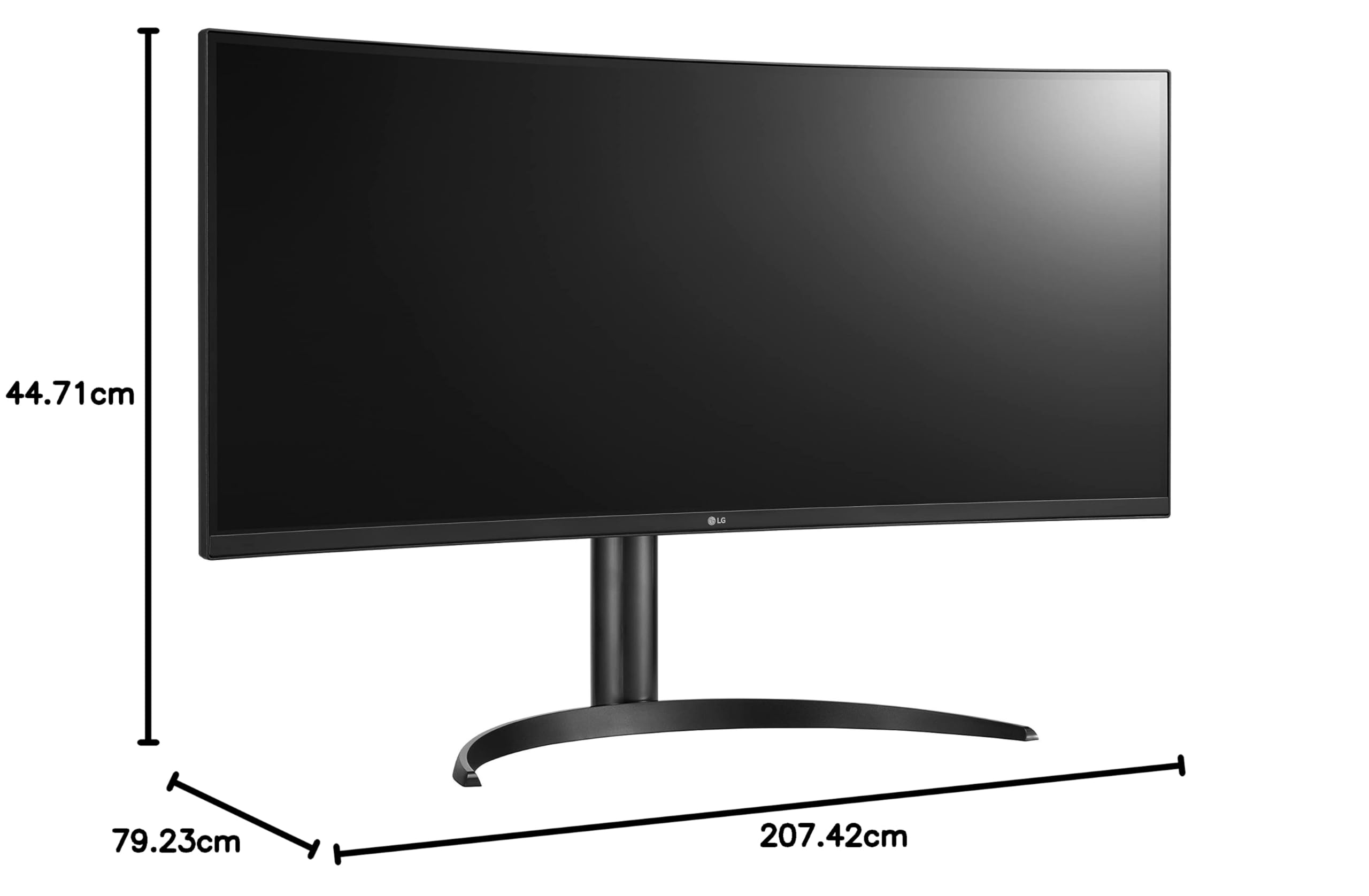


🚀 Elevate your productivity with panoramic precision and seamless control!
The LG UltraWide QHD 34WQ73A-B is a 34-inch curved IPS monitor featuring a 3440x1440 resolution and 21:9 aspect ratio, designed for professionals who demand expansive screen real estate and color accuracy. With 99% sRGB and HDR10 support, it delivers vivid visuals ideal for creative and business use. Its built-in KVM switch and Dual Controller enable control of two PCs simultaneously, while USB-C connectivity offers up to 90W power delivery to reduce cable clutter. Eye-friendly features like Reader Mode and Flicker Safe ensure comfort during extended use.





| ASIN | B0B924GWLJ |
| Item model number | 34WQ73A-B |
| Manufacturer | LG |
| Product Dimensions | 31.19 x 81.66 x 56.97 cm; 8.6 kg |
J**E
1 - the screen is compressing the resolution and I never SAW monitor do that even when I plug it to my PS5 and my PC it feels Small! and squished 2- it's says it's curved it' but not that completely true!! the monitor is slightly curved 3 - second it's expansive compare to it performance it's only support( 60 Frame rate) !! 4 - it's heavy and of course, the shipping will be expensive!!!! The last thing I think I wasted my money,
A**Z
Es muy bueno, es poco curvo se asimila más a uno plano pero aún así está muy bien
W**O
This is a review for the LG 34WQ73A-B, which appears to be a recent release (9/2022, review written 12/2022). TL;DR: This is an extremely good value for office use. I have more expensive monitors and I compare them in detail below. I have three other monitors to compare this against: an LG UltraFine 5K 27", an LG 4k 27" and an Alienware 34" with the same resolution (gaming, 144hz). I went with this monitor (34WQ73A-B) because it has an IPS panel and my other LG IPS 4K and 5K screens have very good color accuracy; my MacBook Pro renders text to both very well. I didn't need a high refresh for gaming, just 60Hz for office work as a software developer working in design systems. I have this placed next to my 5K UltraFine, which makes it easy to discern where it is a step down (pixel density). That said, it holds up well and is very comparable to my Alienware 34" at the same resolution. Font smoothing isn't as ideal as the 5K, but it looks good enough to not bother me at all. I use it for Zoom meetings, browser windows, and also code editing. I still prefer the 5K for previewing output (web development work on the front-end) but I'll use this when the details or colors don't matter as much. Regarding alternatives on the market, I had also considered stepping up to a 38" monitor for 2-2.5x the price but I couldn't justify the difference. It would have been the same pixel density, and only going to a 5K2K monitor at 38-40" would have been a real improvement, but those cost around 4-5x as much. Like I said, next to a 5K 27" monitor, it holds up and I'm not disappointed one bit, it does what it sets out to do very well. The value here is unmatched. I also compared its HDR performance next to my 5K and it held up really well (see the first photo with both displays). I had to turn the brightness to 100%, and made sure the HDR options were enabled. It was slightly less bright than my 5K, so I intentionally lowered the brightness on my 5K to match it better; the 5K was at 100% initially which was probably too bright for everyday use in the first place. The 5K at around 50% brightness matches the 34WQ73A-B at 100% brightness, so I feel like the 34WQ73A-B is a relatively dim monitor best suited to medium to low light settings. I don't work in a bright room, I keep my lights low and warm, so this is not an issue. In a bright space with lots of sunlight, it could be more of an issue, so keep that in mind. It probably wouldn't matter with good contrast, but darker images might not show up as well. If I could call out any other cons, it would probably be the backlight bleed. One photo shows approximately what you would see in a dark room (I turned off the lights) and the photo with a brighter backlight bleed is from the camera auto-exposing to a higher degree. It does not look like the brighter photo but it's still a good photo to show what the backlight variance is like. In everyday use, it's not a problem. I think it would handle a movie just fine even with dark scenes, it would just fall short of what an OLED TV panel could do. Again, if you research what a panel like this can do, I think this is going to deliver on what it should be capable of. At the current price point, it's one of the best values I've ever had in all my monitor purchasing. Each of my four monitors all fill a slightly different expectation and I'm pretty happy with my two setups for gaming (27" 4K + 34" 3440x1440 144Hz) and office (27" 5K + this LG 34" 3440x1440 60Hz). I think this is ideal as a value-oriented office monitor and you'd have to spend 5x as much to really have a noticeable upgrade in the ultrawide format.
M**O
Todo bien con el monitor, hasta que el USBC dejó de funcionar. Ya no carga los dispositivos y no envía señal.
H**A
As a data analyst, I can tell you that the LG UltraWide 34WQ73A-B 34 inch curved IPS computer monitor has some great features that would be beneficial for office work. The QHD resolution display provides a large and clear viewing area, which is perfect for multitasking and viewing large spreadsheets or data sets. The HDR 10 compatibility ensures that you'll see realistic and vibrant colors, which can be helpful for data visualization tasks. The built-in KVM switch allows you to easily control two different computers with just one keyboard and mouse, which can be a real time-saver if you frequently switch between work and personal computers. And the USB Type-C connectivity provides a single cable solution for both power and data transfer, which can help to keep your workspace tidy. Overall, the LG UltraWide 34WQ73A-B seems like a well-rounded monitor that would be a great choice for data analysts and other office workers who need a large, high-resolution display with plenty of features.
Trustpilot
1 month ago
3 weeks ago


