Desert Online General Trading LLC
Dubai, United Arab Emirates
Desert Online General Trading LLC
Dubai, United Arab Emirates





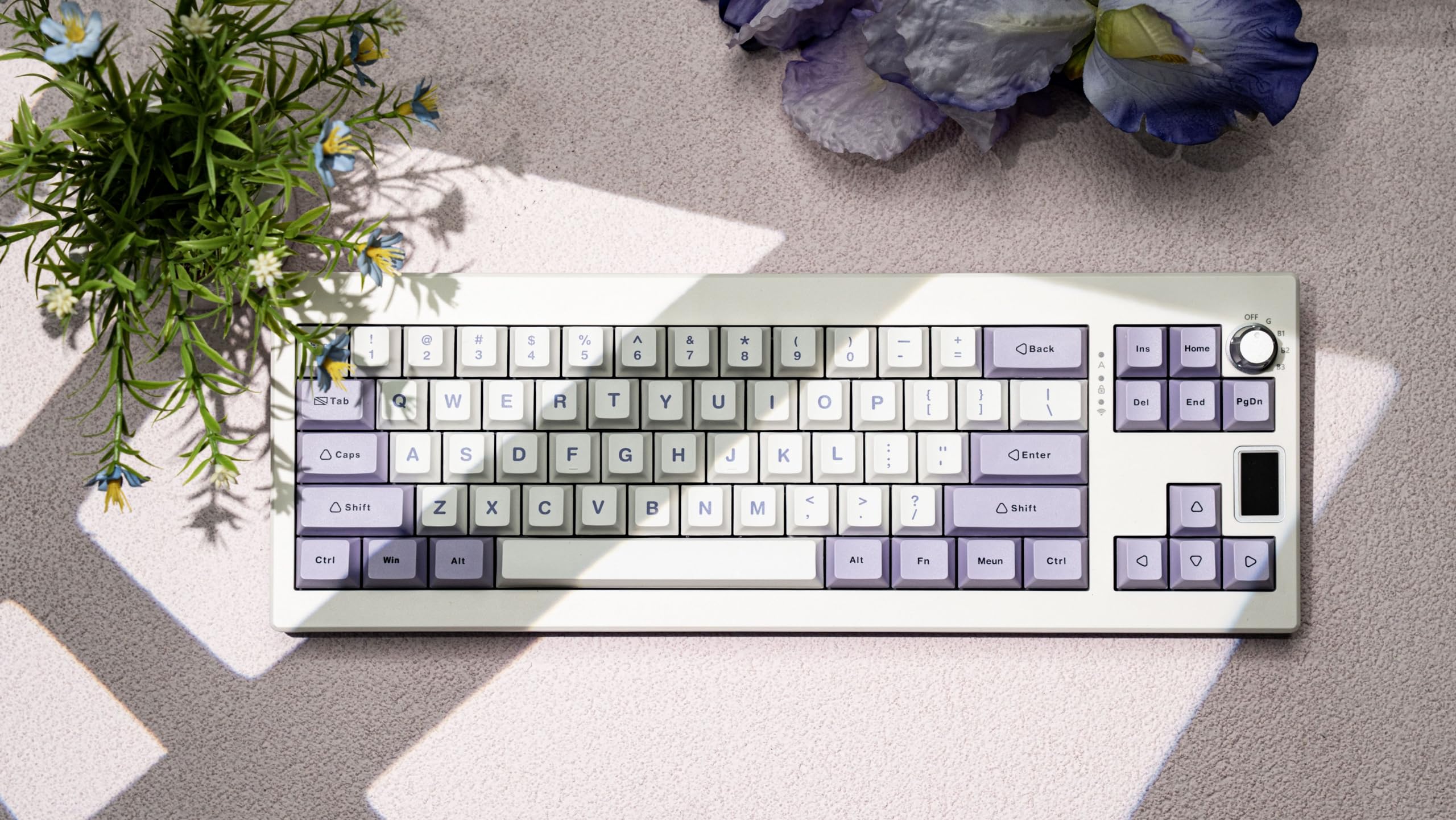
⌨️ Elevate your desk game with precision, power, and style!
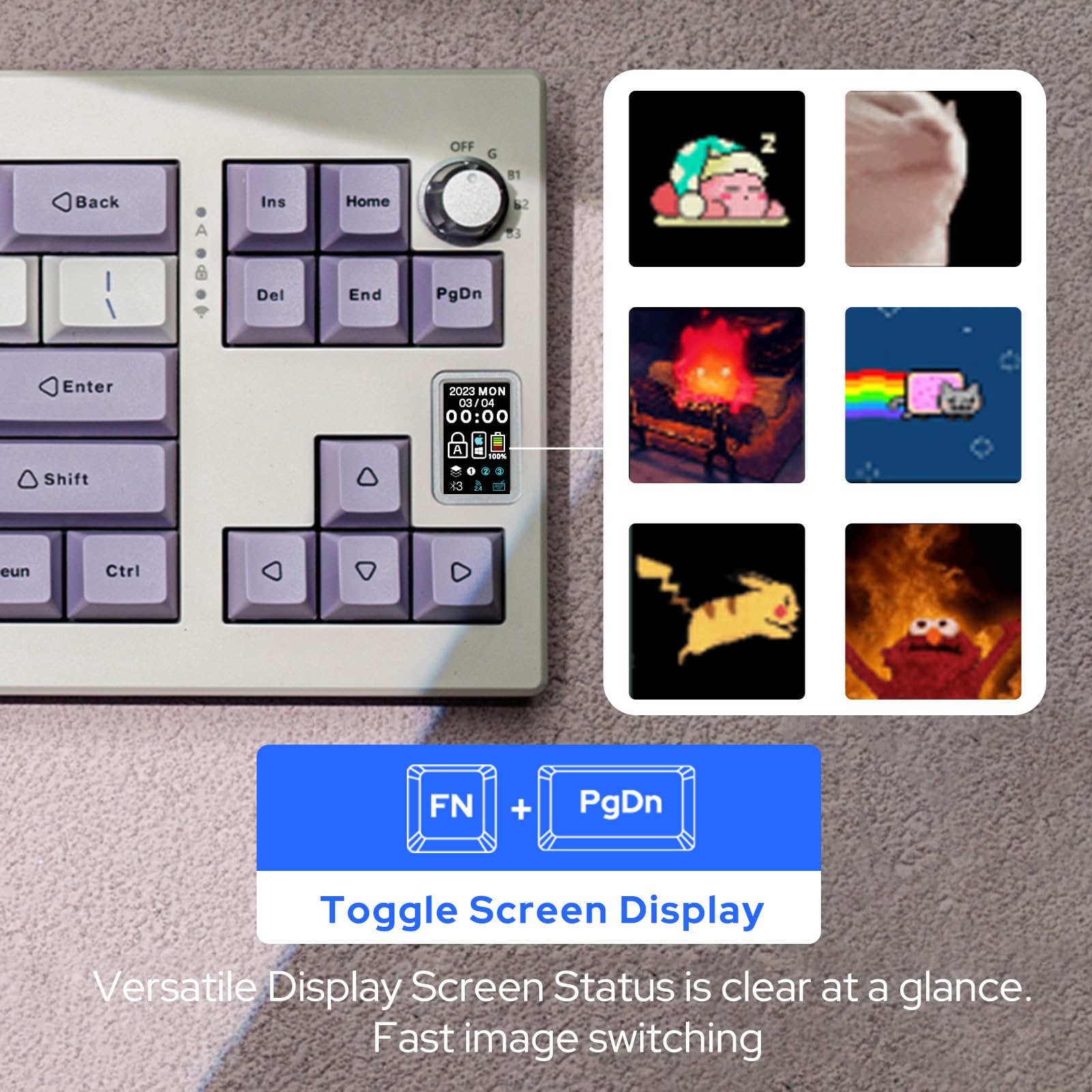
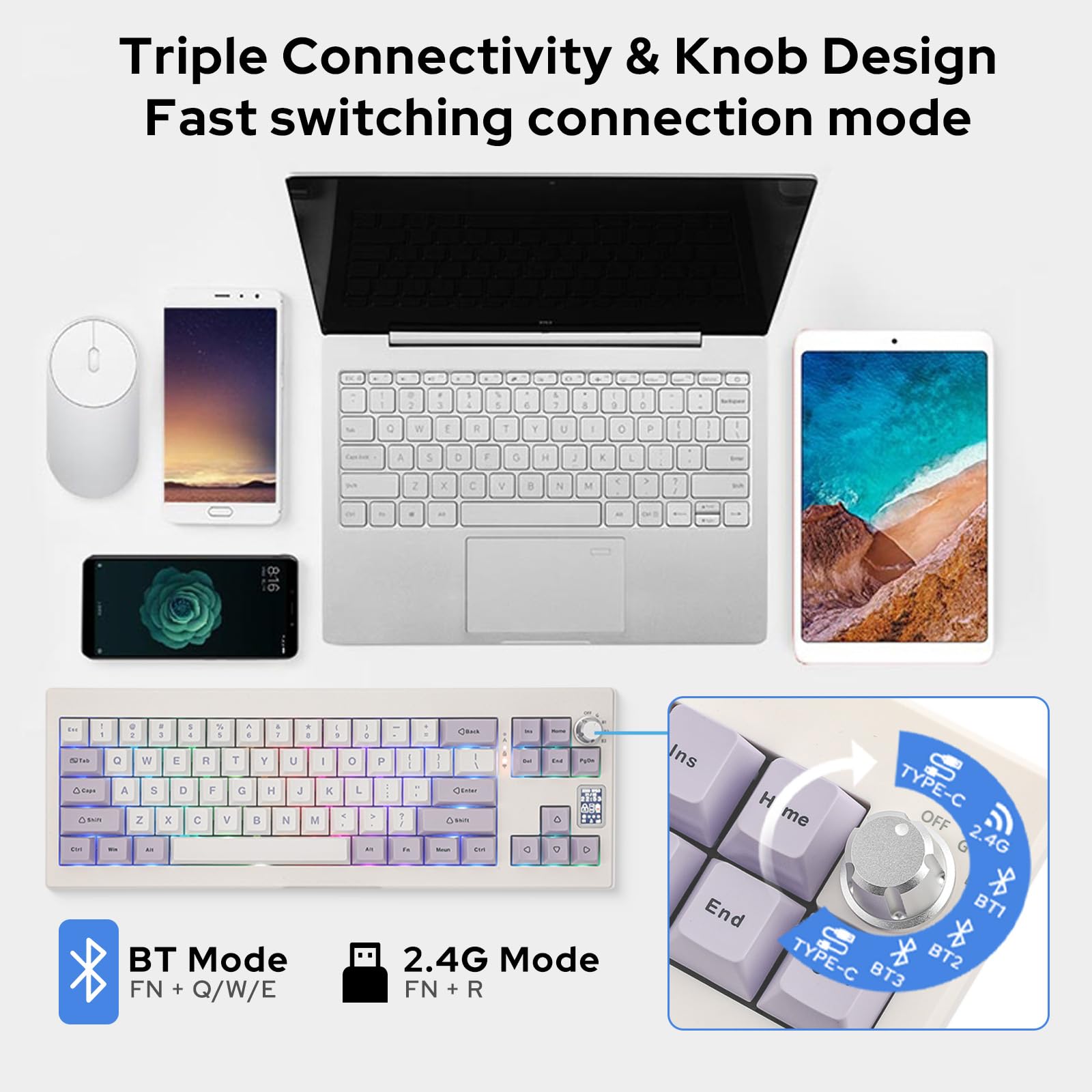
The EPOMAKER Shadow-X is a premium gasket-mount mechanical keyboard featuring a 1.06-inch color screen, metal rotary knob, and Poron foam cushioning for a soft, quiet typing experience. It offers versatile connectivity with 2.4GHz wireless, Bluetooth 5.0, and USB-C wired modes, powered by a robust 3000mAh battery for extended use. South-facing RGB LEDs enhance visibility and aesthetics, making it perfect for professionals and gamers seeking both performance and flair.


K**E
The Mulan switches are the star of the show!
I’ll start with the cons: the plate is very tight and takes a lot of patience and technique to removed the switches (it’s flex-cut), the “MENU” key has a typo making it “MEUN”, there’s a page down met but not a page up, and the knob is not super intuitive.Pros: the rare mulan switches. This is one of the few keyboards that come stock with the mulan switches and they are truly the star of this keyboard. Although I would argue this isn’t a true gasket, the build still provides a good amount of flex for mid-heavy linear switches. I also love the screen, often keyboard screens are horizontal so this one having a vertical screen is an interesting change.
D**Z
me encanta
excelente material y muy bonito
A**B
Decent
The battery indicator is not correct.
D**5
6 months later
Pros:1. The typing feel. Definition of a pleasant 'thonk' typing feel and sound. Very premium.2. Knob for the input device switch. For my current setup, I use the wired, 2.4ghz, and the bluetooth channels.3. The little LCD screen for gif (memes) is cute, adds personality.4. RGB lighting is nice can. be turned off if to pro-battery, haven't had issues.Cons.1. Slight con. Be mindful of the keyboard layout. Smaller size vs number of keys trade-off. The knob is there, and no 'page up' key. I find myself missing that button. There's no function key rows, user can set it up with fn + number keys, just be mindful of it, in case this is something you care about.2. Bluetooth connection sometimes can have a lag. Where the key input is a bit delayed. This may not necessarily be the keyboard issue, could be on the computer side. So if typing a lot, can opt for the wired option as a backup.Conclusion: the shadow-x has been my daily driver. I use it along with a satechi slim x-1. While I use the input switching, there are times where I use both keyboards at the same time. Have purchased. a nuphy Air 75, which is also nice. Shadow-x will still be in the rotation. nice type feel for a very good price.
P**S
Worth every penny, great for the office or personal use!
I bought this after seeing it used by one of my favorite office TikTok content creators (Rose Tanaka!! If you can’t tell my desk is kinda inspired by her set up lol) and I initially bought it because it’s cute and shipped the fastest during prime day, but I am so glad that I got it. (P.S. if you’re curious to know how to change the little screen, you need to download the Epomaker software app. I explain more below!)I work in a shared office space and the sound of the keyboard can be described as creamy — it’s got the right amount of thocky-ness to be satisfying but soft/gentle enough to be used in a shared area. Videos don't do the sound justice imo. The keyboard has two different adjustments so you can decide if you want it to be propped slightly high/higher or completely flat. I like to get my nails done and the keyboard is also pretty long nail friendly! My nails don’t get caught with other keys so I more often than not can type without typos. You can also connect it via bluetooth or wired.There is no numpad on the right side so I had to buy a separate one but you can find good ones for cheap if you’re used to having a numpad (the one I got has a back space button so I don’t have to reach over to delete stuff, which is a plus).To edit the screen near the arrow keys, you have to download the Epomaker app/software on your computer/device. You can also adjust the color of the LED lights using the app! There’s lots you can do, I think you can even upload a GIF but I haven’t tried it so I’m not sure. It seems to only work if you connect your keyboard using the wire it comes with :)Overall, I’m extremely happy with my keyboard and will probably buy different colors to change it up. I 100% recommend!
N**K
Much better other keyboards out there, not even worth $40…
There are better keyboards out there.Sound 3/5 Average sounding, decent padding in case reduces ping/echo noises.Quality 2/5, Keycaps are absolute garbage. Case is somewhat solid, which is the only thing keeping this from being a 1.Screen 3/5, Purely a gimmick, I like it though. Can’t base entire review off this, but can’t ignore either. The software is absolute trash too for setting it up. Good luck with that.Functionality 1/5, Definitely a hassle to get the screen setup, downloading more useless software etc.Price 2/5, Deceptive pricing. Epomaker will reduce price to 50% constantly to seem like a good deal. I paid $42.99, and it definitely isn’t worth that.Customer service 4/5, After a long conversation, they did replace my keyboard.Overall 3/5Important info: After arrival I swapped the keycaps. Soon after removing the original keycaps, the alignment of the plate seemed to change in the case. After 1.5+ hours of disassembling and fiddling with it, I’ve given up. Hence why I needed a replacement keyboard. This is not a good keyboard to mod IMO.
E**R
Real nice
Upgraded from a budget $20 keyboard, it’s soo good, and sounds good
D**Z
Muy lindo
Me encanta la pantallita, hace que pueda jugar y ver la hora constantemente para cuándo debo entrar a trabajar.
Trustpilot
1 week ago
1 month ago
2 months ago
2 months ago