Desert Online General Trading LLC
Dubai, United Arab Emirates
Desert Online General Trading LLC
Dubai, United Arab Emirates

📡 Stay connected everywhere you go — don’t let weak signals slow your hustle!
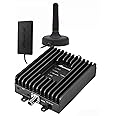
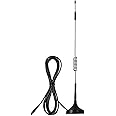
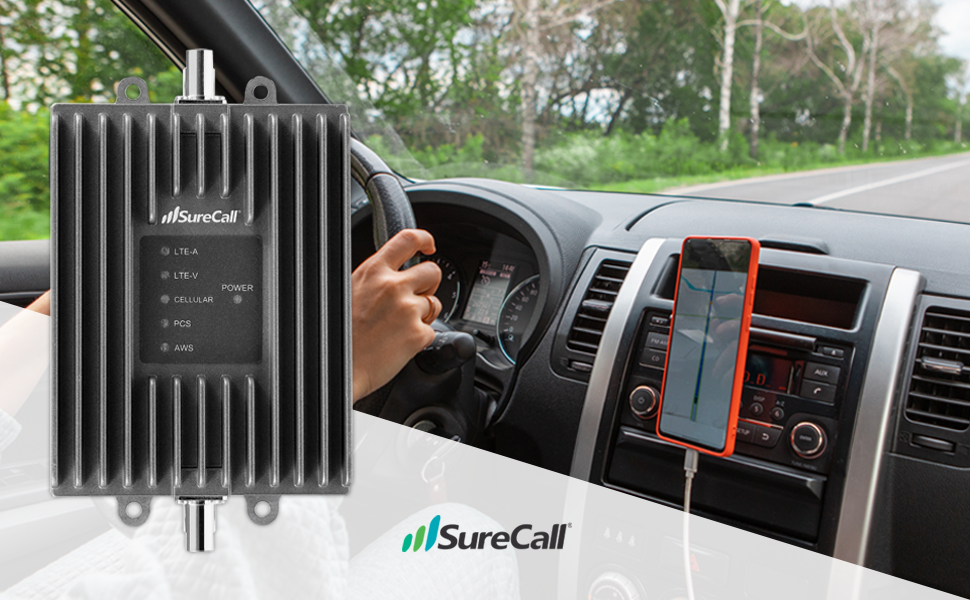
The SureCall Fusion2Go 3.0 is a powerful in-vehicle cell signal booster designed to enhance voice, text, and 4G LTE signals for all major North American carriers. It supports multiple users simultaneously, reduces dropped calls, improves data speeds, and extends device battery life. With a sleek, low-profile exterior antenna and simple plug-and-play installation, it delivers full interior coverage for cars, trucks, and SUVs, ensuring you stay connected on the move.




W**D
This can be good or the contrary as a warning that something needs ...
Second updateAmazon has been great as they shipped me a replacement. Unfortunately, the replacement JUST DIED! Not even a month and I noticed the internet was REALLY slow. I looked at the booster and other than the power light, NOT A SINGLE BOOSTER LIGHT WAS illuminated. I tried unplugging the unit, but no dice.I called Amazon and they provided me with a return label for this POS and I am not going to ask for a replacement! I also told the Amazon rep they need to remove these from availability unless they want to spend a fortune shipping out replacements again and again and again!WARNING, WARNING, WARNING! DO NOT BUY THE SureCall Fusion2Go unit! IT IS CHINESE MADE GARBAGE! that is unless you want to spend your money and time trying to find one (if they actually make one) that works for more than a month!Update -Turns out I spoke too soon. I've had this for a couple of weeks and today, it just died! This morning (Sunday, May 27 everything was working, then all of a sudden, no internet. At first I thought maybe there was something wrong with the cell service, but no. When I looked at the "black box" none of the lights were on (usually, the green power light and all the other lights are flashing green)! I unplugged the unit and tried plugging it back in. Now just the green power light comes on - all of the other lights are blank so there is NO signal coming from this POS. I called SureCall and their answering service said they would have someone contact me. I assume since it's a holiday weekend I won't hear anything back until Tuesday at the earliest.So now I have this $400.00 paper weight I have to return to Amazon (I'm in an RV park in remote NE Washington and fortunately my AT&T Mobile Hotspot gives me some internet connectivity. Unfortunately AT&T charges an arm and a leg for their data - $50.00 for 5 gigs - I just reloaded yesterday and have already used almost 2 gigs just checking e-mail and reading the WSJ and USA Today. I think they inflate the amount of data one uses - not to mention all the additional garbage these websites cram down your throat whether you want it or not!Just got this kit and set it up in my Airstream on a temporary basis. First off, the image DOES NOT represent what's in the box. This kit is supposed to include a small exterior antenna (the black antenna in the attached image), which is what is shown in the image above the booster box. However, the antenna that's included is a "big" fiberglass unit that's supposed to be mounted on the outside on a mast of some sort (the white antenna in the attached image with the bracket on the bottom). The instructions make NO MENTION whatsoever of the "big" fiberglass antenna (just imagine driving down the highway with a 9-10" tall, 1 1/2 - 2" in diameter monster antenna on the roof of your truck or SUV). It would also be next to impossible to "attach" that monstrosity to any vehicle since it has three bolts on the bottom that would have to be removed. Even then, there is the receptacle on the bottom as well that the antenna wire is attached to.So I called Solid Signal and the tech rep said the manual is wrong as the Fusion2Go cell phone kit for RV only comes with the "big" fiberglass antenna. He said they made a decision last week to include BOTH the smaller exterior mount antenna that's shown included in the package and discussed in the manual with the "big" fiberglass one that ISN'T mentioned or shown anywhere in the kit. Supposedly, as of last week, all new kits include both antennas. He's going to ship out the antenna that's "supposed" to come with the kit, but I'm traveling so I just have to hope I don't miss the shipment.All that said, my reception went from 2 bars to a solid 4 bars with the "big" omni-directional antenna set up in a temporary location in my TT and the internet loads extremely fast now.The booster has 5 LED's that light up when turned on. As the system cycles, first they are red, then yellow, then green. On my booster, 2 of the LED's are flashing green while the other 3 are solid green. However, the manual provides NO information whatsoever as to what those LED's (solid and flashing) mean. I asked the tech rep. Rather than going into a long discourse, here is the information from Solid Signal's web site (this information should be provided with the kit!).SureCall Booster Lights-What Do They Mean?Generally, there’re three unique colors on SureCall boosters that work as light indicators. These include Red, Green and Yellow or Amber. With the lights come six different set of actions that the lights usually indicate. This lets you know what is actually happening within your booster. This can be good or the contrary as a warning that something needs to be addressed. The six different types of actions include:1. Solid Green.On your SureCall booster on its power LED towards the power light side, Solid Green is one of the most identifiable lights. Simply speaking, this means the booster’s power is on. On Fusion 5s and 5x, it indicates that the frequency band is in use. This is part of normal operation.2. Flashing Green.Indicates that the booster is functioning properly by using Automatic Gain Control (AGC) technology to stabilize the signal entering your booster from the outside antenna. This is part of normal operation.3. Solid Red.On the various frequency band LEDs solid red light might be indicating the band has been turned off.4. Flashing red.In the case of bands, LEDs flashing red means the signal entering or incoming is rather too strong. As a result, there’s overpowering of the booster occurring that may cause it to shut down. For boosters with manual gain, this can happen when the gain has been turned too low. When frequency band is off due to overpowering:For kits using an OMNI outside antenna, relocate the outside antenna to a location where the signal is weaker.For kits using a YAGI outside antenna, turn the antenna in short increments away from the signal source.Add an inline attenuator to the cable coming into the outside port of the booster.For boosters with manual gain dials or switches, though not desirable as amplification will not be optimum, lower the dB gain setting in small increments until the light turns green.Solution Summary:A) Add an inline attenuator to the cable coming into the booster.B) Relocate the outdoor antenna to a location where the signal is weaker.5. Flashing yellow.On the band LEDs flashing yellow might be indicating. This actually shows the AGC (Automatic Gain Control) is on or operating. Note that this is a normal operation of a SureCall booster and never a cause for worry.This feature actually adjusts the gain automatically towards preventing the unit that you have from interfering with the nearby cell phone towers’ operation. Solid Yellow light simply means your SureCall booster isn’t detecting any type of activity on that particular band and has simply entered some kind of a sleep mode.These are normal operations of the functionality of a booster and need to be understood as your booster operating normally as should be the case.In Fusion 5X: This status appears on the Fusion5X booster and indicates that additional separation is recommended between the inside and outside antennas to optimize performance. Increased vertical separation is more effective than horizontal separation. If your booster kit uses two directional antennas (example: outside Yagi antenna and inside panel antenna), ensure that they are facing away from one another.4. Solid yellow.A solid yellow light merely indicates an inactive band. Light is off while band is active.5. Alternating Red & Yellow Flashing Light.In case the booster is showing alternating red and yellow lights, it is important to note both internal and external antennas are very close to one another and creating a feedback loop or oscillation. Essentially, this should be an alert that there's something wrong with the system and cause for worry. First, try increasing the separation between the indoor and outdoor antennas. If this does not eliminate oscillation, lower the dB gain in 5dB increments.It basically indicates that the booster is receiving too much signal which could cause the affected band to automatically turn off. When this happens:For kits using an OMNI outside antenna, relocate the outside antenna to a location where the signal is weaker.For kits using a YAGI outside antenna, turn the antenna in short increments away from the signal source.Add an inline attenuator to the cable coming into the outside port of the booster.For boosters with manual gain dials or switches, though not desirable as amplification will not be optimum, lower the dB gain setting in small increments until the light turns green.6. No Lights.When your SureCall booster indicates no lights whatsoever, it means the booster is operating without Automatic Gain Control, not overpowering and without feedback loop or oscillation. It means the booster is working at the pinnacle of its performance power.Note: Each of the bands operates in an independent fashion; it is very important to identify the band indicating a specific function as per the LED lights behaviors.
A**F
Game Changer!
This booster is AMAZING! I’m using this for full-time vanlife and tested it out while camping and visiting Crater Lake National Park where there was little to no reception. Without the booster my phone was bouncing between ’SOS’ and ‘No Service’. With the booster I got 2-3 bars (AT&T) and was able to make calls, send texts, use Google maps, pull up YouTube videos and hotspot my friend. Like another person mentioned, my phone has to be literally touching / laying on the interior antenna (which isn’t an issue because the cord is long enough to move it wherever needed). LOVE the sturdy magnet for the exterior antenna instead of permanently mounting the booster on my roof. Highly recommend!
C**
Works as advertised
I use this daily as I need my cell phone for my job. It has saved me as my phone did not work at one customers house. After turning it on I was able to complete my job with enough service to swap the equipment out.
G**P
Not worth the cost of the booster.
Not worth the price. Way to expensive for what it does. I bought this thinking it will greatly improve my cell service T-Mobile and didn't gain much. Also if you currentley have no bars or service this will not help you. You need to have at least 1 bar to boost the service. If you don't have service it will not boost anything. Also for this to work properly you need have your phone at least 12 inch. Or closer to the inner attenna they provide. So people in the back seat or further away from the inner antenna will got gain any boost. I did contact customers service for questions and they were promp and nice. Good for customer service but would not pay this much for the product.
K**O
Did absolutely NOTHING.
I bought this booster after reading mixed reviews and mixed customer service comments. We have property that is somewhat remote but still get a very weak signal on one corner of the property. I followed the instruction EXACTLY (which are pretty much impossible to screw up) and turned the unit on. It lit up like a Christmas tree right away and I thought something good was happening. within about 10 seconds of lighting up the only light on was the power light. I checked my phone and there was no change in reception. Tried to make a call just like it said to do in troubleshooting and again, ZERO difference. I turned the unit off, then on again and this time there were no lights except the power light and still no difference in reception on 3 different phones. I headed out on a trip to the property and drove for 75 miles passing through towns with strong signals and areas in the hills with weak signals. I'd stop occasionally at areas where my bars were down to no signal, then 1 bar, then 2 bars. I would check my work phone and personal phone and there was ZERO change in signal strength. REPEATEDLY I tried to make test calls to people where the phone would barely be unable to make a connection and it was EXACTLY the same result with the booster on or off. Never could get any of the signal lights to come on again even after turning the unit on and off. I wasted probably a full day between testing this thing and scouring the internet for troubleshooting why it's not working. Since I was on the fence about buying this unit anyway because of so many mixed reviews I didn't even bother to call the customer support. I'll be ordering another brand for sure.
Trustpilot
2 months ago
2 weeks ago
3 weeks ago
3 days ago